Choiceworks
Choiceworks
ダウンロード: App Store

このページはアプリまたはその開発者の公式ページではなく、情報提供および論評を目的として作成された独立した編集出版物です。明示的に別段の記載がない限り、アプリおよびその開発者は、MWM、Apple、Google Play、アプリのパブリッシャー、またはアプリの開発者と提携、承認、後援、認可、またはその他の公式的な関係はなく、このページのいかなる内容も、アプリがMWMのサービスを使用して開発されたことを意味するものではありません。すべての商標、ロゴ、スクリーンショット、その他のコンテンツはそれぞれの所有者の財産です。

ロゴ: Choiceworks
ダウンロード: App Store

Choiceworks

家庭や学校で使える、最高水準のビジュアルサポートツール。カスタマイズ可能なスケジュールや感情ボードで、お子様の自立を育み、移行を乗り越え、落ち着きを見つけるお手伝いをします。

主要数値

ダウンロード

81K+

ユーザー評価

4.6/5

評価数

700

開発元

Bee Visual LLC

カテゴリ

Education

対応言語

2

最新バージョン

14.1

サイズ

79.5 MB

リリース日

2011年12月16日
機能

より穏やかで予測可能な一日のためのビジュアルツール

家庭や教室での自立を育み、不安を軽減するように設計された、カスタマイズ可能なビジュアルサポートで、毎日の移行を成功体験に変えましょう。

毎日のルーチンをマスター

視覚的な「完了」チェックリストで、お子様が朝の準備や就寝の移行を自立してこなせるよう、パワーハラスメントをなくしましょう。

大きな感情を乗り越える

お子様が自分の感情を特定し、自己調節して落ち着きを保つための効果的な対処法を選択するための明確なフレームワークを提供します。

以下のスクリーンショットと説明は、アプリの公式ストアリスティングから直接取得されたものであり、アプリ開発者の所有物です。

アプリストア

スクリーンショット
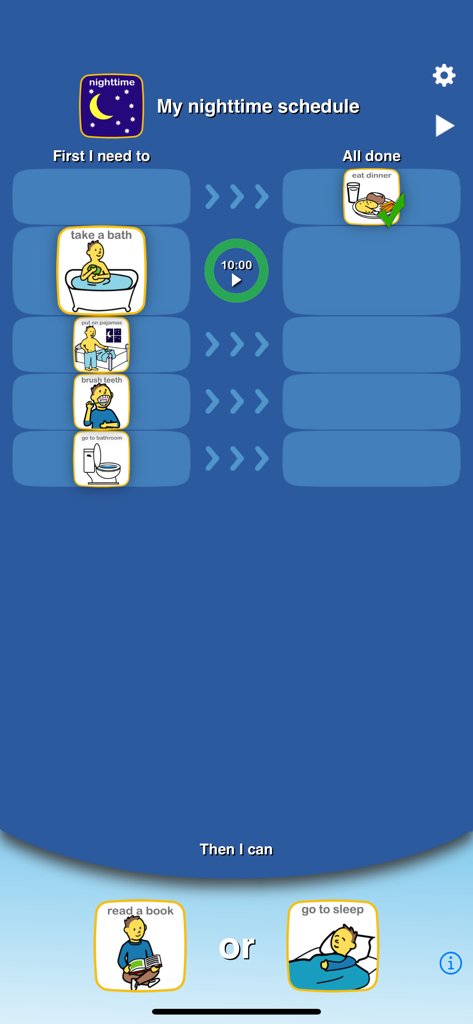
Choiceworks - 入浴や歯磨きなどのステップを備えた、夜のルーチンのビジュアルスケジュール。
入浴や歯磨きなどのステップを備えた、夜のルーチンのビジュアルスケジュール。

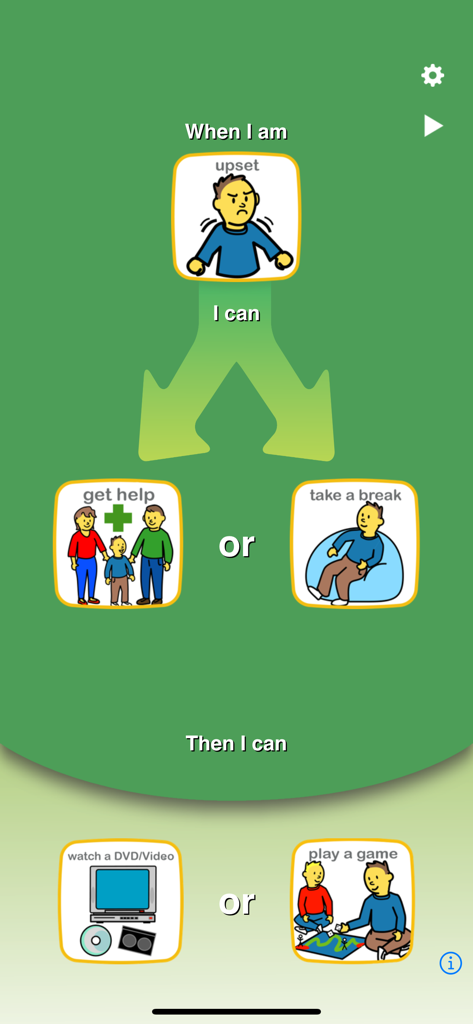
Choiceworks - 感情を管理するための視覚的な選択肢と報酬を提供するChoiceworksの感情ボード。
感情を管理するための視覚的な選択肢と報酬を提供するChoiceworksの感情ボード。

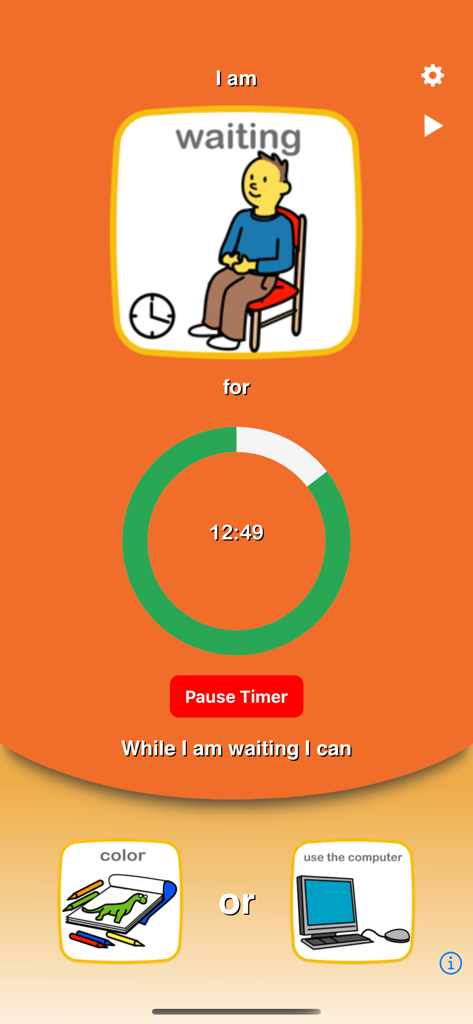
Choiceworks - 視覚的なカウントダウンタイマーと、塗り絵やコンピューターの使用の選択肢が表示されるChoiceworksアプリの待機ボード画面。
視覚的なカウントダウンタイマーと、塗り絵やコンピューターの使用の選択肢が表示されるChoiceworksアプリの待機ボード画面。

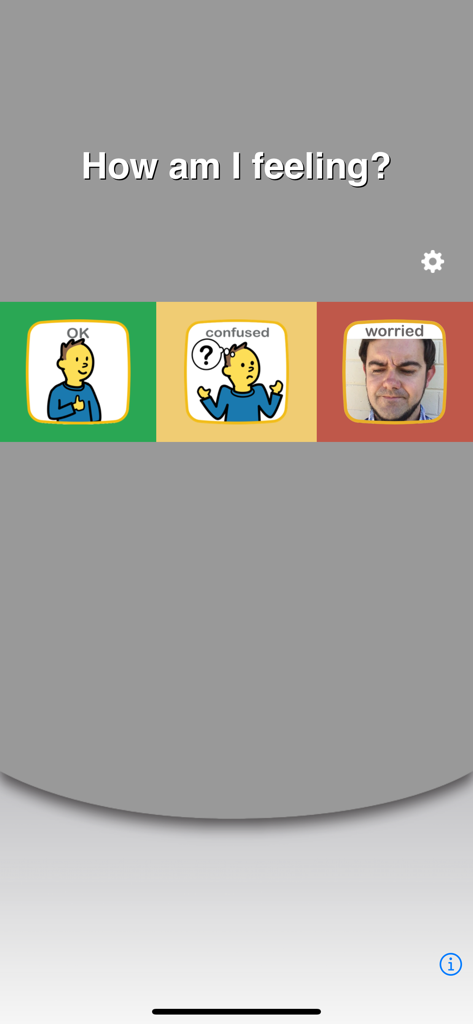
Choiceworks - OK、困惑、心配などの感情の視覚的な選択肢が表示されるChoiceworksアプリの感情ボードインターフェース。
OK、困惑、心配などの感情の視覚的な選択肢が表示されるChoiceworksアプリの感情ボードインターフェース。

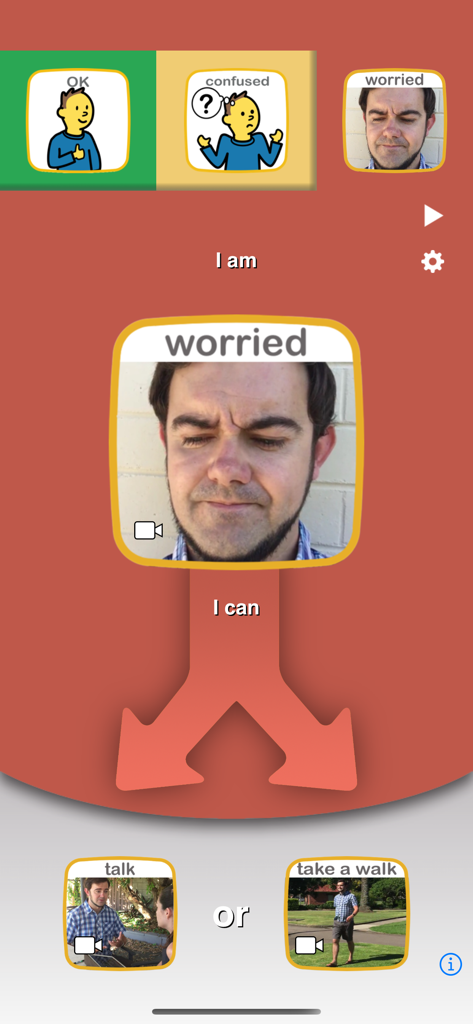
Choiceworks - Choiceworksアプリの感情ボードインターフェース。子供が心配な感情を、話したり散歩したりすることで管理する選択肢が表示されています。
Choiceworksアプリの感情ボードインターフェース。子供が心配な感情を、話したり散歩したりすることで管理する選択肢が表示されています。

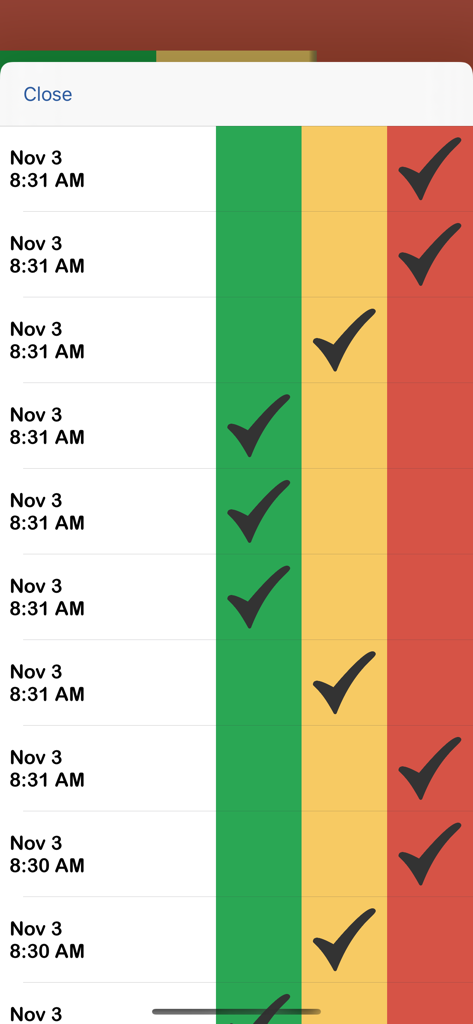
Choiceworks - タイムスタンプと、緑、黄、赤のカラーコードゾーンのチェックマークが付いた、感情状態を追跡するデジタルログ。
タイムスタンプと、緑、黄、赤のカラーコードゾーンのチェックマークが付いた、感情状態を追跡するデジタルログ。

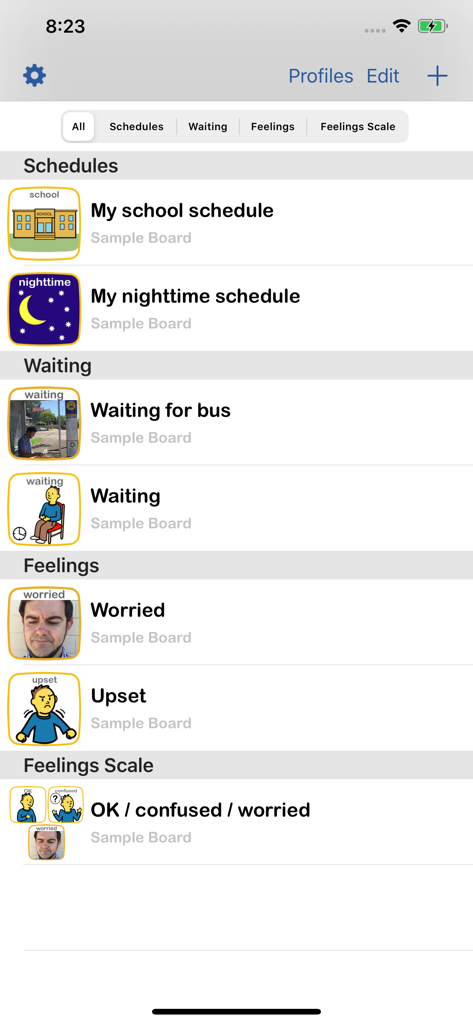
Choiceworks - スケジュール、待機ボード、感情スケールのオプションが表示されるChoiceworksアプリのメインメニュー。
スケジュール、待機ボード、感情スケールのオプションが表示されるChoiceworksアプリのメインメニュー。

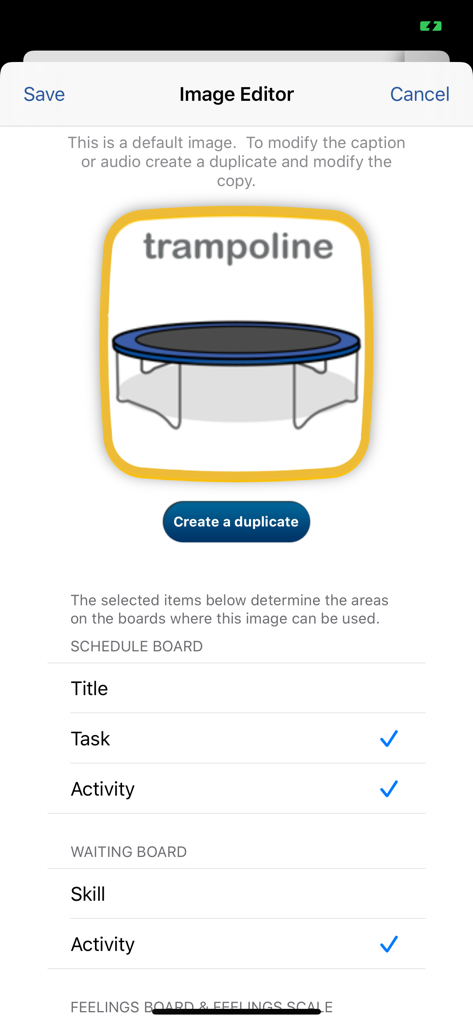
Choiceworks - トランポリンのアイコンとビジュアルスケジュールのカスタマイズ設定を備えた、Choiceworksアプリの画像エディター。

トランポリンのアイコンとビジュアルスケジュールのカスタマイズ設定を備えた、Choiceworksアプリの画像エディター。

説明

The Choiceworks app is an essential learning tool that helps children complete daily routines (morning, day, & night), understand & manage feelings and improve waiting skills (taking turns and not interrupting). Choiceworks is designed for caregivers to provide clear and consistent support to foster a child’s independence, positive behavior, and emotional regulation at home and in the community. It can also be customized for teachers in a school setting. Key features included with Choiceworks: ■ Full, unlimited access to all four board types: Schedule, Waiting, Feelings and Feelings Scale ■ Image Library preloaded with over 180 images and audio ■ Add your own images and record your own audio for limitless customizability ■ Attach video to any board image ■ Easily create profiles to personalize and manage multiple users ■ Save an unlimited number of boards for multiple children or different routines ■ Speaks boards out loud with child or adult voice ■ Share boards by Email, Files app or iTunes with other Choiceworks app users ■ Ability to print boards or save as PDF ■ Advanced sharing options ■ Custom themes ■ Library Assistant ■ Custom timer sounds What do you get with Choiceworks? With your Choiceworks purchase you get access to all the features that have made it an award winning support app used in classrooms and homes around the globe for over a decade. No additional in-app purchase or subscriptions are required and there are no limits to how many boards or images you can create and share. Schedule Board The Schedule Board makes task completion easier and more fun! The schedule is paired with an ‘all done’ column to check off steps toward a motivating reward. Timers can be added to any task or activity. The schedules are easy to edit and fully customizable. Once you have created a schedule, it will be saved automatically. Waiting Board The Waiting Board teaches waiting skills like taking turns and not interrupting. The user can begin by reading the companion book, When Do I Have to Wait? Using the waiting board, the top picture indicates the reason why the child is waiting and a timer can be set to show how long the child will wait. The child can then choose an activity to do while waiting. Feelings Board The Feelings Board provides a tool for helping children understand and express emotions. The user can begin by reading the companion book, When I Get Upset, to provide an example of how the child might recognize an emotion and choose a coping strategy. On the Feelings Board, the user can then help the child indicate how they are feeling from a range of options, select a coping strategy, and then request an activity to help them feel better or re-engage with others. Feelings Scale Helps users identify, manage and cope with feelings across environments throughout the day. By tracking their feelings on the board, users can analyze the data for trends to learn if tasks done at different times of day or in different environments affect outcome. Environments and schedules can then be altered to achieve better results. Terms of Use: https://www.beevisual.com/mobile-app-eula.html Privacy Policy: https://www.beevisual.com/mobile-app-privacy.html

Download

ダウンロード: App Store

このページはアプリまたはその開発者の公式ページではなく、情報提供および論評を目的として作成された独立した編集出版物です。明示的に別段の記載がない限り、アプリおよびその開発者は、MWM、Apple、Google Play、アプリのパブリッシャー、またはアプリの開発者と提携、承認、後援、認可、またはその他の公式的な関係はなく、このページのいかなる内容も、アプリがMWMのサービスを使用して開発されたことを意味するものではありません。すべての商標、ロゴ、スクリーンショット、その他のコンテンツはそれぞれの所有者の財産です。








