Clean Storage Pro: AI Cleaner

Clean Storage Pro: AI Cleaner

ダウンロード: App Store
ロゴ: Clean Storage Pro: AI Cleaner

Clean Storage Pro: AI Cleaner – ワンタップでiPhoneストレージを解放

「ストレージがいっぱいです」のフラストレーションに終止符を。インテリジェントAIを使用して、重複を即座に見つけ、重い動画を圧縮し、簡単なスワイプ操作で思い出を整理しましょう。

開発元

磊军 郭

カテゴリ

Utilities

ダウンロード

15K+

ユーザー評価

4.8/5

評価数

0

対応言語

19

整理するためのよりスマートな方法

このインターフェースを利用する 15K+ 人のユーザー.

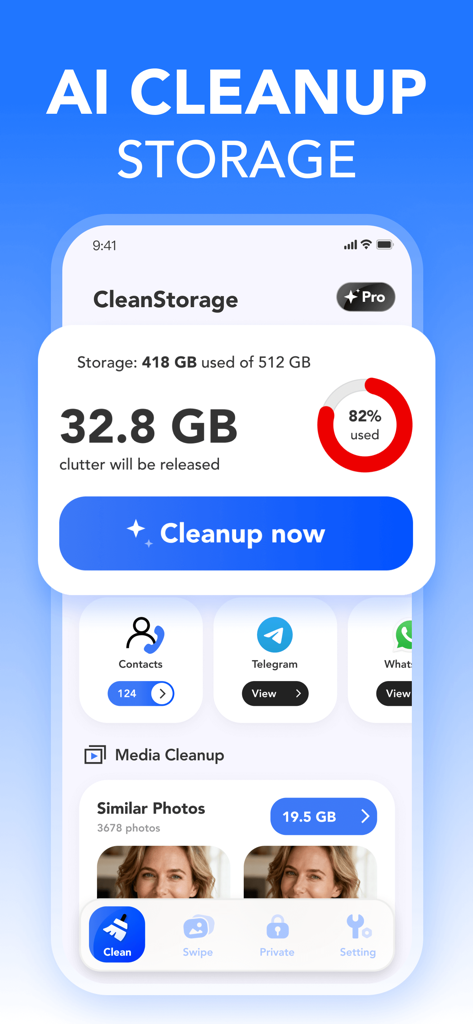
Clean Storage Proアプリのダッシュボード。ストレージ状況と、写真や連絡先のAIクリーンアップオプションが表示されています。
Clean Storage Proアプリのダッシュボード。ストレージ状況と、写真や連絡先のAIクリーンアップオプションが表示されています。

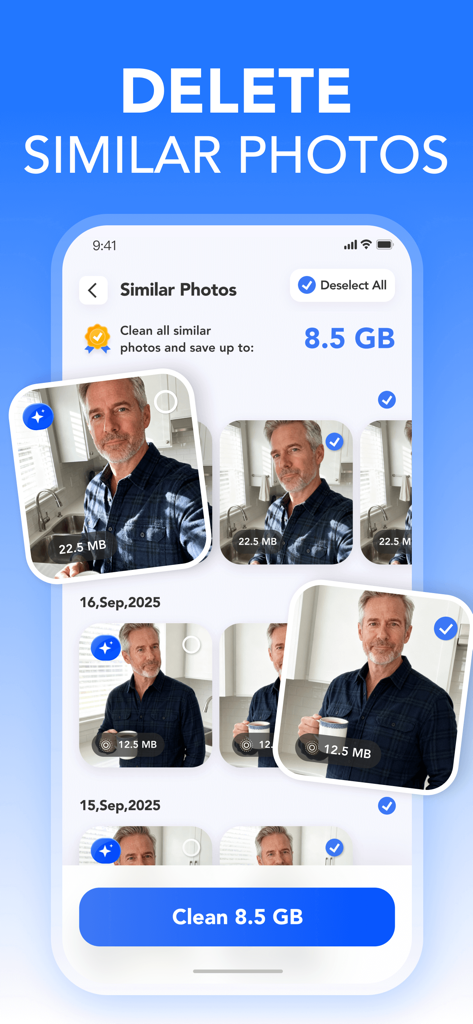
Clean Storage Proアプリのインターフェース。類似写真の削除機能が表示され、ユーザーは8.5GBのストレージ容量を節約できます
Clean Storage Proアプリのインターフェース。類似写真の削除機能が表示され、ユーザーは8.5GBのストレージ容量を節約できます

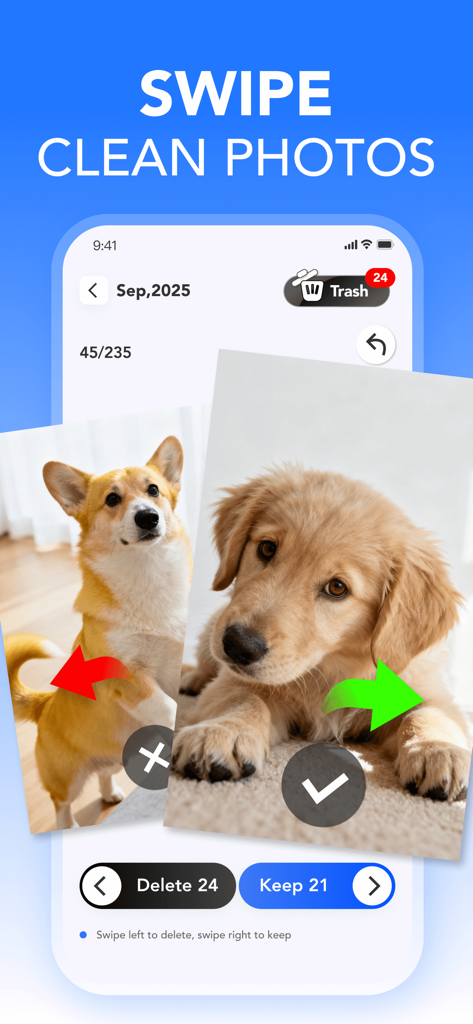
写真整理ツールのスワイプで削除または保持する機能が表示されたモバイルアプリ画面
写真整理ツールのスワイプで削除または保持する機能が表示されたモバイルアプリ画面

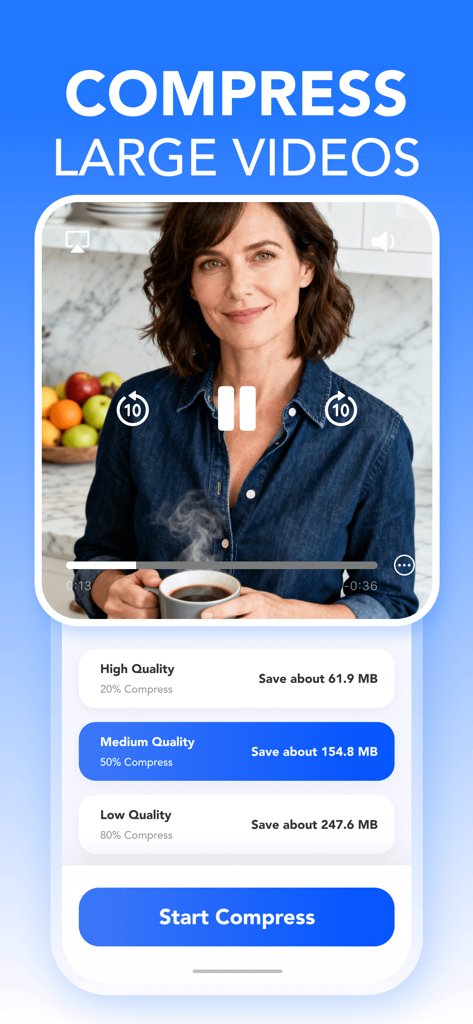
Clean Storage Proアプリのインターフェース。大容量動画を圧縮してストレージ容量を節約するオプションが表示されています。
Clean Storage Proアプリのインターフェース。大容量動画を圧縮してストレージ容量を節約するオプションが表示されています。

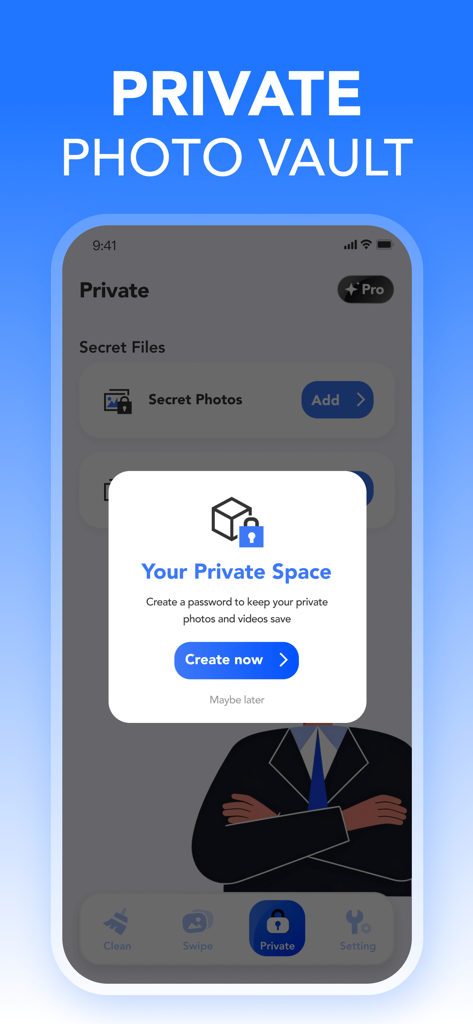
Clean Storage Pro iPhoneアプリのプライベート写真保管庫設定画面
Clean Storage Pro iPhoneアプリのプライベート写真保管庫設定画面

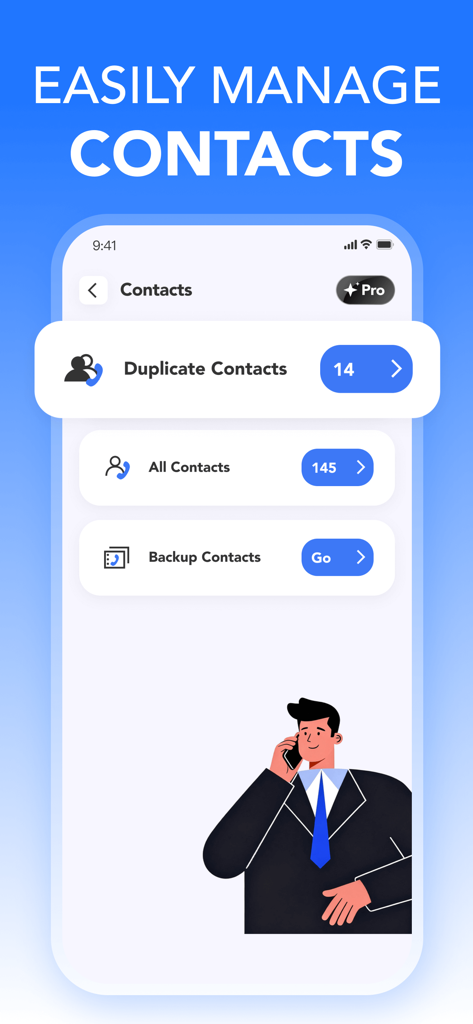
Clean Storage Proの連絡先管理インターフェースが表示されたスマートフォンスクリーン。重複連絡先の結合やアドレス帳のバックアップオプションがあります。

Clean Storage Proの連絡先管理インターフェースが表示されたスマートフォンスクリーン。重複連絡先の結合やアドレス帳のバックアップオプションがあります。

容量を取り戻し、思い出を再び

このアプリを際立たせるツール、 15K+ 人のユーザーが選択.

🤖

インテリジェントAIクリーンアップ

ぼやけた写真、重複、スクリーンショットを自動検出して、ギガバイト単位のストレージ容量を即座に解放します。

👆

直感的なスワイプクリーニング

面倒な作業はもうやめましょう。ゲームのような感覚で整理できる楽しいスワイプ操作でギャラリーを整理します。

📉

プロフェッショナル動画圧縮

巨大な4K動画を画質を損なうことなく圧縮し、追加のiCloudストレージ料金を払う必要がなくなります。

アプリについて

について知っておくべきこと Clean Storage Pro: AI Cleaner.

説明

CleanStorage Pro is your iPhone gallery assistant, designed to help you clean, organize, and secure your media and contacts—all on your device. With one tap, you can scan your photos, videos, and contacts, identify duplicates, similar items, and large videos, and clean up unnecessary clutter safely and efficiently. One-Tap Media Cleaning & Management Easily scan and clean your phone for: Similar photos & videos – CleanStorage Pro automatically groups them and highlights the best version. Duplicate photos & videos – Detect and clean repeated items to free up space. Screenshots & screen recordings – Identify and clean casual captures you no longer need. Large videos – Compress or move them to optimize storage. Duplicate contacts – Merge duplicates and back up your address book. With one tap, you can review, clean, compress, or organize your media and contacts in seconds. Swipe to Clean & Organize Manage your photos and videos with intuitive swipe gestures: Organized by month and year for faster review Swipe right to keep important items Swipe left to clean or archive unwanted ones Quickly declutter your gallery while keeping your best memories intact. Large Video Cleaner & Optimizer Clean up and compress large videos in bulk Choose from high, medium, or low quality options Free up space while keeping great visual quality Contact Cleaner & Manager Merge and clean duplicate contacts Back up your address book with one tap and restore anytime Private Space Protect your sensitive media: Store private photos and videos in a password-protected folder Only accessible with your personal password Keep private memories clean, safe, and separate from the main gallery Permissions CleanStorage Pro may request the following permissions to deliver full functionality: Photos & Media – Access your photo library to identify and clean similar, duplicate, screenshot, and screen recording items. Camera – Capture new photos or videos directly within the app. Microphone – Record videos with audio when using the in-app camera. Contacts – Detect and clean duplicate contacts, and enable backup and restore. CleanStorage Pro Subscription CleanStorage Pro offers flexible subscription options: ●weekly subscription ●Yearly subscription Subscriptions will automatically renew unless turned off at least 24 hours before the end of the current period. You can manage your subscriptions and turn off auto-renewal in your Apple ID Account Settings. Any unused portion of a free trial will be forfeited when purchasing a subscription. The free trial is only available to new users who have never purchased this plan, limited to one trial per Apple ID. If you have previously purchased this plan, you can use [Restore] to regain your subscription after reinstalling the app. Privacy Policy:https://feslogic.com/privacy/ Terms of Use:https://feslogic.com/terms/ CleanStorage Pro is your all-in-one media cleaner and contact manager, designed to help you organize, optimize, and secure your iPhone effortlessly. If you have any questions about this app you may contact us at: Email: BaochuanWang@outlook.com

最新バージョン

1.0.6

サイズ

36.7 MB

リリース日

2025年10月2日

「ストレージ容量がほとんどありません」に永遠にさよなら

数秒でギガバイトの容量を回復した15,000人以上のユーザーに加わりましょう。今すぐClean Storage Proをダウンロードして、iPhoneの整理、整理、保護の最もスマートな方法を体験してください。

ダウンロード: App Store
FAQ

よくある質問

について知っておくべきこと Clean Storage Pro: AI Cleaner

CleanStorage Proとは何ですか?

CleanStorage Proは、メディアと連絡先をデバイス上で直接クリーニング、整理、保護するiPhoneギャラリーアシスタントです。重複、類似アイテム、大容量ビデオ、連絡先のワンタップスキャンを提供します。

CleanStorage Proはどのようなメディアをクリーニングできますか?

CleanStorage Proは、類似の写真やビデオ、重複した写真やビデオ、スクリーンショット、画面録画、大容量ビデオをクリーニングします。iPhoneギャラリーを効率的に整理するのに役立ちます。

CleanStorage Proは連絡先を管理できますか?

はい、CleanStorage Proは連絡先を管理します。重複した連絡先を検出し、マージし、アドレス帳をワンタップでバックアップします。いつでも連絡先を復元することもできます。

CleanStorage Proは写真用のプライベートボルトを提供していますか?

はい、CleanStorage Proはプライベートスペースを提供します。機密性の高い写真やビデオをパスワードで保護されたフォルダーに保存でき、個人のパスワードでのみアクセスできます。

CleanStorage Proは無料トライアルを提供していますか?

はい、CleanStorage Proは無料トライアルを提供しています。このトライアルは、プランを一度も購入したことのない新規ユーザーのみが対象で、Apple IDごとに1回に制限されています。

CleanStorage Proは大容量ビデオを圧縮できますか?

はい、CleanStorage Proは大容量ビデオを一括で圧縮します。ユーザーは高、中、低の品質オプションから選択して、視覚的な品質を維持しながらスペースを解放できます。

CleanStorage Proを使用して写真を素早くクリーニングするにはどうすればよいですか?

CleanStorage Proでは、直感的なスワイプジェスチャーで写真やビデオを管理できます。右にスワイプしてアイテムを保持し、左にスワイプして不要なアイテムをクリーニングまたはアーカイブします。

CleanStorage Proにはどのような権限が必要ですか?

CleanStorage Proは、アイテムのクリーニングのために写真とメディア、アプリ内キャプチャのためにカメラとマイク、アドレス帳の管理とバックアップのために連絡先へのアクセス権限が必要です。

CleanStorage Proのサブスクリプションは自動更新されますか?

はい、CleanStorage Proのサブスクリプションは自動的に更新されます。ユーザーは、現在の期間が終了する少なくとも24時間前に、Apple IDアカウント設定を通じて自動更新をオフにする必要があります。

CleanStorage Proはどのようにして不要なアイテムを特定しますか?

CleanStorage ProはiPhoneをスキャンして、類似の写真やビデオ、重複したアイテム、スクリーンショット、画面録画、大容量ビデオを特定し、削除対象の不要なアイテムをハイライトします。

App information, icons, screenshots, and descriptions displayed on this page are sourced from the Apple App Store and are the property of their respective developers. Download estimates and rankings are based on MWM's proprietary models and may not reflect actual figures. This page is provided for informational and analytical purposes only.

Believe this page infringes your intellectual property? File a dispute