CleanEasy: Memory Manage
ダウンロード: App Store

このページはアプリまたはその開発者の公式ページではなく、情報提供および論評を目的として作成された独立した編集出版物です。明示的に別段の記載がない限り、アプリおよびその開発者は、MWM、Apple、Google Play、アプリのパブリッシャー、またはアプリの開発者と提携、承認、後援、認可、またはその他の公式的な関係はなく、このページのいかなる内容も、アプリがMWMのサービスを使用して開発されたことを意味するものではありません。すべての商標、ロゴ、スクリーンショット、その他のコンテンツはそれぞれの所有者の財産です。


ロゴ: CleanEasy: Memory Manage
ダウンロード: App Store

CleanEasy: Memory Manage

「ストレージがいっぱいです」というパニックはもう終わり。1タップで重複ファイルや散らかったカレンダーを簡単に削除し、最も大切な瞬間をデジタルタイムカプセルに保存しましょう。

主要数値

ダウンロード

39K+

ユーザー評価

4.7/5

評価数

300

開発元

奇川 熊

カテゴリ

Productivity

対応言語

16

最新バージョン

1.0.6

サイズ

38.5 MB

リリース日

2025年7月29日
機能

大切なもののためにもっとスペースを

iPhoneを簡単に整理し、デジタルゴミを削除し、オールインワン管理ツールで最も大切な瞬間の遺産をキュレーションしましょう。

スマートストレージリカバリー

重複写真や大容量動画を即座に特定して削除し、「ストレージがいっぱいです」の通知を停止してパフォーマンスを向上させます。

シームレスなスケジュール管理

期限切れのカレンダーイベントやスパム招待を1タップで削除し、仕事とプライベートを整理しましょう。

以下のスクリーンショットと説明は、アプリの公式ストアリスティングから直接取得されたものであり、アプリ開発者の所有物です。

アプリストア

スクリーンショット
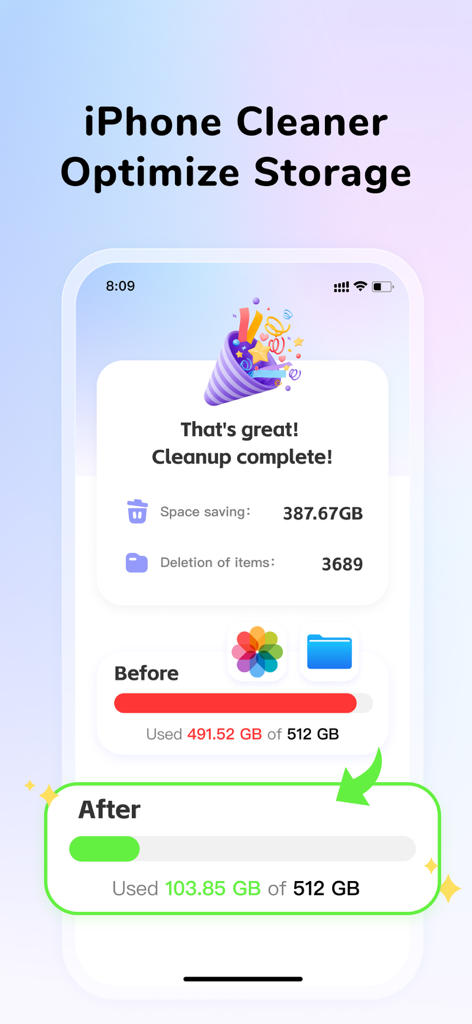
CleanEasy: Memory Manage - ストレージ使用量の前後比較バーが表示された、成功したストレージクリーンアップの概要を示すスマートフォンの画面
ストレージ使用量の前後比較バーが表示された、成功したストレージクリーンアップの概要を示すスマートフォンの画面

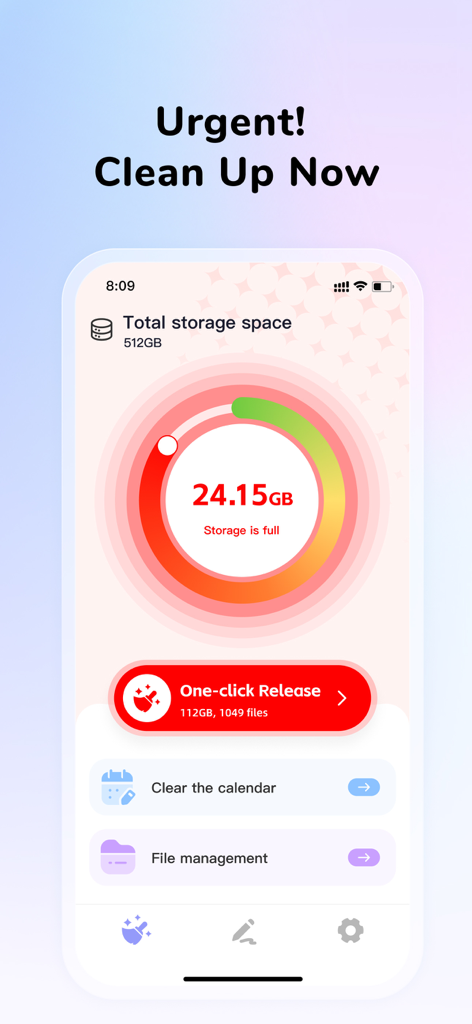
CleanEasy: Memory Manage - ストレージがいっぱいの警告とワンクリッククリーンアップボタンが表示されたCleanEasyアプリのダッシュボード
ストレージがいっぱいの警告とワンクリッククリーンアップボタンが表示されたCleanEasyアプリのダッシュボード

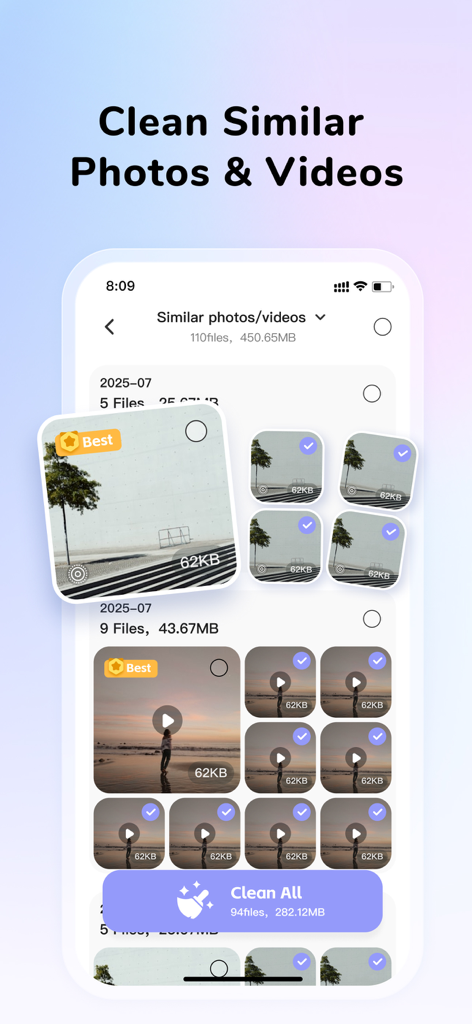
CleanEasy: Memory Manage - 重複写真や動画のスマート認識と「すべてクリーン」ボタンを表示するCleanEasyアプリのインターフェース
重複写真や動画のスマート認識と「すべてクリーン」ボタンを表示するCleanEasyアプリのインターフェース

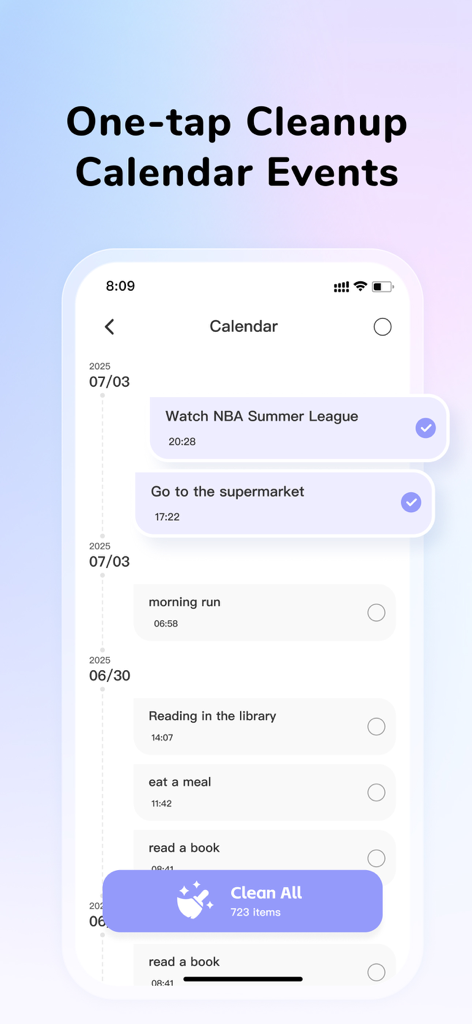
CleanEasy: Memory Manage - 一度に複数のイベントを削除するワンタップカレンダークリーンアップ機能を示すCleanEasyアプリのインターフェース
一度に複数のイベントを削除するワンタップカレンダークリーンアップ機能を示すCleanEasyアプリのインターフェース

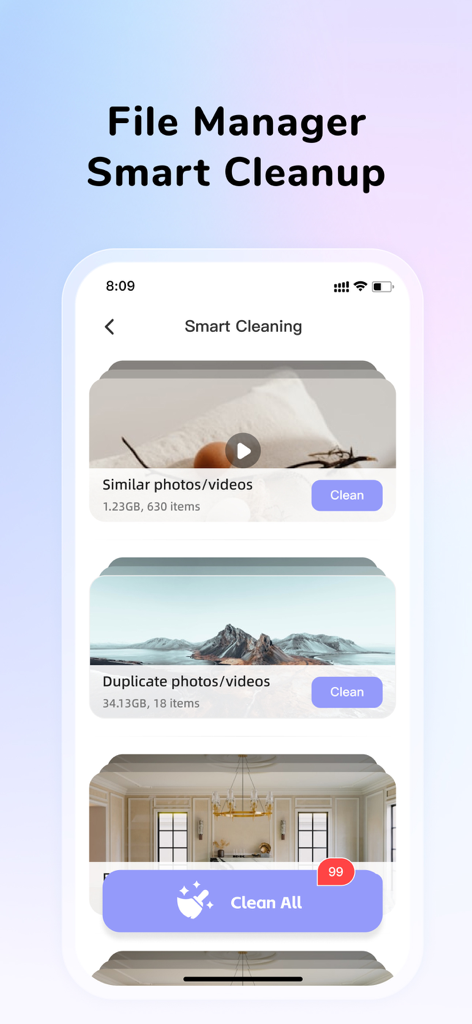
CleanEasy: Memory Manage - 重複および類似の写真と動画のスマートクリーニングオプションを示すCleanEasyアプリのインターフェース
重複および類似の写真と動画のスマートクリーニングオプションを示すCleanEasyアプリのインターフェース

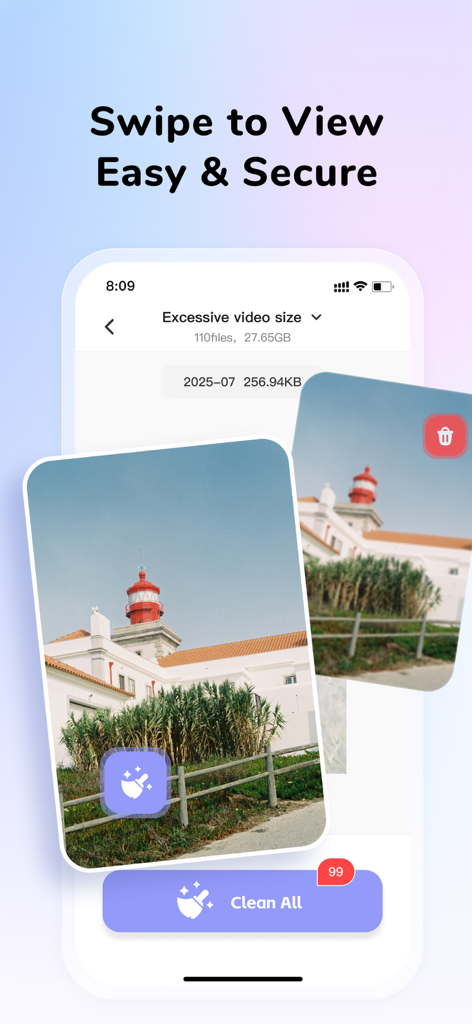
CleanEasy: Memory Manage - スマートフォンのストレージを解放するために、大容量動画ファイルをスワイプしてクリーンアップする方法を示すCleanEasyアプリのインターフェース

スマートフォンのストレージを解放するために、大容量動画ファイルをスワイプしてクリーンアップする方法を示すCleanEasyアプリのインターフェース
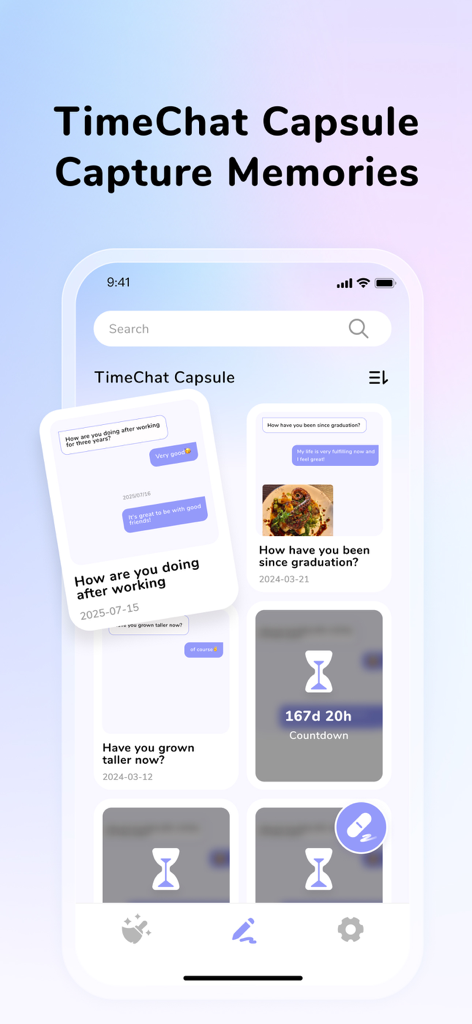
CleanEasy: Memory Manage - パーソナライズされたメモカードと未来のメッセージのカウントダウンタイマーが表示されたTimeChatカプセルのインターフェースを示すCleanEasyアプリのスクリーンショット

パーソナライズされたメモカードと未来のメッセージのカウントダウンタイマーが表示されたTimeChatカプセルのインターフェースを示すCleanEasyアプリのスクリーンショット

説明

CleanEasy is a mobile tool for record management and smart cleaning, featuring one-tap cleaning, deleting duplicates/similar files, clearing calendar events, and time capsule functions to record good memories—offering efficient phone management and cleaning. 【One-Tap Release】Manage & clean, optimize phone storage Deeply detects redundant files; one-tap cleaning frees up space and boosts phone performance. 【Smart Recognition】Identify duplicates/similars, keep the best Smartly identifies and auto-selects top-quality photos/videos; one-tap removal of redundancies saves storage efficiently. 【Calendar Cleanup】Quickly clear invalid schedules Supports batch selection and one-tap clearing of invalid to-dos, enhancing calendar tidiness for more efficient schedule management. 【File Management】Efficiently manage media files Covers album, calendar, and file management with efficient, user-friendly operations—helping users organize, manage, and recall fragmented memories effectively. 【Beautiful Memories】Record life's memories Supports uploading videos, photos, and voice notes, leaving vivid traces of every time-space dialogue. Amid time's flow, hear the echo of your growth. 【Chat Capsule】Cross-time spiritual dialogue Leave messages or questions for your future self, preset answers, set an unlock time to create a personalized time capsule. When the appointed time comes, open it to hold a self-dialogue with your past self. ***CleanEasy Membership Automatic Subscription Service Agreement*** 1. Subscription Service: Continuous Monthly (1 month), Continuous Quarterly (3 months) 2. Subscription Price: The specific price is subject to the iAP application information. For example, the continuous monthly subscription is 6.99/month, and the continuous quarterly subscription is 49.99/quarter. 3. Payment: The price will be charged to the iTunes account after the user confirms the purchase and payment. 4. Renewal: If auto-renewal is not turned off at least 24 hours before the end of the current subscription period, Apple will automatically debit your Apple ID account within 24 hours before the end of the current subscription period. If successful, the membership will be automatically extended for one additional period. 5. Cancellation of Renewal: To cancel auto-renewal, you can follow these steps: Go to "Settings" on your iPhone, tap "Apple ID," select "Subscriptions," and then select "CleanEasy." This auto-renewal service is valid from the date you activate it until you choose to cancel it. 6. Related Agreements Service Agreement: http://esh.CleanEasyfing.com/privacy/CleanEasy/en/useragreement.html Privacy Policy: http://esh.CleanEasyfing.com/privacy/CleanEasy/en/privacypolicy.html Membership Agreement: http://esh.CleanEasyfing.com/privacy/CleanEasy/en/subscriptionagreement.html

Download

ダウンロード: App Store

このページはアプリまたはその開発者の公式ページではなく、情報提供および論評を目的として作成された独立した編集出版物です。明示的に別段の記載がない限り、アプリおよびその開発者は、MWM、Apple、Google Play、アプリのパブリッシャー、またはアプリの開発者と提携、承認、後援、認可、またはその他の公式的な関係はなく、このページのいかなる内容も、アプリがMWMのサービスを使用して開発されたことを意味するものではありません。すべての商標、ロゴ、スクリーンショット、その他のコンテンツはそれぞれの所有者の財産です。