
このページはアプリまたはその開発者の公式ページではなく、情報提供および論評を目的として作成された独立した編集出版物です。明示的に別段の記載がない限り、アプリおよびその開発者は、MWM、Apple、Google Play、アプリのパブリッシャー、またはアプリの開発者と提携、承認、後援、認可、またはその他の公式的な関係はなく、このページのいかなる内容も、アプリがMWMのサービスを使用して開発されたことを意味するものではありません。すべての商標、ロゴ、スクリーンショット、その他のコンテンツはそれぞれの所有者の財産です。


iCleanUp: Clean Duplicates
「ストレージがいっぱいです」という警告にさよなら。重複写真を即座に削除し、散らかった連絡先を整理し、オールインワンオプティマイザーでメールスパムを一掃して、忙しいあなたの生活をサポートします。
ダウンロード
33K+ユーザー評価
評価数
1K+開発元
カテゴリ
Utilities対応言語
6最新バージョン
1.16サイズ
49.2 MBリリース日
2024年9月24日デジタルライフを管理するスマートな方法
手動でのクリーニングに時間を浪費するのはやめましょう。iCleanUpはスマートテクノロジーを使用して、ストレージを最適化し、データを保護し、数秒で受信トレイを整理します。
インテリジェントメディアクリーニング
重複写真や容量の大きい動画を即座に見つけて削除し、ギガバイト単位のストレージを解放して、最も重要なものに利用しましょう。
手間いらずの受信トレイ管理
頻繁にメールを送信してくる送信者を特定し、ワンタップで迷惑メール購読を解除して、メールを整理しましょう。
よくある質問
について知っておくべきこと iCleanUp: Clean Duplicates
iCleanUp: Clean Duplicatesとは何ですか?
iCleanUpは、写真、ビデオ、連絡先、メールを整理し、不要なものを削除するデジタル最適化ソリューションです。iOSユーザーのデバイスの効率、セキュリティ、整理を向上させます。
iCleanUpアプリにはどのような主な機能がありますか?
iCleanUpは、重複写真/ビデオの削除、連絡先の整理、セキュアストレージ、メールクリーニング、直感的なインターフェース、ファイル管理のためのスマートな推奨機能を提供します。
iCleanUp: Clean Duplicatesは重複した写真やビデオを削除しますか?
はい、iCleanUpには重複写真&ビデオリムーバー機能が含まれています。不要なメディアファイルを削除して、ストレージスペースを即座に解放します。
iCleanUpはどのように私の連絡先を整理しますか?
iCleanUpの連絡先オーガナイザーは、アドレス帳を簡素化します。重複したエントリや空のエントリを削除し、連絡先リストを効率的に整理します。
iCleanUpは重要なファイルのセキュアストレージを提供しますか?
はい、iCleanUpにはセキュアストレージボルト機能があります。これは、重要なファイルや思い出を保護するための暗号化されたクラウドストレージを提供します。
iCleanUp: Clean Duplicatesは私のメール受信トレイのクリーニングに役立ちますか?
はい、iCleanUpにはEメールクリーナー機能があります。スパムを特定し、送信者ごとのメールを表示し、ユーザーがワンタップで送信者の購読を解除または保持できるようにします。
iCleanUp: Clean Duplicatesはサブスクリプションベースのアプリケーションですか?
はい、iCleanUpはプレミアムウィークリーおよびイヤリースサブスクリプションを提供しています。これらは、重複のクリーニング、連絡先の整理、メールスパムの削除などのすべてのプレミアム機能のロックを解除します。
iCleanUpプレミアムサブスクリプションでロック解除される機能は何ですか?
プレミアムサブスクリプションは、重複写真/ビデオのクリーニング、連絡先の整理、暗号化されたボルトでのファイルの保護、メールスパムの削除など、すべての機能のロックを解除します。
ユーザーはiCleanUp: Clean Duplicatesサブスクリプションをどのように管理しますか?
サブスクリプションは、購入後にiTunesアカウント設定で管理できます。自動更新は、現在の期間が終了する少なくとも24時間前にオフにする必要があります。
iCleanUp: Clean Duplicatesは私のカレンダーを整理するのに役立ちますか?
はい、iCleanUpはカレンダーの整理に役立ちます。スクリーンショット#4は、イベントの管理と削除、カレンダーの最適化を提案する機能を示しています。
ユーザーはiCleanUpアプリで大きなビデオを圧縮できますか?
はい、iCleanUpではユーザーは大きなビデオを圧縮できます。スクリーンショット#5は、低、中、高の圧縮レベルのオプションを備えた「ビデオ圧縮」機能を示しています。
以下のスクリーンショットと説明は、アプリの公式ストアリスティングから直接取得されたものであり、アプリ開発者の所有物です。
アプリストア
スクリーンショット
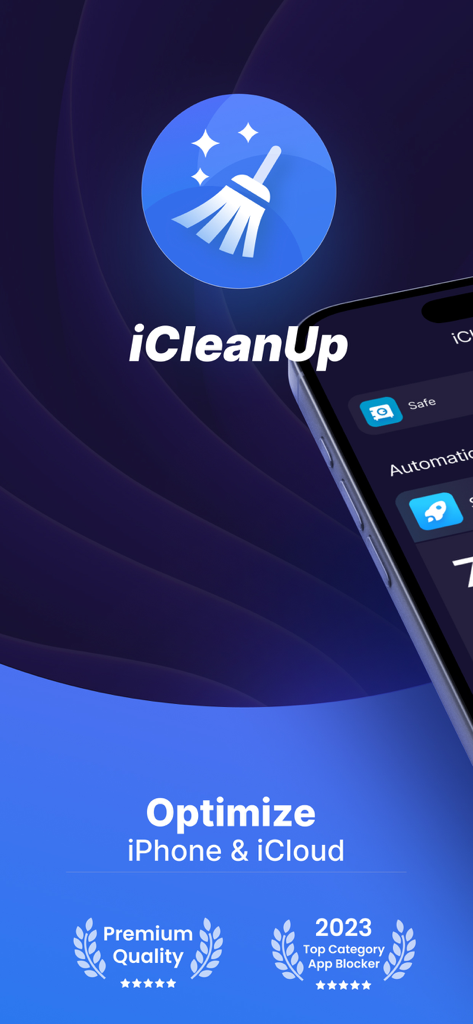
iCleanUpアプリのスプラッシュスクリーン。ロゴとiPhoneおよびiCloudストレージの最適化に関するテキストが表示されています。
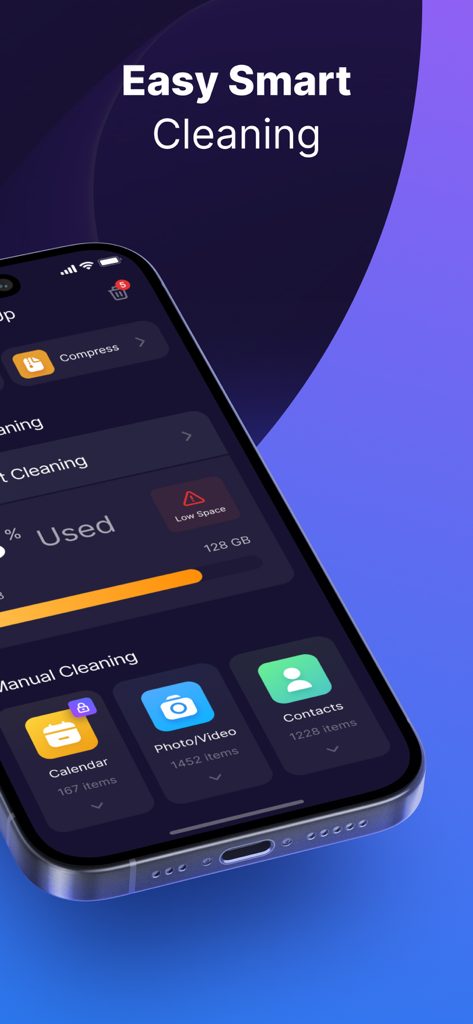
iCleanUpアプリのインターフェース。簡単なスマートクリーニング機能とストレージ使用状況ダッシュボードが表示されています。
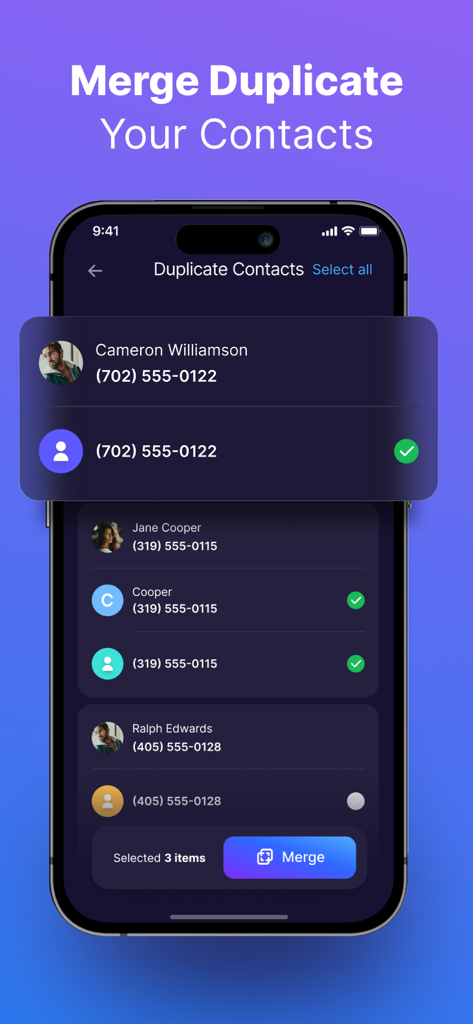
iCleanUpアプリのインターフェースを表示するスクリーンショット。iPhone上の重複連絡先の特定とマージオプションが表示されています。
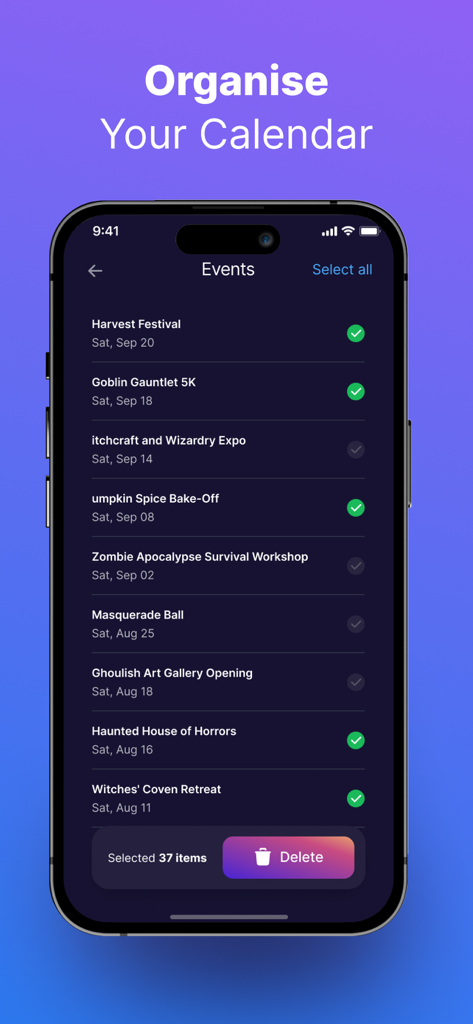
iCleanUpアプリのインターフェース。カレンダーイベントのリストが表示され、アイテムを選択して削除するオプションがあります。
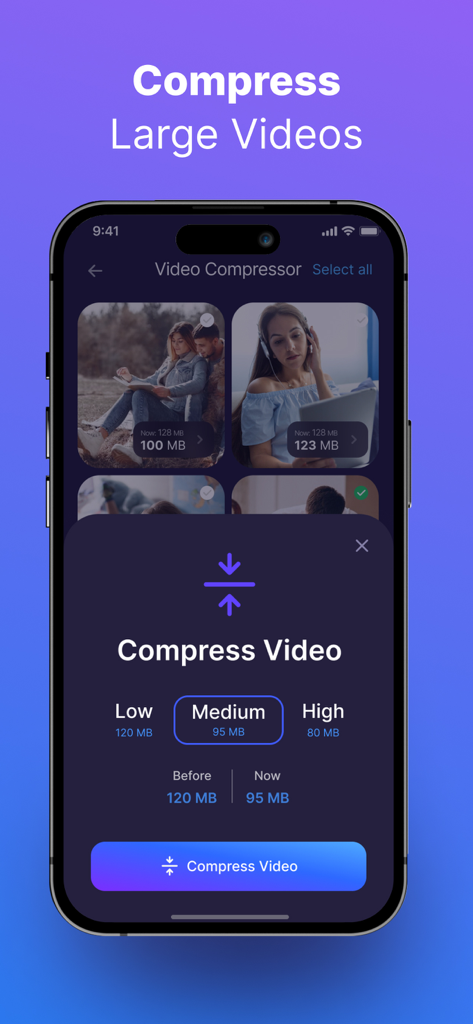
iCleanUpアプリのビデオ圧縮ツールのiPhoneインターフェース。低、中、高画質設定のオプションが表示されています。
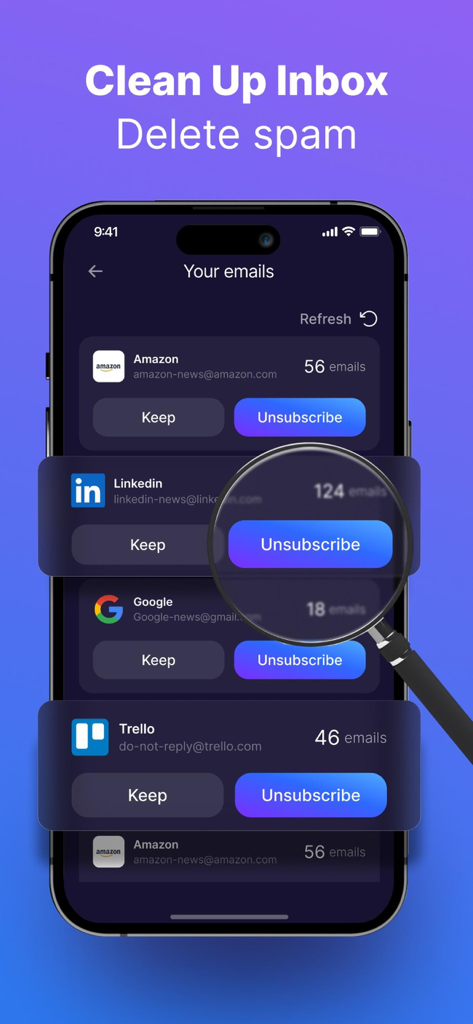
iPhone画面。iCleanUpアプリのメールクリーナー機能が表示され、LinkedInメールの購読解除ボタンが強調表示されています。
説明
Download
類似アプリ
似た機能とユーザー体験を持つアプリ

True Cleaner - Cleanup Storage
Alpha Zeta Co., Limited

CleanEasy: Memory Manage
奇川 熊

手机助手-功能强大方便实用
波 张

Memorra Cleaner
DAYS GONE LAND SERVICE ,LLC.

CleanMate - cleaner app
MASSEY BBQ BAR NON PROFIT CORP

Clean Master: AI Clean Storage
Beijing Xingxi Network Technology Co., Ltd

Secure Cleaner: Clean & Safe
Hunan Jukan Culture Media Co., Ltd.

AI Cleaner - Free up Storage
Hunan Kuangshen Network Technology Co., Ltd.

Photo Recovery: phone cleanup
Shanghai Yixuan Network Technology Co., Ltd.
このページはアプリまたはその開発者の公式ページではなく、情報提供および論評を目的として作成された独立した編集出版物です。明示的に別段の記載がない限り、アプリおよびその開発者は、MWM、Apple、Google Play、アプリのパブリッシャー、またはアプリの開発者と提携、承認、後援、認可、またはその他の公式的な関係はなく、このページのいかなる内容も、アプリがMWMのサービスを使用して開発されたことを意味するものではありません。すべての商標、ロゴ、スクリーンショット、その他のコンテンツはそれぞれの所有者の財産です。