Clock Widget+
Clock Widget+
ダウンロード: App Store

このページはアプリまたはその開発者の公式ページではなく、情報提供および論評を目的として作成された独立した編集出版物です。明示的に別段の記載がない限り、アプリおよびその開発者は、MWM、Apple、Google Play、アプリのパブリッシャー、またはアプリの開発者と提携、承認、後援、認可、またはその他の公式的な関係はなく、このページのいかなる内容も、アプリがMWMのサービスを使用して開発されたことを意味するものではありません。すべての商標、ロゴ、スクリーンショット、その他のコンテンツはそれぞれの所有者の財産です。

ロゴ: Clock Widget+
ダウンロード: App Store

Clock Widget+

あなたの雰囲気に合った、見事でカスタムな時計とカレンダーウィジェットを作成。ミニマリストデザインから鮮やかなグラデーションまで、数秒でiPhoneをパーソナライズ。

主要数値

ダウンロード

300

ユーザー評価

4.9/5

評価数

0

開発元

Duy Nguyen

カテゴリ

Lifestyle

対応言語

20

最新バージョン

2.1

サイズ

26.8 MB

リリース日

2024年9月30日
機能

あなたの夢の美的空間をデザイン

個人のスタイルと必須の機能を融合させた、完全にカスタマイズ可能なウィジェットでiPhoneを変身させましょう。

無限のスタイリングオプション

厳選されたフォント、カラー、グラデーションのギャラリーから選択し、あなたの雰囲気に完璧にマッチするウィジェットを作成します。

パーソナライズされた壁紙

お気に入りの思い出やムードボードの画像を、見事な時計の背景に変換して、画面を自宅のように感じさせましょう。

以下のスクリーンショットと説明は、アプリの公式ストアリスティングから直接取得されたものであり、アプリ開発者の所有物です。

アプリストア

スクリーンショット
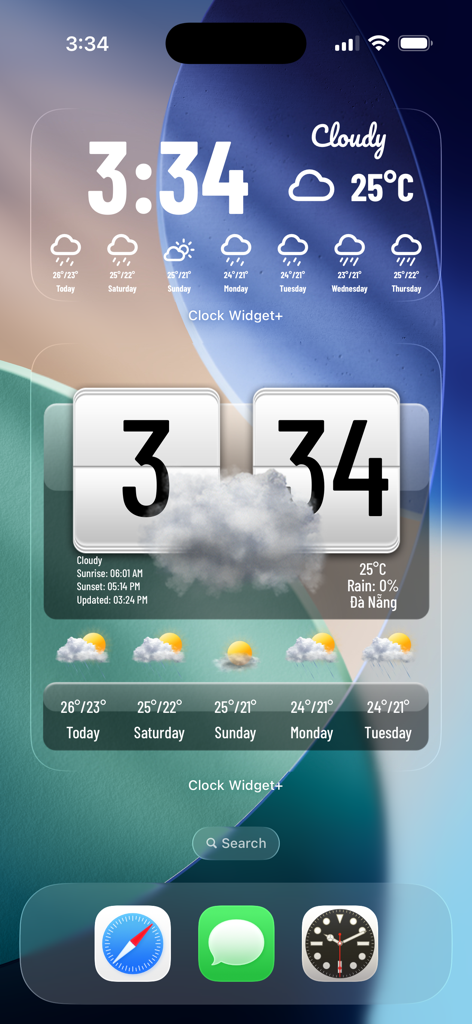
Clock Widget+ - Clock Widget PlusのiPhoneホーム画面にある、カスタマイズ可能な時計と天気ウィジェット
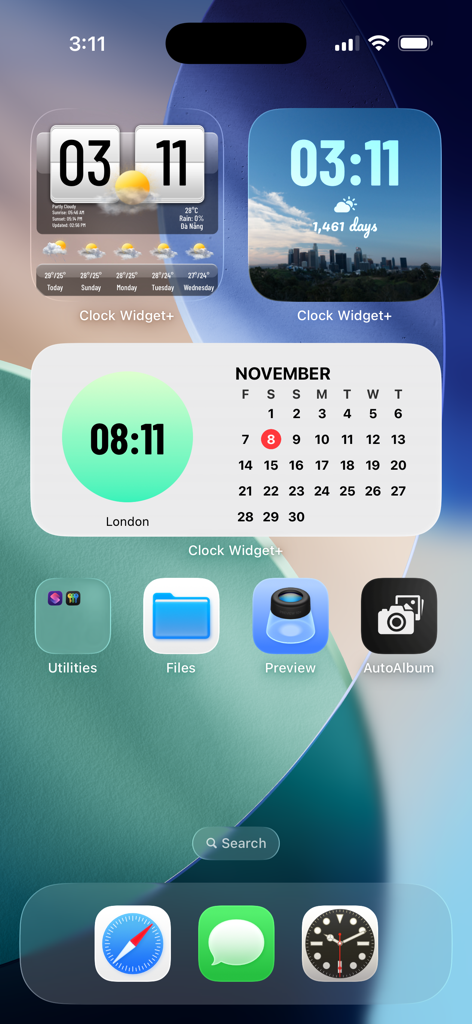
Clock Widget PlusのiPhoneホーム画面にある、カスタマイズ可能な時計と天気ウィジェット

Clock Widget+ - Clock Widget Plusを使用したiPhoneホーム画面にある、カスタマイズ可能な時計、天気、カレンダーウィジェット
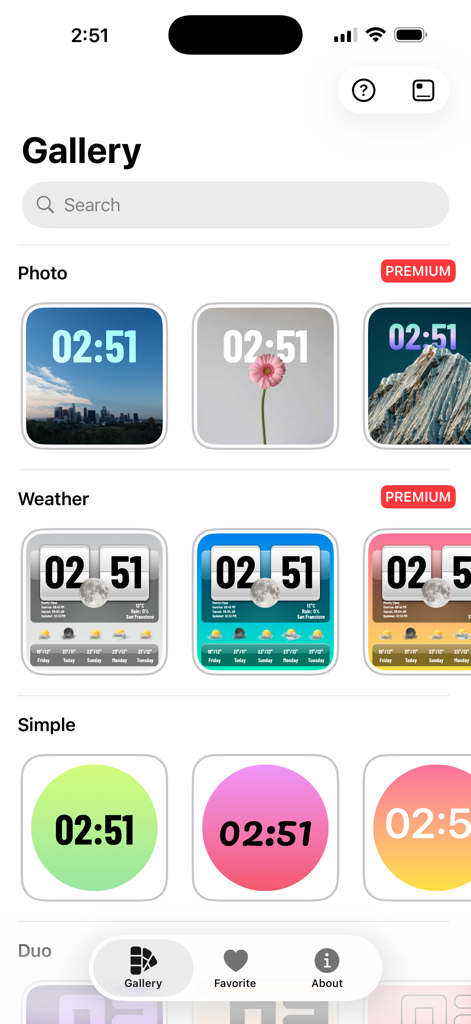
Clock Widget Plusを使用したiPhoneホーム画面にある、カスタマイズ可能な時計、天気、カレンダーウィジェット

Clock Widget+ - iOSホーム画面用の、カスタマイズ可能な写真、天気、シンプルな時計ウィジェットのギャラリー
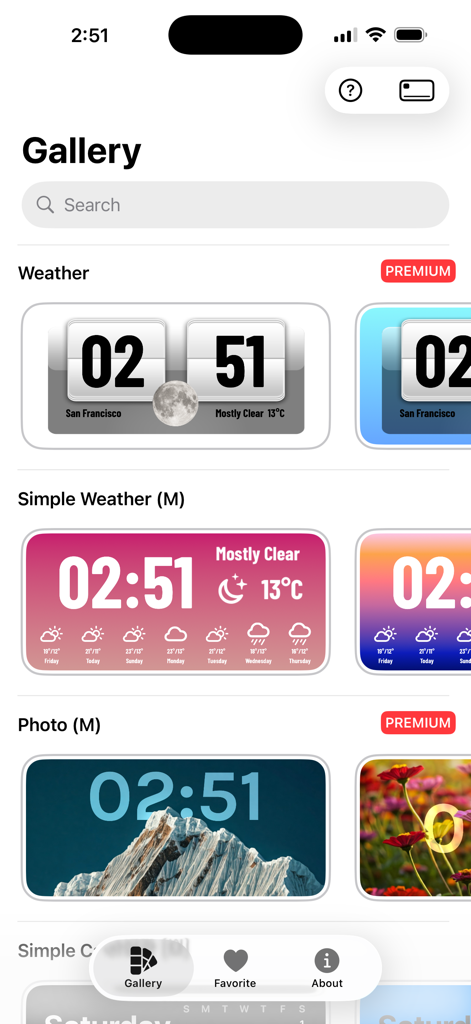
iOSホーム画面用の、カスタマイズ可能な写真、天気、シンプルな時計ウィジェットのギャラリー

Clock Widget+ - iOSホーム画面用の、カスタマイズ可能な写真、天気、シンプルな時計ウィジェットのギャラリー

iOSホーム画面用の、カスタマイズ可能な写真、天気、シンプルな時計ウィジェットのギャラリー

説明

Transform your home screen with the ultimate Clock Widget Gallery app! Easily create stunning, customizable clock widgets in various colors and styles. From sleek, minimalist designs to vibrant, eye-catching themes, there’s a perfect widget for everyone. Personalize your home screen with multiple clock layouts, dynamic themes, and color palettes that fit your style. Simple to use, beautifully designed, and highly customizable—enhance your home screen in seconds! Download now and elevate your home screen look. - Create multiple Home Screen widgets effortlessly - Choose from portrait images, digital clocks, analog clocks, and calendars - Add complications for additional functionality - Customize widget colors and time positions - Select gradient or solid background styles - Update fonts to match your style - Personalize every detail for a unique look - Enhance your Home Screen with stunning, creative widgets - Change Clock Widget with timezones ================================= Payment Payments are not managed directly by **Clock Widget+** but through Apple App Store. If you would like a refund for the app PREMIUM version, it should be managed directly through the App Store process provided by Apple (https://support.apple.com/en-us/HT204084). If you purchase **Clock Widget+ Premium**, the payment will be charged to your iTunes account. If you purchase a weekly, monthly or annual subscription, your account will automatically be charged for renewal within 24-hours prior to the end of the current subscription period unless you disable auto-renew. You can turn off auto-renewal at any time by going to your Account Settings on the App Store after purchase. After a cancellation of the subscription to **Clock Widget+ Premium**, you will lose access to the content and features that was unlocked by the subscription and are available only for **PREMIUM** users at the end of the last subscription period. You will earn the condition of free user again, with the same available content that all free users enjoy. ================================= Terms of Service: https://clockwidget-plus.vercel.app/terms-of-service Privacy Policy: https://clockwidget-plus.vercel.app/privacy-policy

Download

ダウンロード: App Store

このページはアプリまたはその開発者の公式ページではなく、情報提供および論評を目的として作成された独立した編集出版物です。明示的に別段の記載がない限り、アプリおよびその開発者は、MWM、Apple、Google Play、アプリのパブリッシャー、またはアプリの開発者と提携、承認、後援、認可、またはその他の公式的な関係はなく、このページのいかなる内容も、アプリがMWMのサービスを使用して開発されたことを意味するものではありません。すべての商標、ロゴ、スクリーンショット、その他のコンテンツはそれぞれの所有者の財産です。








