Color Note: Lock Notes Widget
ダウンロード: App Store

このページはアプリまたはその開発者の公式ページではなく、情報提供および論評を目的として作成された独立した編集出版物です。明示的に別段の記載がない限り、アプリおよびその開発者は、MWM、Apple、Google Play、アプリのパブリッシャー、またはアプリの開発者と提携、承認、後援、認可、またはその他の公式的な関係はなく、このページのいかなる内容も、アプリがMWMのサービスを使用して開発されたことを意味するものではありません。すべての商標、ロゴ、スクリーンショット、その他のコンテンツはそれぞれの所有者の財産です。

ロゴ: Color Note: Lock Notes Widget
ダウンロード: App Store

Color Note: Lock Notes Widget

色分けされた付箋でiPhoneの美観を高めましょう。ToDo、買い物リスト、リマインダーをロック画面に直接表示できるため、ロックを解除しなくても整理された状態を保てます。

主要数値

ダウンロード

96K+

ユーザー評価

3.9/5

評価数

4K+

開発元

Vu Duc

カテゴリ

Productivity

対応言語

1

最新バージョン

1.0.8

サイズ

87.7 MB

リリース日

2022年10月6日
機能

一目でわかるように、その日のタスクをマスターする

あなたのロック画面を、忙しいライフスタイルを整理された状態に保ち、美しく見せるようにデザインされた、活気に満ちたパーソナライズされた生産性ハブに変えましょう。

ロック画面から一目でアクセス

「ロック解除→検索→起動」のルーチンをスキップしましょう。最も重要なメモやToDoリストをロック画面で直接表示し、即座に頭をスッキリさせましょう。

鮮やかな色での整理

脳のモヤモヤを軽減するために、生活を色分けしましょう。カスタムパレットを使用して、副業、社交生活、日常の雑用を即座に区別しましょう。

以下のスクリーンショットと説明は、アプリの公式ストアリスティングから直接取得されたものであり、アプリ開発者の所有物です。

アプリストア

スクリーンショット
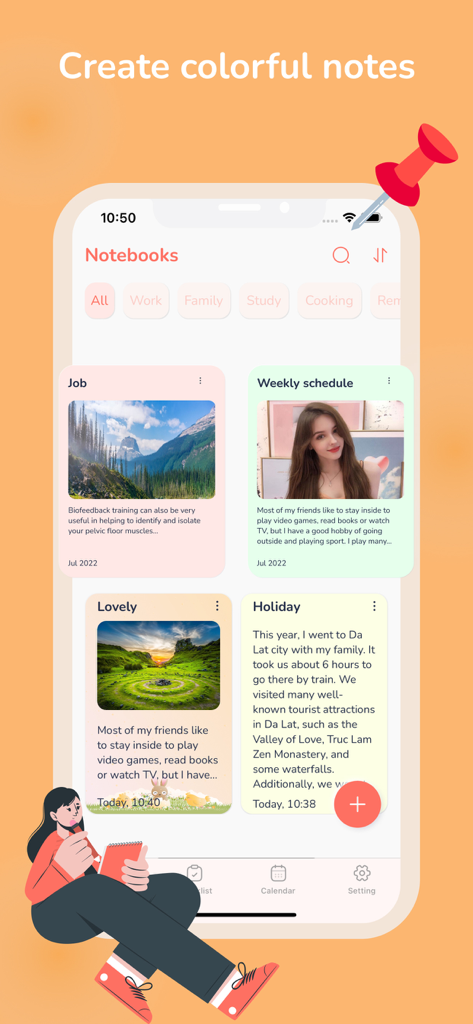
Color Note: Lock Notes Widget - Color Noteのモバイルアプリインターフェース。カテゴリや画像で整理されたカラフルなメモが表示されています。
Color Noteのモバイルアプリインターフェース。カテゴリや画像で整理されたカラフルなメモが表示されています。

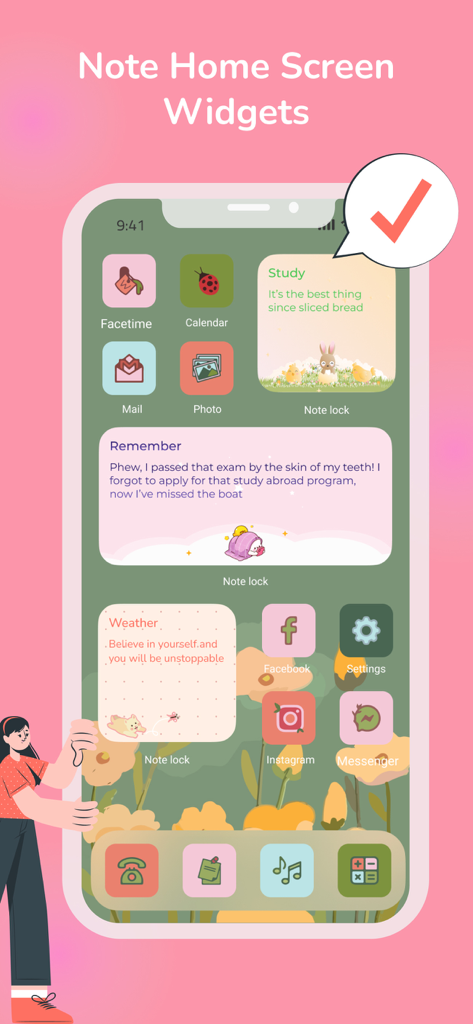
Color Note: Lock Notes Widget - Color NoteアプリのおしゃれなiPhoneホーム画面。カラフルでカスタムされたメモウィジェットが表示されています。
Color NoteアプリのおしゃれなiPhoneホーム画面。カラフルでカスタムされたメモウィジェットが表示されています。

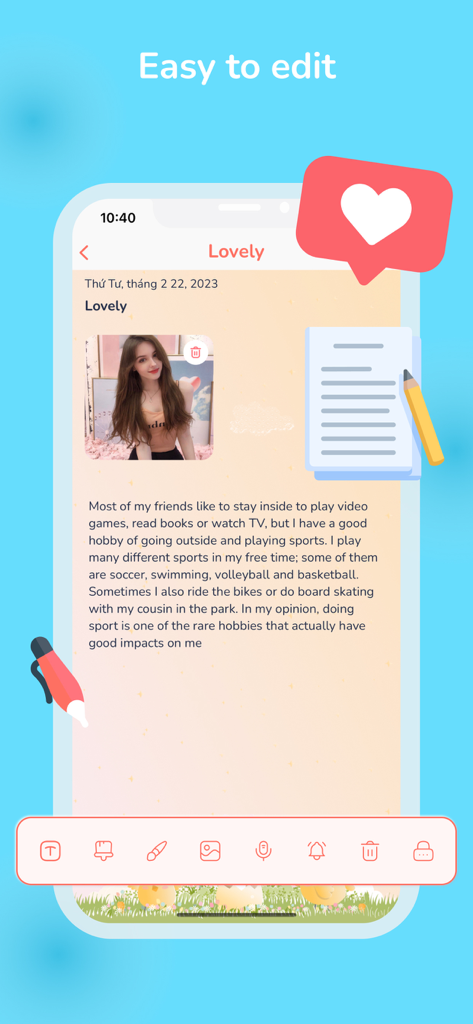
Color Note: Lock Notes Widget - Color Noteアプリのインターフェース。薄いオレンジ色の背景に写真とテキストが表示された、カスタマイズされた日記のエントリーが表示されています。
Color Noteアプリのインターフェース。薄いオレンジ色の背景に写真とテキストが表示された、カスタマイズされた日記のエントリーが表示されています。

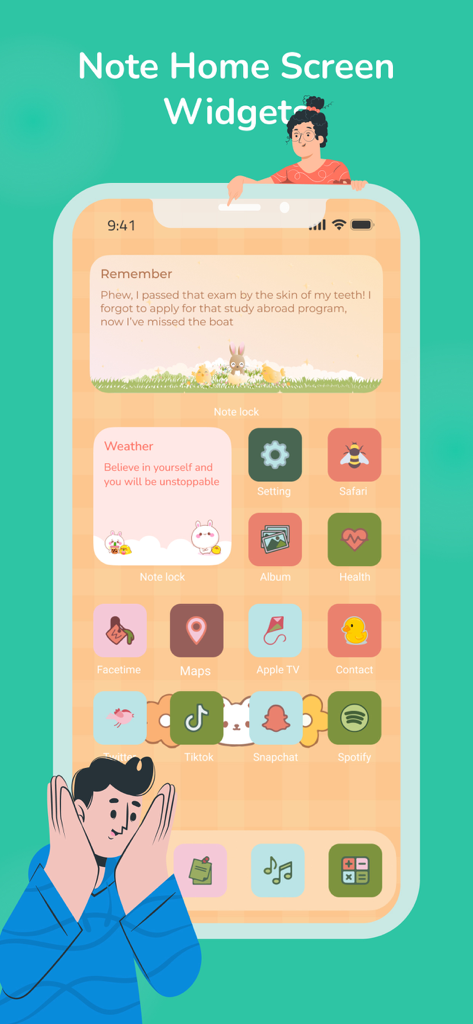
Color Note: Lock Notes Widget - カスタマイズされたメモウィジェットとおしゃれなアプリアイコンを備えたiPhoneホーム画面。
カスタマイズされたメモウィジェットとおしゃれなアプリアイコンを備えたiPhoneホーム画面。

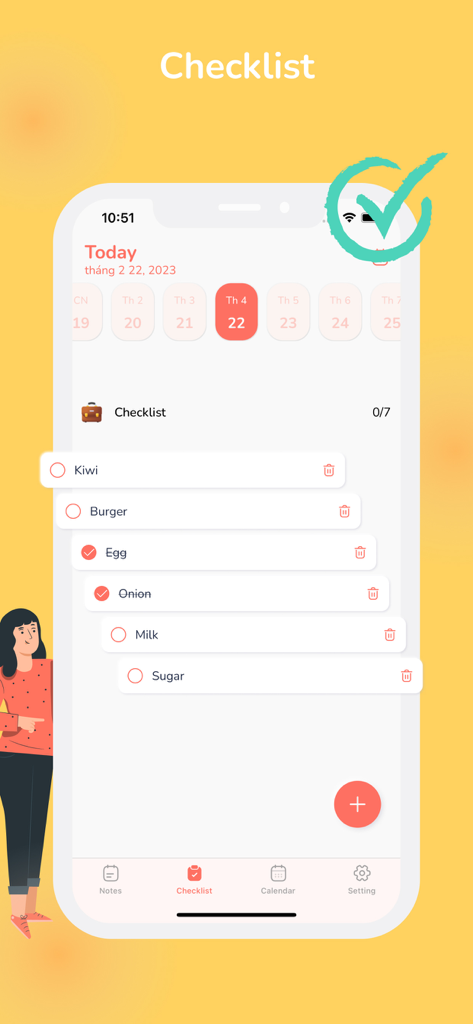
Color Note: Lock Notes Widget - ミニマルなモバイルアプリ画面。キウイや牛乳などのアイテムが表示された買い物リストと、上部にカレンダービューが表示されています。
ミニマルなモバイルアプリ画面。キウイや牛乳などのアイテムが表示された買い物リストと、上部にカレンダービューが表示されています。

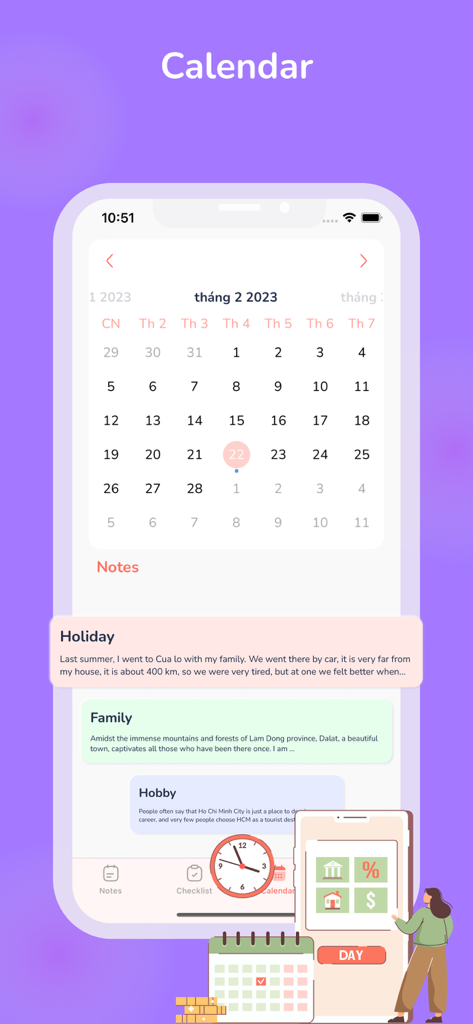
Color Note: Lock Notes Widget - Color Noteアプリのカレンダービュー。日付と、その下に色分けされたメモが表示されています。
Color Noteアプリのカレンダービュー。日付と、その下に色分けされたメモが表示されています。

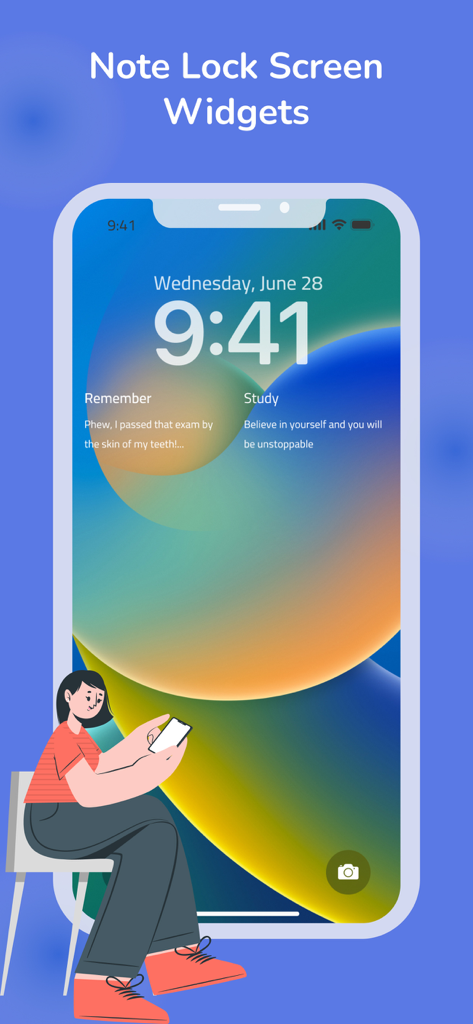
Color Note: Lock Notes Widget - iPhoneのロック画面。Color Noteアプリのカスタムメモウィジェットと学習リマインダーが表示されています。

iPhoneのロック画面。Color Noteアプリのカスタムメモウィジェットと学習リマインダーが表示されています。

説明

This is a simple and easy to use app that focuses on notes to remind you of things. It gives you a quick and simple notepad editing experience when you write notes, memos, emails, message lists, shopping and to-do lists. Main Features: - Organize notes by color - Sticky Note Widget - Create notes according to the checklist - Check in advance to do shopping list - Organize your schedule in the calendar - Powerful Reminder: Alarm time, date, repetition (lunar calendar). - Record / take notes-fast - Customize your memo widget on lock screen and home screen! - Can review your notes created on the lock screen - Can review your notes created on the home screen Information about the auto-renewal of subscription: Subscription with a free trial period will automatically renew to a paid subscription unless auto-renewal is turn off. Payment will be charged to your iTunes Account at confirmation of purchase. Subscription automatically renews unless auto-renew is turned off at least 24-hours before the end of the current period. Account will be charged for renewal within 24-hour prior to the end of the current period. The cost of the renewal will match the initial subscription price. Your auto-renew subscription can be managed or turned off by going to your Account Settings after purchase. No cancellation of the current subscription is allowed during your active subscription period. Any unused portion of a free trial period, if offered, will be forfeited when purchasing a subscription during the free trial period. If your subscription expires – you will need to purchase a new subscription to access all premium features. The following subscription plans are available (price may vary depending on location): – 1-week subscription – US$4.99 with 3 days free trial – 1-month subscription – US$9.99 – 1-year subscription – US$29.99 You can cancel your subscription via this URL: https://support.apple.com/en-us/HT202039 Terms of Use: https://docs.google.com/document/d/1drliSK5JAlZJvuQCIOymZzzQ21INiIBHv1oX9sRkbw4/edit Privacy Policy: https://docs.google.com/document/d/1YlUlZ03qr7PXLKzwISPg53geKWBVLVQGgRZdb0zDnPM/edit?usp=sharing

Download

ダウンロード: App Store

このページはアプリまたはその開発者の公式ページではなく、情報提供および論評を目的として作成された独立した編集出版物です。明示的に別段の記載がない限り、アプリおよびその開発者は、MWM、Apple、Google Play、アプリのパブリッシャー、またはアプリの開発者と提携、承認、後援、認可、またはその他の公式的な関係はなく、このページのいかなる内容も、アプリがMWMのサービスを使用して開発されたことを意味するものではありません。すべての商標、ロゴ、スクリーンショット、その他のコンテンツはそれぞれの所有者の財産です。








