
このページはアプリまたはその開発者の公式ページではなく、情報提供および論評を目的として作成された独立した編集出版物です。明示的に別段の記載がない限り、アプリおよびその開発者は、MWM、Apple、Google Play、アプリのパブリッシャー、またはアプリの開発者と提携、承認、後援、認可、またはその他の公式的な関係はなく、このページのいかなる内容も、アプリがMWMのサービスを使用して開発されたことを意味するものではありません。すべての商標、ロゴ、スクリーンショット、その他のコンテンツはそれぞれの所有者の財産です。

Contacts Sync: Google & More
Google、Outlook、iPhoneのギャップを埋める#1同期アプリを信頼する1000万人以上のプロフェッショナルに加わりましょう。連絡先を簡単にマージし、グループを同期し、信頼性の高い24時間年中無休のバックグラウンド自動化で重複を排除します。
ダウンロード
7M+ユーザー評価
評価数
52K+開発元
カテゴリ
Productivity対応言語
11最新バージョン
10.5.0サイズ
32.2 MBリリース日
2011年8月22日よりスマートに同期、より楽に
仕事とプライベートを繋ぐ必須のブリッジ。Google、Outlook、iPhoneの連絡先を整理、更新、いつでも利用できるようにするために、1000万人のプロフェッショナルに信頼されています。
真の双方向同期
デスクトップで連絡先を更新すると、iPhoneに即座に反映されます。Google、Outlook、iCloud間の完璧な双方向ハーモニーを体験してください。
グループとラベルの同期
GoogleラベルとOutlookカテゴリは、iPhoneグループとして自動的に変換されます。外出先でも、クライアントやチームにグループメッセージやメールを簡単に送信できます。
よくある質問
について知っておくべきこと Contacts Sync: Google & More
Contacts Syncとは何ですか?どのような機能がありますか?
Contacts Syncは、iPhoneとGoogle、iCloud、Outlookなどのサービス間で連絡先を同期するiOSアプリです。連絡先データを信頼性高く、高速かつ簡単に、双方向同期できます。
Contacts Syncは複数のGoogleアカウントの同期をサポートしていますか?
はい、Contacts Syncは複数のGoogleアカウントとiPhoneとの同期をサポートしています。この機能により、仕事用と個人用のアカウントの両方の連絡先をシームレスに管理および統合できます。
Contacts Syncはどのような同期タイプを提供していますか?
Contacts Syncは、双方向の変更に対応する2方向同期、一方通行の変更に対応する1方向同期、特定の連絡先に対応する手動同期の3種類の同期を提供します。
Contacts Syncは連絡先を自動的に更新できますか?
はい、Contacts Syncには自動同期機能が含まれています。これにより、アプリはバックグラウンドで継続的に連絡先を同期し、24時間年中無休で最新の状態を保つことができます。
Contacts Syncではユーザーデータはプライベートで安全ですか?
はい、Contacts Syncは100%のプライバシーとセキュリティを保証します。サーバーやクラウドストレージを使用せず、データを再販せず、すべてのユーザーデータをiPhone上にのみ保持します。
Contacts Syncは連絡先グループと連携しますか?
はい、Contacts SyncはGoogleラベルまたはOutlookカテゴリをiPhoneリストと同期することで、連絡先グループと連携します。これにより、ユーザーはグループメールやメッセージを簡単に送信できます。
Contacts Syncはどのような連絡先情報を同期しますか?
Contacts Syncはすべての連絡先フィールドを同期します。これには、名前、電話番号、メールアドレス、住所、会社情報、誕生日、写真、カスタムラベル、カスタムフィールドが含まれます。
Contacts Sync Premiumサブスクリプションの料金はいくらですか?
Contacts Sync Premiumサブスクリプションは、週1.99ドル、月2.99ドル、年9.99ドルです。このサブスクリプションにより、無制限の連絡先同期と自動同期機能が利用可能になります。
Contacts Syncが開始する前に変更を確認できますか?
はい、Contacts Syncでは、同期プロセスが開始される前に提案されたすべての変更を確認できます。この機能により、すべての連絡先更新についてユーザーの確認が得られます。
Contacts SyncでPremiumサブスクリプションがない場合の連絡先同期の制限はありますか?
Premiumサブスクリプションがない場合、Contacts Syncでは同期は最大40件の連絡先に制限されます。Premiumにアップグレードすると、この制限がなくなり、自動同期などの追加機能が利用可能になります。
以下のスクリーンショットと説明は、アプリの公式ストアリスティングから直接取得されたものであり、アプリ開発者の所有物です。
アプリストア
スクリーンショット
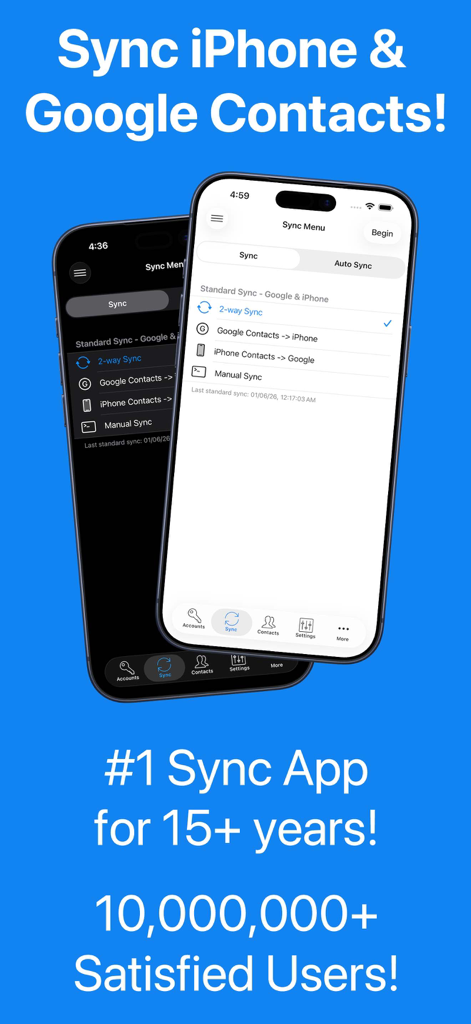
連絡先同期アプリのインターフェース。GoogleとiPhoneの連絡先間の双方向同期オプションが表示されています。
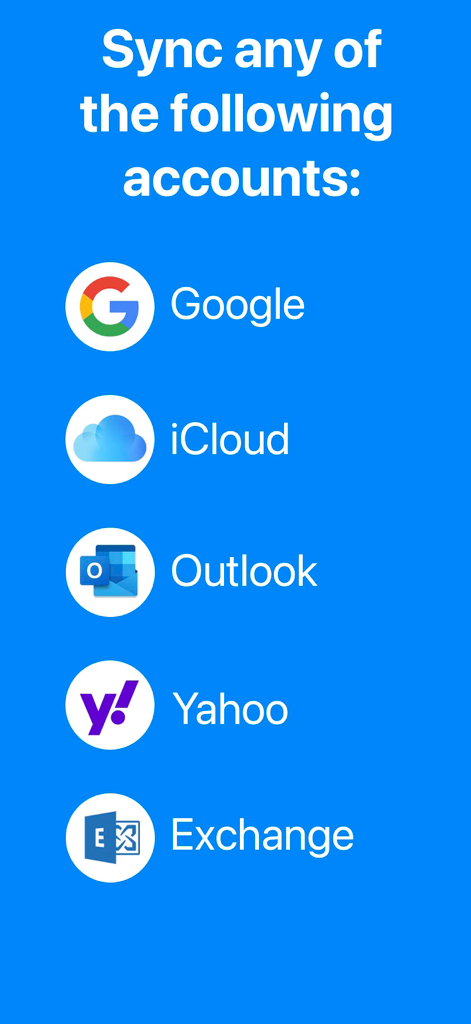
Google、iCloud、Outlook、Yahoo、Exchangeを含む、サポートされている同期アカウントのリスト
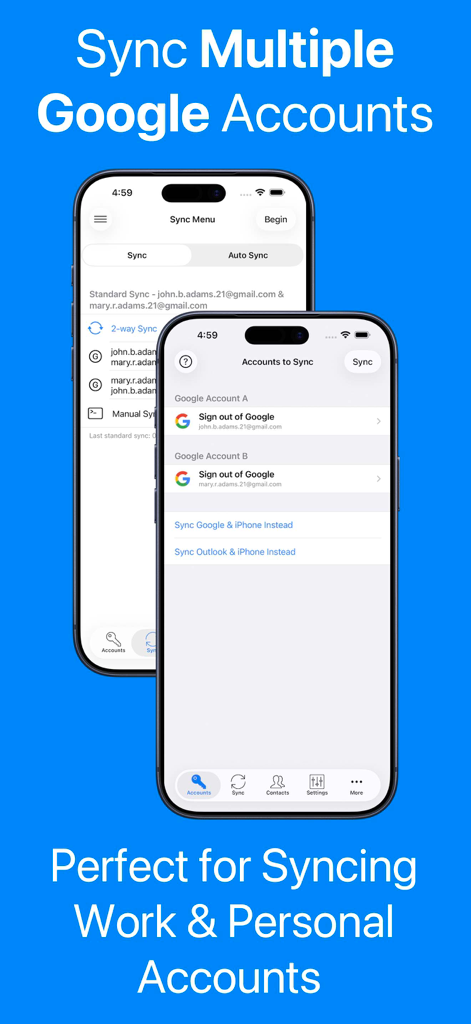
連絡先同期アプリをiPhoneで使用して、複数のワークアカウントとプライベートアカウントのGoogle連絡先を同期する方法を示すスクリーンショット。
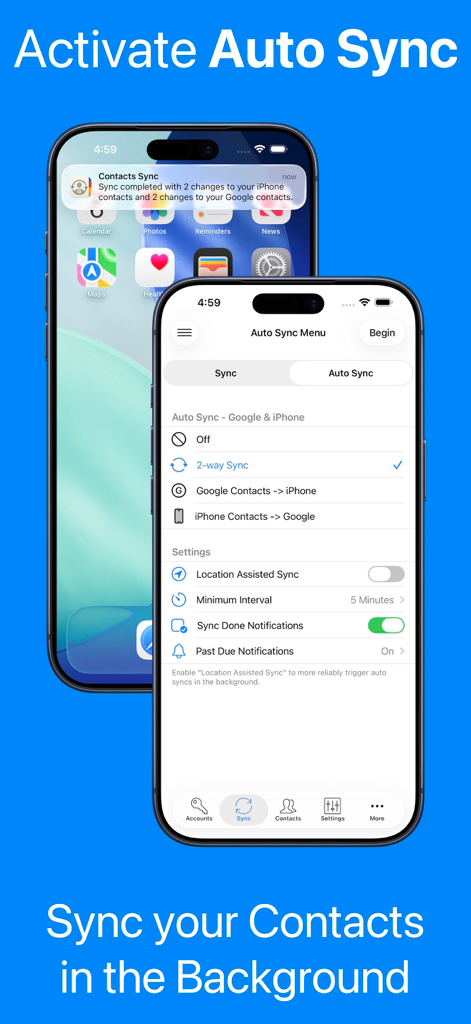
連絡先同期アプリの自動同期設定と、iPhoneでのバックグラウンド同期通知を示すスクリーンショット。
アプリは100%プライベートで安全であることを示す青い情報画面。黄色の南京錠アイコンが付いています。
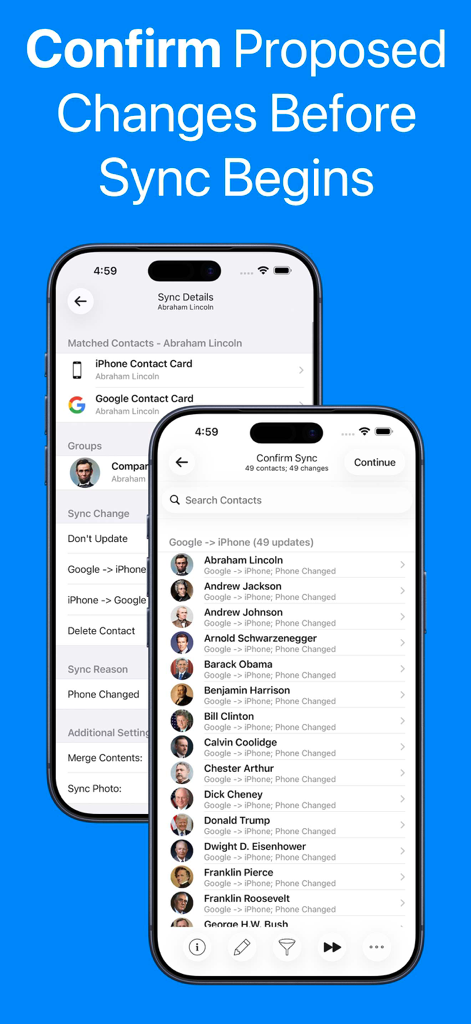
連絡先更新リストと同期詳細が表示され、GoogleアカウントとiPhoneアカウントを同期する前に変更を確認するインターフェース。
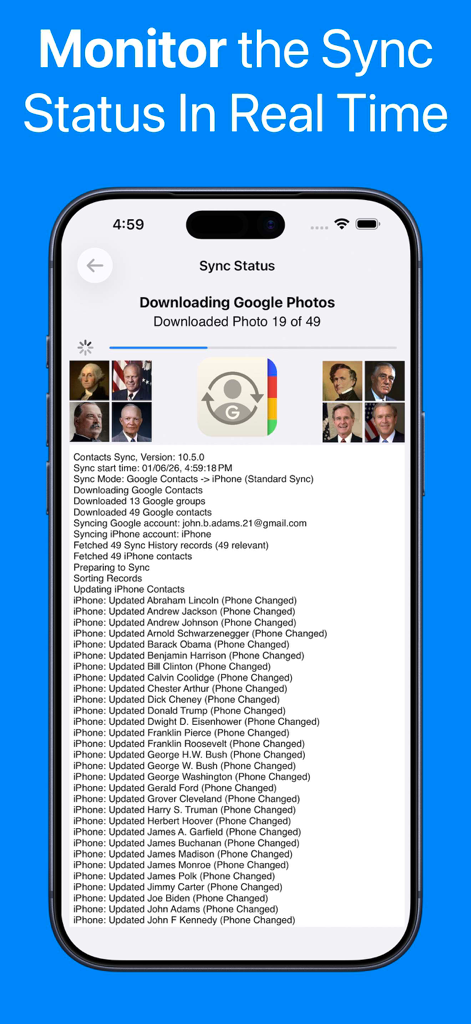
進捗バーと詳細な連絡先更新ログを示すリアルタイム同期ステータス画面。
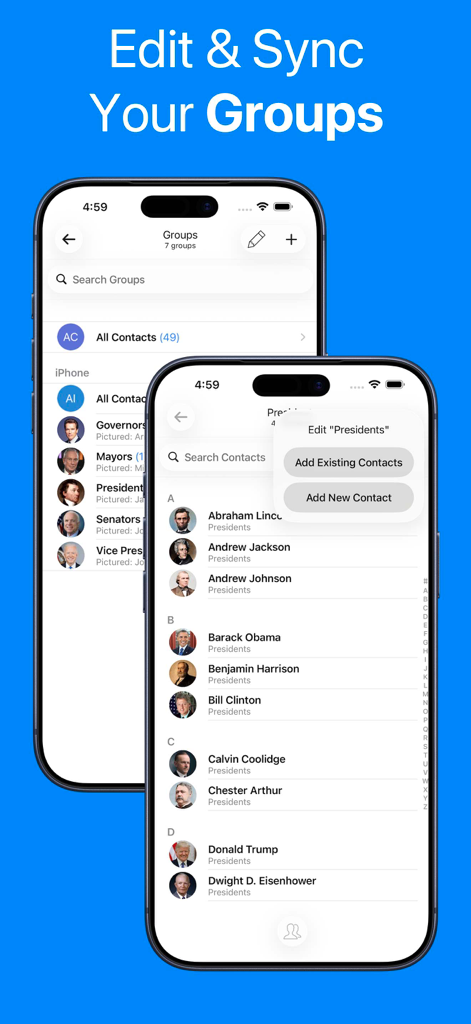
iPhoneで連絡先グループ管理と同期機能を示すモバイルアプリインターフェース。
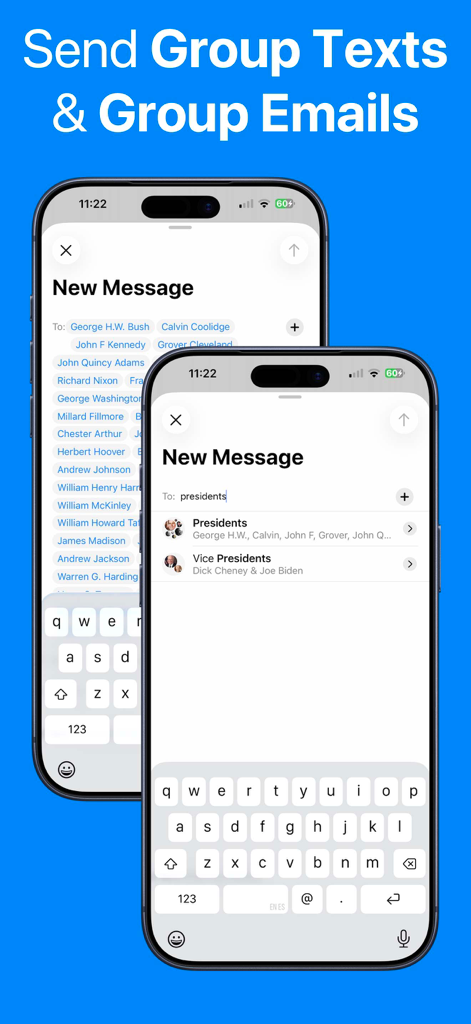
同期された連絡先グループを使用してグループテキストやメールを送信する機能を示すiPhone画面。
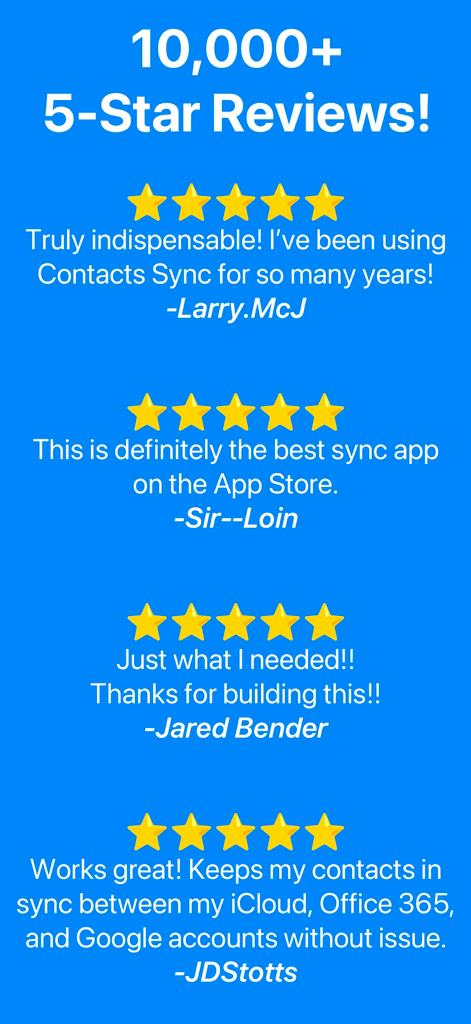
連絡先同期アプリの5つ星のユーザーレビューのコレクション。10,000件以上のレビューがあり、その信頼性と人気を示しています。
説明
Download
類似アプリ
似た機能とユーザー体験を持つアプリ
Delete Contacts+
Shanghai Jia Feng Software Co. Ltd.

Contact.s Back Up
Symon Johnson
Contacts Backup + Transfer
One Wave AB
Contacts Backup Pro & Restore
AppRover
Export Contacts to Excel, CSV
LE NGUYEN QUANG PHUOC

My Contacts Backup
GLOBILE BILISIM BILGISAYAR HIZMETLERI ILETISIM DANISMANLIK SANAYI TICARET LIMITED SIRKETI

Simple Backup Contacts
Giacomo Guglielmi
Contacts Backup and Transfer⁺
serkat ret
Sync Contact for Google & more
Reena Williams
このページはアプリまたはその開発者の公式ページではなく、情報提供および論評を目的として作成された独立した編集出版物です。明示的に別段の記載がない限り、アプリおよびその開発者は、MWM、Apple、Google Play、アプリのパブリッシャー、またはアプリの開発者と提携、承認、後援、認可、またはその他の公式的な関係はなく、このページのいかなる内容も、アプリがMWMのサービスを使用して開発されたことを意味するものではありません。すべての商標、ロゴ、スクリーンショット、その他のコンテンツはそれぞれの所有者の財産です。