Control Samsung Smart TV
ダウンロード: App Store

このページはアプリまたはその開発者の公式ページではなく、情報提供および論評を目的として作成された独立した編集出版物です。明示的に別段の記載がない限り、アプリおよびその開発者は、MWM、Apple、Google Play、アプリのパブリッシャー、またはアプリの開発者と提携、承認、後援、認可、またはその他の公式的な関係はなく、このページのいかなる内容も、アプリがMWMのサービスを使用して開発されたことを意味するものではありません。すべての商標、ロゴ、スクリーンショット、その他のコンテンツはそれぞれの所有者の財産です。

ロゴ: Control Samsung Smart TV
ダウンロード: App Store

Control Samsung Smart TV

リモコンを探すのをやめて、リビングルームを操作しましょう。反応の良いタッチパッドで操作し、アプリを瞬時に起動し、追加のハードウェアなしで大画面にメディアをキャストできます。

主要数値

ダウンロード

84K+

ユーザー評価

3.9/5

評価数

100

開発元

Invikta Technology Ltd

カテゴリ

Utilities

対応言語

20

最新バージョン

1.9

サイズ

37.6 MB

リリース日

2024年6月26日
機能

Samsungテレビのための究極のコントロールセンター

モダンなスマートホームとあなたのライフスタイルに合わせて設計された、洗練された反応の良いインターフェースで操作、ストリーミング、キャストしましょう。

精密タッチナビゲーション

面倒なメニュー操作はもうやめましょう。高度なタッチパッドとiPhoneキーボードを使って、映画を検索したり、ウェブを閲覧したりできます。

インスタントアプリ起動ハブ

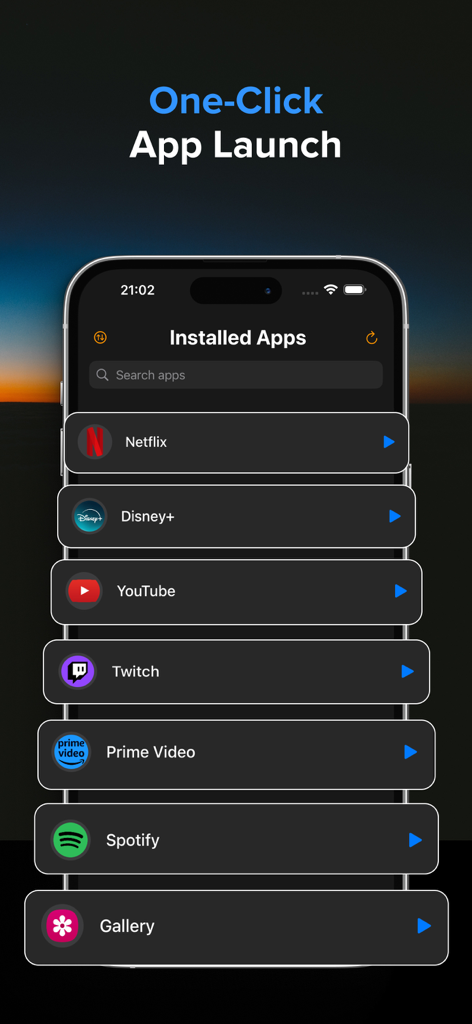
スクロールはもう不要。Netflix、YouTube、Huluなどのテレビアプリのライブラリ全体に一か所からアクセスし、ワンタップで起動できます。

以下のスクリーンショットと説明は、アプリの公式ストアリスティングから直接取得されたものであり、アプリ開発者の所有物です。

アプリストア

スクリーンショット
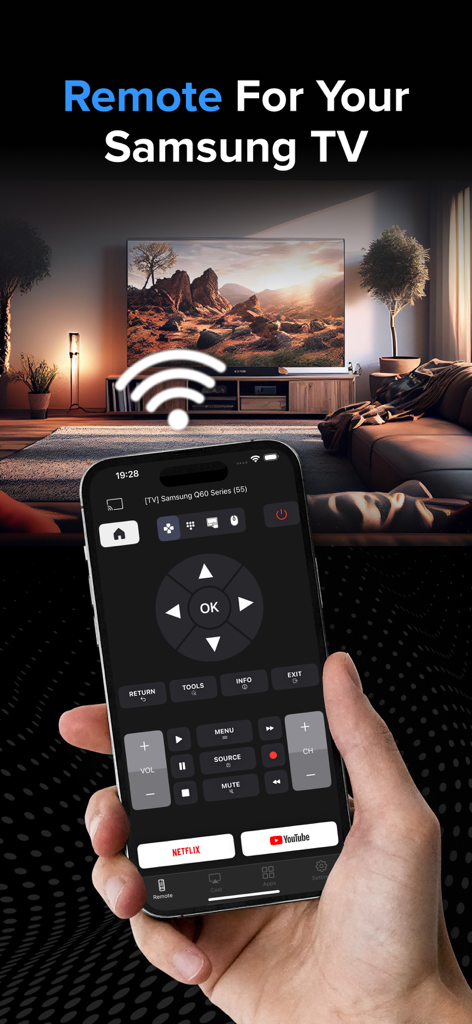
Control Samsung Smart TV - リビングルームのスマートテレビの前で、Samsungテレビのリモコンアプリインターフェースを表示しているiPhoneを持つ手の写真。
リビングルームのスマートテレビの前で、Samsungテレビのリモコンアプリインターフェースを表示しているiPhoneを持つ手の写真。

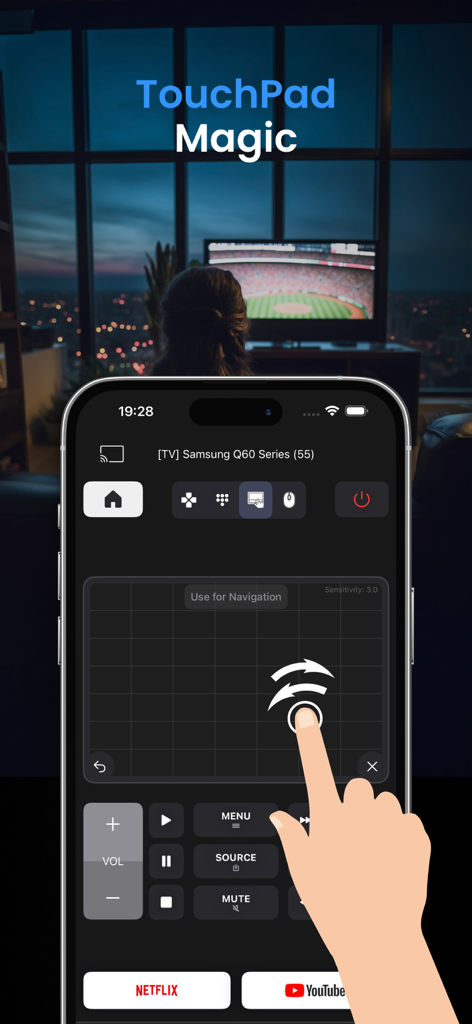
Control Samsung Smart TV - Samsungスマートテレビを操作するためのタッチパッド機能を備えたiPhoneアプリ画面
Samsungスマートテレビを操作するためのタッチパッド機能を備えたiPhoneアプリ画面

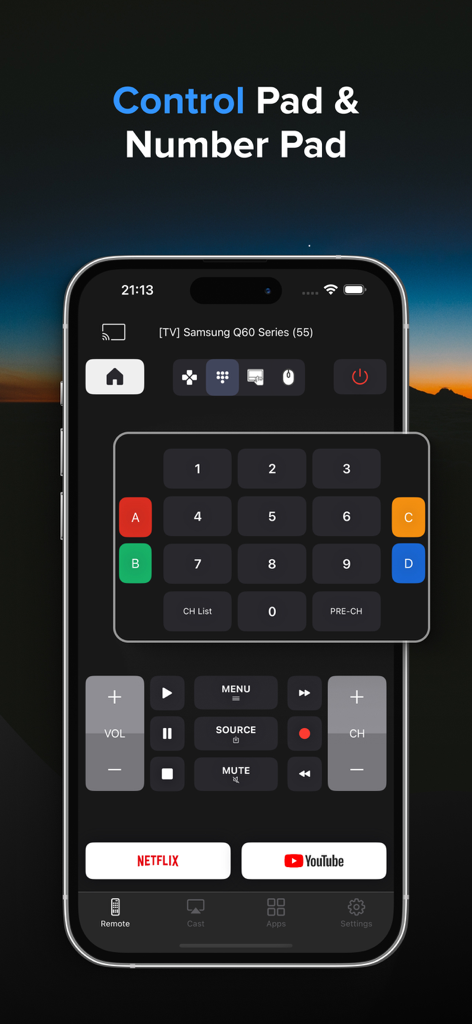
Control Samsung Smart TV - スマートフォン画面に表示されるテンキーと再生コントロールを備えたSamsungテレビリモコンアプリのインターフェース
スマートフォン画面に表示されるテンキーと再生コントロールを備えたSamsungテレビリモコンアプリのインターフェース

Control Samsung Smart TV - ワンクリックで起動できるインストール済みストリーミングアプリのリストを表示するSamsungテレビリモコンアプリのインターフェース
ワンクリックで起動できるインストール済みストリーミングアプリのリストを表示するSamsungテレビリモコンアプリのインターフェース

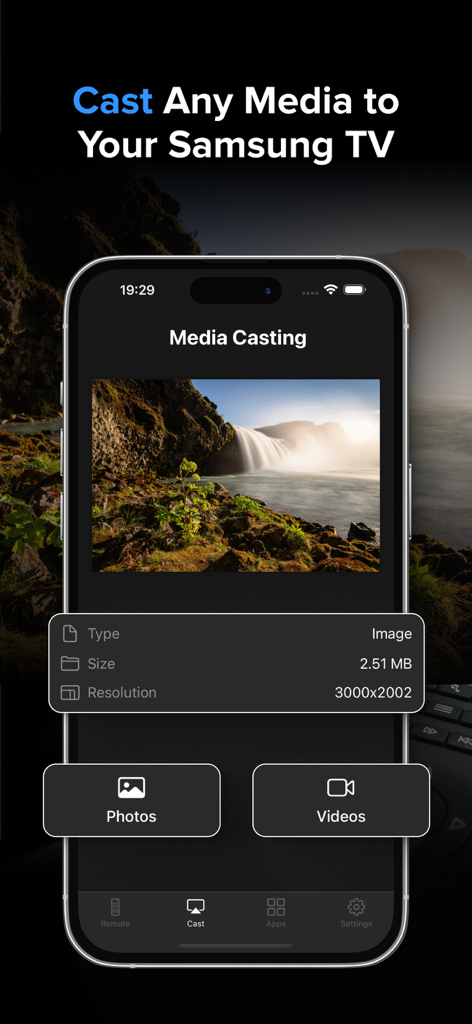
Control Samsung Smart TV - 写真や動画のオプションを表示するSamsungスマートテレビリモコンアプリのメディアキャスト機能
写真や動画のオプションを表示するSamsungスマートテレビリモコンアプリのメディアキャスト機能

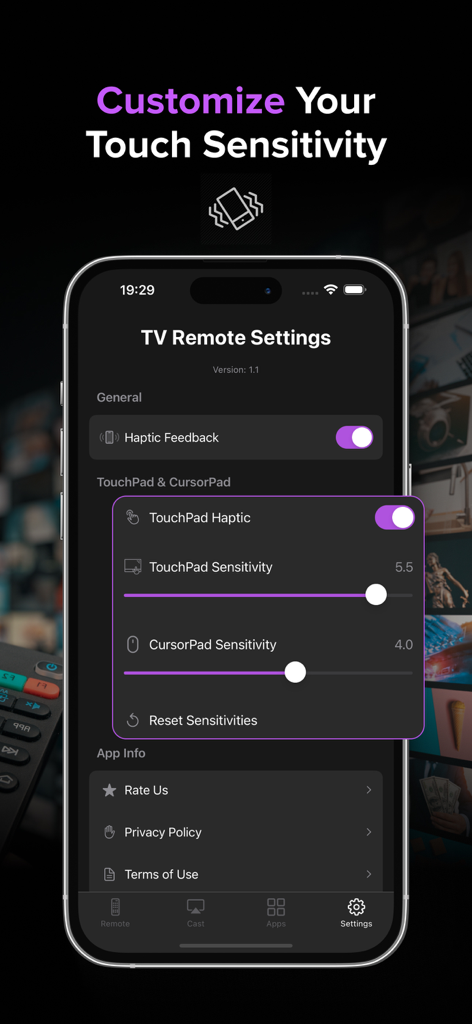
Control Samsung Smart TV - タッチ感度と触覚フィードバックの調整を表示するSamsungスマートテレビリモコンのモバイルアプリ設定画面
タッチ感度と触覚フィードバックの調整を表示するSamsungスマートテレビリモコンのモバイルアプリ設定画面

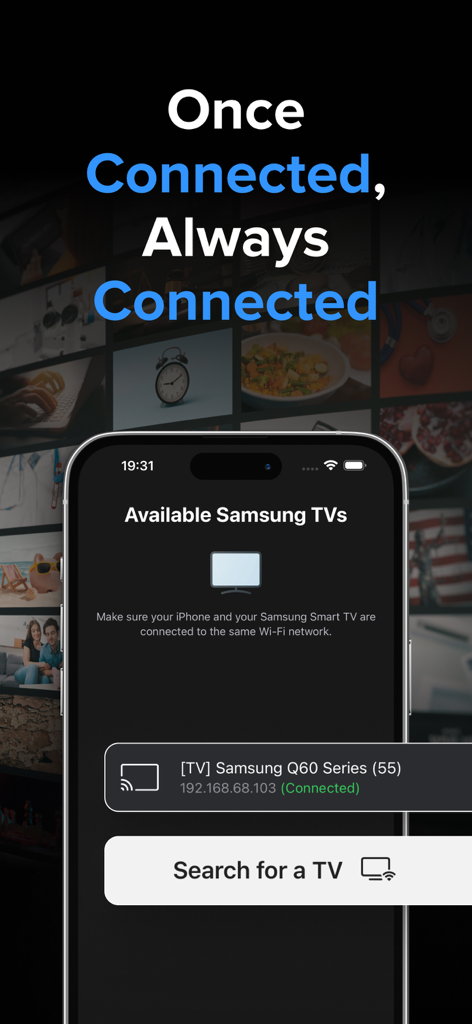
Control Samsung Smart TV - 同じWi-Fiネットワークに接続されている利用可能なSamsungスマートテレビを表示するiPhoneアプリ

同じWi-Fiネットワークに接続されている利用可能なSamsungスマートテレビを表示するiPhoneアプリ

説明

Samsung TV Remote Control: Your Ultimate Smart TV Companion Transform your iPhone into a powerful, intuitive remote for your Samsung Smart TV! Our app brings the convenience of your TV controls right to your fingertips, offering a seamless and enhanced viewing experience. Key Features: - TouchPad: Navigate your TV with precision using our responsive and advanced TouchPad. Works with TV navigation, all apps and web browser. - Precision Control Customization: Adjustable sensitivity settings for both TouchPad and CursorPad for accurate navigation. - Launch App Hub: Access all your TV's installed apps in one place. Launch any app with a single tap, making it easier than ever to start your favorite content. - Remote Control: Navigate your TV with ease using our sleek, user-friendly interface. Control volume, change channels, access menus, and more - all from your iPhone. - Haptic Feedback: Experience satisfying tactile responses with every button press, making navigation more intuitive and engaging. - Multi-TV Support: Easily switch between multiple Samsung TVs in your home. Perfect for households with several smart TVs. - Quick Launch Apps: Start your favorite streaming services like Netflix and YouTube with just one tap. - Media Casting: Share your memories on the big screen! Cast photos and videos directly from your iPhone to your Samsung TV with our simple-to-use interface. - Customizable Interface: Choose between arrow keys or a dial pad for navigation, tailoring the remote to your preference. - Power Control: Turn your TV on and off remotely - perfect for those cozy nights when you don't want to leave your bed. - Advanced Playback Controls: Play, pause, fast-forward, and rewind with dedicated media control buttons. - No Additional Hardware: Works over your home Wi-Fi network - no dongles or additional hardware required! Experience the future of TV control today! Transform now the way you interact with your Samsung Smart TV! Note: Requires your iPhone and your Samsung TV to be connect on the same Wi-Fi network. * Upgrade to Premium to remove ads and unlock all features, including the Launch App Hub, Touchpad & Media Casting. The Premium subscription costs $3.99 per week. Information about the auto-renewable nature of the Premium Subscription: - Your iTunes account will be charged for the subscription, which automatically renews unless auto-renew is turned off at least 24 hours before the current period ends. The cost of renewal will be the same as the original subscription price. - You can manage auto-renewal in your Account Settings at any time. Please note that refunds are not provided for any unused portion of the subscription. Terms of use: https://reportking.app/remotetvapp/terms.html

Download

ダウンロード: App Store

このページはアプリまたはその開発者の公式ページではなく、情報提供および論評を目的として作成された独立した編集出版物です。明示的に別段の記載がない限り、アプリおよびその開発者は、MWM、Apple、Google Play、アプリのパブリッシャー、またはアプリの開発者と提携、承認、後援、認可、またはその他の公式的な関係はなく、このページのいかなる内容も、アプリがMWMのサービスを使用して開発されたことを意味するものではありません。すべての商標、ロゴ、スクリーンショット、その他のコンテンツはそれぞれの所有者の財産です。








