
このページはアプリまたはその開発者の公式ページではなく、情報提供および論評を目的として作成された独立した編集出版物です。明示的に別段の記載がない限り、アプリおよびその開発者は、MWM、Apple、Google Play、アプリのパブリッシャー、またはアプリの開発者と提携、承認、後援、認可、またはその他の公式的な関係はなく、このページのいかなる内容も、アプリがMWMのサービスを使用して開発されたことを意味するものではありません。すべての商標、ロゴ、スクリーンショット、その他のコンテンツはそれぞれの所有者の財産です。


Da Vinci Eye: AR Trace & Draw
世界No.1のデジタル「カメラ・ルシダ」を使用している何百万人ものアーティスト、菓子職人、クリエイターの仲間入りをしましょう。拡張現実(AR)の力で、プロポーションを完璧にし、あらゆる写真から描く方法を学び、バズるタイムラプスを記録しましょう。
ダウンロード
2M+ユーザー評価
評価数
13K+開発元
カテゴリ
Graphics & Design対応言語
4最新バージョン
4.6.2サイズ
193.5 MBリリース日
2016年6月16日ARの精度ですべてのストロークをマスター
プロのタトゥーアーティストから趣味の菓子職人まで、Da Vinci Eyeはクリエイターが技術的な不満を飛び越えて、高品質でリアルなアートを作成する喜びに直接飛び込めるようにします。
一瞬で完璧なプロポーション
ARを使って、あらゆる写真をキャンバスに直接投影。パーツのずれを心配するのはもうやめて、どんな表面でも100%の正確さでお絵描きを始めましょう。
内蔵のコンテンツ制作機能
お絵描きのプロセスの素晴らしいタイムラプス動画を自動でキャプチャ。TikTokやInstagramであなたの才能を共有し、アーティストとしてのブランドを成長させるのに最適です。
よくある質問
について知っておくべきこと Da Vinci Eye: AR Trace & Draw
Da Vinci Eyeアプリとは何ですか?
Da Vinci Eyeは、アーティストがキャンバスに画像を重ねてトレースしたり描画したりするのを支援するARアートプロジェクターアプリです。デジタルカメラ・ルーシダとして機能し、描画ツール、レッスン、コミュニティ機能を提供します。
Da Vinci Eyeアプリはどのように機能しますか?
Da Vinci Eyeアプリは、デバイスをキャンバスの上または前に配置して機能します。画像をキャンバスに重ねて表示し、トレース、描画、比率の確認のために両方を同時に見ることができます。
Da Vinci Eyeは描画を学ぶのに役立ちますか?
はい、Da Vinci Eyeは、比率を認識するように目を訓練し、陰影を奨励することで、ユーザーが描画を学ぶのを支援します。アプリはレッスンを提供し、写真を段階的な描画指示に変換し、効率的な学習のための実績のあるテクニックを提供します。
Da Vinci EyeのARモードのデバイス要件は何ですか?
Da Vinci EyeのARモードを使用するには、デバイスにA10xまたはA11プロセッサ以降が必要です。これには、iPhone 8以降、iPad mini第5世代以降、iPad Air 2019以降、iPad Pro第3世代(2018年モデル)以降が含まれます。
Da Vinci EyeのARモードとクラシックモードの違いは何ですか?
Da Vinci EyeのARモードは、キャンバスや電話が動いても位置合わせを維持しながら、投影された画像を実際のオブジェクトに固定します。クラシックモードは通常のプロジェクターのようなもので、移動すると位置合わせが乱れます。ARモードはイーゼルに最適です。
Da Vinci Eyeを使用して細かいディテールを描画できますか?
はい、Da Vinci Eyeアプリでは、画像をズームインして、マイクロディテールを正確にキャプチャして描画できます。この機能は、複雑なアートワークの精度を高めます。
Da Vinci Eyeは描画のインスピレーションやプロンプトを提供しますか?
はい、Da Vinci Eyeには、ユーザーがアップロードした参照写真や毎日の描画プロンプトを含むインスピレーションセクションがあります。ユーザーは自分のコンテンツをアップロードして、他の人が描画できるようにすることもできます。
Da Vinci Eyeは描画のために画像を色値で分離できますか?
はい、Da Vinci Eyeは画像を色値に基づいてレイヤーに分離できます。この機能は、アーティストが暗部、中間調、ハイライトの領域を特定し、キャンバスに仮想的に投影するのに役立ちます。
Da Vinci Eyeアプリは誰のために設計されていますか?
Da Vinci Eyeアプリは、画家、パン職人、漫画家、タトゥーアーティスト、イラストレーター、メイクアップアーティスト、アニメーターなど、幅広いクリエイター向けに設計されています。すべてのスキルレベルに対応しています。
Da Vinci Eyeはビデオチュートリアルを提供していますか?
はい、Da Vinci Eyeはユーザーを支援するためにビデオチュートリアルを提供しています。これらのチュートリアルは、アプリの機能の説明に役立ち、アーティストにさまざまな描画プロセスをガイドします。
以下のスクリーンショットと説明は、アプリの公式ストアリスティングから直接取得されたものであり、アプリ開発者の所有物です。
アプリストア
スクリーンショット
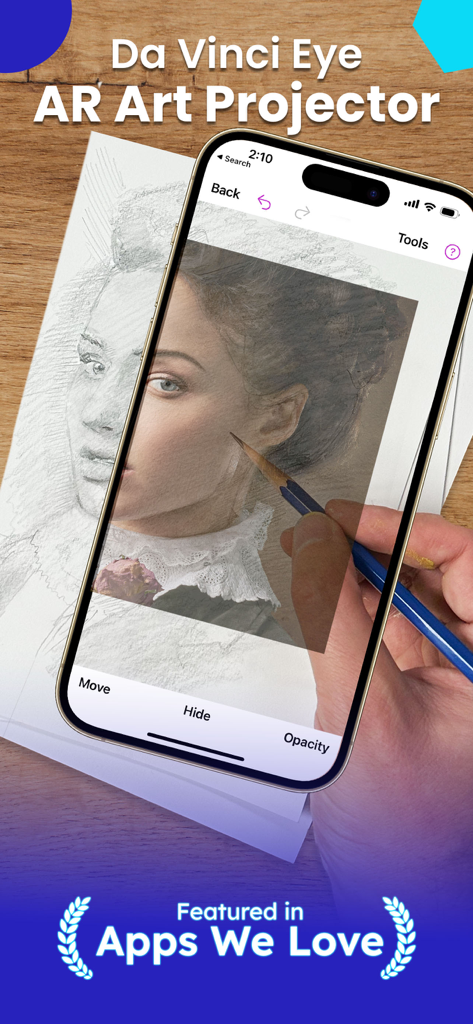
スマートフォンでDa Vinci Eye ARアプリを使用し、鉛筆で紙にポートレートを投影・トレースしている様子。
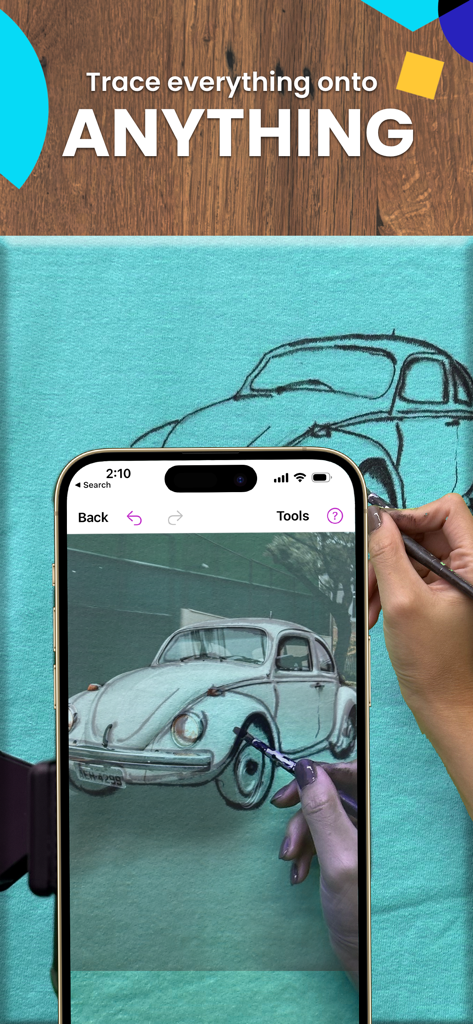
Da Vinci Eye ARお絵描きアプリを使用して、布のキャンバスにヴィンテージカーをトレースしている様子。
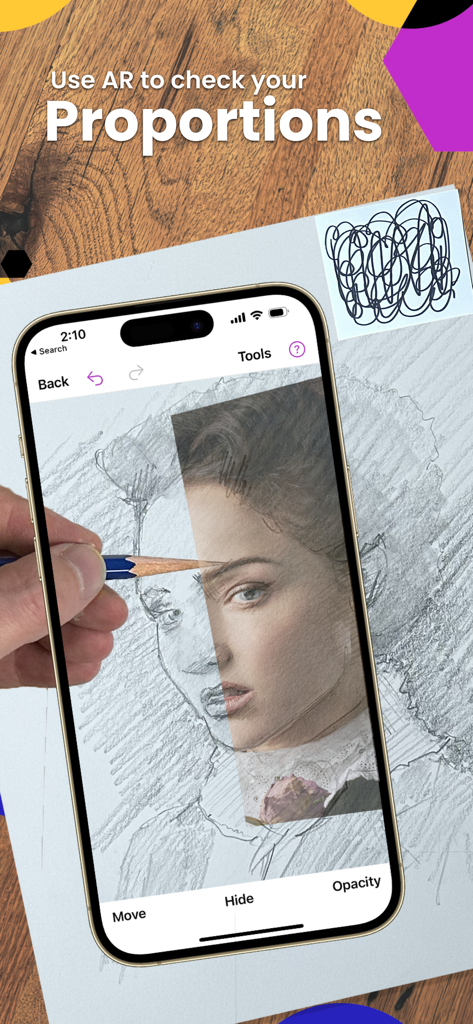
鉛筆で紙にポートレートを描きながら、Da Vinci Eye ARアプリを使用してプロポーションを確認している様子。
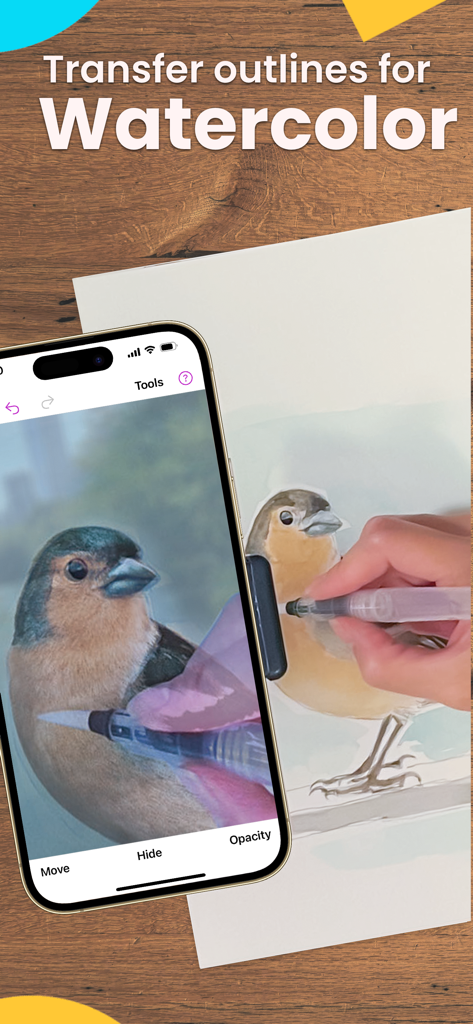
ARアプリを使用して水彩画用に鳥をトレースしている様子。
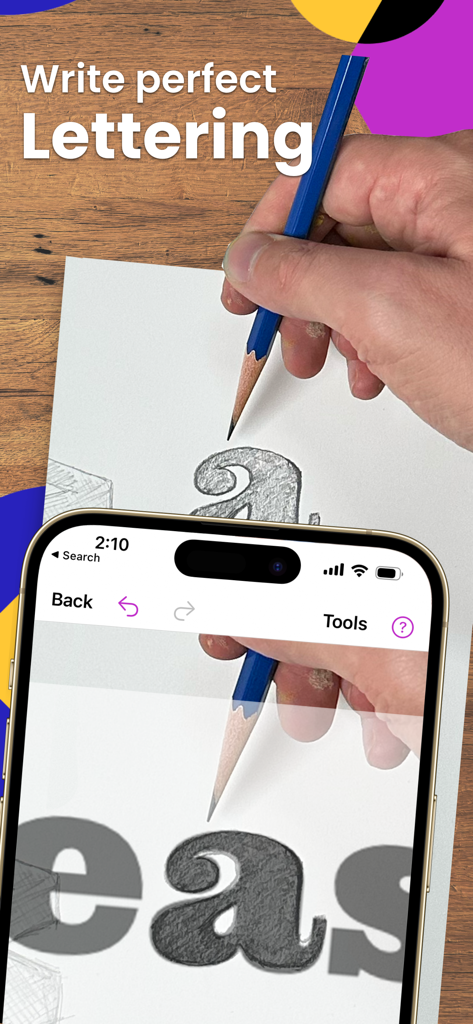
Da Vinci Eye ARアプリを使用して、鉛筆で紙に完璧なレタリングをトレースしている様子。
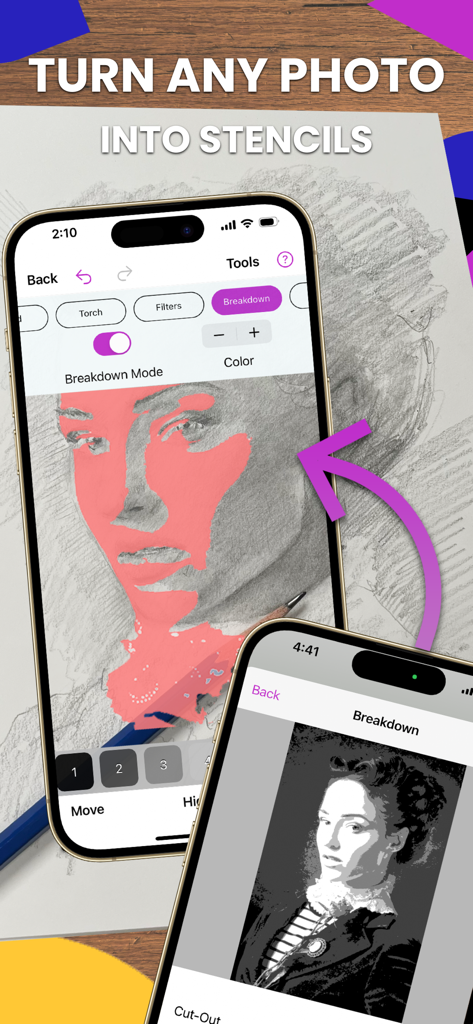
写真をお絵描き用のステンシルに変換する、Da Vinci Eyeアプリの分解モードを表示したiPhoneの画面。
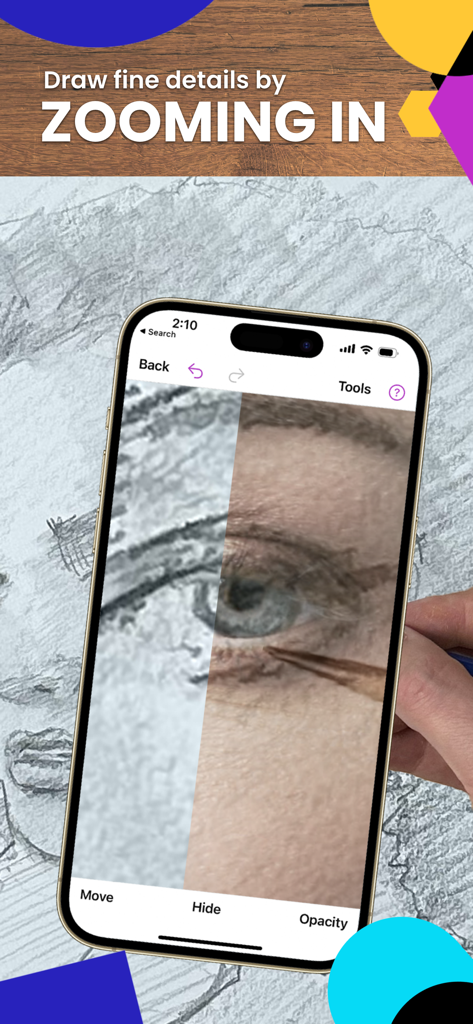
Da Vinci Eye ARトレースアプリを使用して、描いている目にズームインしている様子。
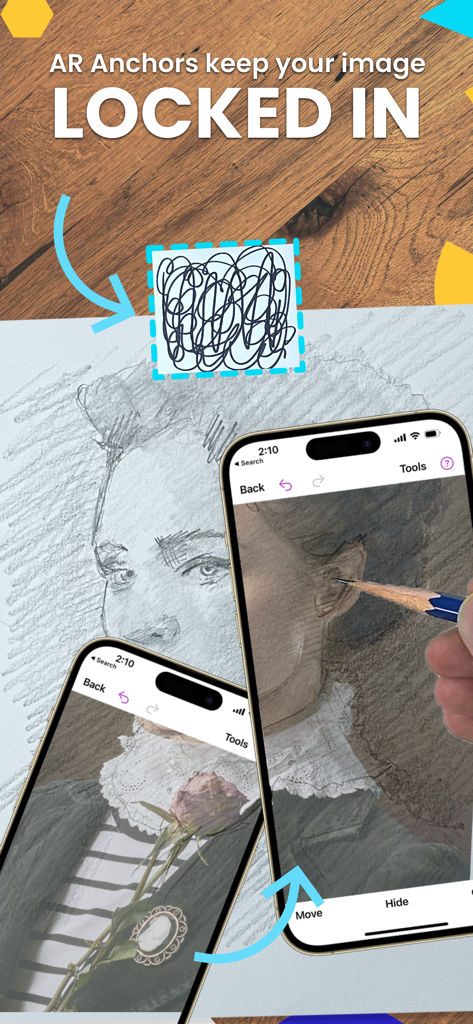
精密なトレースのために、物理的な描画領域の上に仮想ポートレートを固定するARアンカーを表示したiPhoneの画面。
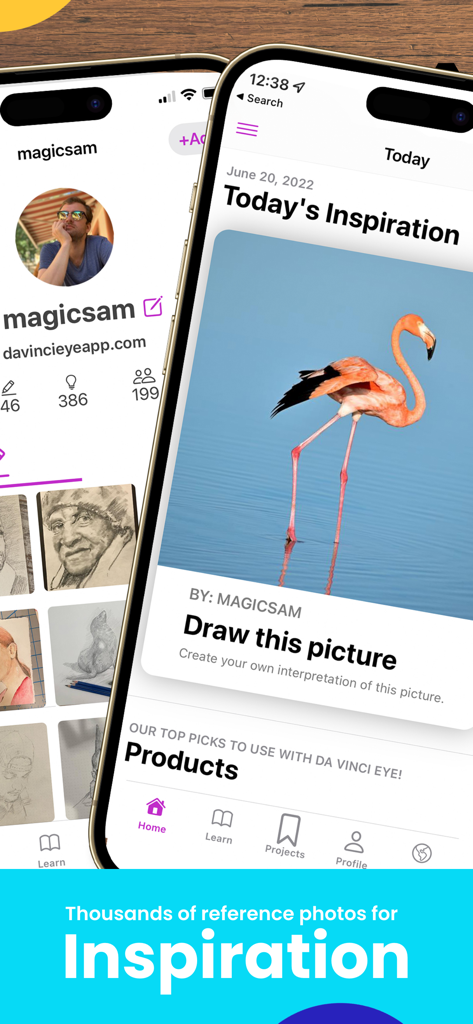
お絵描きのインスピレーションのためのフラミンゴの参考写真を表示しているDa Vinci Eyeアプリのインターフェース。
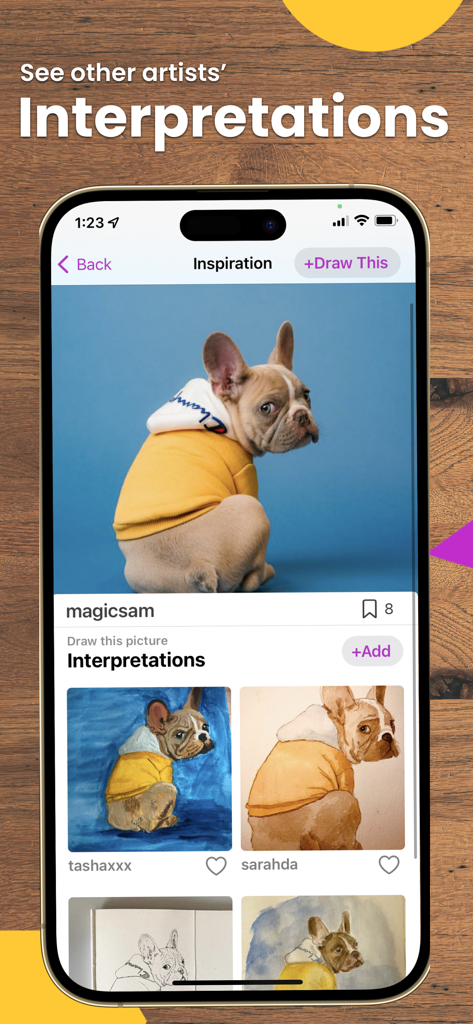
犬の写真と、ユーザーから投稿された様々な解釈の絵を表示しているDa Vinci Eyeアプリの画面。
説明
Download
類似アプリ
似た機能とユーザー体験を持つアプリ

AR Drawing Paint Sketch Trace
DROIDFUN LIMITED

Camera Lucida™: AR Drawing
Big Idea Design LLC

AR Drawing Sketch App: ArtEasy
SMDA GROUP SP Z O O SP KOMANDYTOWA

PicTrace: AR Drawing & Sketch
ANDROID VIETNAM TECHNOLOGY CORPORATION

AR Draw: Sketching & Painting
EIGEN SOFTWARE LIMITED

AR Drawing How to Draw Sketch
Magomed Dzhamalov

AR Drawing - AR Sketch
Ketanbhai Khokhani

HEY CLAY®
HEY CLAY LTD

Sketch Trace Draw, AR App
Proxglobal Investment And Technology Development Joint Stock Company
このページはアプリまたはその開発者の公式ページではなく、情報提供および論評を目的として作成された独立した編集出版物です。明示的に別段の記載がない限り、アプリおよびその開発者は、MWM、Apple、Google Play、アプリのパブリッシャー、またはアプリの開発者と提携、承認、後援、認可、またはその他の公式的な関係はなく、このページのいかなる内容も、アプリがMWMのサービスを使用して開発されたことを意味するものではありません。すべての商標、ロゴ、スクリーンショット、その他のコンテンツはそれぞれの所有者の財産です。