Darkr - Black And White Filter
ダウンロード: App Store

このページはアプリまたはその開発者の公式ページではなく、情報提供および論評を目的として作成された独立した編集出版物です。明示的に別段の記載がない限り、アプリおよびその開発者は、MWM、Apple、Google Play、アプリのパブリッシャー、またはアプリの開発者と提携、承認、後援、認可、またはその他の公式的な関係はなく、このページのいかなる内容も、アプリがMWMのサービスを使用して開発されたことを意味するものではありません。すべての商標、ロゴ、スクリーンショット、その他のコンテンツはそれぞれの所有者の財産です。

ロゴ: Darkr - Black And White Filter
ダウンロード: App Store

Darkr - Black And White Filter

インスタントなフィルターから離れ、写真の魂を再発見してください。マニュアルカメラ、テストプリント、そして意図を持った表現者のために設計された本格的な暗室ツールを使って、モノクロ写真の技術をマスターしましょう。

主要数値

ダウンロード

1M+

ユーザー評価

4.7/5

評価数

47K+

開発元

Marcus Carlsson

カテゴリ

Photo & Video

対応言語

6

最新バージョン

12.0

サイズ

115.0 MB

リリース日

2016年12月6日
機能

モノクロ写真の技術

インスタントなフィルターから離れましょう。クリック一つの便利さよりも、プロセスそのものの芸術性を大切にする写真家のために設計された、手応えのある意図的なワークフローを体験してください。

本格的な暗室ワークフロー

薬品を使わずに光と影を操りましょう。伝統的なテストプリントで露出を決定し、プロ仕様の覆い焼き・焼き込みツールを使って画像を彫り上げます。

スローシューティングの芸術

マニュアルの大判カメラシミュレーションで、あなたの視点を試してみましょう。プロセスをあえて遅くすることで、フレーミングや構図の基本を再発見できます。

以下のスクリーンショットと説明は、アプリの公式ストアリスティングから直接取得されたものであり、アプリ開発者の所有物です。

アプリストア

スクリーンショット
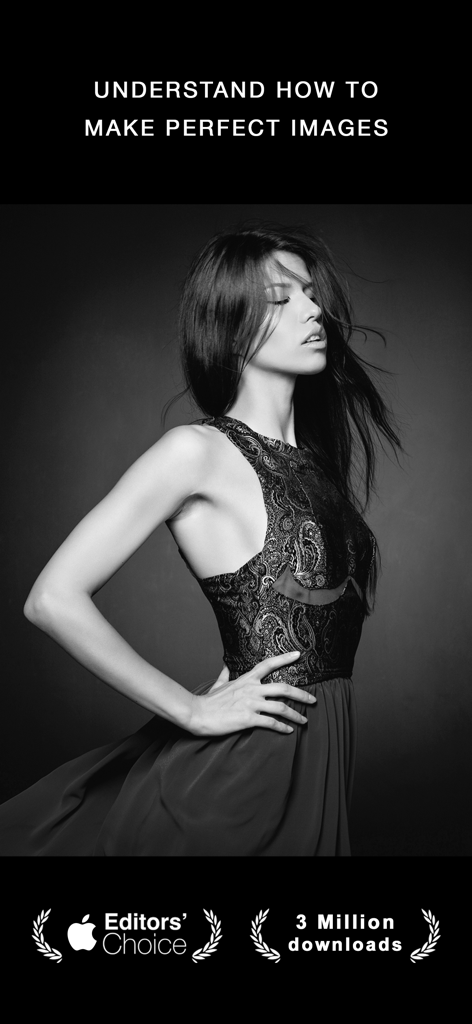
Darkr - Black And White Filter - エディターズ・チョイスのバッジと共に、Darkrアプリの美学を表現した女性のプロフェッショナルなモノクロポートレート
エディターズ・チョイスのバッジと共に、Darkrアプリの美学を表現した女性のプロフェッショナルなモノクロポートレート

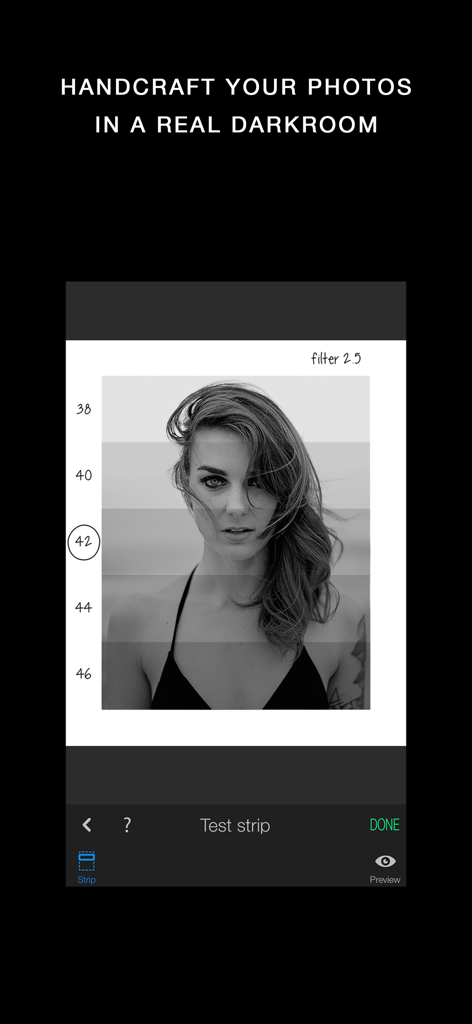
Darkr - Black And White Filter - マニュアルでの露出調整のためのアナログ暗室テストプリントが表示された、モノクロポートレートのDarkrアプリインターフェース
マニュアルでの露出調整のためのアナログ暗室テストプリントが表示された、モノクロポートレートのDarkrアプリインターフェース

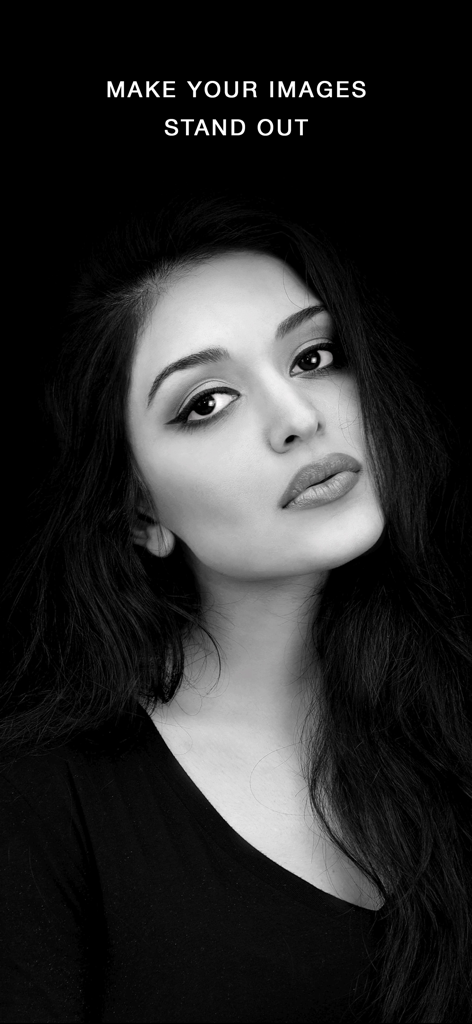
Darkr - Black And White Filter - 暗い背景をバックにした、女性のハイコントラストなモノクロポートレート

暗い背景をバックにした、女性のハイコントラストなモノクロポートレート

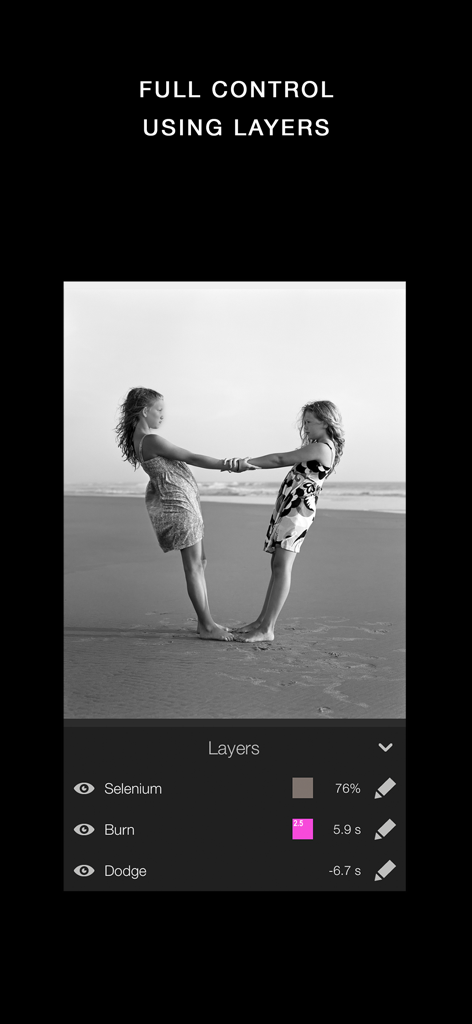
Darkr - Black And White Filter - セレン調色の焼き込みや覆い焼きツールを含む、モノクロ写真のマニュアル編集レイヤーを表示するDarkrアプリのインターフェース
セレン調色の焼き込みや覆い焼きツールを含む、モノクロ写真のマニュアル編集レイヤーを表示するDarkrアプリのインターフェース

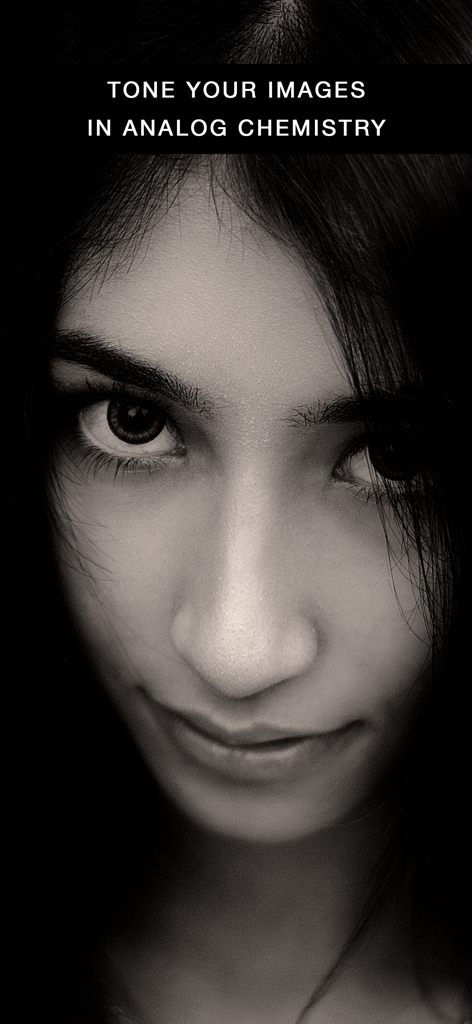
Darkr - Black And White Filter - Darkrアプリのアナログ化学調色を披露する、女性のクローズアップ・モノクロポートレート
Darkrアプリのアナログ化学調色を披露する、女性のクローズアップ・モノクロポートレート

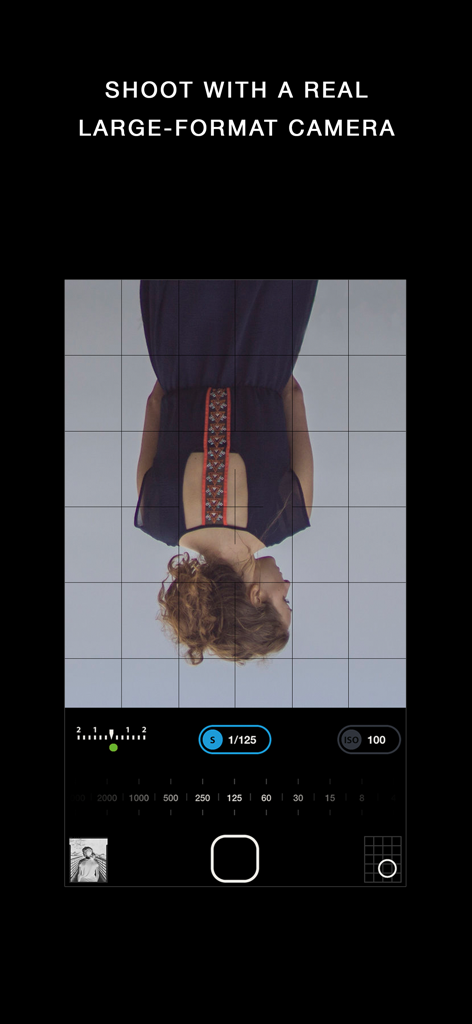
Darkr - Black And White Filter - 逆さまのファインダーと露出設定を備えた、Darkrアプリのマニュアル大判カメラインターフェース
逆さまのファインダーと露出設定を備えた、Darkrアプリのマニュアル大判カメラインターフェース

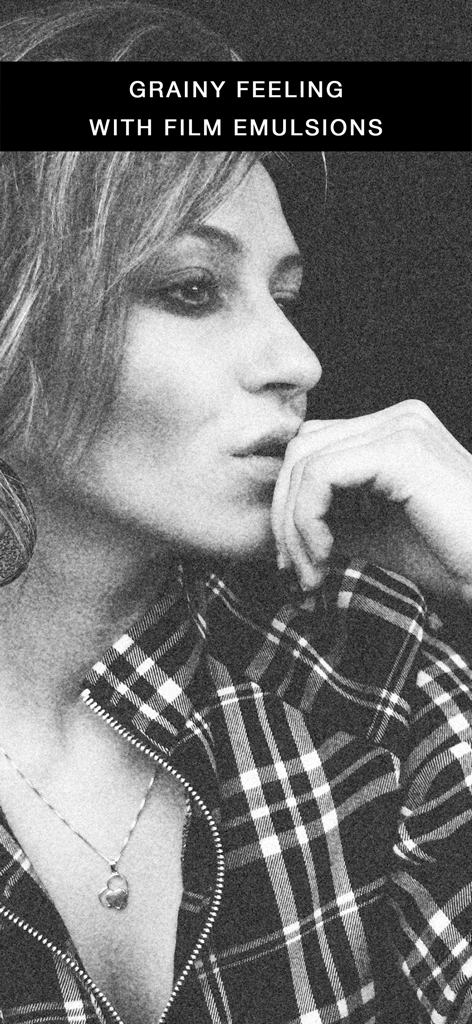
Darkr - Black And White Filter - 粒状のフィルム乳剤エフェクトがかかった女性のモノクロポートレート

粒状のフィルム乳剤エフェクトがかかった女性のモノクロポートレート

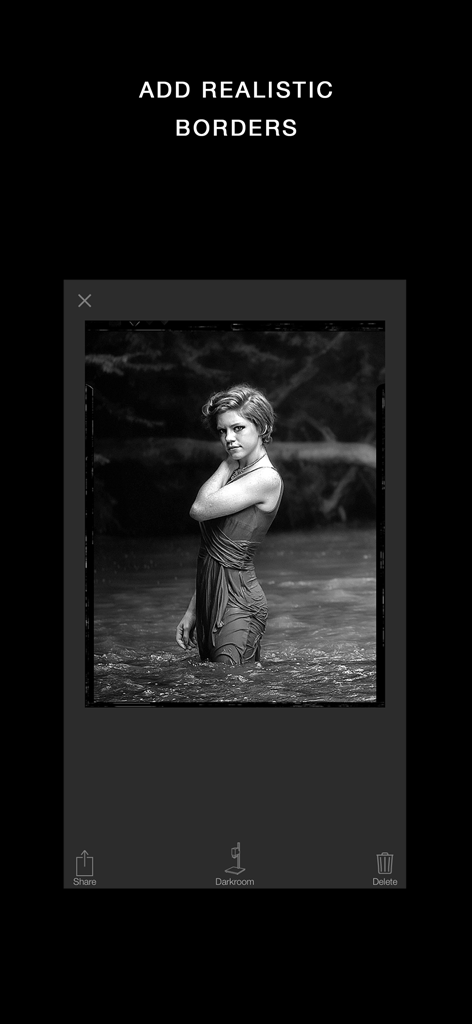
Darkr - Black And White Filter - Darkrアプリのインターフェース内で、リアルなヴィンテージフィルムの枠線が付いたモノクロポートレート
Darkrアプリのインターフェース内で、リアルなヴィンテージフィルムの枠線が付いたモノクロポートレート

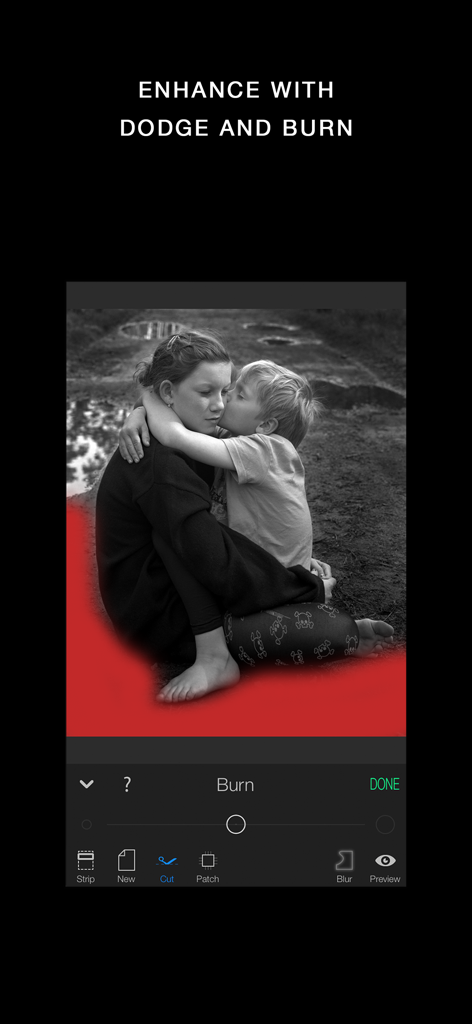
Darkr - Black And White Filter - 焼き込みツールと赤いマスクのオーバーレイを使って編集されているモノクロ写真を表示するDarkrアプリのインターフェース

焼き込みツールと赤いマスクのオーバーレイを使って編集されているモノクロ写真を表示するDarkrアプリのインターフェース

説明

3 million downloads Featured as Today's app in many countries and is the perfect app for learning photography. "Darkr actually taught us how to frame pictures better" - AppleInsider Have you ever dreamt of trying an old darkroom, but don't have the equipment nor the time? Now you can, and without getting wet. DARKROOM In a fun and intuitive way you will pick the strip that has the best time and contrast. And just like a real darkroom, you can make parts of the image brighter and darker by blocking or adding more light to the image. You will be presented in a very easy way with lots of tutorials on how to use the tools. The images will only be in black and white (but you may tone them). DARKROOM FEATURES + Develop either your images from your camera-roll or taken by the Large-Format camera + Only Black & White + Stripes - As in a real darkroom you'll have to find the best strip. It will be challenging, fun and very powerful + Crop / Rotate - Both crop and rotate the image in the same tool + Dodge - Make a selected part of the image brighter. + Burn - Make a selected part of the image darker + Blur - Enhance the background with some beautiful blurriness. + Tone - Tone the images with various strength. The toners that can be used are Selenium, Cyanotype and Sepia. + Layers - You can add as many effects as you want. Each effect will be treated as a layer that can be edited, deleted and changed its visibility. + Zoom - You can zoom the image ten times. This will make it really easy to make the detailed work. + OpenGL - Darkr uses OpenGL, the drawing is fast and very fluid. CAMERA By shooting with a large-format camera where the image is upside-down you will actually get more control over the image. The camera is only manual and back in the old days you could not even zoom with the camera, you had to walk. You will be forced to slow down the process and by doing so, your photographs will be so much better. At first it may feel a bit odd to look at the upside-down image and it can even be a bit challanging to know if you should move the camera to the left or right when framing the image. Sometimes you will even laugh at yourself, but the more you use it, the less you will even have to think about it. MORE CAMERA-MODELS Darkr has now added two more camera-models. + Medium-format which will produce a square image and just as the large-format camera it is manual. + Small-format which is a real basic point and shoot camera where you pretty much only shoot at what you see. Nothing to set up with, nor zoom. CAMERA FEATURES + Manual - Just as in a real old analog camera, it is only manual + Shutter / ISO - You will set these individually + Focus - With a beautiful crafted loupe, you will get full control over the sharpness + Tilt / Shift - Just as a large-format camera you will be able to straight up any lines + 4x5" - The negative's size will be in the 4x5-ratio as the most popular large-format camera does SHARE You can naturally share both the negatives and prints. You can optimize the resolution to lots of social media's sites like Facebook, Instagram, Twitter SUPPORT We are eager to hear from you. We just love to hear both good stuff and bad stuff. And it's much likely that your opinion will be added into the next update. Please don't hesitate to contact us at: support@miiam.net

Download

ダウンロード: App Store

このページはアプリまたはその開発者の公式ページではなく、情報提供および論評を目的として作成された独立した編集出版物です。明示的に別段の記載がない限り、アプリおよびその開発者は、MWM、Apple、Google Play、アプリのパブリッシャー、またはアプリの開発者と提携、承認、後援、認可、またはその他の公式的な関係はなく、このページのいかなる内容も、アプリがMWMのサービスを使用して開発されたことを意味するものではありません。すべての商標、ロゴ、スクリーンショット、その他のコンテンツはそれぞれの所有者の財産です。