
このページはアプリまたはその開発者の公式ページではなく、情報提供および論評を目的として作成された独立した編集出版物です。明示的に別段の記載がない限り、アプリおよびその開発者は、MWM、Apple、Google Play、アプリのパブリッシャー、またはアプリの開発者と提携、承認、後援、認可、またはその他の公式的な関係はなく、このページのいかなる内容も、アプリがMWMのサービスを使用して開発されたことを意味するものではありません。すべての商標、ロゴ、スクリーンショット、その他のコンテンツはそれぞれの所有者の財産です。

DateStamper
写真に時代を超えたルックまたはプロフェッショナルなエッジを与えます。非破壊的な一括編集とゼロトラッキングで、カスタマイズ可能な日時とGPSスタンプをライブラリ全体に追加できます。
ダウンロード
588K+ユーザー評価
評価数
12K+開発元
カテゴリ
Photo & Video対応言語
1最新バージョン
1.0.3サイズ
10.6 MBリリース日
2014年9月25日写真ごとのストーリーを記録する
画像に美しくカスタマイズ可能な日付スタンプと位置データを追加します。精度とプライバシーを重視するメモリキーパーやプロフェッショナル向けに設計されています。
クラシックなレトロな美学
カスタマイズ可能なデジタルフォントと鮮やかなスタイルで、ノスタルジックなポイント&シュートの雰囲気を再現します。スクラップブックや家族アルバムに最適です。
非破壊一括編集
アルバム全体に即座にスタンプを付けます。編集はAppleデバイス全体で同期され、元のファイルを変更せずにいつでも削除または調整できます。
よくある質問
について知っておくべきこと DateStamper
DateStamperは写真スタンプのためにどのような機能を提供していますか?
DateStamperは、写真にカスタマイズ可能な日付、時刻、GPS位置情報、カスタムテキストスタンプを直接適用できるアプリケーションです。Appleの写真アプリと連携し、iPhone、iPad、Macに対応しています。
DateStamperは複数の写真に一度にスタンプを適用できますか?
はい、DateStamperは複数の写真に同時にスタンプを適用することをサポートしています。一度に10枚以上の写真にスタンプを適用できる「無制限バッチ」のアプリ内購入があり、ワークフローの効率を高めます。
DateStamperでは日付スタンプのスタイルをカスタマイズできますか?
はい、DateStamperはスタンプスタイルに対して強力なカスタマイズ機能を提供します。フォント、色、サイズ、背景、ストローク、影、不透明度を調整できます。「プレミアムスタイル」で全てのスタイルオプションにアクセスできます。
DateStamperは編集のためにAppleの写真アプリと連携しますか?
はい、DateStamperはAppleの写真アプリとシームレスに連携します。ユーザーはDateStamper編集拡張機能を使用して、ライブラリ内の写真にスタンプを直接適用または変更でき、重複させる必要はありません。
DateStamperを使用して写真からスタンプを削除できますか?
はい、DateStamperの編集は完全に非破壊的です。ユーザーはいつでも適用された日付スタンプを簡単に削除または変更できます。変更は、リンクされたすべてのiCloud写真デバイスに自動的に同期されます。
DateStamperアプリはどのデバイスと互換性がありますか?
DateStamperはAppleのエコシステム全体で互換性のあるユニバーサルアプリです。iPhone、iPad、Macデバイスでネイティブに動作し、ユーザーに一貫した体験を提供します。
以下のスクリーンショットと説明は、アプリの公式ストアリスティングから直接取得されたものであり、アプリ開発者の所有物です。
アプリストア
スクリーンショット
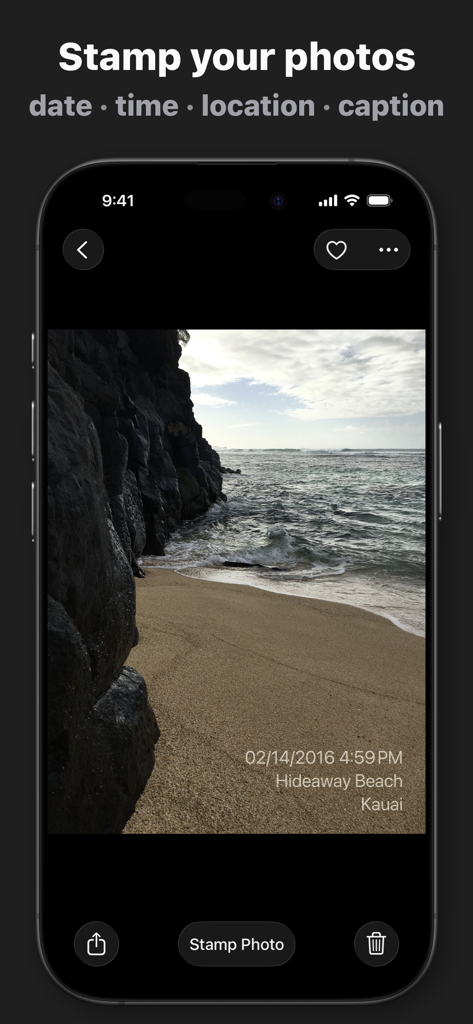
DateStamperアプリでカスタム日時と位置スタンプが適用されたビーチ写真が表示されているiPhone
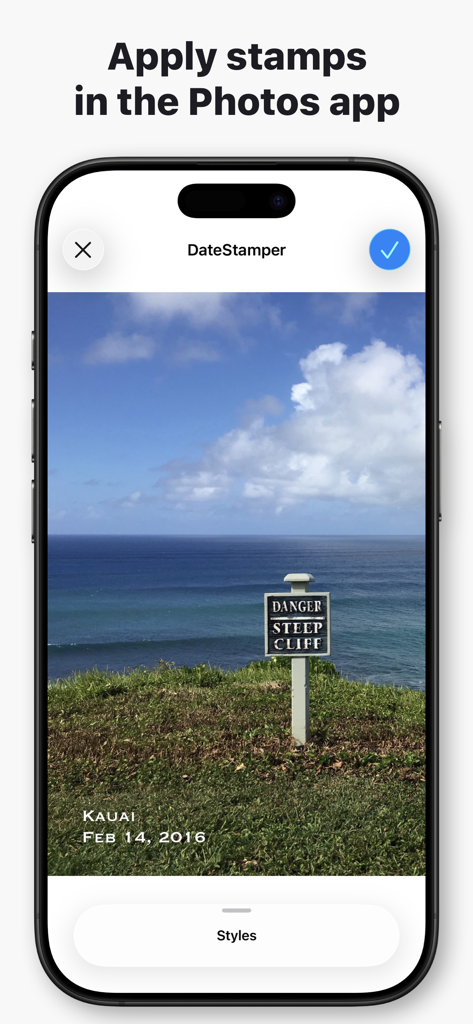
DateStamperアプリのiPhoneインターフェース。海岸沿いの崖の写真に日付と位置スタンプが適用されている様子を表示
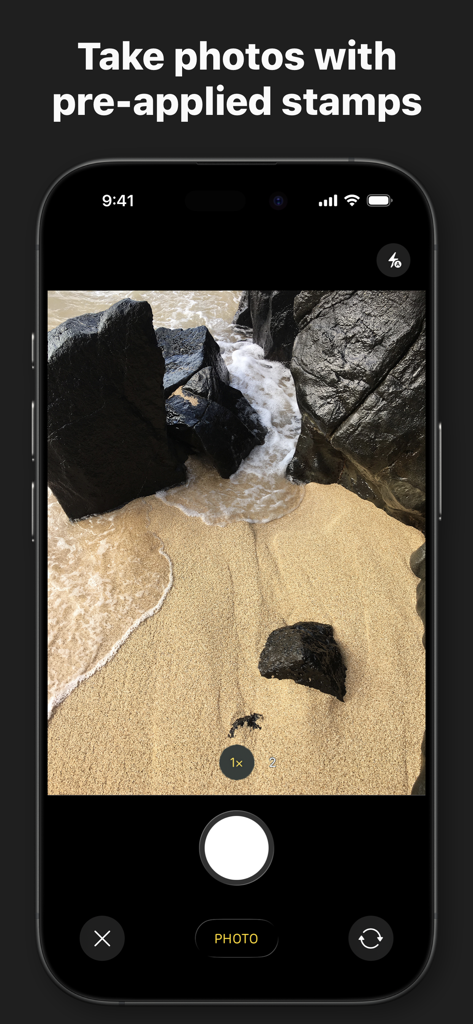
DateStamperアプリのカメラインターフェースが表示されているiPhone画面。ビーチのシーンと「事前に適用されたスタンプで写真を撮る」というテキストが表示されている
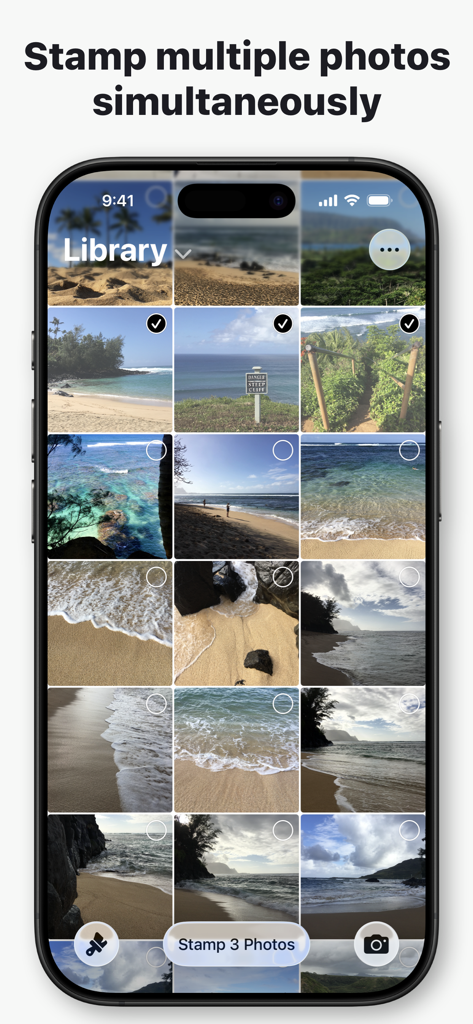
DateStamperアプリのインターフェース。複数の写真を選択して同時に日付スタンプを付ける様子を表示
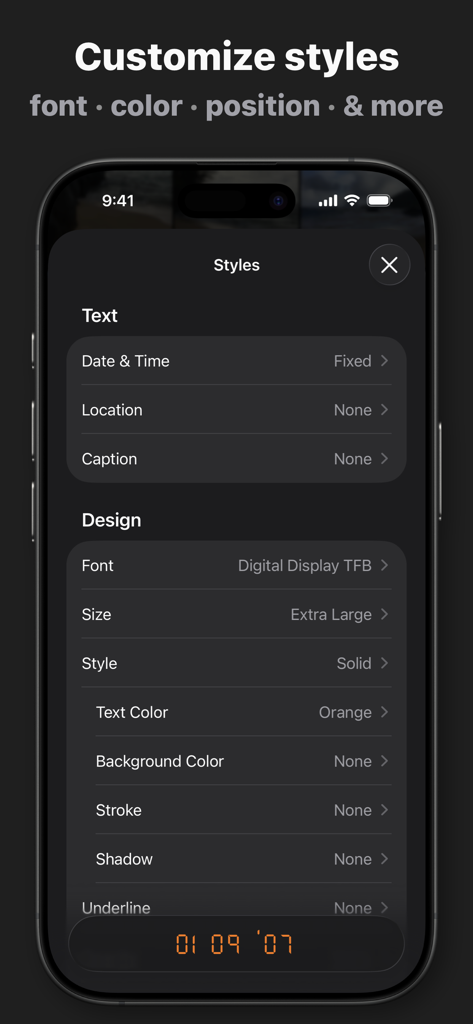
DateStamperアプリのインターフェース。写真のタイムスタンプのフォントの色とスタイルをカスタマイズするオプションを表示
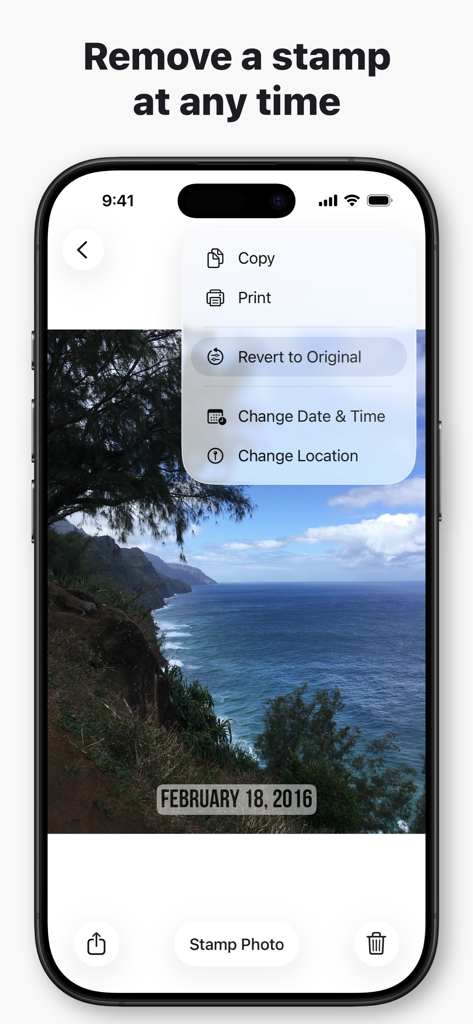
DateStamperアプリのメニューが表示されているiPhone画面。写真を元の状態に戻すオプションを表示
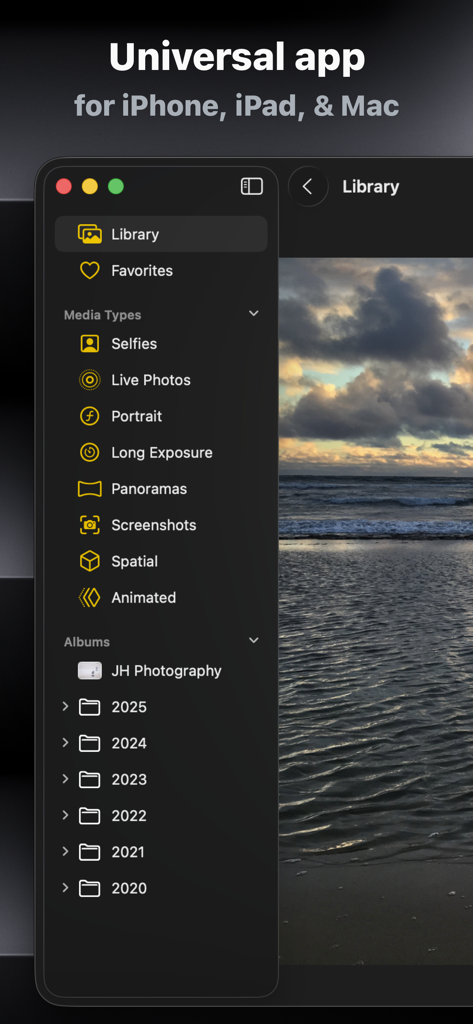
iPhone、iPad、Mac向けのDateStamperユニバーサルアプリのインターフェース。写真ライブラリの整理を表示
説明
Download
類似アプリ
似た機能とユーザー体験を持つアプリ

Timestamp Camera -AI Timestamp
Shanghai Zongchong Information Technology Co., Ltd

Timestamp Camera - Date Stamp
Artify Inc.

Timestamp Camera: Time & GPS
Practical Apps from Sweden AB

Timestamp camera - gps cam
Guangzhou Siyue Network Technology Co., Ltd.

Timestamp Camera Basic
玉彬 陈

GPS Map Camera : Geo Photos
Chirag Gabani

Timestamp Camera: Time stamp
燕倩 费

Timestamp Camera - Time & GPS
Shaanxi Ruidebao Technology Co.,Ltd

Timestamp Camera - Aio GPS Cam
周萍 黄
このページはアプリまたはその開発者の公式ページではなく、情報提供および論評を目的として作成された独立した編集出版物です。明示的に別段の記載がない限り、アプリおよびその開発者は、MWM、Apple、Google Play、アプリのパブリッシャー、またはアプリの開発者と提携、承認、後援、認可、またはその他の公式的な関係はなく、このページのいかなる内容も、アプリがMWMのサービスを使用して開発されたことを意味するものではありません。すべての商標、ロゴ、スクリーンショット、その他のコンテンツはそれぞれの所有者の財産です。