
このページはアプリまたはその開発者の公式ページではなく、情報提供および論評を目的として作成された独立した編集出版物です。明示的に別段の記載がない限り、アプリおよびその開発者は、MWM、Apple、Google Play、アプリのパブリッシャー、またはアプリの開発者と提携、承認、後援、認可、またはその他の公式的な関係はなく、このページのいかなる内容も、アプリがMWMのサービスを使用して開発されたことを意味するものではありません。すべての商標、ロゴ、スクリーンショット、その他のコンテンツはそれぞれの所有者の財産です。


Timestamp Camera: Photo Date
写真に写り込んだ「いつ」が、あなたの記憶を上書きする。単なる日付ではなく、その瞬間の事実を刻み込め。
ダウンロード
1M+ユーザー評価
評価数
145.5K開発元
カテゴリ
Photo & Video対応言語
11最新バージョン
1.19.2サイズ
96.8 MBリリース日
2016年5月25日タイムスタンプ埋め込みに特化した写真管理ソリューションの主要機能評価
Timestamp Camera: Photo Date アプリの機能分析
写真への日付・時刻透かし埋め込み
本アプリは、撮影された写真に直接、正確な日付と時刻の透かしを埋め込みます。これにより、ファイルの日付変更による情報の喪失を防ぎ、写真がいつ撮影されたかを永続的に保証し、個人的な記憶の保持から専門的な記録まで、あらゆる目的に対応します。
ギャラリー画像へのスタンプ適用
ユーザーは、既存のギャラリーから写真をインポートし、後からでも日付と時刻のスタンプを適用することができます。この機能により、過去の記憶や既に撮影された記録写真にも正確なタイムスタンプを追加することが可能となり、幅広い利用シーンに対応します。
写真品質の維持
アプリは、タイムスタンプを追加する際に元の写真の高品質を維持します。これにより、ユーザーは記録や記念のための写真が鮮明なままであり、視覚的な劣化を心配することなく、詳細を正確に捉えることができると確信できます。
高度なカメラコントロール
本ツールは、フロント/リアカメラの選択、高解像度ズーム、フラッシュサポート、ホワイトバランス制御といった高度なカメラコントロールを提供します。これにより、様々な照明条件下や特定の撮影ニーズに合わせて、最適な品質の写真を撮影することが可能となり、文書化の精度を高めます。
豊富なタイムスタンプスタイル
ユーザーは、26種類以上のプレミアムなタイムスタンプスタイルから選択することができます。これにより、個人の好みや特定のプロジェクトの美学に合わせて、タイムスタンプの外観をカスタマイズすることができ、写真の表現力を高めます。
保存と共有機能
アプリは、スタンプ付きの写真をカメラロールに直接保存する機能と、InstagramやWhatsAppなどのソーシャルメディアプラットフォームへ簡単に共有する機能を提供します。これにより、ユーザーは写真の管理と共有を効率的に行い、情報連携をスムーズに進めることができます。
フォントカラーのカスタマイズ
ユーザーは、タイムスタンプのフォントカラーを自由にカスタマイズすることができます。この機能により、背景の明るさや写真のテーマに合わせて視認性を最大化し、全体的な写真の美観を損なうことなくタイムスタンプを統合することが可能です。
パスコードロック機能
本アプリは、パスコードロック機能により、ユーザーのプライベートな写真や機密性の高い文書写真への不正アクセスを防ぎます。これにより、セキュリティが強化され、ユーザーは安心してアプリ内で写真を管理できます。
よくある質問
について知っておくべきこと Timestamp Camera: Photo Date
What is Timestamp Camera - Date Stamp app?
Timestamp Camera - Date Stamp captures iconic moments and places a timestamp on photos. It displays the current date and time on any image background for various purposes.
Can I add a date and time stamp to existing photos using Timestamp Camera?
Yes, Timestamp Camera allows you to import existing images from your gallery and add a date and time stamp to them. This ensures you know the exact moment each photo was captured.
How do I use the Timestamp Camera app?
To use Timestamp Camera, choose or take a photo, select your desired date stamp type, customize the stamp's color, then save and share it on social media platforms.
Can users change the appearance of timestamps in the Timestamp Camera app?
Yes, users can change the type of timestamp to blend with the image background, customize the font color, and adjust the position of the time and date on their photos.
Is the Timestamp Camera app free to use?
Yes, the Timestamp Camera app is free to use for the most part. It is also designed to have few advertisements and maintains optimal performance without freezing.
Does Timestamp Camera reduce the quality of my pictures?
No, Timestamp Camera does not reduce the quality of your pictures. The app explicitly states that it delivers images without distortion, preserving the original resolution.
Can I watermark my photos using Timestamp Camera?
Yes, Timestamp Camera allows you to watermark your photos. This feature enables users to add a unique logo to their images, ensuring brand or personal identification.
What are some practical uses for the Timestamp Camera app?
Timestamp Camera is useful for dieters tracking progress, mothers capturing baby growth, students memorizing notes, event organizers, and seasonal photographers for reference and record-keeping.
Can I share photos taken with Timestamp Camera on social media?
Yes, Timestamp Camera allows users to save and share their timestamped photos on various social media platforms. It also integrates with other third-party apps for public content sharing.
Does the Timestamp Camera app provide good picture resolution?
Yes, Timestamp Camera offers clear, bright pictures with great resolution. Images accommodate zooming in high resolution, and the camera includes features like bright lighting control and white balance adjustment.
以下のスクリーンショットと説明は、アプリの公式ストアリスティングから直接取得されたものであり、アプリ開発者の所有物です。
アプリストア
スクリーンショット
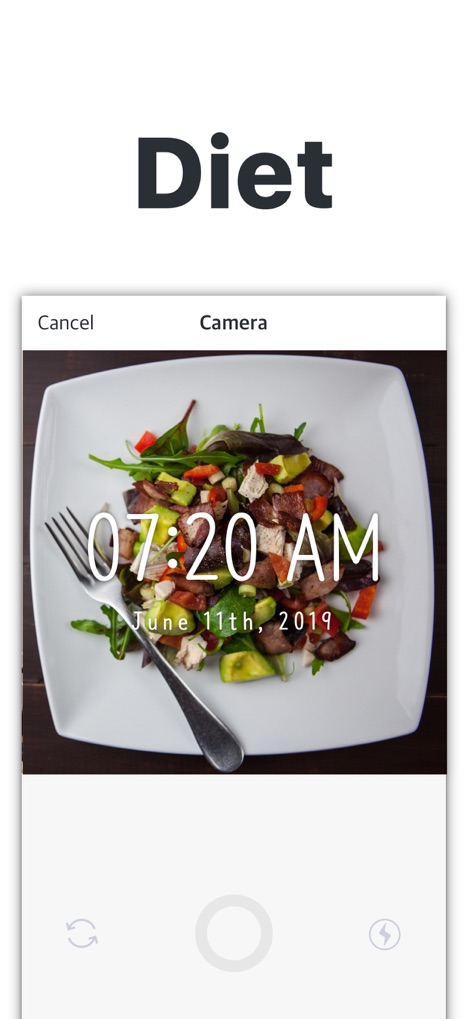
このアプリは、撮影した食事の写真に正確な日付と時刻を自動で追加し、ユーザーの食事記録や健康管理をサポートします。
食事記録を瞬時に
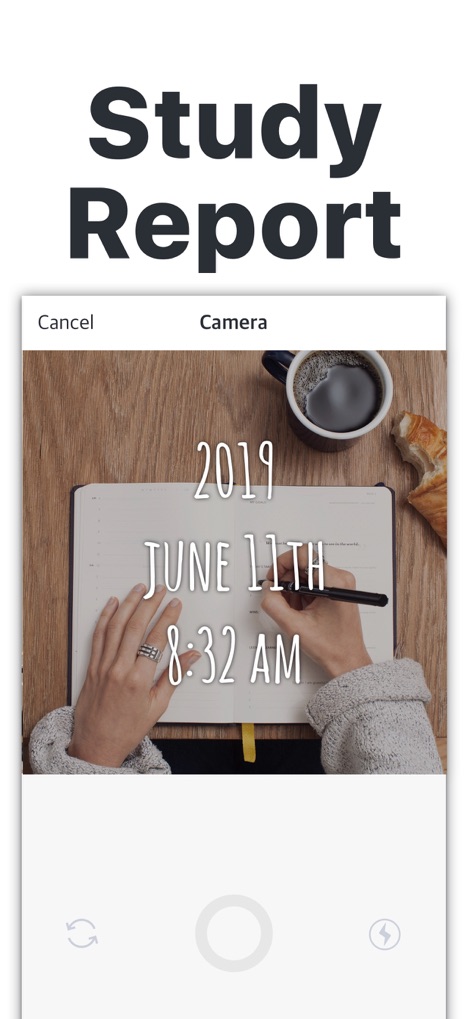
学習中のノートや資料にタイムスタンプを付加することで、学習日時を記録し、後の復習や進捗管理に役立てることができます。
学習進捗を明確に
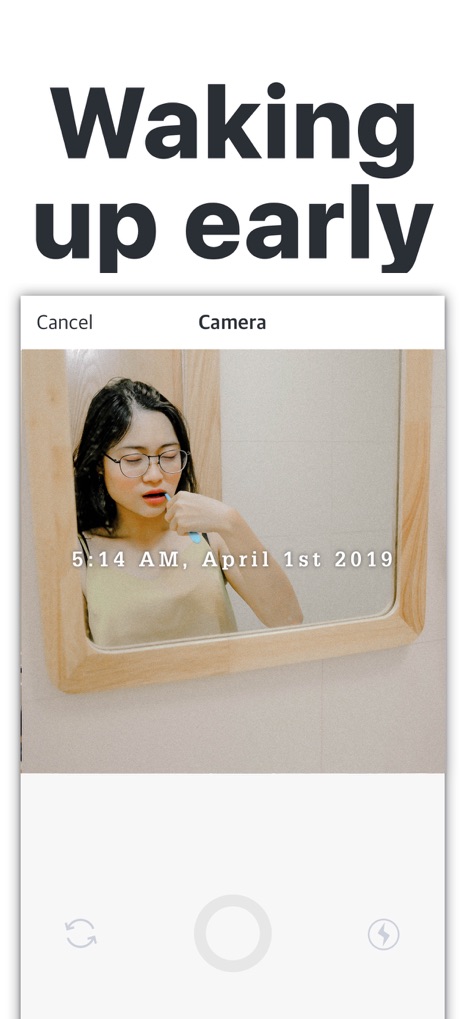
日常の瞬間をタイムスタンプ付きで記録し、例えば早朝のルーティンを視覚的に追跡することで、習慣化のモチベーション維持に貢献します。
日々の習慣を記録
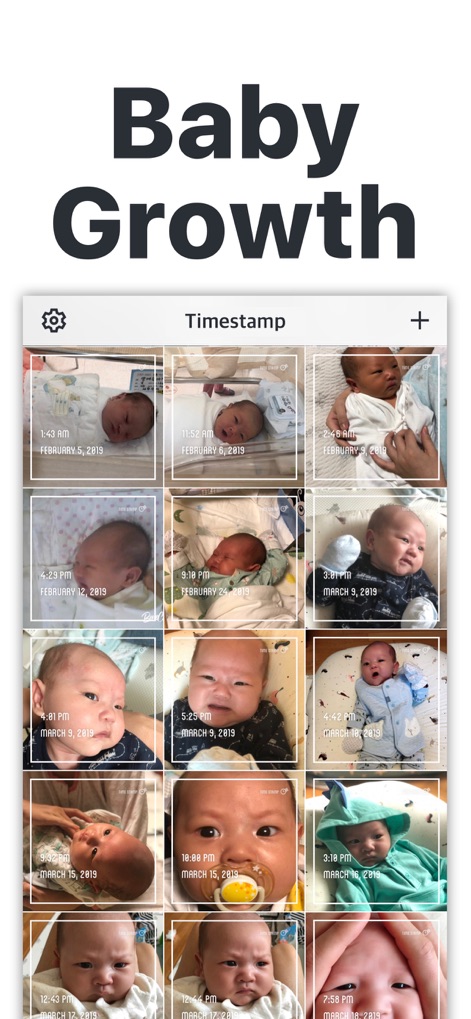
本アプリは、赤ちゃんの成長の瞬間を日付と時刻が刻印された写真として一覧表示し、大切な思い出を時系列で簡単に振り返ることを可能にします。
赤ちゃんの成長記録
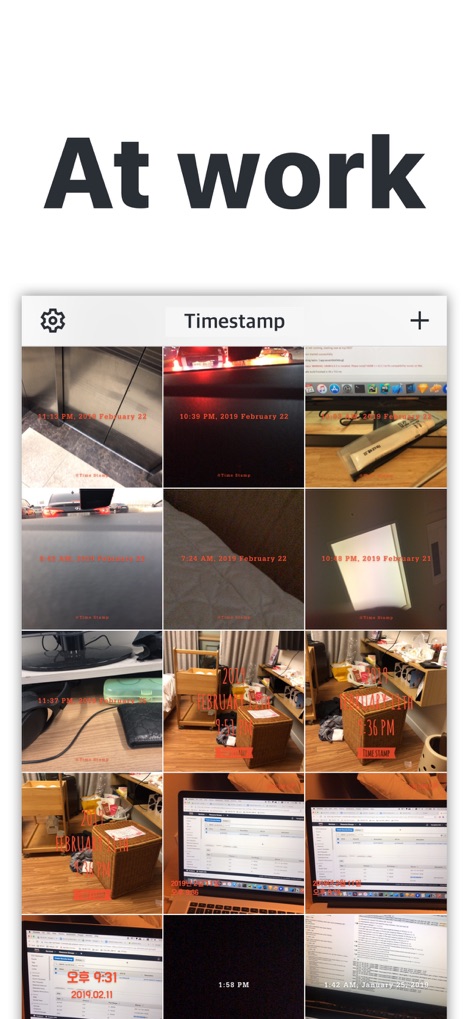
作業中のオフィス環境やプロジェクトの進捗状況をタイムスタンプ付きで記録し、視覚的な証拠として活用することで、効率的な業務管理を支援します。
業務進捗の証拠
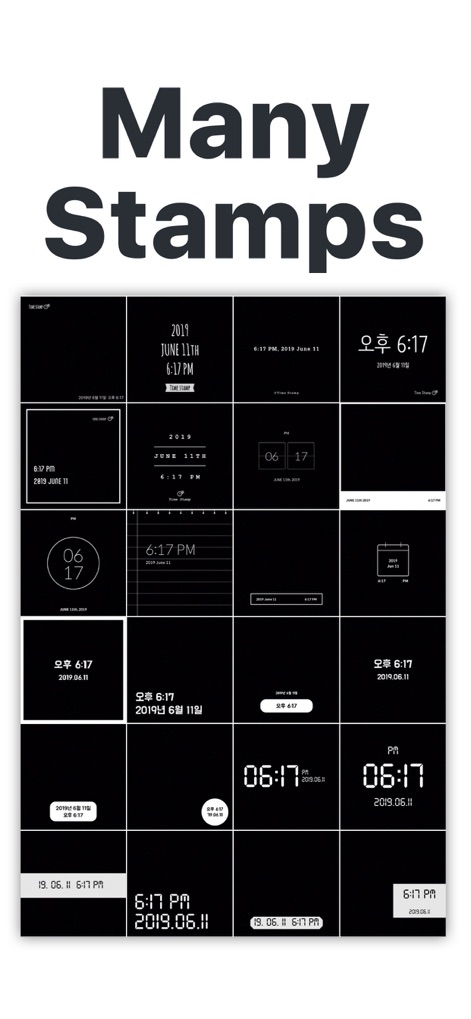
26種類以上の豊富なタイムスタンプスタイルから選択でき、ユーザーは写真の雰囲気に合わせて最適なフォントデザインと表示形式を自由に選べます。
多彩なスタンプデザイン
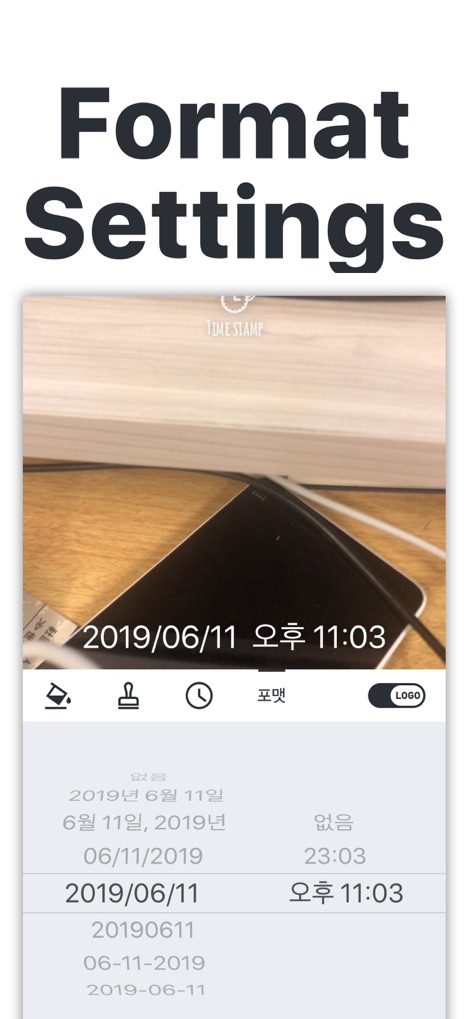
日付と時刻の表示形式は、年/月/日、月/日/年など、ユーザーの好みに合わせて柔軟にカスタマイズでき、瞬時に写真に反映されます。
日付形式を自由に
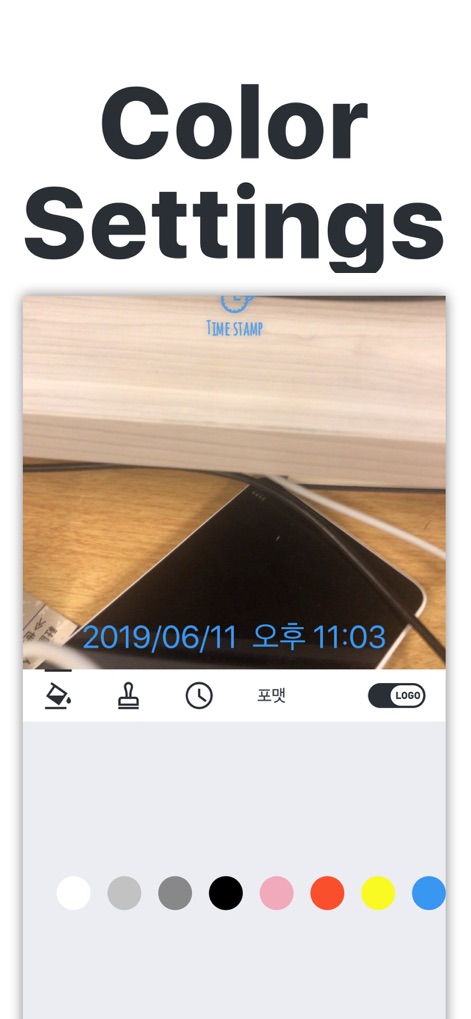
タイムスタンプの色は、写真のトーンやユーザーの好みに合わせて変更可能であり、多様なカラーパレットから選択して視覚的な魅力を高められます。
色彩で個性を表現
説明
Download
類似アプリ
似た機能とユーザー体験を持つアプリ

Timestamp Camera -AI Timestamp
Shanghai Zongchong Information Technology Co., Ltd

Timestamp Camera: Time & GPS
Practical Apps from Sweden AB

Timestamp camera - gps cam
Guangzhou Siyue Network Technology Co., Ltd.

DateStamper
Jordan Hipwell

Timestamp Camera Basic
玉彬 陈

GPS Map Camera : Geo Photos
Chirag Gabani

Timestamp Camera: Time stamp
燕倩 费

Timestamp Camera - Time & GPS
Shaanxi Ruidebao Technology Co.,Ltd

Timestamp Camera - Aio GPS Cam
周萍 黄
このページはアプリまたはその開発者の公式ページではなく、情報提供および論評を目的として作成された独立した編集出版物です。明示的に別段の記載がない限り、アプリおよびその開発者は、MWM、Apple、Google Play、アプリのパブリッシャー、またはアプリの開発者と提携、承認、後援、認可、またはその他の公式的な関係はなく、このページのいかなる内容も、アプリがMWMのサービスを使用して開発されたことを意味するものではありません。すべての商標、ロゴ、スクリーンショット、その他のコンテンツはそれぞれの所有者の財産です。