Designs+ for UI Design
ダウンロード: App Store

このページはアプリまたはその開発者の公式ページではなく、情報提供および論評を目的として作成された独立した編集出版物です。明示的に別段の記載がない限り、アプリおよびその開発者は、MWM、Apple、Google Play、アプリのパブリッシャー、またはアプリの開発者と提携、承認、後援、認可、またはその他の公式的な関係はなく、このページのいかなる内容も、アプリがMWMのサービスを使用して開発されたことを意味するものではありません。すべての商標、ロゴ、スクリーンショット、その他のコンテンツはそれぞれの所有者の財産です。

ロゴ: Designs+ for UI Design
ダウンロード: App Store

Designs+ for UI Design

UI/UXデザイナーやプロダクトマネージャーにとって不可欠な軽量ツール。インタラクティブなアプリの骨子を構築、リンク、プレゼンテーションできます。ユーザーロジックをマッピングし、ナビゲーション可能なスキーマを瞬時に共有—すべて50MB未満で。

主要数値

ダウンロード

900

ユーザー評価

1.0/5

評価数

0

開発元

Cristiano Pontani

カテゴリ

Productivity

対応言語

7

最新バージョン

1.4.11

サイズ

12.2 MB

リリース日

2015年2月4日
機能

ビジョンを構造化する

ロジック、スピード、ポータビリティを重視するデザイナーやプロダクトマネージャーのために設計された、軽量・プロフェッショナルグレードのワイヤーフレームツールキット。

迅速なモバイルワイヤーフレーム作成

50MB未満のストレージしか必要としない、高速で無駄のないアプリで、数秒で骨子のアウトラインやレイアウトを作成できます。

自動ロジックマッピング

アプリのフローを正確に説明する自動リンクマップとナビゲーション可能なスキーマで、ユーザーのジャーニーを楽に視覚化できます。

以下のスクリーンショットと説明は、アプリの公式ストアリスティングから直接取得されたものであり、アプリ開発者の所有物です。

アプリストア

スクリーンショット
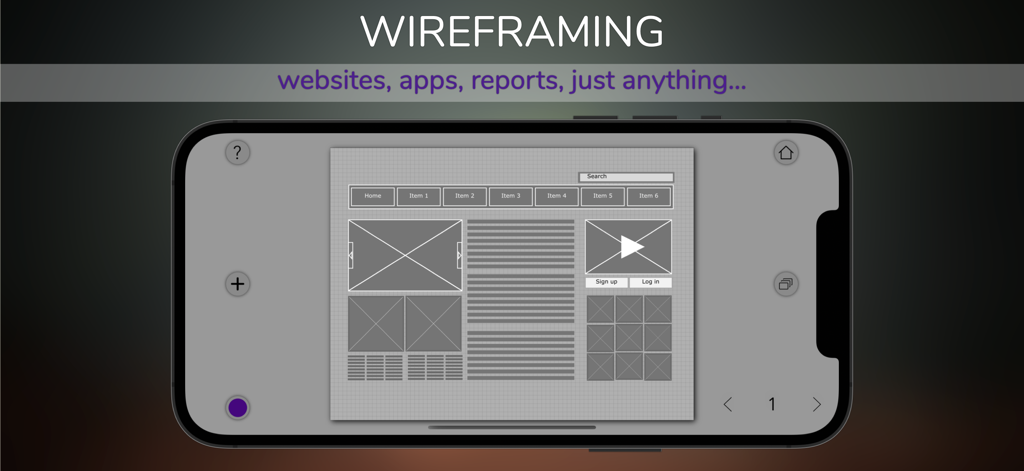
Designs+ for UI Design - Designs Plusアプリで、ナビゲーションバーとコンテンツブロックを備えたWebサイトのワイヤーフレームレイアウトを表示するスマートフォン。
Designs Plusアプリで、ナビゲーションバーとコンテンツブロックを備えたWebサイトのワイヤーフレームレイアウトを表示するスマートフォン。

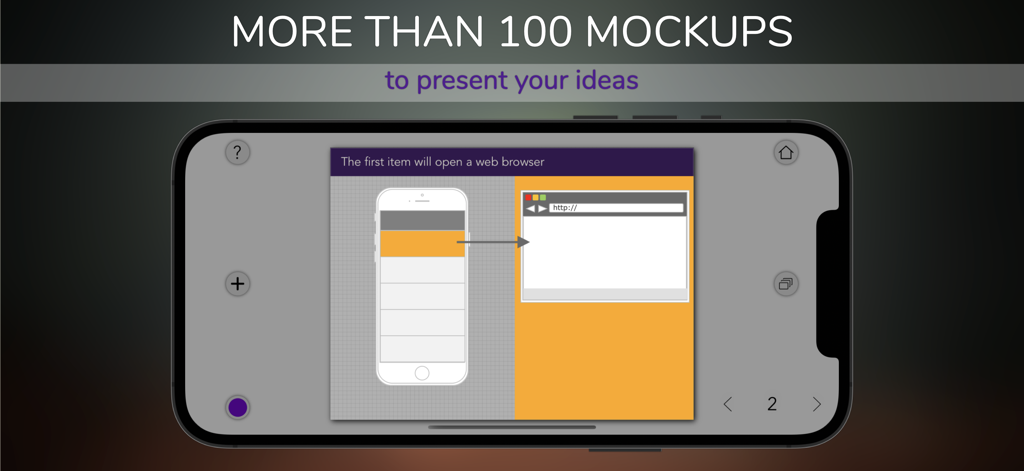
Designs+ for UI Design - iPhone上のDesigns Plusアプリのインターフェース。モバイルアプリとWebブラウザのモックアップが表示されたUIワイヤーフレームを示しています。
iPhone上のDesigns Plusアプリのインターフェース。モバイルアプリとWebブラウザのモックアップが表示されたUIワイヤーフレームを示しています。

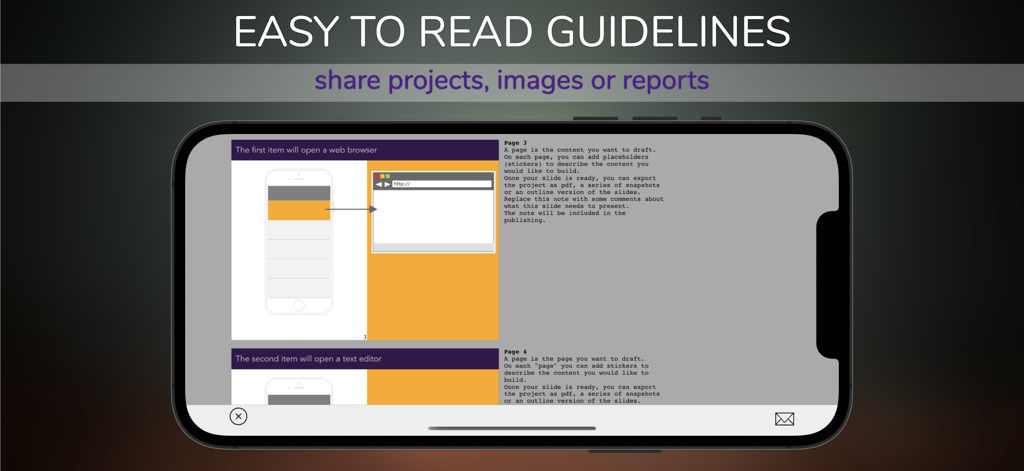
Designs+ for UI Design - Designs PlusアプリでUIデザインガイドラインとプロジェクト共有オプションを示すスマートフォンの画面。
Designs PlusアプリでUIデザインガイドラインとプロジェクト共有オプションを示すスマートフォンの画面。

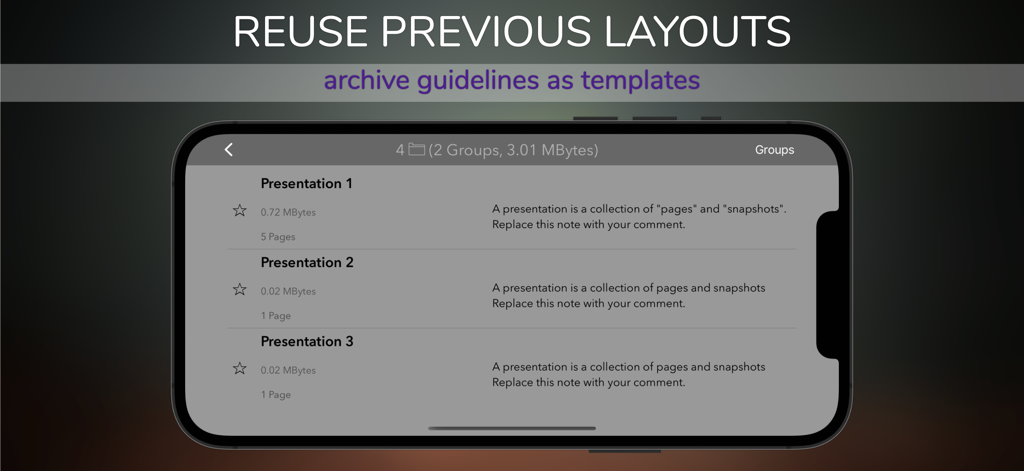
Designs+ for UI Design - Designs+アプリのプロジェクト管理画面のスクリーンショット。再利用可能な保存されたプレゼンテーションレイアウトのリストが表示されています。
Designs+アプリのプロジェクト管理画面のスクリーンショット。再利用可能な保存されたプレゼンテーションレイアウトのリストが表示されています。

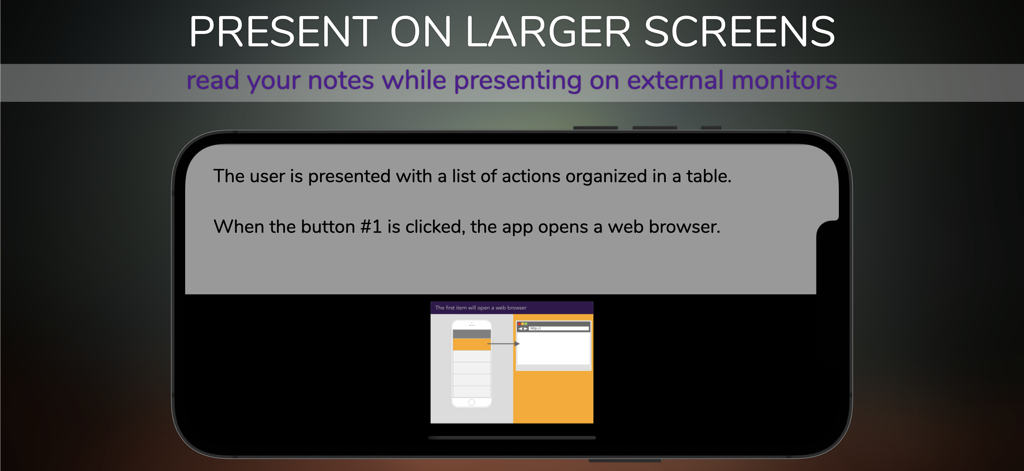
Designs+ for UI Design - 外部画面用のUIデザインスキーマのプレゼンテーションノートを表示するモバイルアプリインターフェース。

外部画面用のUIデザインスキーマのプレゼンテーションノートを表示するモバイルアプリインターフェース。

説明

A fast and versatile tool to create two-dimensional skeletal outlines of a webpage or an app. Design wireframes to describe layouts, the arrangement of the content, the logic of the menus...anything. Publish and share navigable versions of your schema or start a slideshow on the external screen. We designed this app to reduce drastically the space used on your device (less than 50 Mbytes), so you can work seamlessly on your device anywhere! Purpose: Describe the user interface's elements (e.g., how they interact) before developing the final version. This app is a powerful tool to enhance the potential of developers, UI designers, visual designers, business analysts. Key features: - Symbols and built-in mockups: more than 200 items (iPhone, iPad, basic websites, etc.) can be customized (font, size, color, text). - Comments: you can add notes to projects, pages, elements and include them in a report. - Reader Mode: presents on external screen while reading the contents of the storyboard. - Sharing: Share or import projects with other people using this app. - Publication: print or publish a navigable version of the project as a PDF or HTML file. - Storyboard: add comments to describe the screens and pages. - Automatic pagination: all elements in the page will resize and position automatically depending on the orientation of the iPad. - Links map: automatically generates reports to describe the relationship between the schemas (pages, user interfaces, etc.), the user navigation's logic. Provide clear guidelines. - Project management: organize your projects into groups, and share them. - Versioning: projects can be examined and stored between team members. Take a snapshot of a page, add a comment and share it with your colleagues. - Add external content: images and text can be inserted from the Clipboard as new elements on the page. - Safe: use this app on any network, even when you're not at your desk. All sharing features support encryption with passwords. Contact us directly for feedback, additional functionality, support, and refer to our website for more information and examples. Thank you.

Download

ダウンロード: App Store

このページはアプリまたはその開発者の公式ページではなく、情報提供および論評を目的として作成された独立した編集出版物です。明示的に別段の記載がない限り、アプリおよびその開発者は、MWM、Apple、Google Play、アプリのパブリッシャー、またはアプリの開発者と提携、承認、後援、認可、またはその他の公式的な関係はなく、このページのいかなる内容も、アプリがMWMのサービスを使用して開発されたことを意味するものではありません。すべての商標、ロゴ、スクリーンショット、その他のコンテンツはそれぞれの所有者の財産です。








