
このページはアプリまたはその開発者の公式ページではなく、情報提供および論評を目的として作成された独立した編集出版物です。明示的に別段の記載がない限り、アプリおよびその開発者は、MWM、Apple、Google Play、アプリのパブリッシャー、またはアプリの開発者と提携、承認、後援、認可、またはその他の公式的な関係はなく、このページのいかなる内容も、アプリがMWMのサービスを使用して開発されたことを意味するものではありません。すべての商標、ロゴ、スクリーンショット、その他のコンテンツはそれぞれの所有者の財産です。

Desmos Scientific Calculator
現代の学生のために設計された、パワフルで広告なしのツールで、代数から統計学まであらゆるものをマスターしましょう。直感的な計算、オフラインアクセス、プロフェッショナルグレードの機能をすべて無料で体験してください。
ダウンロード
1M+ユーザー評価
評価数
300開発元
カテゴリ
Education対応言語
18最新バージョン
7.43.0サイズ
16.6 MBリリース日
2018年10月25日より賢い数学の方法
宿題やテストの日に、三角法、統計学、複雑な方程式の習得を容易にする、美しく広告なしの電卓を手に入れましょう。
数学を自然に表示
一行のテキスト入力に苦労するのはやめましょう。当社の自然表示は、教科書と同じように分数、根号、指数を表示します。
履歴を保持
計算を失うことはありません。以前のすべての作業を1つの画面で確認し、インタラクティブな「Ans」キーを使用して、直前の結果を即座に積み上げることができます。
よくある質問
について知っておくべきこと Desmos Scientific Calculator
Desmos科学計算機は無料で利用できますか?
はい、Desmos科学計算機は完全に無料でダウンロードして利用できます。コストなしで、強力な数学機能の全範囲を提供します。
Desmos科学計算機ではどのような種類の計算ができますか?
Desmos科学計算機は、算術、三角法、統計、組み合わせ論を実行します。指数、根号、対数、パーセンテージをサポートし、サイン、コサイン、タンジェントなどの関数を評価します。
Desmos科学計算機で独自の関数や変数を定義できますか?
はい、Desmos科学計算機では、ユーザーが使い慣れた表記法を使用して独自の関数を作成および評価できます。ユーザーは後で使用するために変数に値を割り当てることもできます。
Desmos科学計算機はオフラインで動作しますか?
はい、Desmos科学計算機はオフラインで動作します。その機能を使用し、計算を実行するためにインターネット接続は必要ありません。これにより、どこでもアクセスできます。
Desmos科学計算機にはグラフ作成機能が含まれていますか?
いいえ、Desmos科学計算機にはグラフ作成機能は含まれていません。Desmosのグラフ計算機とは異なり、科学計算のみに焦点を当てた合理化された機能セットを提供します。
Desmos科学計算機は以前の計算をどのように表示しますか?
Desmos科学計算機は、複数の式を同時に表示することで、すべての以前の作業を可視化します。「ans」キーは、最後の計算値を自動的に保持および更新します。
以下のスクリーンショットと説明は、アプリの公式ストアリスティングから直接取得されたものであり、アプリ開発者の所有物です。
アプリストア
スクリーンショット
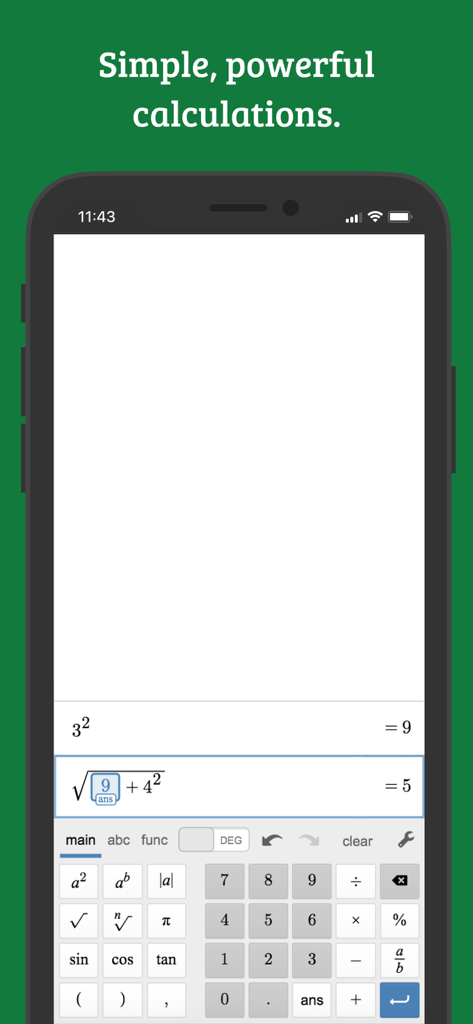
スマートフォン画面に数式が表示されたDesmos関数電卓アプリのインターフェイス
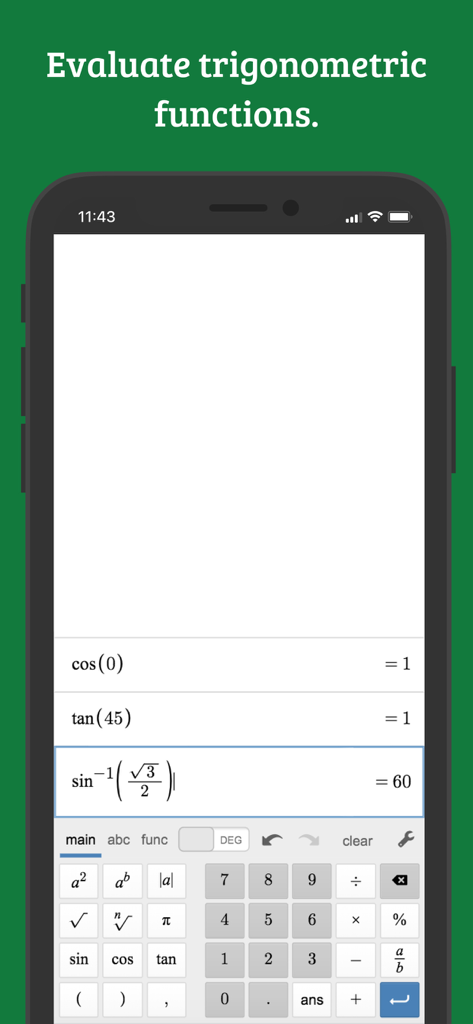
サインとコサインのような三角関数の評価を表示するDesmos関数電卓のインターフェイス
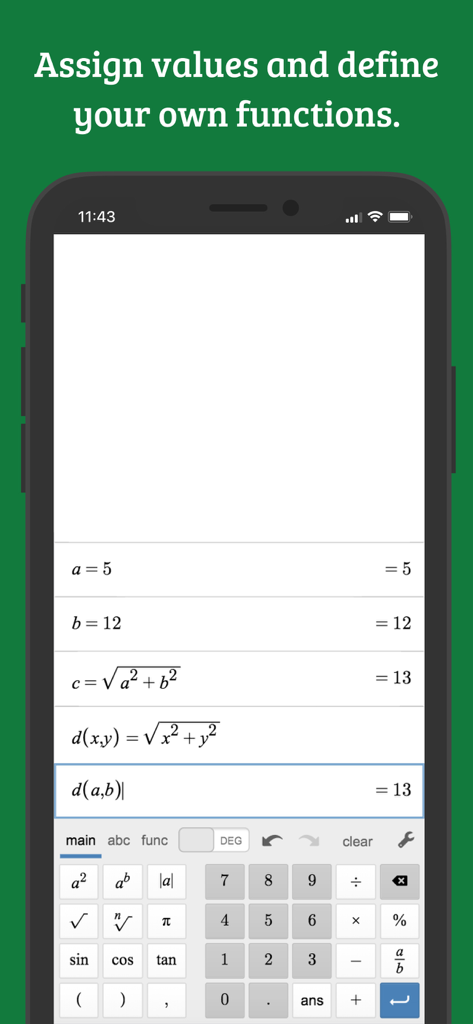
値に割り当てられた変数と定義された数学関数を表示するDesmos関数電卓アプリのインターフェイス
説明
Download
類似アプリ
似た機能とユーザー体験を持つアプリ

Calculate84
Century Light LLC

Calculator ∞
An Truong

数字ּּ统量
振龙 张

Scientific Calculator fx-991
Dinh Phuc

Desmos Graphing Calculator
Desmos, Inc.
NCalc Scientific Calculator +
Tran Duy

HiPER Scientific Calculator
Jindrich Houska
Panecal Scientific Calculator
Noriyasu Kutsuzawa

Calculator #
An Truong
このページはアプリまたはその開発者の公式ページではなく、情報提供および論評を目的として作成された独立した編集出版物です。明示的に別段の記載がない限り、アプリおよびその開発者は、MWM、Apple、Google Play、アプリのパブリッシャー、またはアプリの開発者と提携、承認、後援、認可、またはその他の公式的な関係はなく、このページのいかなる内容も、アプリがMWMのサービスを使用して開発されたことを意味するものではありません。すべての商標、ロゴ、スクリーンショット、その他のコンテンツはそれぞれの所有者の財産です。