Directional Well Planning
ダウンロード: App Store

このページはアプリまたはその開発者の公式ページではなく、情報提供および論評を目的として作成された独立した編集出版物です。明示的に別段の記載がない限り、アプリおよびその開発者は、MWM、Apple、Google Play、アプリのパブリッシャー、またはアプリの開発者と提携、承認、後援、認可、またはその他の公式的な関係はなく、このページのいかなる内容も、アプリがMWMのサービスを使用して開発されたことを意味するものではありません。すべての商標、ロゴ、スクリーンショット、その他のコンテンツはそれぞれの所有者の財産です。

ロゴ: Directional Well Planning
ダウンロード: App Store

Directional Well Planning

掘削エンジニアおよび学生向けの必須モバイルツールキット。最小曲率法を使用して2Dおよび3D坑井計画をいつでもどこでも構築、計算、視覚化できます。

主要数値

ダウンロード

600

ユーザー評価

1.0/5

評価数

0

開発元

Carlos Moura

カテゴリ

Productivity

対応言語

1

最新バージョン

1.2

サイズ

11.3 MB

リリース日

2023年3月9日
機能

手のひらに収まるプロフェッショナルグレードの坑井計画

精度と携帯性のために設計された当社のツールは、現場またはオフィスから即座に2Dおよび3D坑井軌跡を計算、プロット、共有するのに役立ちます。

モバイル2D/3D軌跡計画

最大20セクションで、業界標準の最小曲率法を使用して、タイプI、II、および水平坑井経路をオンザフライで構築します。

動的な垂直および平面表示

高解像度の2Dおよび3Dプロットを生成して、地下経路を視覚化し、セクション間の即時補間計算を実行します。

以下のスクリーンショットと説明は、アプリの公式ストアリスティングから直接取得されたものであり、アプリ開発者の所有物です。

アプリストア

スクリーンショット
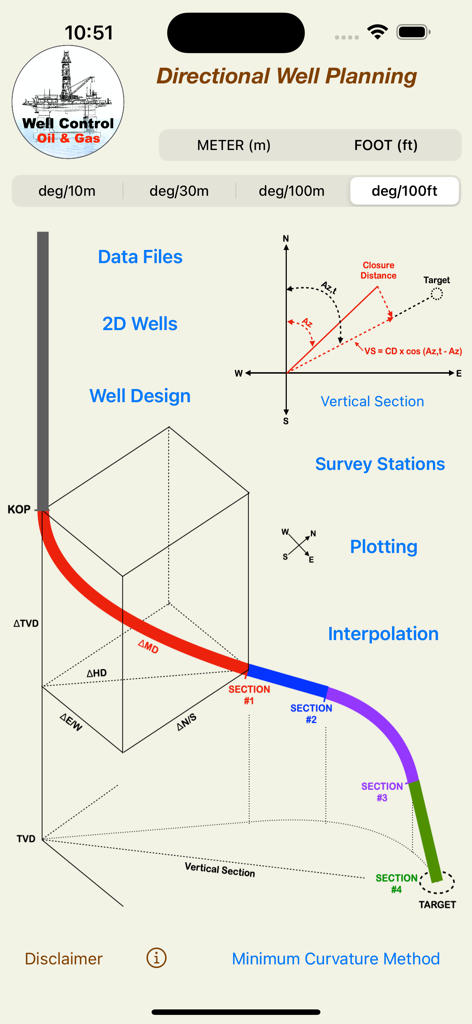
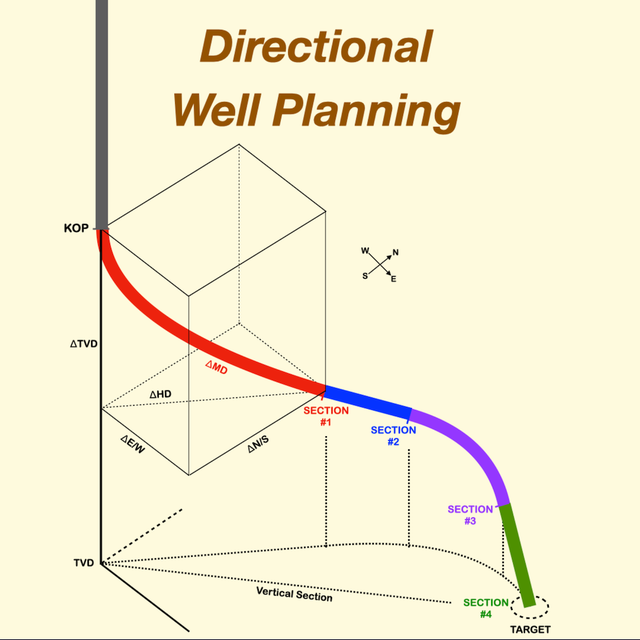
Directional Well Planning - 3D坑井軌跡図と技術的な掘削ツールを備えたDirectional Well Planningアプリのメインインターフェイス
3D坑井軌跡図と技術的な掘削ツールを備えたDirectional Well Planningアプリのメインインターフェイス

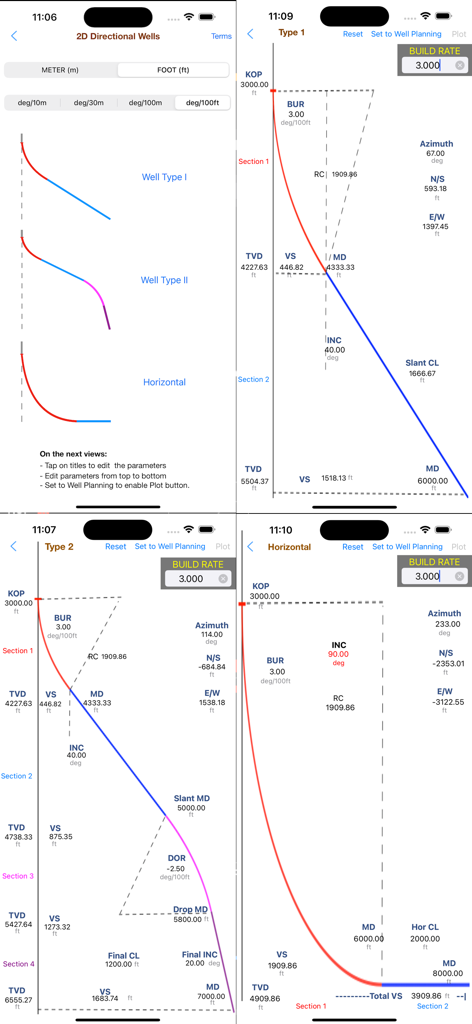
Directional Well Planning - タイプ1、タイプ2、および水平坑井の2D軌跡プロットを示す指向性坑井計画アプリのスクリーンショット
タイプ1、タイプ2、および水平坑井の2D軌跡プロットを示す指向性坑井計画アプリのスクリーンショット

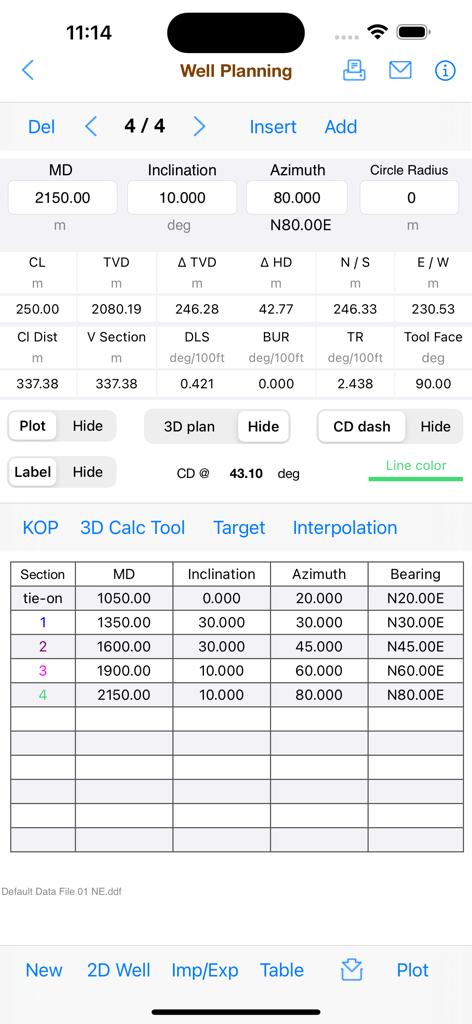
Directional Well Planning - 掘削調査データと軌跡計算を示すDirectional Well Planningアプリのスクリーンショット
掘削調査データと軌跡計算を示すDirectional Well Planningアプリのスクリーンショット

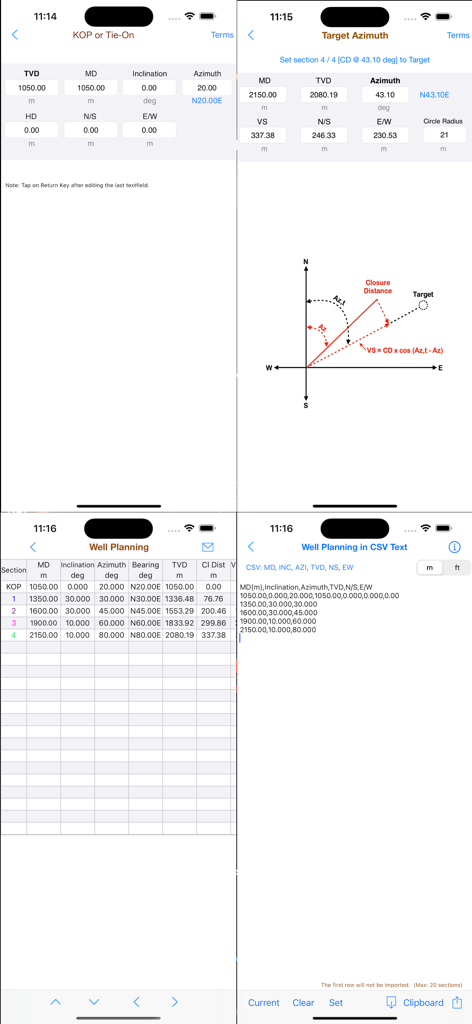
Directional Well Planning - 技術的な坑井計画データ、軌跡図、計算表、および石油工学向けのCSVデータインポートオプションを示すアプリ画面のコレクション。
技術的な坑井計画データ、軌跡図、計算表、および石油工学向けのCSVデータインポートオプションを示すアプリ画面のコレクション。

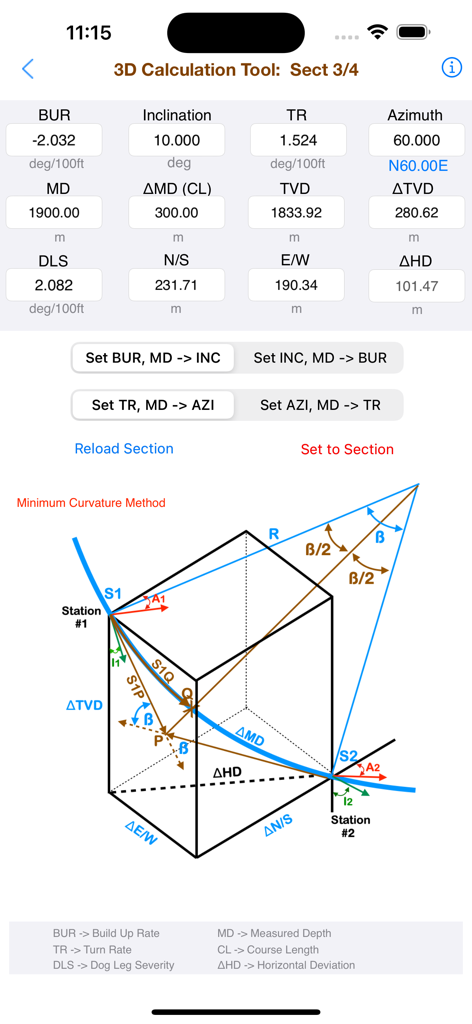
Directional Well Planning - 数値データと最小曲率法の図を示すDirectional Well Planningアプリの3D計算ツールの技術インターフェイス。
数値データと最小曲率法の図を示すDirectional Well Planningアプリの3D計算ツールの技術インターフェイス。

Directional Well Planning - 工学的なパラメータを持つ指向性坑井軌跡を示す垂直断面図と平面図プロット

工学的なパラメータを持つ指向性坑井軌跡を示す垂直断面図と平面図プロット

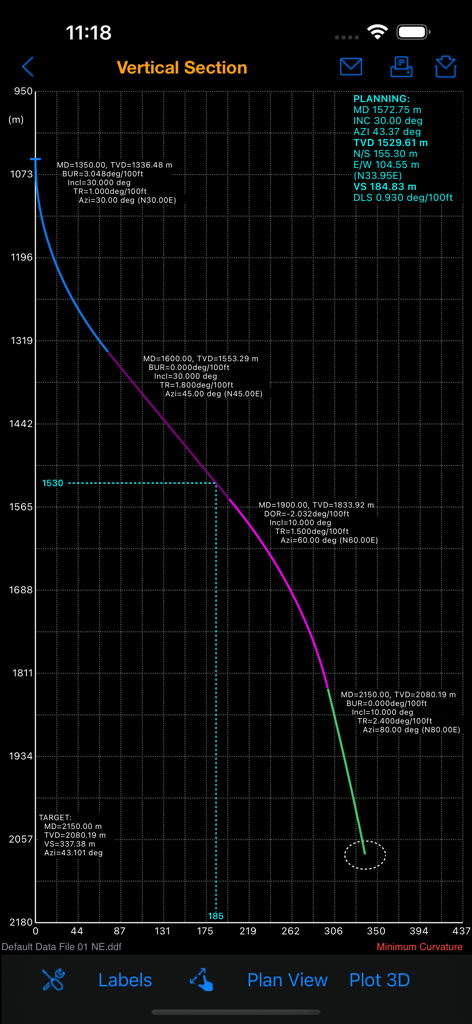
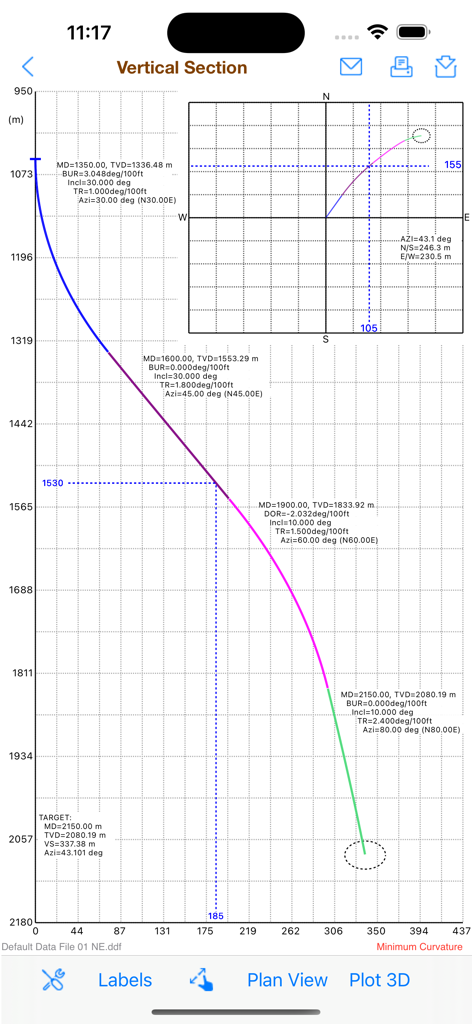
Directional Well Planning - 技術的なデータラベルを持つ指向性坑井軌跡を示す垂直断面図プロット

技術的なデータラベルを持つ指向性坑井軌跡を示す垂直断面図プロット
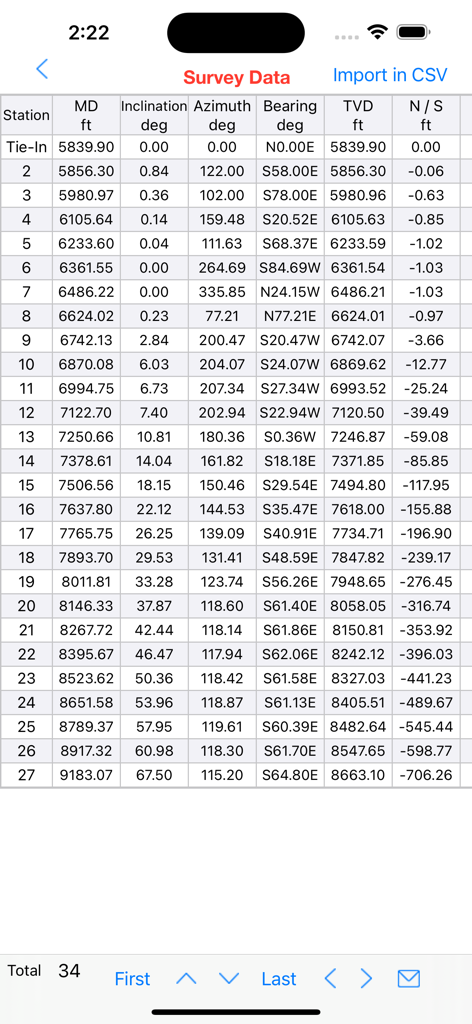
Directional Well Planning - Directional Well Planningアプリで、深度、傾斜、方位などの掘削パラメータを示す調査データのテーブル
Directional Well Planningアプリで、深度、傾斜、方位などの掘削パラメータを示す調査データのテーブル

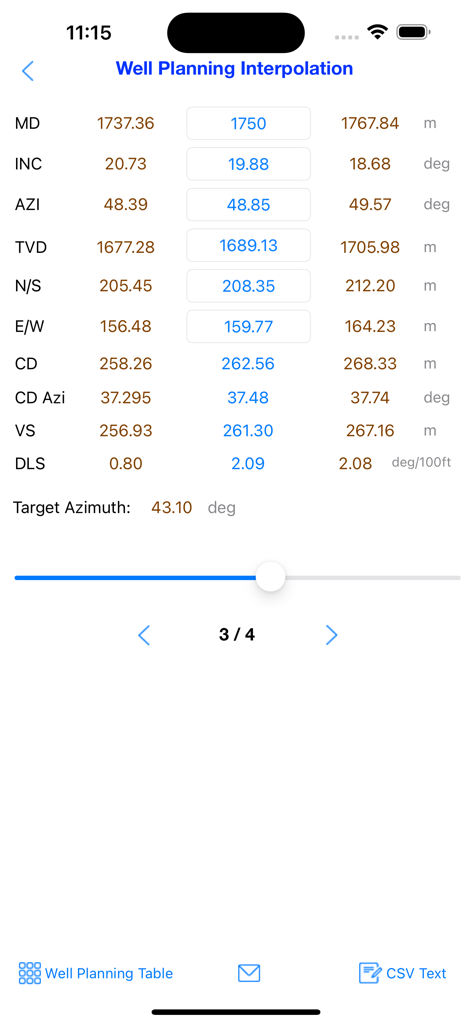
Directional Well Planning - 測定深度と傾斜値を持つ坑井計画補間計算を示すモバイルインターフェイス

測定深度と傾斜値を持つ坑井計画補間計算を示すモバイルインターフェイス

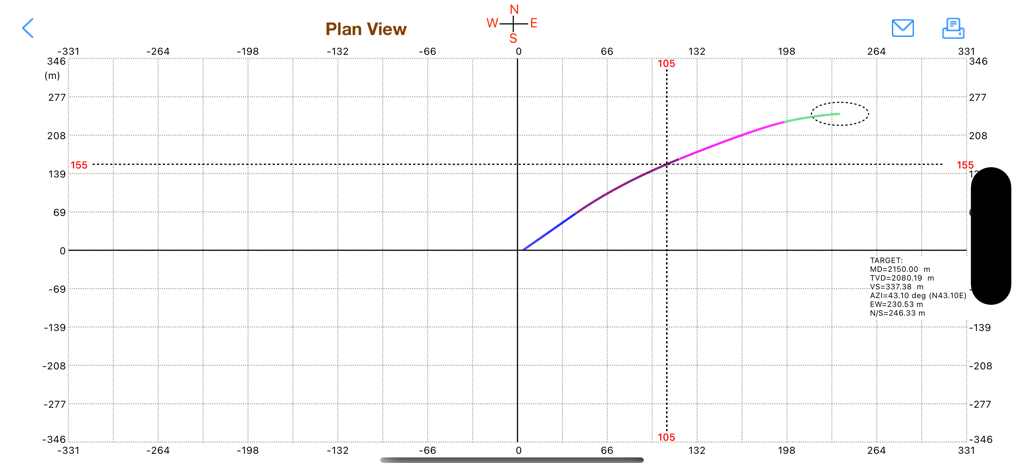
Directional Well Planning - ターゲットデータとともに座標グリッド上の水平変位を示す指向性坑井計画軌跡の平面図。

ターゲットデータとともに座標グリッド上の水平変位を示す指向性坑井計画軌跡の平面図。

説明

Directional Well Planning provides an easy and useful tool for students and directional engineers to build, edit, calculate interpolations and plot 2D and 3D well planning using the Minimum Curvature Calculation Method. It is necessary to import survey stations to plot. This application does not normally edit survey stations. But it is still possible to edit only via CSV text. The survey stations can be edited using our apps "Directional Well Survey" or "Directional Drilling" available in our portfolio. The data files (*.ddf) including well planning and survey stations are compatible and can be shared via iCloud. The well planning and survey stations can also be imported from CSV text files, for example: "MD","INC","AZI","TVD","N/S","E/W" "1000.0","0.0","0.0","1000.0","0.0","0.0" "1100.0","3.0","10.0" "1200.0","6.0","15.0" ... The values can be "quoted" or unquoted and separated by: - Comma: 1.00,2.00,3.00 - Semicolon: 1.00;2.00;3.00 or 1,00;2,00;3,00 - Tab: 1.00 2.00 3.00 (TSV file) - Space: 1.00 2.00 3.00 Please, before purchasing, make sure that this application will be useful for you. This application was developed based on existing spreadsheets. There is no comparison with any other software. Our goal was to create a very low cost application with the help of experts to share with drilling engineers, technicians, drillers, drilling engineering students and teachers. It is not intended to replace professional software. You can contribute with suggestions for improvements, correcting the English translation, reporting bugs and sharing it with your friends. Features: 1. Easy tool to create 2D wells (types I, II and horizontal) 2. Easy 3D calculation tool for well planning with up to 20 multiple 2D and 3D sections (using Minimum Curvature method) 3. Useful tool to setting well sections for plotting (color, cd dash, 3d plan, show parameters, etc) 4. 2D and 3D well plotting (vertical section and plan view) 5. Easy tool for interpolation calculations between two sections 6. Dynamic visualization of the interpolation parameters in the plot 7. Ability to work with data files (editing locally and sharing on iCloud) 8. Easy tool to import/export well planning and survey stations using CSV text format (well planning up to 20 sections) 9. Sharing data files with other applications in our portfolio (Directional Drilling, Directional Well Survey and Multilateral Directional Wells) DISCLAIMER: These tools & materials are provided 'as is' without warranties of any kind, express or implied. Please verify the tools provided by this application by yourself before you use them. Ensure you understand the impact of using these tools. Any use you choose to make of these tools & materials is undertaken by you entirely at you own risk.

Download

ダウンロード: App Store

このページはアプリまたはその開発者の公式ページではなく、情報提供および論評を目的として作成された独立した編集出版物です。明示的に別段の記載がない限り、アプリおよびその開発者は、MWM、Apple、Google Play、アプリのパブリッシャー、またはアプリの開発者と提携、承認、後援、認可、またはその他の公式的な関係はなく、このページのいかなる内容も、アプリがMWMのサービスを使用して開発されたことを意味するものではありません。すべての商標、ロゴ、スクリーンショット、その他のコンテンツはそれぞれの所有者の財産です。