
このページはアプリまたはその開発者の公式ページではなく、情報提供および論評を目的として作成された独立した編集出版物です。明示的に別段の記載がない限り、アプリおよびその開発者は、MWM、Apple、Google Play、アプリのパブリッシャー、またはアプリの開発者と提携、承認、後援、認可、またはその他の公式的な関係はなく、このページのいかなる内容も、アプリがMWMのサービスを使用して開発されたことを意味するものではありません。すべての商標、ロゴ、スクリーンショット、その他のコンテンツはそれぞれの所有者の財産です。


DU Recorder - Screen Recorder
モバイル画面は、単なる映像ではない。DU Recorderは、ユーザーにその内容を支配し、瞬時に、最高品質で世界へと解き放つ異能力を授ける。
ダウンロード
25M+ユーザー評価
評価数
243.8K開発元
カテゴリ
Photo & Video対応言語
25最新バージョン
1.8.0サイズ
119.7 MBリリース日
2017年12月1日DU Recorder - Screen Recorder の主要機能分析
テックアナリストによる詳細評価
主要プラットフォームへのライブ配信機能
ユーザーはYouTube、Facebook、Twitchなどの主要プラットフォームへ、モバイルデバイスの画面をリアルタイムで高品質にライブ配信することが可能です。マイク音声と内部音声の同時録音、様々な解像度オプション、プライバシー設定、カスタムウォーターマークなど、配信を最適化する豊富なツールが提供されます。
高品質な画面録画機能
本アプリは、ユーザーが安定した滑らかなパフォーマンスでデバイスの画面を高解像度で録画する機能を提供します。これにより、モバイルゲームのプレイ動画、ビデオ通話、ライブ番組など、あらゆるコンテンツを鮮明に記録し、デバイスに保存することが可能です。
多彩な動画編集ツール
本アプリは、録画した動画に対してトリミング、BGM追加、テキスト挿入、フレームやステッカーの適用、再生速度調整、ボイスレコーディング(ナレーション)、フィルター効果、クロップ、複数動画の結合、動画からGIFへの変換など、包括的な編集機能を提供します。ユーザーはプロフェッショナルな動画コンテンツをアプリ内で手軽に作成できます。
マイク&内部音声の同時録音
このアプリは、画面録画やライブ配信中に、外部マイクからの音声(ユーザーの解説など)とデバイス内部のシステム音声を同時に高音質で記録する機能を提供します。これにより、ゲーム実況やチュートリアル動画など、よりリッチな音声コンテンツの作成が可能になります。
カスタムウォーターマークと高度なライブツール
ユーザーはライブ配信中にカスタムウォーターマークを追加してブランドを保護したり、ライブテーマの適用、ライブ一時停止設定など、配信体験をパーソナライズするための様々なライブツールを利用できます。これにより、プロフェッショナルな配信環境を構築できます。
Replaykitによるゲーム連携ライブ配信
本アプリはReplaykitに対応しており、Replaykit互換ゲームから直接ライブ配信を開始することが可能です。これにより、ユーザーはよりスムーズかつ手軽にゲームプレイをストリーミングできます。
フェイスカム機能による反応動画作成
ユーザーは反応動画や解説動画を作成する際に、画面録画と同時にフロントカメラで自身の顔を録画し、映像にオーバーレイ表示するフェイスカム機能を利用できます。これにより、視聴者とのエンゲージメントを高めるコンテンツが制作可能です。
詳細なプライバシー設定オプション
ライブ配信において、ユーザーは自身の配信を公開、限定公開、または非公開に設定できるプライバシーオプションを利用できます。これにより、コンテンツの公開範囲を細かく管理し、プライバシーを保護しながら安心して配信を行うことが可能です。
よくある質問
について知っておくべきこと DU Recorder - Screen Recorder
What is DU Recorder - Screen Recorder?
DU Recorder is an application designed for creating and recording livestreams and screen videos. It enables users to stream to platforms like YouTube, Facebook, and Twitch.
Which platforms does DU Recorder support for livestreaming?
Yes, DU Recorder supports livestreaming to multiple platforms, including YouTube, Facebook, and Twitch. It also offers RTMP livestreaming capabilities.
Does DU Recorder - Screen Recorder allow screen recording?
Yes, DU Recorder provides stable and fluid screen recording. Users can record games, video calls, live shows, and save these videos to their device.
Can DU Recorder record internal and microphone audio at the same time?
Yes, DU Recorder supports simultaneous recording of both microphone and internal audio during livestreams and screen recordings.
What video editing features are available in DU Recorder?
DU Recorder offers various video editing features such as trimming, adding music, text, frames, stickers, changing speed, voice recording, filters, cropping, merging videos, and converting video to GIF.
Does DU Recorder support RTMP streaming?
Yes, DU Recorder supports RTMP address input for livestreaming, providing flexibility for streaming to custom destinations.
How do I remove the watermark from recordings in DU Recorder?
To remove the watermark in DU Recorder, users must purchase a DU Recorder Premium subscription.
Is DU Recorder Premium a subscription service?
Yes, DU Recorder Premium is a subscription service billed either monthly or annually. It provides access to all paid features.
Can DU Recorder convert videos to GIF format?
Yes, DU Recorder includes a feature to convert video formats to GIF files, available within its video editing tools.
Does DU Recorder include a facecam feature?
Yes, DU Recorder features a facecam option, allowing users to record reaction videos by overlaying their camera feed onto screen recordings.
以下のスクリーンショットと説明は、アプリの公式ストアリスティングから直接取得されたものであり、アプリ開発者の所有物です。
アプリストア
スクリーンショット

ライブ配信 & 画面録画
このアプリのメイン画面では、YouTubeやFacebookといった多様なプラットフォームへのライブ配信機能と、デバイスへの画面録画を簡単に開始できます。
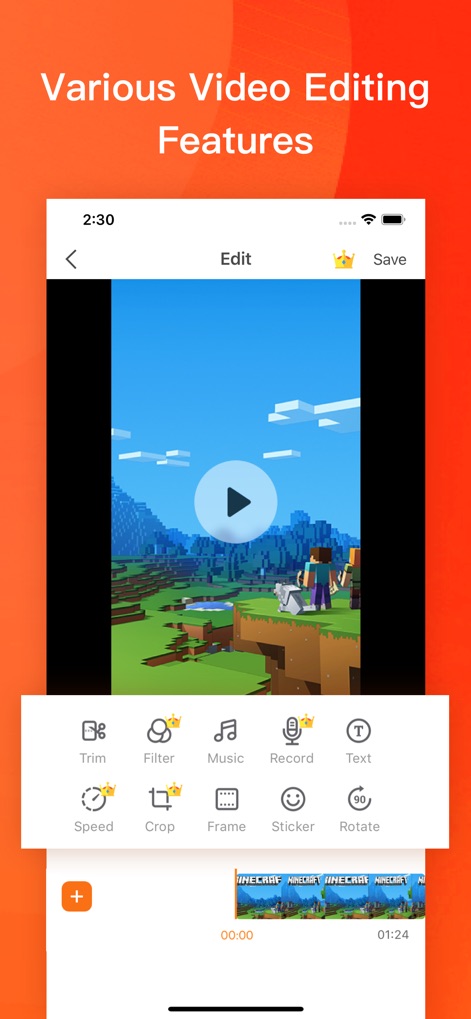
高機能動画編集ツール
録画した映像は、トリムやフィルター機能で素早く調整し、魅力的なコンテンツへと仕上げることが可能です。
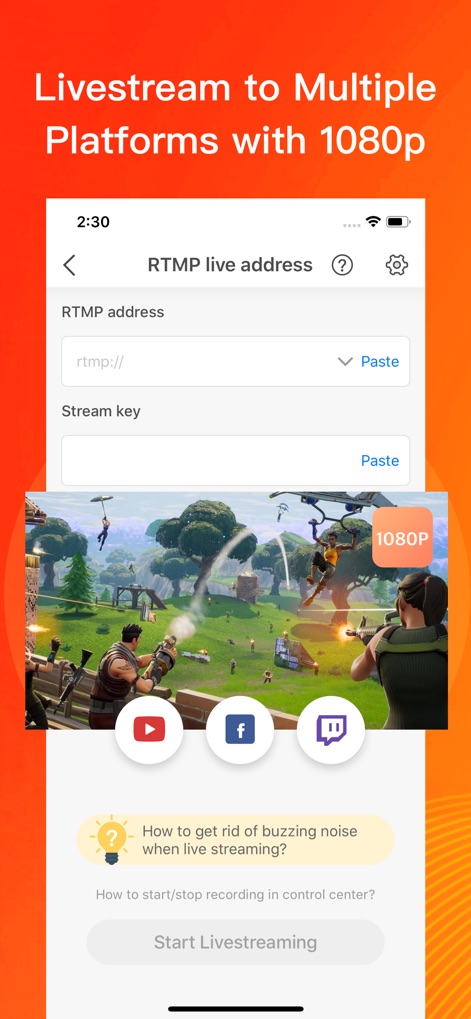
マルチプラットフォーム配信
RTMPアドレスの設定により、1080Pの高画質でYouTubeやTwitchなどの複数のプラットフォームへ同時にライブストリーミングできます。
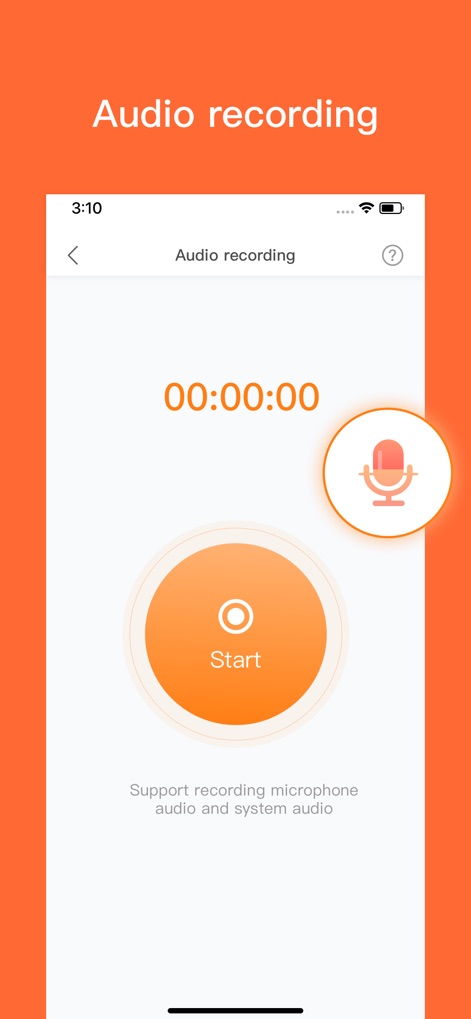
クリアな音声収録
このツールは、マイク入力とシステムオーディオの両方を同時に録音できるため、ゲーム実況や解説動画にクリアな音声を追加できます。
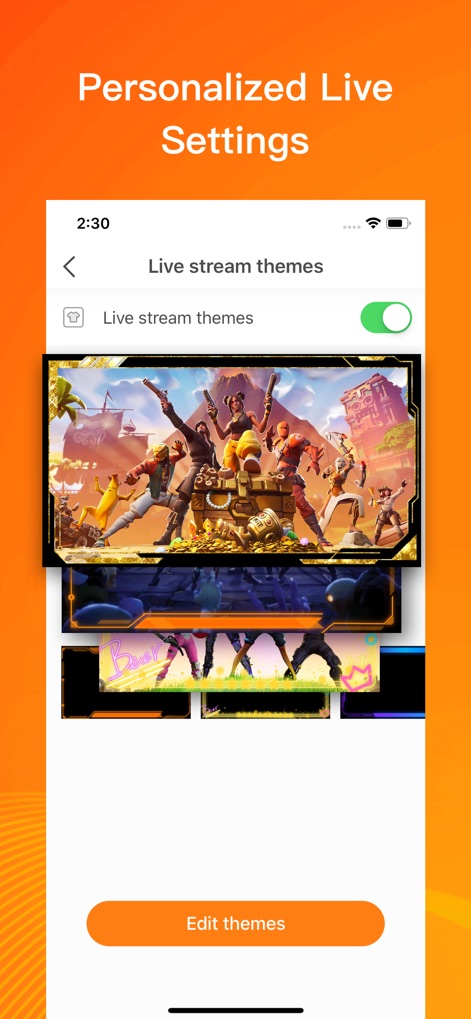
個性的なライブテーマ
ユーザーは、提供される多様なライブストリームテーマから選択し、カスタムウォーターマークの追加機能で、配信画面をパーソナライズできます。
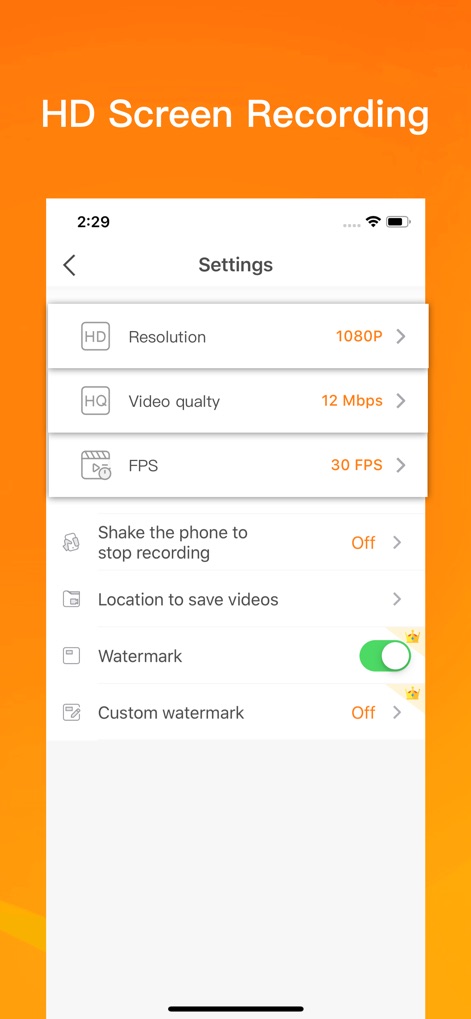
高画質録画設定
解像度1080Pやフレームレート30FPSなどの詳細な設定により、高品質な画面録画が可能となり、ウォーターマークの有無も自由に調整できます。
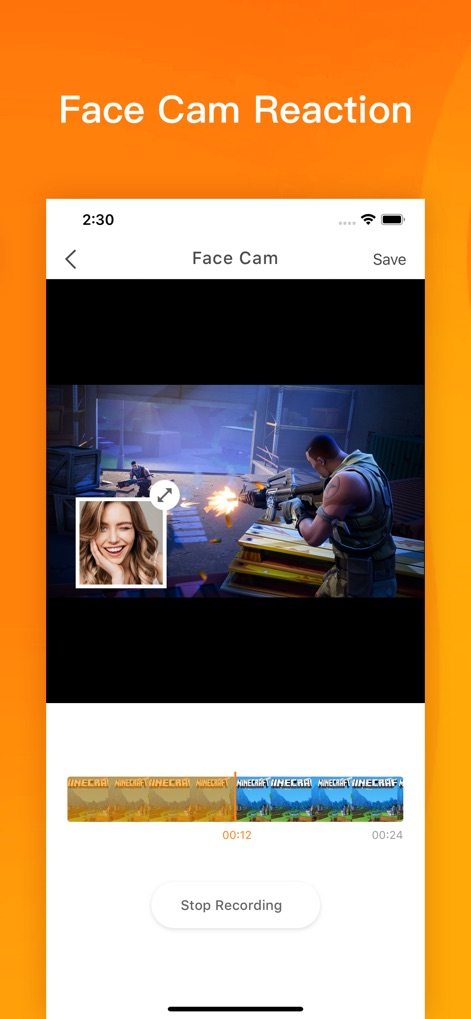
フェイスカム反応動画
フェイスカム機能により、ユーザーは自身のリアクションをゲームプレイ映像と重ねて録画でき、その表示サイズも自由に調整可能です。
説明
Download
類似アプリ
似た機能とユーザー体験を持つアプリ

Medal - Game Clipping
Medal B.V.

Screen Recorder,Video Recorder
VIDEOSHOW PTE. LTD.

Screen Recorder
App of the Year LLC

Record it! :: Screen Recorder
DIGISET LLC

Screen Recorder Voice & Video
Arthur Eduardo Skaetta Alvarez Desenvolvimento de Software LTDA.

Screen Recorder ®
Poster App LLP

Super Screen Recorder: Full HD
Dream United, Ltd.

Screen Recorder: Go Record
Torqued Studios LLC

Screen Recorder-Video & Voice
Danila Ianushev
このページはアプリまたはその開発者の公式ページではなく、情報提供および論評を目的として作成された独立した編集出版物です。明示的に別段の記載がない限り、アプリおよびその開発者は、MWM、Apple、Google Play、アプリのパブリッシャー、またはアプリの開発者と提携、承認、後援、認可、またはその他の公式的な関係はなく、このページのいかなる内容も、アプリがMWMのサービスを使用して開発されたことを意味するものではありません。すべての商標、ロゴ、スクリーンショット、その他のコンテンツはそれぞれの所有者の財産です。