
このページはアプリまたはその開発者の公式ページではなく、情報提供および論評を目的として作成された独立した編集出版物です。明示的に別段の記載がない限り、アプリおよびその開発者は、MWM、Apple、Google Play、アプリのパブリッシャー、またはアプリの開発者と提携、承認、後援、認可、またはその他の公式的な関係はなく、このページのいかなる内容も、アプリがMWMのサービスを使用して開発されたことを意味するものではありません。すべての商標、ロゴ、スクリーンショット、その他のコンテンツはそれぞれの所有者の財産です。


ダウンロード
2.5M+ユーザー評価
評価数
43.3K開発元
カテゴリ
Photo & Video対応言語
21最新バージョン
6.7.0サイズ
165.6 MBリリース日
2020年12月3日ゲームクリップのキャプチャ、管理、共有を容易にする本アプリの独自機能をテックアナリストの視点から評価します。
Medal - Game Clipping アプリ主要機能分析
ホットキーによる瞬間録画(PC)
PC版では、ワンホットキーで直前のゲームプレイを瞬時に録画する機能が利用できます。
主要ソーシャルメディアへの直接共有
本アプリは、Discord、TikTok、Instagramなど、多様なソーシャルメディアアプリへのクリップ直接共有をサポートします。
低GPU負荷とパフォーマンス影響の最小化
本ツールはGPUへの負荷が軽く、ゲームパフォーマンスへの影響を最小限に抑えながら録画が可能です。
高品質(1080p 60fps)無料アップロード
このアプリは、1080p 60fpsの高解像度・高フレームレートでのクリップアップロードを無料で提供します。
コンソールゲームクリップのアップロード
ユーザーはMedalアカウントと同期することで、コンソールゲームのクリップもアップロードして管理できます。
PCゲームクリップへのアクセス
本アプリは、PCでキャプチャされたゲームクリップにモバイルデバイスからアクセスする機能を提供します。
クリップの即時投稿
ユーザーはキャプチャしたゲームクリップを迅速にプラットフォームに投稿し、すぐに共有を開始できます。
プライベートリンクでの共有
ユーザーはプライベートな共有リンクを作成し、特定の友人とだけクリップを共有することが可能です。
最新・トレンドクリップの閲覧
ユーザーは最新の人気ゲームクリップを探索し、ゲームコミュニティのトレンドを把握することができます。
友人クリップの閲覧
ユーザーは友人のゲームクリップを閲覧し、共有された瞬間を楽しむことが可能です。
よくある質問
について知っておくべきこと Medal - Game Clipping
What is Medal - Game Clipping?
Medal - Game Clipping is an app designed for capturing, sharing, and watching gaming moments. Users can access PC and console clips, upload them, and share with friends or on social media.
Can I watch gaming clips from my friends on Medal - Game Clipping?
Yes, Medal - Game Clipping allows users to watch clips uploaded by their friends directly within the mobile application.
Does Medal - Game Clipping support sharing to social media?
Yes, Medal - Game Clipping supports direct sharing of clips to various social apps, including Discord, TikTok, and Instagram.
How do I record PC game clips with Medal - Game Clipping?
To record PC clips, download Medal Desktop onto your PC. Press one hotkey to record gameplay, and the sessions will appear instantly on the mobile app.
Can Medal - Game Clipping upload clips in high quality?
Yes, Medal - Game Clipping offers free uploads in 1080p at 60 frames per second, ensuring high-quality sharing of your game clips.
Is Medal - Game Clipping lightweight on PC performance during recording?
Yes, Medal - Game Clipping is designed to be lightweight on the GPU, causing minimal impact to game performance while recording on PC.
Can I access console game clips using the Medal app?
Yes, users can sync their account with Medal to access their console game clips directly through the mobile application.
Can I create private share links for my clips on Medal?
Yes, Medal allows users to create private links for their game clips, enabling sharing with specific friends or groups.
How can I find trending gaming clips on Medal - Game Clipping?
The Medal app features sections for new and trending gaming clips, allowing users to discover popular content. It also highlights trending games like Roblox.
Can I save favorite clips to my profile in Medal - Game Clipping?
Yes, users can favorite clips and save them directly to their profile within the Medal - Game Clipping application for easy access.
Where can I find my posted clips within the Medal app?
Users can find their posted clips on their profile within the Medal - Game Clipping app, as indicated by the 'Find your posts on profile' feature.
Does Medal - Game Clipping offer a way to manage uploaded clips?
Yes, Medal - Game Clipping allows users to manage their clips within the app. This includes viewing a gallery and accessing playback controls.
What contact options are available for feedback or questions about Medal?
Users can contact Medal via social media for feedback and questions. Available platforms include Discord, Twitter, Instagram, Facebook, and Reddit.
以下のスクリーンショットと説明は、アプリの公式ストアリスティングから直接取得されたものであり、アプリ開発者の所有物です。
アプリストア
スクリーンショット
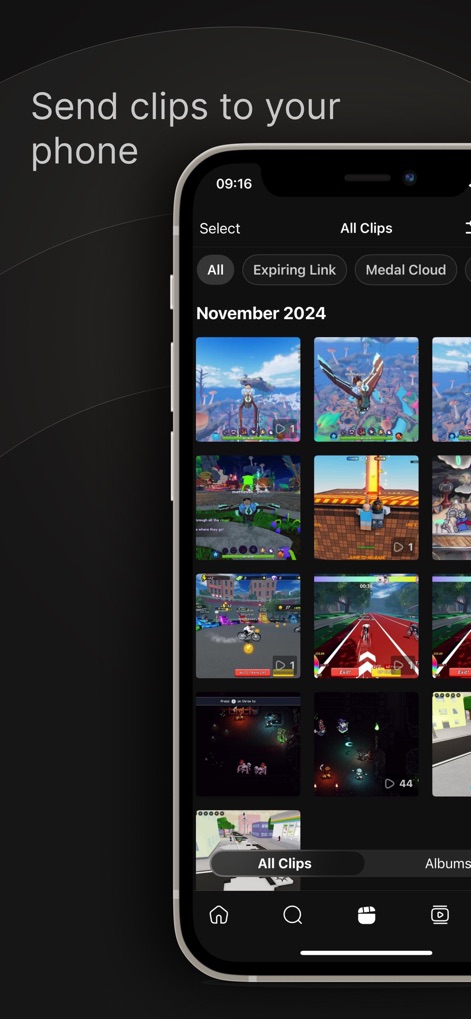
このアプリは、日付やカテゴリ(例:Medal Cloud)で分類された多数のゲームクリップをグリッド表示し、ユーザーが手軽にアクセス・管理できる機能を提供します。
クリップを一元管理
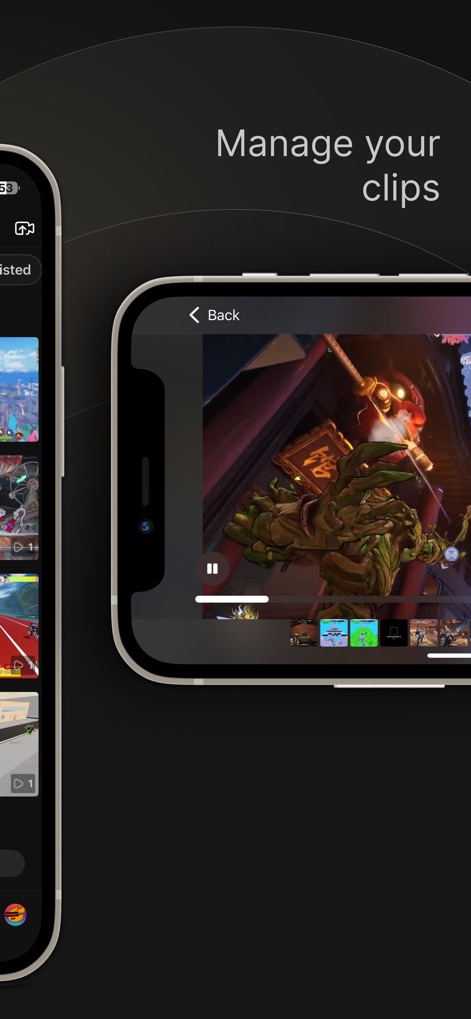
ユーザーは、選択したゲームクリップを全画面で再生し、再生バーと再生/一時停止コントロールを使用して再生体験を完全に管理できます。
クリップを快適に再生
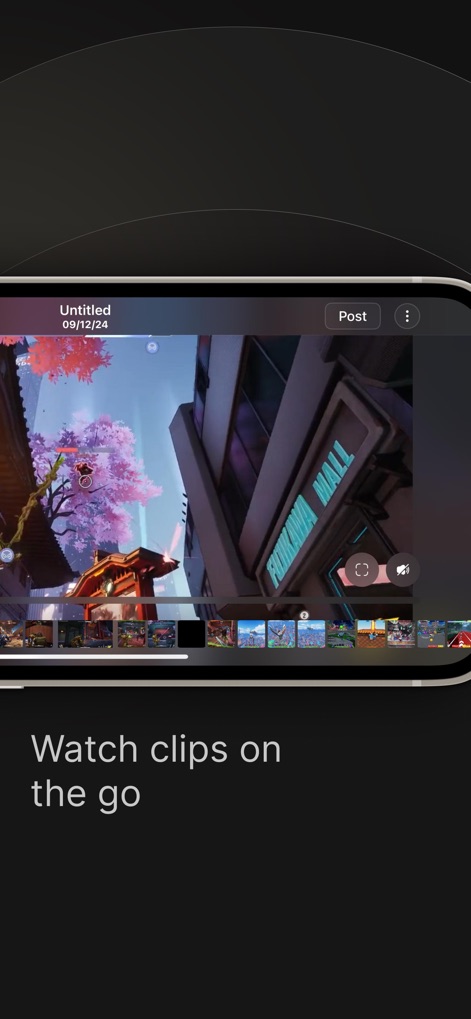
この機能により、ユーザーはモバイルデバイス上でゲームクリップを直感的に編集でき、クリップのタイムライン表示と「Post」ボタンを通じて即座に共有できます。
モバイルで編集・投稿
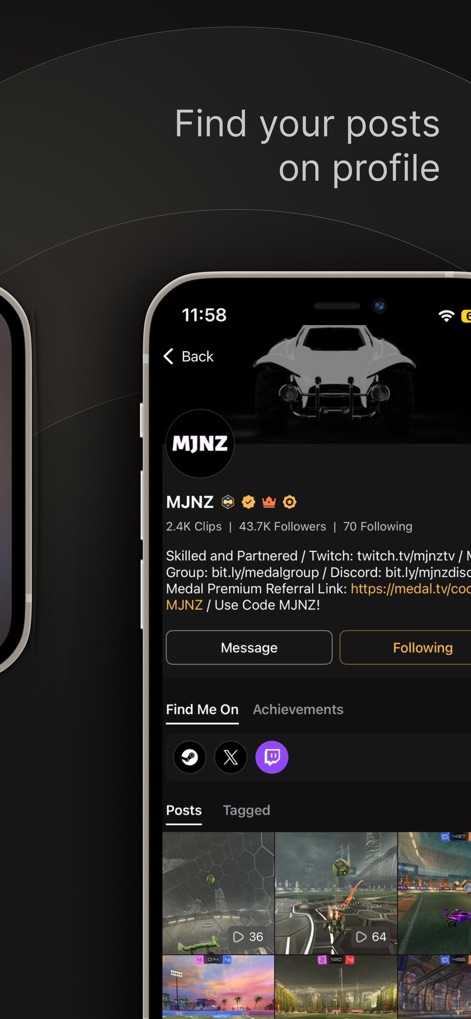
ユーザーは個人のプロフィールページで自身の投稿(例:2.4K Clips)とフォロワー数(例:43.7K Followers)を確認し、ゲーマーとしての実績を管理できます。
プロフィールで共有実績
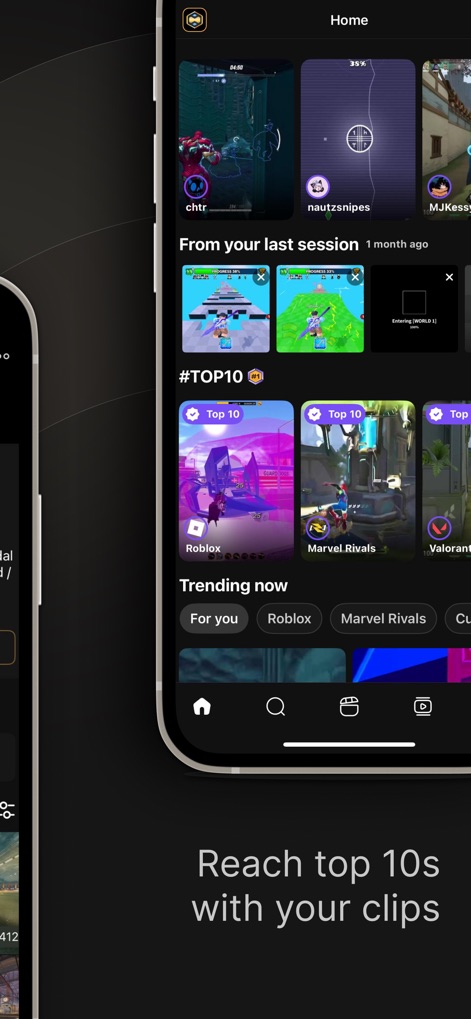
この画面では、「Trending now」セクションで急上昇中のゲームクリップが紹介され、特定のジャンル(例:Roblox、Marvel Rivals)の「Top 10」コンテンツを簡単に発見できます。
話題のクリップをチェック
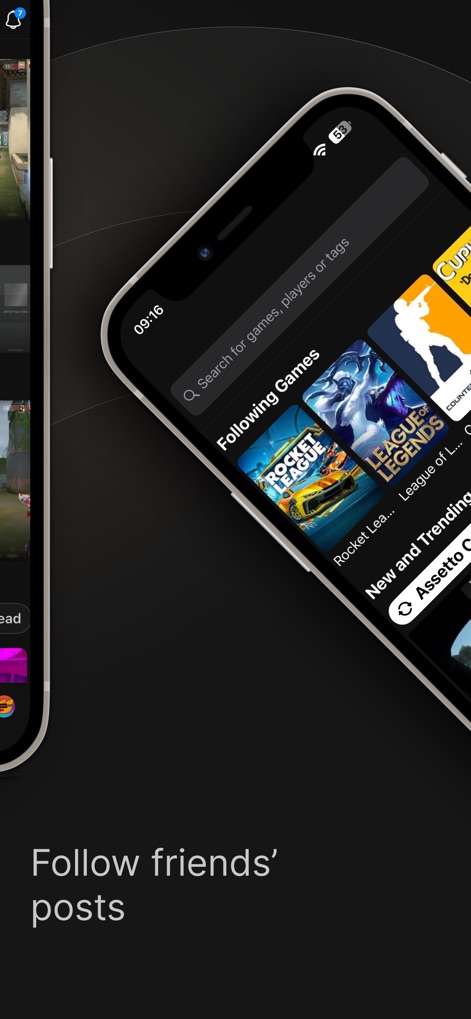
ユーザーは検索バーからゲームやプレイヤーを検索し、「Following Games」セクションを通じてお気に入りのゲームや友達の最新の投稿を追跡できます。
友達のプレイをフォロー

このアプリは、多様なゲームクリップがグリッド形式で表示される「検索」タブを提供し、ユーザーはトレンドのゲームや新しいタイトル(例:Assetto Corsa)を簡単に発見できます。
新しいゲームを発見
説明
Download
類似アプリ
似た機能とユーザー体験を持つアプリ

Screen Recorder,Video Recorder
VIDEOSHOW PTE. LTD.

Screen Recorder
App of the Year LLC

Record it! :: Screen Recorder
DIGISET LLC

Screen Recorder Voice & Video
Arthur Eduardo Skaetta Alvarez Desenvolvimento de Software LTDA.

Screen Recorder ®
Poster App LLP

Super Screen Recorder: Full HD
Dream United, Ltd.

Screen Recorder: Go Record
Torqued Studios LLC

Screen Recorder-Video & Voice
Danila Ianushev

Screen recorder - video
Mark Thomas
このページはアプリまたはその開発者の公式ページではなく、情報提供および論評を目的として作成された独立した編集出版物です。明示的に別段の記載がない限り、アプリおよびその開発者は、MWM、Apple、Google Play、アプリのパブリッシャー、またはアプリの開発者と提携、承認、後援、認可、またはその他の公式的な関係はなく、このページのいかなる内容も、アプリがMWMのサービスを使用して開発されたことを意味するものではありません。すべての商標、ロゴ、スクリーンショット、その他のコンテンツはそれぞれの所有者の財産です。