Duplicate Photos Fixer
ダウンロード: App Store

このページはアプリまたはその開発者の公式ページではなく、情報提供および論評を目的として作成された独立した編集出版物です。明示的に別段の記載がない限り、アプリおよびその開発者は、MWM、Apple、Google Play、アプリのパブリッシャー、またはアプリの開発者と提携、承認、後援、認可、またはその他の公式的な関係はなく、このページのいかなる内容も、アプリがMWMのサービスを使用して開発されたことを意味するものではありません。すべての商標、ロゴ、スクリーンショット、その他のコンテンツはそれぞれの所有者の財産です。

ロゴ: Duplicate Photos Fixer
ダウンロード: App Store

Duplicate Photos Fixer

「ストレージ容量がほぼいっぱい」という通知で、その瞬間を台無しにしないでください。スマートスキャナーが重複写真や似ている写真を特定し、不要なものを安全に削除して、最高の思い出だけを残すお手伝いをします。

主要数値

ダウンロード

255K+

ユーザー評価

4.1/5

評価数

7K+

開発元

Shrishail Rana

カテゴリ

Photo & Video

対応言語

1

最新バージョン

3.0

サイズ

16.4 MB

リリース日

2015年3月12日
機能

ストレージ不足で思い出を逃すことはもうありません

重複写真クリーナーは、ライブラリをインテリジェントにスキャンして、同一または類似の写真を見つけ出し、本当に大切な思い出のためにスペースを確保します。

スマート類似検出

親御さんや旅行好きの方に最適。バーストモードやほぼ同一の画像からベストショットを自動で特定し、不要なものを削除します。

瞬時の「マジック」選択

手動での仕分けに費やす時間を節約。自動マーク機能が重複写真をインテリジェントに選択し、各グループに1つの完璧なオリジナルを残します。

以下のスクリーンショットと説明は、アプリの公式ストアリスティングから直接取得されたものであり、アプリ開発者の所有物です。

アプリストア

スクリーンショット
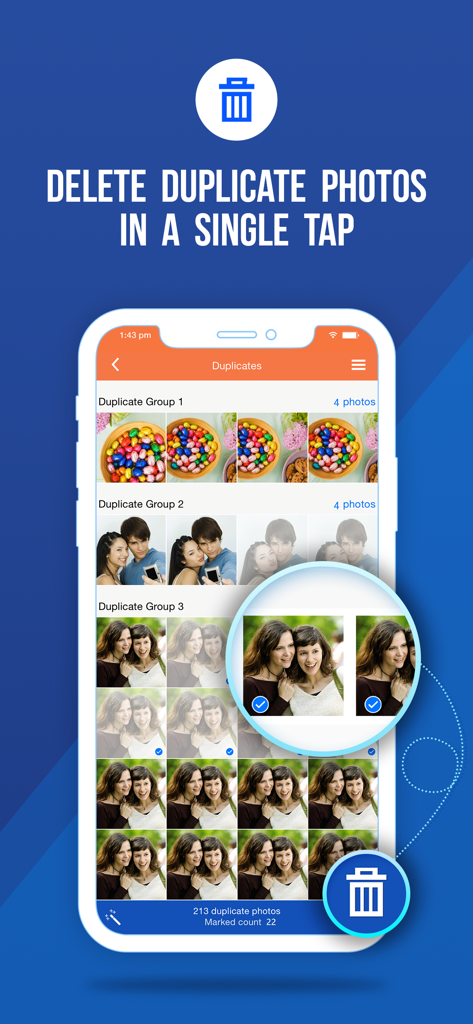
Duplicate Photos Fixer - 重複写真クリーナーのモバイルアプリ画面。重複写真のグループと削除ボタンが表示されている。
重複写真クリーナーのモバイルアプリ画面。重複写真のグループと削除ボタンが表示されている。

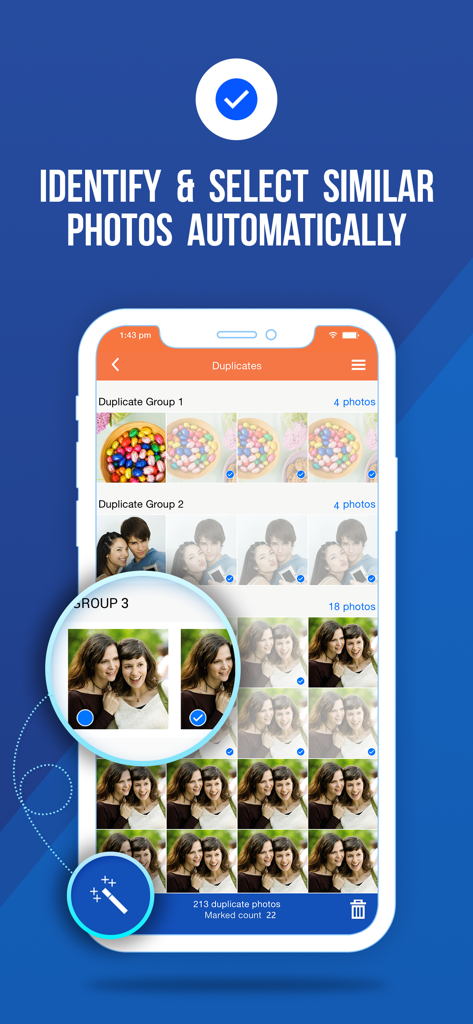
Duplicate Photos Fixer - 重複写真クリーナーアプリのスクリーンショット。類似写真が自動的に特定され、選択されている様子。
重複写真クリーナーアプリのスクリーンショット。類似写真が自動的に特定され、選択されている様子。

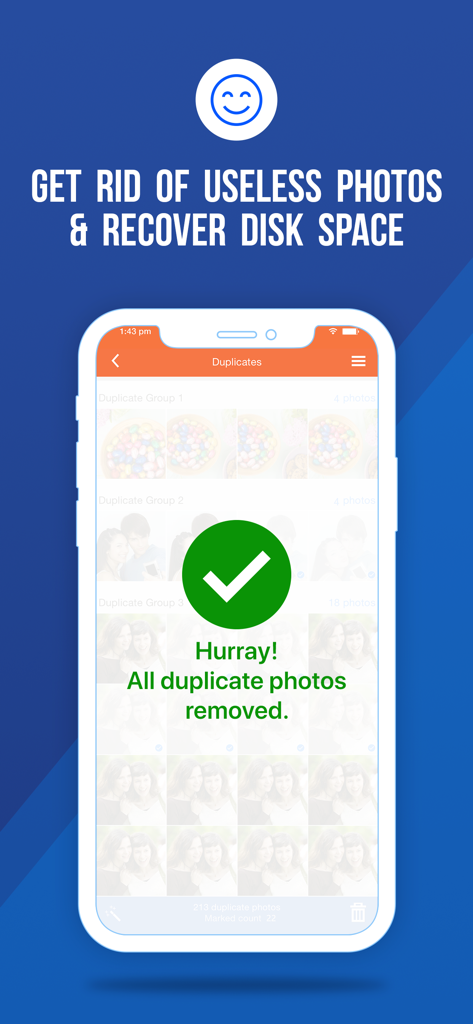
Duplicate Photos Fixer - ディスク容量を回復するために重複写真を削除した後の成功メッセージを示すスマートフォンの画面。
ディスク容量を回復するために重複写真を削除した後の成功メッセージを示すスマートフォンの画面。

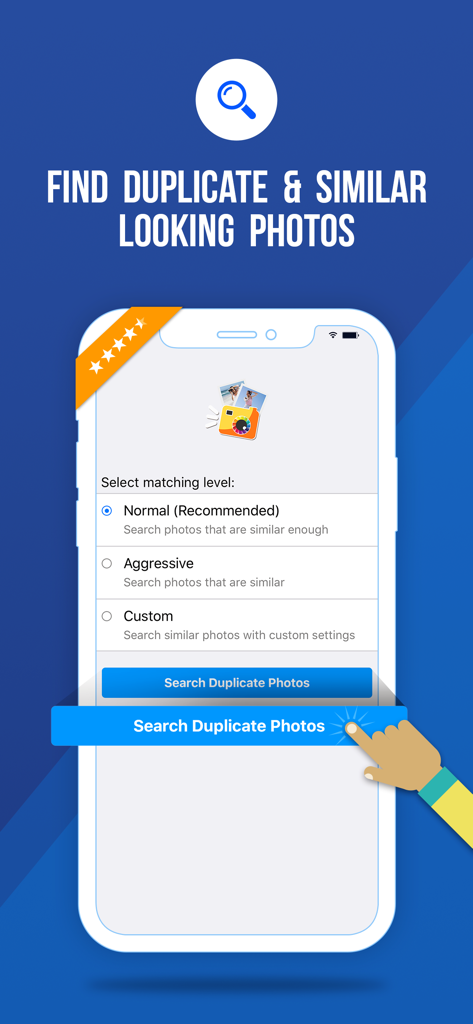
Duplicate Photos Fixer - 重複写真クリーナーアプリのインターフェース。iPhoneで重複写真や似ている写真を見つけるためのオプションが表示されている。
重複写真クリーナーアプリのインターフェース。iPhoneで重複写真や似ている写真を見つけるためのオプションが表示されている。

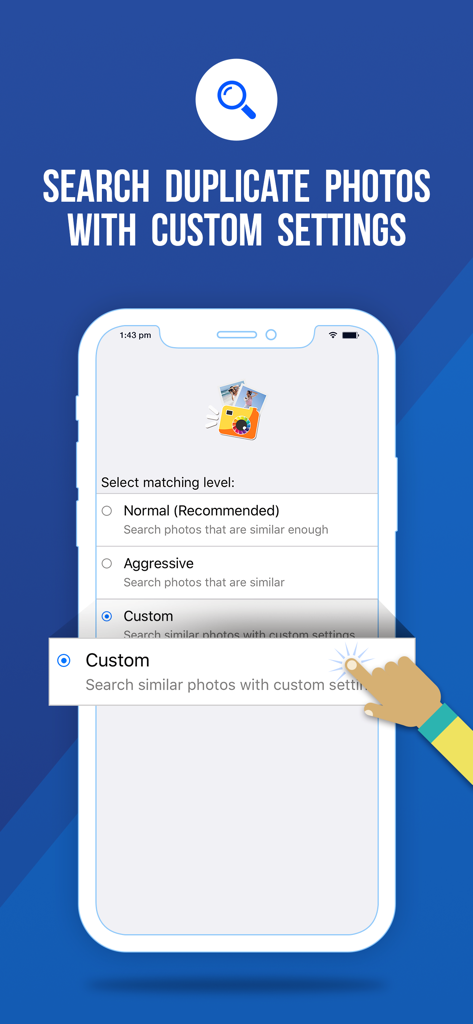
Duplicate Photos Fixer - 重複写真クリーナーアプリのモバイルインターフェース。類似度、時間間隔、GPS位置の検索のためのカスタムマッチングレベルオプションが表示されている。
重複写真クリーナーアプリのモバイルインターフェース。類似度、時間間隔、GPS位置の検索のためのカスタムマッチングレベルオプションが表示されている。

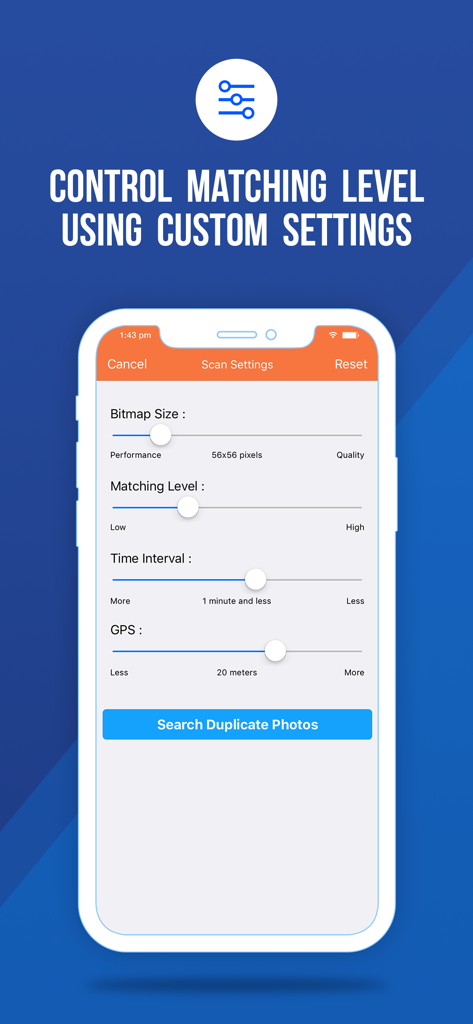
Duplicate Photos Fixer - iPhone画面に、重複写真クリーナーアプリのカスタムスキャン設定が表示されている。マッチングレベル、時間間隔、GPS位置のスライダーが含まれている。

iPhone画面に、重複写真クリーナーアプリのカスタムスキャン設定が表示されている。マッチングレベル、時間間隔、GPS位置のスライダーが含まれている。

説明

Many duplicate images gather up on iPhone storage over time. Lots of similar pictures and exact duplicates of images are saved in the Photos app. These duplicate photos fill up the iPhone Storage unnecessarily. To clean duplicate photos from the iPhone, you will need a duplicate photo remover. Using Systweak Software’s Duplicate Photos Fixer on iPhone, you can : • Easily get rid of duplicate images. • Search exact and similar-looking photos. • Free up storage space quickly. • Organize Photos on iPhone. Duplicate Photos Fixer is an easy-to-use application to delete duplicate photos on iPhone. It runs a quick scan to search duplicate photos, including exact and similar-looking images. This duplicate photo finder automatically marks the duplicates and saves time. Remove duplicate photos from the iPhone using this amazing duplicate image finder. Highlights : • Delete duplicate photos seamlessly. • Similar photo finder will also select similar images. • Customize scan settings for similarity level. • Preview before removing duplicate photos on iPhone. • Duplicates are shown in groups for easy to understand. • Automark all copies leaving one in each group. • Delete all marked images at once. Get this Duplicate image finder for your iPhone now and avail all the features! Duplicate Photos Fixer from Systweak Software will fix all your duplicate-related photo issues in a flash. Check out all of the awesome features of this best duplicate photo finder app - Scan Criteria - This duplicate photo cleaner provides you with three scan criteria to find duplicate images- • Normal: Searches for photos that are similar. • Aggressive: Searches only for similar and exact copies. • Custom: To search with the customized scan settings. Customize Scan Settings- Get customized results with this similar photo cleaner. Set the criteria with these options- • Pixels - Pictures with similar pixels. • Matching Level - Set the similarity level of pictures. • Time Difference - Pictures taken at the same time. • GPS - Pictures taken at the same location. Duplicate photos Scan - • One-click on ‘Search for Duplicates’ scans your iPhone to find duplicate images. • Preview available for you to check all the duplicate images found. • It groups the duplicates to make it easy for you to identify. Two methods to mark the duplicates in this similar photo finder app- Automark - • The Magic wand will automatically mark all duplicates at once. • This will help you in quickly removing duplicate photos from the iPhone. • All copies except one image in each group will be marked. OR Mark manually- • Select each image manually. Remove Duplicate Photos - Tap on the ‘Trash’ icon and delete all marked images and remove duplicate photos on iPhone at once. Steps to remove duplicate images - • Download Duplicate Photos Fixer. • Give permissions for Photos access. • Select scan criteria to search duplicate images. • Preview images in the groups of duplicates. • Automark the duplicates for quick selection. • Delete marked images to remove them permanently. For any queries email us at support@systweak.com. We would appreciate your suggestions and look forward to improving the experience for our users. We constantly update our application and run safety checks. For more information you can visit our official website - https://www.duplicatephotosfixer.com/

Download

ダウンロード: App Store

このページはアプリまたはその開発者の公式ページではなく、情報提供および論評を目的として作成された独立した編集出版物です。明示的に別段の記載がない限り、アプリおよびその開発者は、MWM、Apple、Google Play、アプリのパブリッシャー、またはアプリの開発者と提携、承認、後援、認可、またはその他の公式的な関係はなく、このページのいかなる内容も、アプリがMWMのサービスを使用して開発されたことを意味するものではありません。すべての商標、ロゴ、スクリーンショット、その他のコンテンツはそれぞれの所有者の財産です。








