
このページはアプリまたはその開発者の公式ページではなく、情報提供および論評を目的として作成された独立した編集出版物です。明示的に別段の記載がない限り、アプリおよびその開発者は、MWM、Apple、Google Play、アプリのパブリッシャー、またはアプリの開発者と提携、承認、後援、認可、またはその他の公式的な関係はなく、このページのいかなる内容も、アプリがMWMのサービスを使用して開発されたことを意味するものではありません。すべての商標、ロゴ、スクリーンショット、その他のコンテンツはそれぞれの所有者の財産です。


Easy Pomodoro - Pomodoro Timer
ディープワークのために設計された、邪魔にならないタイマーで生産性を向上させましょう。広告なし、サインアップ不要、邪魔になるものも一切なし—学生やプロフェッショナルのための純粋な集中力だけがあります。
ダウンロード
800ユーザー評価
評価数
0開発元
カテゴリ
Lifestyle対応言語
1最新バージョン
1.4サイズ
5.1 MBリリース日
2018年10月23日ハイアチーバーのためのディープフォーカス
クリーンで科学的根拠に基づいた時間管理アプローチで、注意力を回復し、先延ばしを克服しましょう。
スムーズな開始
サインアップや広告はありません。気を散らすものがなく、フローを最大化するように設計されたミニマルなインターフェースで、ディープワークに直接飛び込みましょう。
データ駆動型の進捗
毎日の統計と週次のチャートで集中力の連続を視覚化し、個人の生産性の成長を追跡するのに最適です。
よくある質問
について知っておくべきこと Easy Pomodoro - Pomodoro Timer
Easy Pomodoro - Pomodoro Timerアプリはどのように機能しますか?
Easy Pomodoro - Pomodoro Timerアプリは、25分間の作業期間と5分間の休憩期間を繰り返すことで機能します。ユーザーはこれらの時間をカスタマイズできます。また、集中力を維持するために、タイマー間の音声アラートも提供します。
Easy Pomodoro - Pomodoro Timerで作業時間と休憩時間をカスタマイズできますか?
はい、Easy Pomodoro - Pomodoro Timerでは、作業時間と休憩時間を完全にカスタマイズできます。これらの設定は、個々のワークフローの好みに合わせて、いつでもアプリのインターフェースから調整できます。
Easy Pomodoro - Pomodoro Timerは生産性追跡機能を提供しますか?
はい、Easy Pomodoro - Pomodoro Timerは生産性追跡機能を提供します。作業時間、休憩回数、完了したポモドーロセッションなどの毎日の統計情報を記録します。週ごとのチャートは、ユーザーのモチベーションのためにパフォーマンスを視覚化します。
Easy Pomodoro - Pomodoro Timerアプリはオフラインでも使用できますか?
はい、Easy Pomodoro - Pomodoro Timerアプリはオフラインでも完全に機能します。インターネット接続、ユーザーサインアップ、広告表示を必要としない軽量アプリケーションです。
Easy Pomodoro - Pomodoro Timerは、集中力と生産性の向上にどのように役立ちますか?
Easy Pomodoro - Pomodoro Timerは、作業を間隔で構成し、定期的な休憩で燃え尽き症候群を軽減することで、集中力を向上させます。時間使用に対する意識を高め、先延ばしを克服するのに役立ち、ディープワークに適しています。
Easy Pomodoro - Pomodoro Timerの視覚的な外観をパーソナライズできますか?
はい、Easy Pomodoro - Pomodoro Timerでは、視覚的な外観をパーソナライズできます。ユーザーは、アプリの詳細設定から直接、作業期間と休憩期間の両方のタイマーの色をカスタマイズできます。
以下のスクリーンショットと説明は、アプリの公式ストアリスティングから直接取得されたものであり、アプリ開発者の所有物です。
アプリストア
スクリーンショット
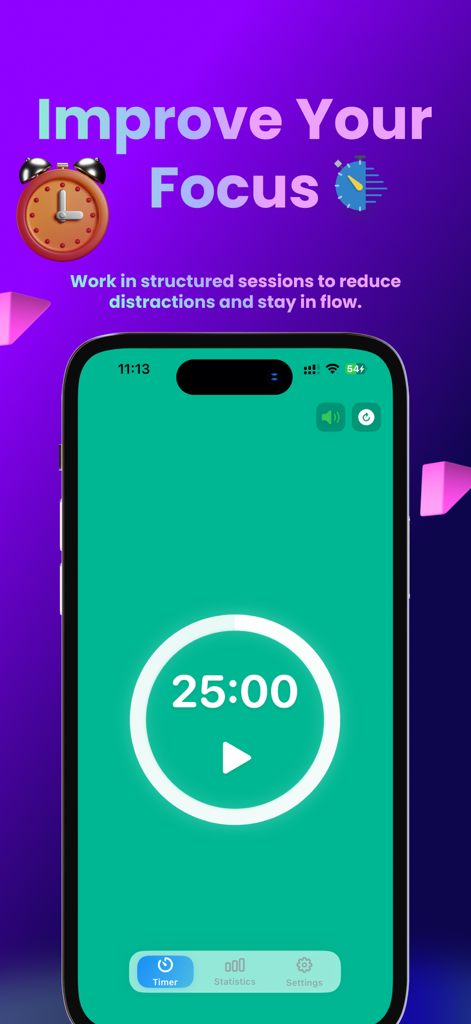
Easy Pomodoroアプリのインターフェース(iPhone)、ミニマルな25分間の集中タイマー画面を表示
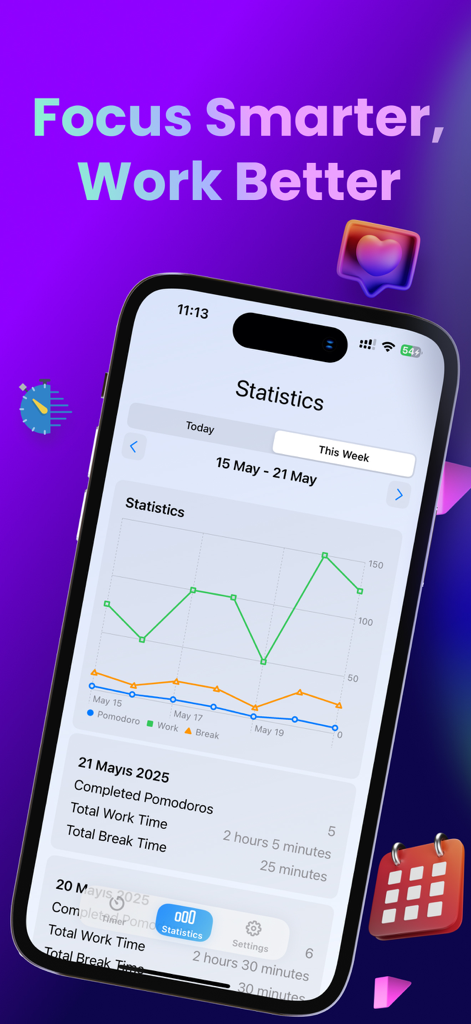
Easy Pomodoroアプリの週次生産性チャート(iPhone)、作業時間と休憩時間の統計を表示
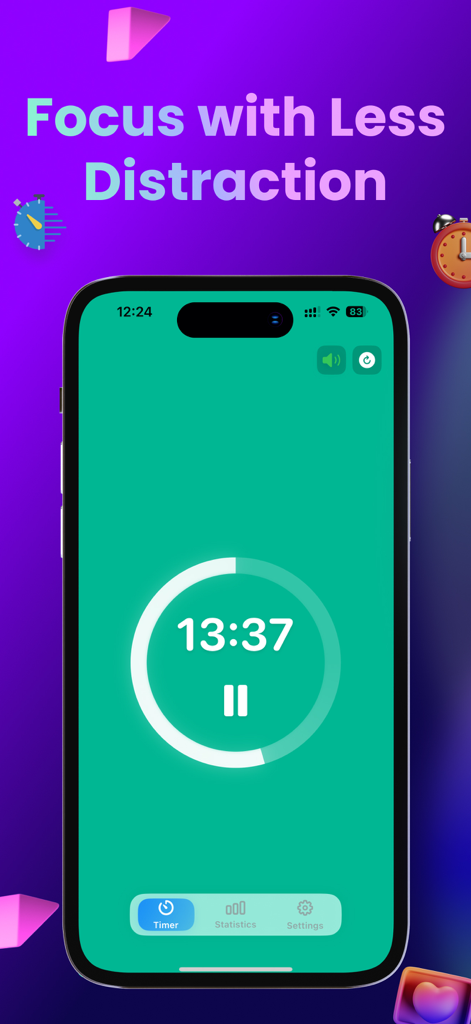
Easy Pomodoroアプリのインターフェース、緑色の画面にミニマルな作業タイマーのカウントダウンを表示
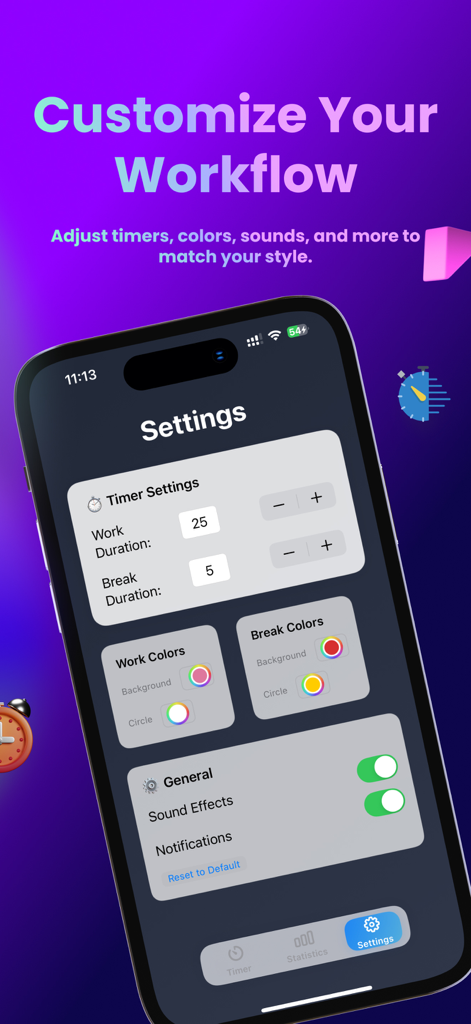
Easy Pomodoroアプリの設定画面、タイマーの長さ、色、サウンド通知をカスタマイズするオプションを表示
説明
Download
類似アプリ
同じカテゴリのトップランクアプリ

Pinterest, Inc.

Alipay - Simplify Your Life
Alipay (Hangzhou) Technology Co., Ltd.

美团-美好生活小帮手
Sankuai Technology Co., Ltd.

Dianping: Discover Good Places
Hanhai Information Technology (Shanghai) Co.Ltd

Lemon8 - Lifestyle Community
TIKTOK PTE. LTD.

Xiaomi Home
Beijing Xiaomi Co., Ltd

Tinder Dating App: Date & Chat
Tinder LLC

VNeTraffic
GLOBAL TECHNOLOGY - TELECOMMUNICATIONS CORPORATION

SmartThings
Samsung Electronics Co., Ltd.
このページはアプリまたはその開発者の公式ページではなく、情報提供および論評を目的として作成された独立した編集出版物です。明示的に別段の記載がない限り、アプリおよびその開発者は、MWM、Apple、Google Play、アプリのパブリッシャー、またはアプリの開発者と提携、承認、後援、認可、またはその他の公式的な関係はなく、このページのいかなる内容も、アプリがMWMのサービスを使用して開発されたことを意味するものではありません。すべての商標、ロゴ、スクリーンショット、その他のコンテンツはそれぞれの所有者の財産です。