
このページはアプリまたはその開発者の公式ページではなく、情報提供および論評を目的として作成された独立した編集出版物です。明示的に別段の記載がない限り、アプリおよびその開発者は、MWM、Apple、Google Play、アプリのパブリッシャー、またはアプリの開発者と提携、承認、後援、認可、またはその他の公式的な関係はなく、このページのいかなる内容も、アプリがMWMのサービスを使用して開発されたことを意味するものではありません。すべての商標、ロゴ、スクリーンショット、その他のコンテンツはそれぞれの所有者の財産です。


EasyMp3 Video to mp3 Converter
あらゆる動画フォーマットから高品質オーディオを即座に抽出。ファイルをトリミングし、ID3タグを編集し、シームレスなバックグラウンド再生をお楽しみください—サブスクリプション疲れなしで、オフラインライブラリを完全にコントロールできます。
ダウンロード
1M+ユーザー評価
評価数
13K+開発元
カテゴリ
Music対応言語
24最新バージョン
8.2.1サイズ
28.1 MBリリース日
2018年9月30日パーソナルオーディオライブラリをマスター
あらゆる動画を高品質MP3に簡単に変換。編集、タグ付け、オフライン再生を月額サブスクリプションの負担なしで楽しめます。
インスタント動画からMP3への抽出
バイラルクリップ、講義、ミュージックビデオを数秒で高忠実度のオーディオファイルに変換。MP4、MOV、MKVなどの主要フォーマットをサポート。
真のバックグラウンド再生
プレミアム体験を無料で入手。バッテリーとデータを節約するために、他のアプリを使用中または画面がロックされているときに変換済みファイルを聴きます。
よくある質問
について知っておくべきこと EasyMp3 Video to mp3 Converter
EasyMp3 Video to mp3 Converterとは何ですか?
EasyMp3 Video to mp3 Converterは、ビデオファイルからオーディオを抽出し、変換するアプリケーションです。抽出したオーディオの編集や管理が可能です。
EasyMp3 Video to mp3 Converterはビデオファイルからオーディオを抽出できますか?
はい、EasyMp3 Video to mp3 Converterはビデオファイルからオーディオを抽出します。また、オーディオファイルの再変換や、アプリ内での様々な編集機能も提供しています。
EasyMp3 Video to mp3 Converterは、どのようなビデオフォーマットを変換元としてサポートしていますか?
EasyMp3 Video to mp3 Converterは、mp4, mov, m4v, wmv, avi, flv, webm, mkv, mpeg, mpg, ogv, ts, 3gpのビデオフォーマットを変換元としてサポートしています。
EasyMp3 Video to mp3 Converterは、どのようなオーディオフォーマットに変換できますか?
EasyMp3 Video to mp3 Converterは、aac, mp3, wav, m4a (aac), m4a (alac), caf, aiffのオーディオファイルを変換先として出力します。
EasyMp3 Video to mp3 Converterにはオーディオプレーヤーが含まれていますか?
はい、EasyMp3 Video to mp3 Converterにはアプリ内オーディオプレーヤーが含まれています。バックグラウンド再生、イコライザー、プレイリスト、純正イヤホンでの操作に対応しています。
EasyMp3 Video to mp3 Converterで利用できるオーディオ編集機能は何ですか?
EasyMp3 Video to mp3 Converterでは、オーディオのカット、ステレオ/モノラル変換、ビットレート・サンプルレートの変更、再生速度の調整、音量の変更、イコライザー機能を提供しています。
EasyMp3 Video to mp3 ConverterでID3タグを編集できますか?
はい、EasyMp3 Video to mp3 ConverterではMP3およびM4AファイルのID3タグ編集が可能です。アートワーク、アルバム名、タイトル、アーティスト情報を変更できます。
EasyMp3 Video to mp3 Converterはオーディオファイルを結合できますか?
はい、EasyMp3 Video to mp3 Converterは複数のオーディオファイルを連結できます。結合プロセス中にフェードイン、クロスフェードオプションを使用することも可能です。
EasyMp3 Video to mp3 Converterは無料で利用できますか?
EasyMp3 Video to mp3 Converterは、すべての基本機能を無料で提供しています。一部の高度な機能はアプリ内課金が必要です。
EasyMp3でオーディオ変換中にビットレートとサンプルレートを設定できますか?
はい、EasyMp3ではオーディオ変換中にビットレート(16k-320k)とサンプルレート(16.0k-48.0k)を選択できます。どちらにも「自動」オプションが用意されています。
EasyMp3 Video to mp3 Converterはビデオをダウンロードできますか?
いいえ、EasyMp3 Video to mp3 Converterにはビデオダウンロード機能はありません。変換元のビデオファイルはユーザーが準備する必要があります。
EasyMp3 Video to mp3 Converterはボーカルのみを抽出できますか?
いいえ、EasyMp3 Video to mp3 Converterはビデオファイルからオーディオを抽出しますが、ボーカルのみ、または非ボーカルのみを抽出する機能は提供していません。
以下のスクリーンショットと説明は、アプリの公式ストアリスティングから直接取得されたものであり、アプリ開発者の所有物です。
アプリストア
スクリーンショット
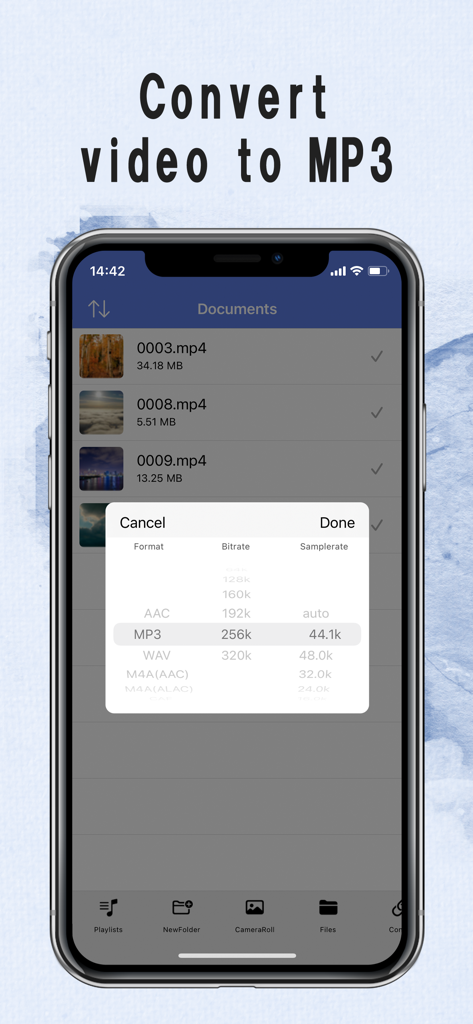
EasyMp3コンバーターアプリでMP3フォーマットとビットレート設定を選択する画面
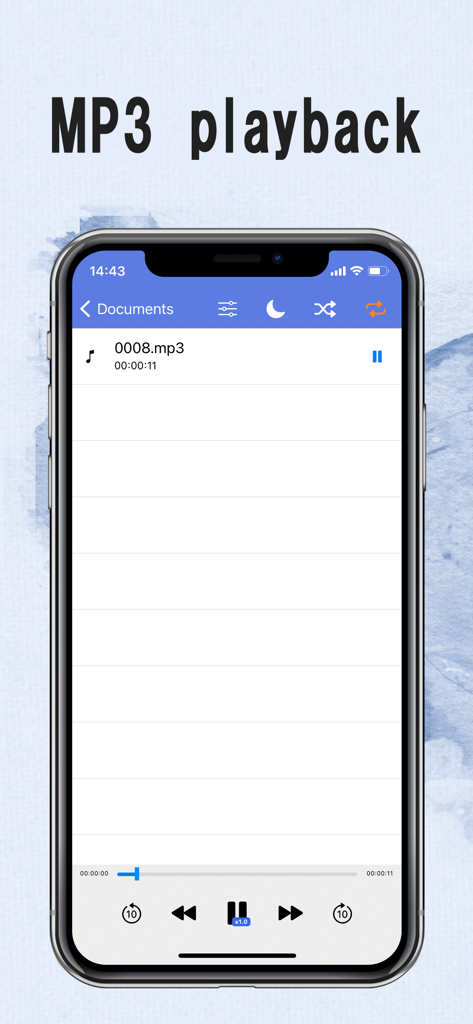
iPhone上のMP3再生とオーディオコントロールを表示するEasyMp3アプリのインターフェース
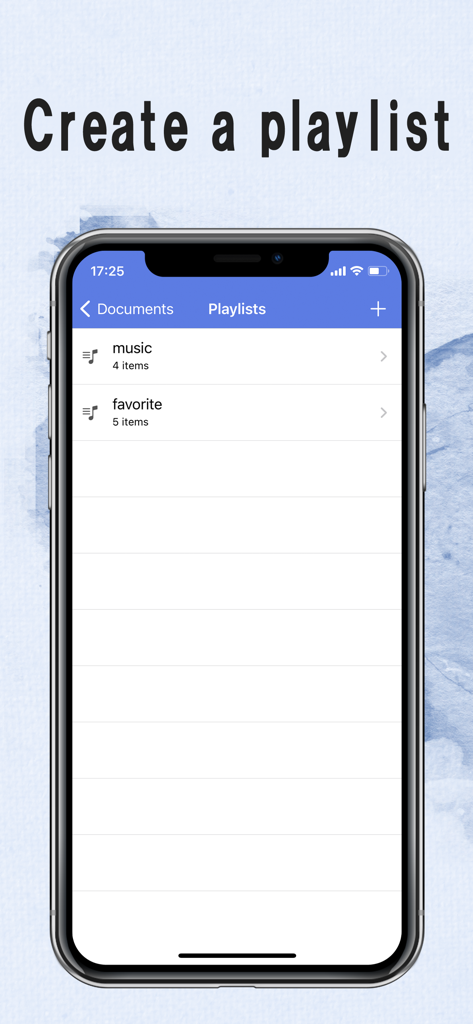
EasyMp3 Video to mp3 Converterアプリ内のプレイリスト管理画面を表示するiPhoneスクリーンショット
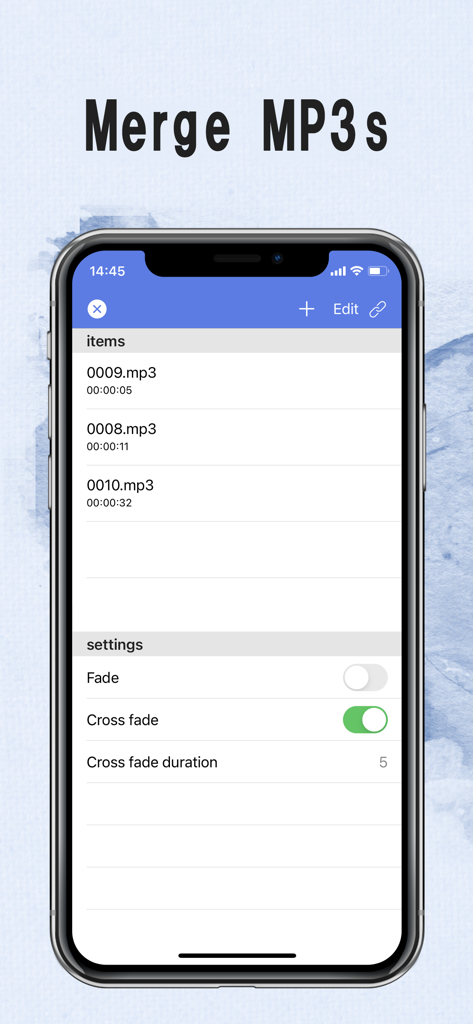
EasyMp3アプリのクロスフェード設定でMP3ファイルをマージする機能を示すスマートフォンのインターフェース
説明
Download
類似アプリ
似た機能とユーザー体験を持つアプリ

MP3 Converter -Audio Extractor
妍 岳

Audio Editor - Music Mixer
妍 岳

MP3 Converter: Video to Audio
Fitness Labs SRL

Audio Editor: MP3 Converter
ZHN Co., Ltd.

MP3 Converter - video2mp3
ZHN Co., Ltd.

EZAudioCut - Audio Editor Lite
龙刚 李

Audio Extractor-Audio Editing
正军 刘

Audio Editor & Music Mixer
Wuhan Net Power Technology Co., Ltd

Audio Converter&Ringtone Maker
俊鹏 位
このページはアプリまたはその開発者の公式ページではなく、情報提供および論評を目的として作成された独立した編集出版物です。明示的に別段の記載がない限り、アプリおよびその開発者は、MWM、Apple、Google Play、アプリのパブリッシャー、またはアプリの開発者と提携、承認、後援、認可、またはその他の公式的な関係はなく、このページのいかなる内容も、アプリがMWMのサービスを使用して開発されたことを意味するものではありません。すべての商標、ロゴ、スクリーンショット、その他のコンテンツはそれぞれの所有者の財産です。