FengShui Transparent Compass
ダウンロード: App Store

このページはアプリまたはその開発者の公式ページではなく、情報提供および論評を目的として作成された独立した編集出版物です。明示的に別段の記載がない限り、アプリおよびその開発者は、MWM、Apple、Google Play、アプリのパブリッシャー、またはアプリの開発者と提携、承認、後援、認可、またはその他の公式的な関係はなく、このページのいかなる内容も、アプリがMWMのサービスを使用して開発されたことを意味するものではありません。すべての商標、ロゴ、スクリーンショット、その他のコンテンツはそれぞれの所有者の財産です。


ロゴ: FengShui Transparent Compass
ダウンロード: App Store

FengShui Transparent Compass

究極のデジタル羅盤であなたの空間をマスターしましょう。高精度のコンパススケールを建築図面や地図に直接重ねて、プロレベルの精度でエネルギーの流れを最適化します。

主要数値

ダウンロード

12K+

ユーザー評価

3.2/5

評価数

0

開発元

fate amtb

カテゴリ

Utilities

対応言語

4

最新バージョン

6.6

サイズ

70.7 MB

リリース日

2018年9月26日
機能

プロ仕様の風水分析ツール

あなたのデバイスを精密な羅盤に変えましょう。住宅所有者、デザイナー、実践者向けに設計された高度なオーバーレイで、あらゆる空間のエネルギーの流れをマスターしましょう。

透明デジタル羅盤

12以上のプロ仕様コンパスフェイスを住宅の間取り図やライブマップにシームレスに重ねて、瞬時に方位測定と評価を行います。

精密な空間マッピング

九宮格と多角形ツールを使用してエネルギーセクターを正確に定義し、あらゆる建築レイアウトの真の中心を見つけます。

以下のスクリーンショットと説明は、アプリの公式ストアリスティングから直接取得されたものであり、アプリ開発者の所有物です。

アプリストア

スクリーンショット
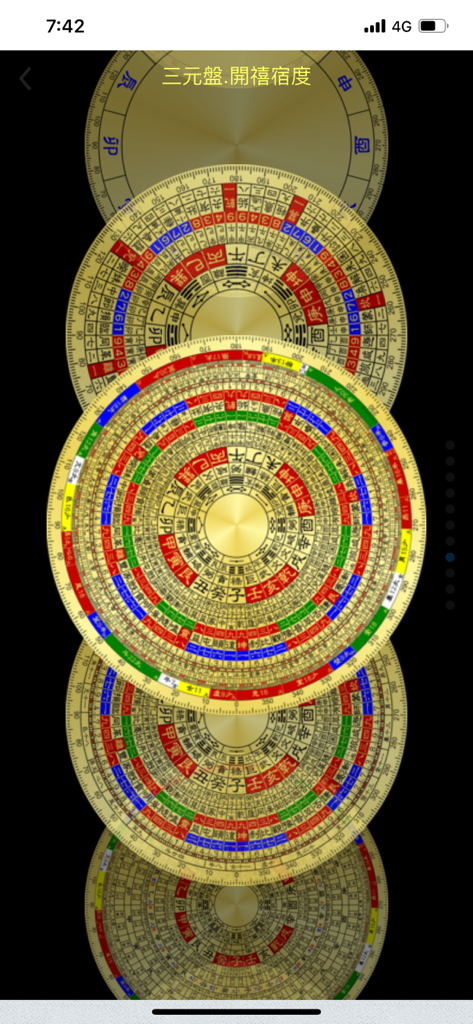
FengShui Transparent Compass - 伝統的な中国のマークが付いた、さまざまなデジタル風水羅盤のデザインが縦に積み重ねられた画像。
伝統的な中国のマークが付いた、さまざまなデジタル風水羅盤のデザインが縦に積み重ねられた画像。

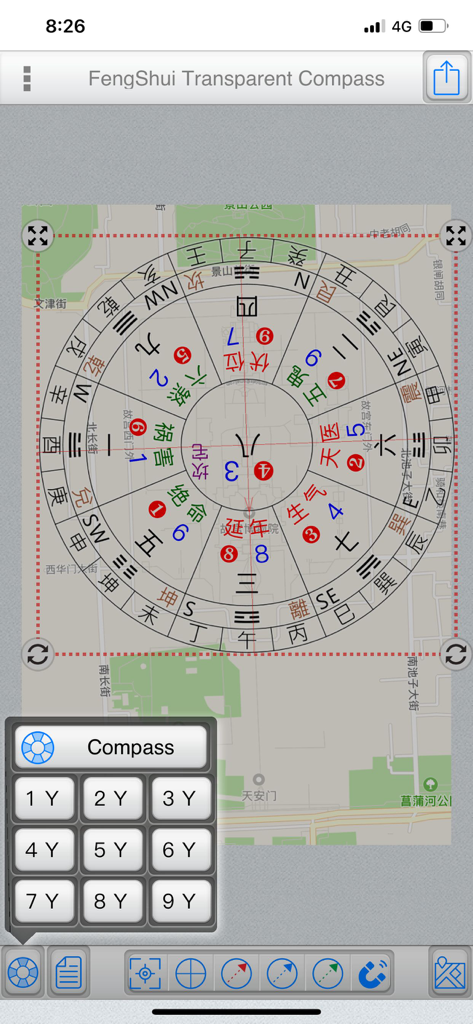
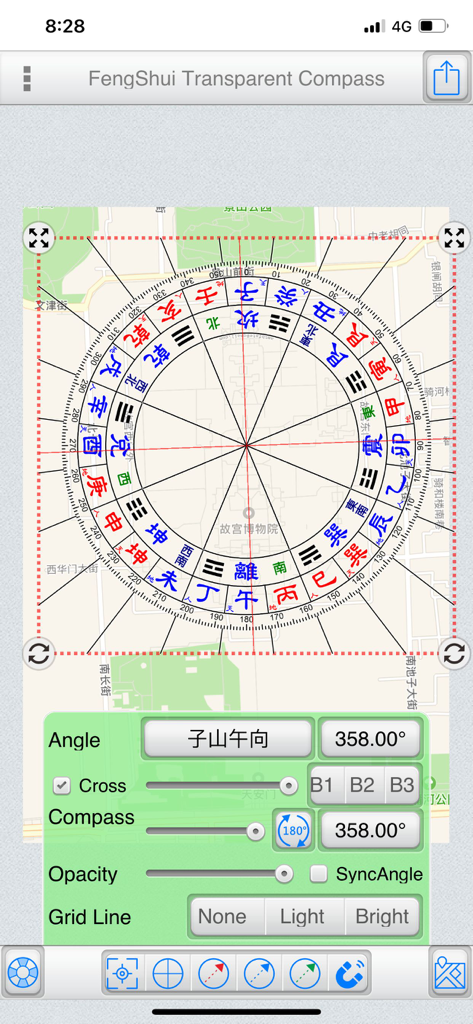
FengShui Transparent Compass - 角度と不透明度の調整コントロールを備えた都市地図に重ねられたデジタル風水羅盤コンパス。
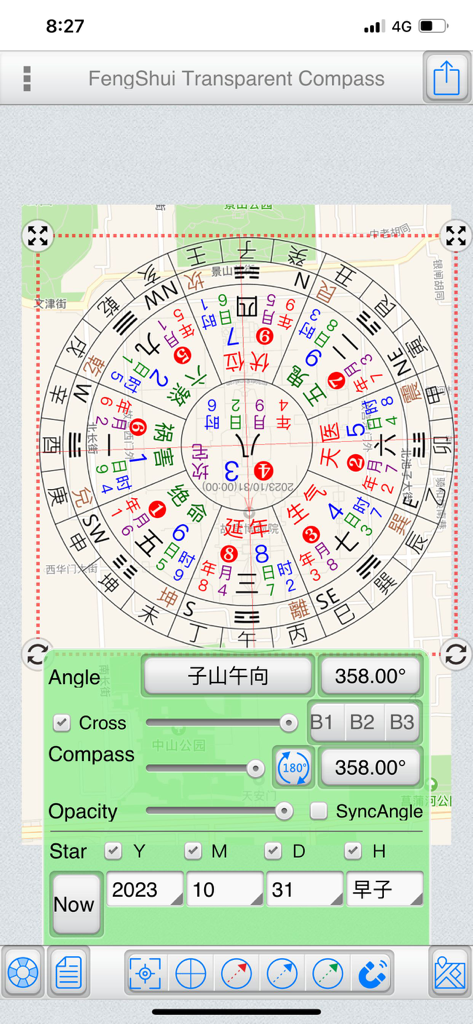
角度と不透明度の調整コントロールを備えた都市地図に重ねられたデジタル風水羅盤コンパス。

FengShui Transparent Compass - 調整可能な設定で地図に重ねられたデジタル風水コンパスツール。

調整可能な設定で地図に重ねられたデジタル風水コンパスツール。

FengShui Transparent Compass - 方位測定のために、街の地図に重ねられたデジタル風水コンパスツール。

方位測定のために、街の地図に重ねられたデジタル風水コンパスツール。
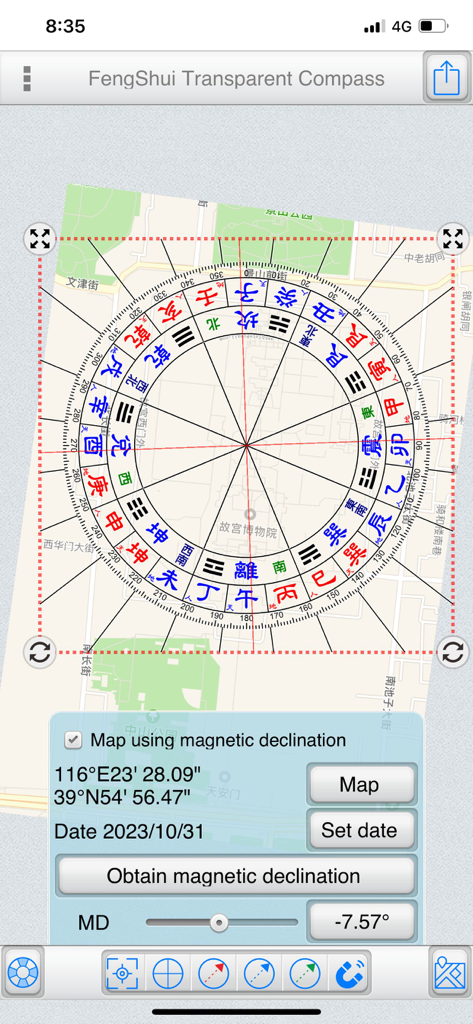
FengShui Transparent Compass - 磁気偏角コントロールを備えた都市地図に重ねられた透明な風水コンパス。

磁気偏角コントロールを備えた都市地図に重ねられた透明な風水コンパス。

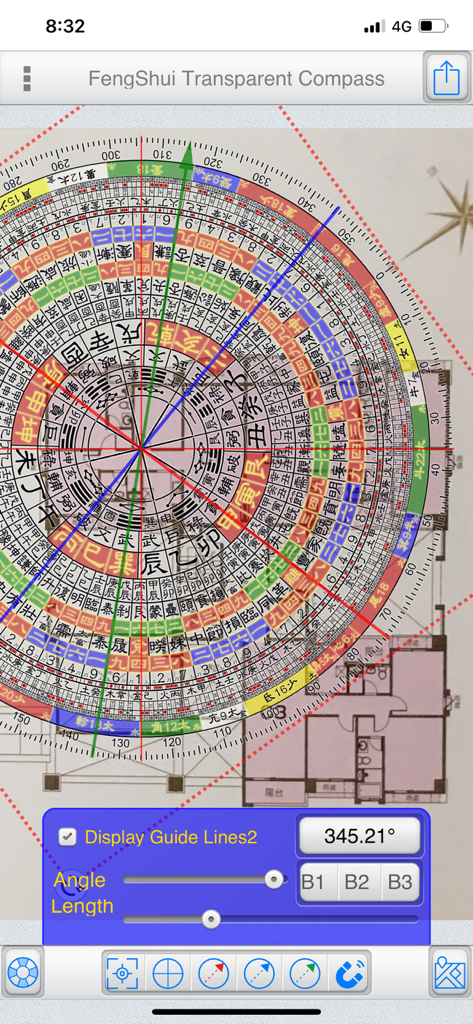
FengShui Transparent Compass - 方位測定のために、建築の間取り図に重ねられたデジタル風水コンパスオーバーレイ。
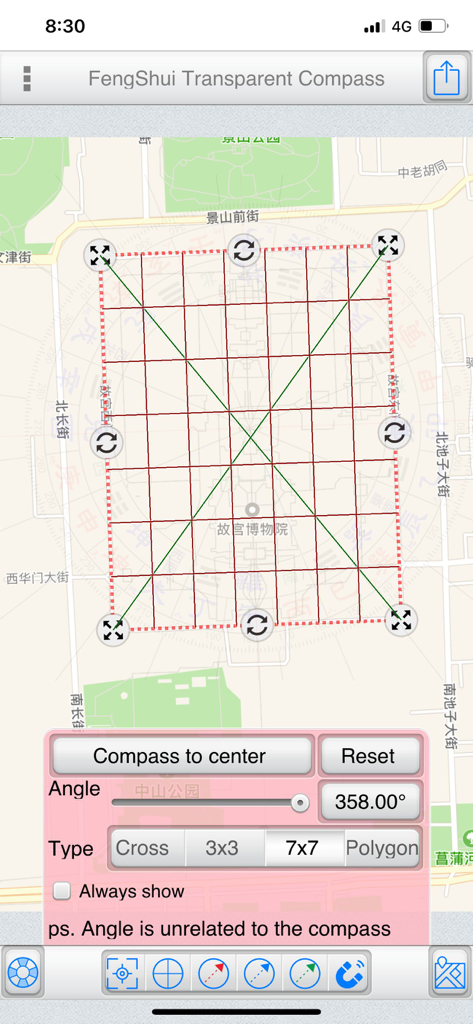
方位測定のために、建築の間取り図に重ねられたデジタル風水コンパスオーバーレイ。

FengShui Transparent Compass - 方位と角度のコントロールを備えた都市地図に重ねられた7x7グリッドを示す、風水透明コンパスアプリのスクリーンショット。
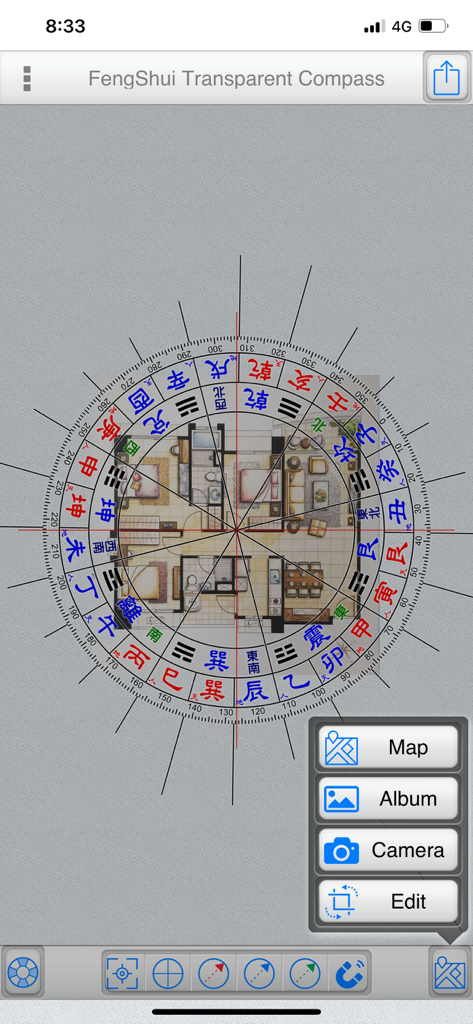
方位と角度のコントロールを備えた都市地図に重ねられた7x7グリッドを示す、風水透明コンパスアプリのスクリーンショット。

FengShui Transparent Compass - 方位測定のために、住宅の建築の間取り図に重ねられたデジタル風水コンパス。

方位測定のために、住宅の建築の間取り図に重ねられたデジタル風水コンパス。
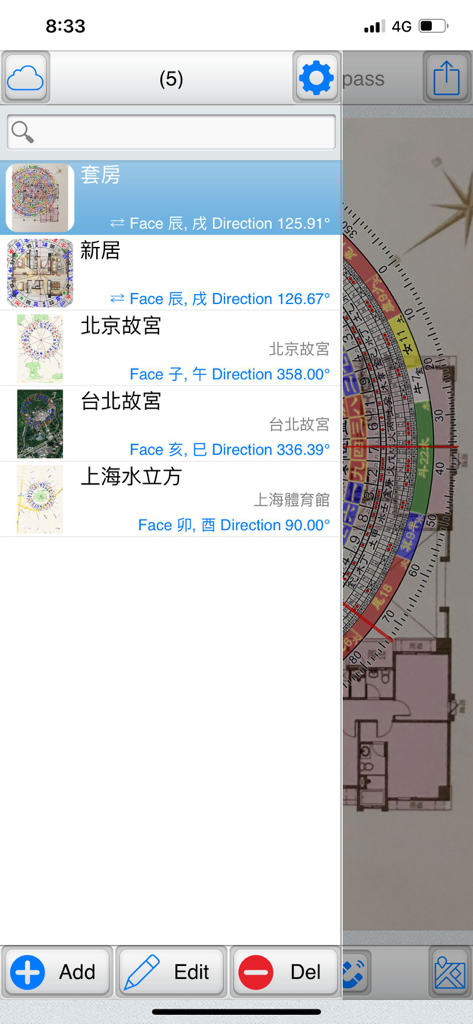
FengShui Transparent Compass - 風水透明コンパスアプリで、保存された間取り図のリストとその方位データを示すファイル管理画面。
風水透明コンパスアプリで、保存された間取り図のリストとその方位データを示すファイル管理画面。

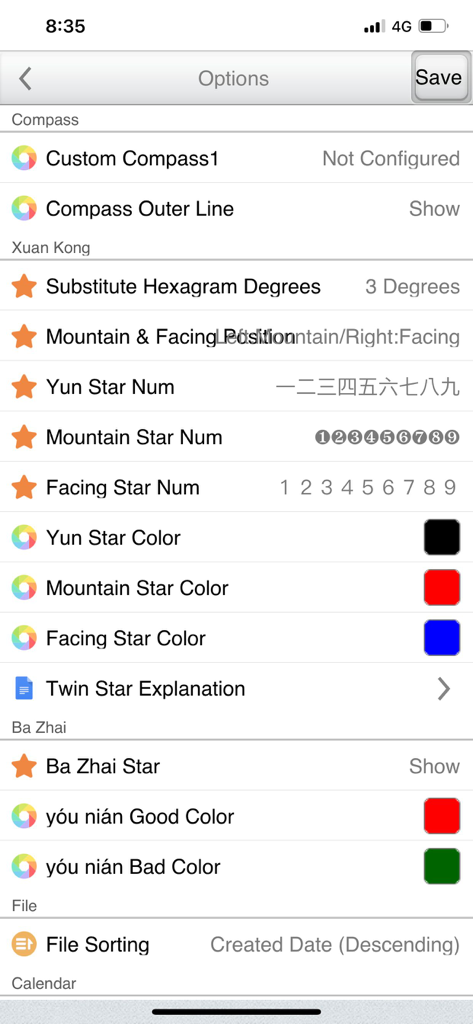
FengShui Transparent Compass - 玄空と八宅分析のカスタマイズオプションを示す、風水透明コンパスアプリの設定画面。

玄空と八宅分析のカスタマイズオプションを示す、風水透明コンパスアプリの設定画面。

説明

"FengShui Transparent Compass" is a tool used for measuring orientation on "maps" and "house architectural floor plans." It provides various polar scales, acting as a transparent compass overlaid on a map or image to facilitate orientation measurement and Feng Shui assessment. Provides more than a dozen compass face options. File Management: (Offers file management with thumbnail previews to easily manage all manipulated files) Supports iCloud Cloud Backup and Data Recovery functions (backing up overlay files and settings). Base Maps:  ●Map: Capture maps to use as base maps, with three display modes: Normal, Satellite, and Hybrid. You can also search for addresses (which can be recorded in the current file).  ●Album: Choose images from the device's photo album as base maps.  ●Camera: Use the camera to take photos and use them as base maps.  ●Edit: Crop and rotate base maps. Central Positioning:  ●Purpose: Measure the central position of a specific area on the base map.  ●Styles: Offers four styles – Crosshair, Nine Palaces Grid, 7x7 Grid, and Polygon.  ●Fixed Display: Check to keep it displayed continuously and save the state.  ●Operating Steps:   ●Place a polygon and align it with a specific area on the base map.   ●Adjust its size and rotation freely.   ●Tap "Place Polar Scale in Center" to position the polar scale at the center. Note that the rotation angle does not affect the polar scale; the primary purpose is alignment with the base map.  ●Polygon Operation:   ●Drag the red dot to align with the measured area.   ●Tap on a line and drag to add a new point. The blue central dot represents the center of the polygon. Polar Scale:  ●Adjust the angles of the "Polar Scale" and "Crosshair" to align with the orientation of the buildings on the base map.  ●Input angles or use sliders to adjust them.  ●Sync Option:   ●Map as the base map: Uncheck synchronization since the map's orientation is fixed at True North, and you only need to adjust the crosshair orientation.   ●Photo as the base map: Synchronization is automatically checked. If the bottom is "Zuo Shan" and the top is "Xiang Shan," synchronization is adjusted accordingly. (Exceptional cases can uncheck synchronization and adjust separately.)  ●Transparency: Adjust the transparency of the polar scale based on the base map's color.  ●Crosshair: Show or hide the crosshair.  ●Gesture Controls:   ●Tap the polar scale once to reveal buttons at its four corners.    ●Hold the top-left and top-right corners to resize and rotate the polar scale.    ●Hold the bottom-left and bottom-right corners to resize the polar scale (use this if you don't want to change the angle).   ●Two fingers to zoom in and out.  ●You can also share the overlay via Google Cloud Print, WeChat, Line, Messenger, and other platforms depending on device sharing options. Double Star Explanation:  ●When using a 1-9 Yun Xuan Kong Flying Star chart, tapping on a palace will display a double star explanation (editable in settings). Auxiliary Lines:  ●Offers three auxiliary line colors: Red, Blue, Green.  ●Tap the bottom function to display a specific auxiliary line, or uncheck it to hide.  ●Methods to adjust auxiliary line angles:   1.From within the polar scale, drag to rotate the auxiliary lines.   2.Use the angle buttons below to input angles.   3.Use the slider below to adjust angles. Magnetic Declination:  ●Specify latitude, longitude, and date to obtain magnetic declination from the NOAA website, or manually input magnetic declination.  ●You can apply magnetic declination to correct the orientation of the base map. Preferences Settings... ● This tool is only an auxiliary tool for Feng Shui identification, and the user needs to have relevant knowledge of Feng Shui. ● Operation interface: Traditional Chinese, Simplified Chinese, Japanese, English. ● It also supports tablet large screen display in any direction.

Download

ダウンロード: App Store

このページはアプリまたはその開発者の公式ページではなく、情報提供および論評を目的として作成された独立した編集出版物です。明示的に別段の記載がない限り、アプリおよびその開発者は、MWM、Apple、Google Play、アプリのパブリッシャー、またはアプリの開発者と提携、承認、後援、認可、またはその他の公式的な関係はなく、このページのいかなる内容も、アプリがMWMのサービスを使用して開発されたことを意味するものではありません。すべての商標、ロゴ、スクリーンショット、その他のコンテンツはそれぞれの所有者の財産です。