FieldMonitor
FieldMonitor
ダウンロード: App Store

このページはアプリまたはその開発者の公式ページではなく、情報提供および論評を目的として作成された独立した編集出版物です。明示的に別段の記載がない限り、アプリおよびその開発者は、MWM、Apple、Google Play、アプリのパブリッシャー、またはアプリの開発者と提携、承認、後援、認可、またはその他の公式的な関係はなく、このページのいかなる内容も、アプリがMWMのサービスを使用して開発されたことを意味するものではありません。すべての商標、ロゴ、スクリーンショット、その他のコンテンツはそれぞれの所有者の財産です。

ロゴ: FieldMonitor
ダウンロード: App Store

FieldMonitor

iPhoneやiPadを高精度なフィールドモニターに。Sony、Canon、Panasonic、Teradekのワークフローに、フォールスカラー、波形モニター、3D LUTなどのプロ向けツールを提供します。

主要数値

ダウンロード

244K+

ユーザー評価

3.7/5

評価数

200

開発元

Adam Wilt

カテゴリ

Photo & Video

対応言語

1

最新バージョン

11.2

サイズ

39.0 MB

リリース日

2016年5月21日
機能

ポケットにプロ仕様のモニタリングを

iPhoneやiPadを、プロの撮影監督が求める高度なスコーピングとコントロールツールを備えた高性能ワイヤレスフィールドモニターに変えましょう。

高度な露出ツール

内蔵の波形モニター、ヒストグラム、フォールスカラーにより、常に完璧な露出を実現。これらは通常、高価な専用ハードウェアにのみ搭載されている機能です。

完全ワイヤレスコントロール

録画の開始、シャッタースピード、ISO、絞りの調整をデバイスから直接リモート操作。ジンバル撮影やソロでの機動力重視の撮影に最適です。

以下のスクリーンショットと説明は、アプリの公式ストアリスティングから直接取得されたものであり、アプリ開発者の所有物です。

アプリストア

スクリーンショット
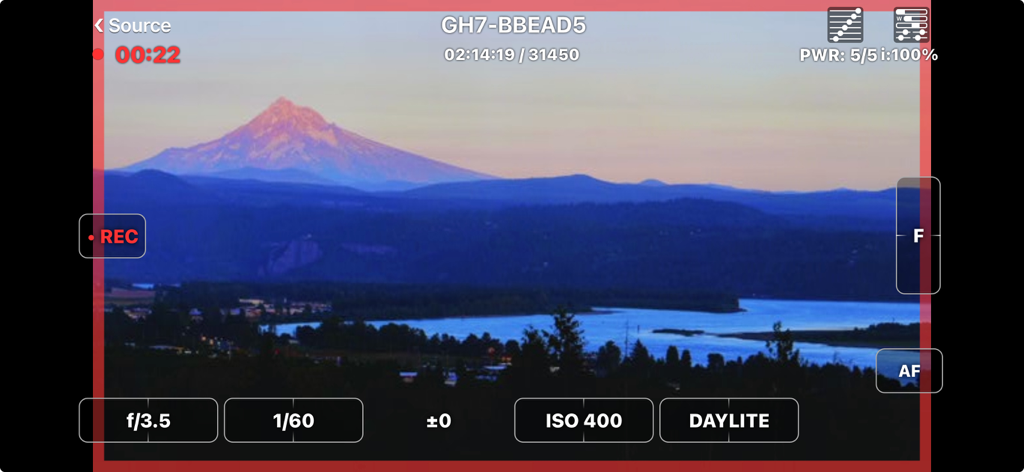
FieldMonitor - ライブカメラフィードとプロ仕様の露出コントロールを表示するFieldMonitorアプリのインターフェース
ライブカメラフィードとプロ仕様の露出コントロールを表示するFieldMonitorアプリのインターフェース

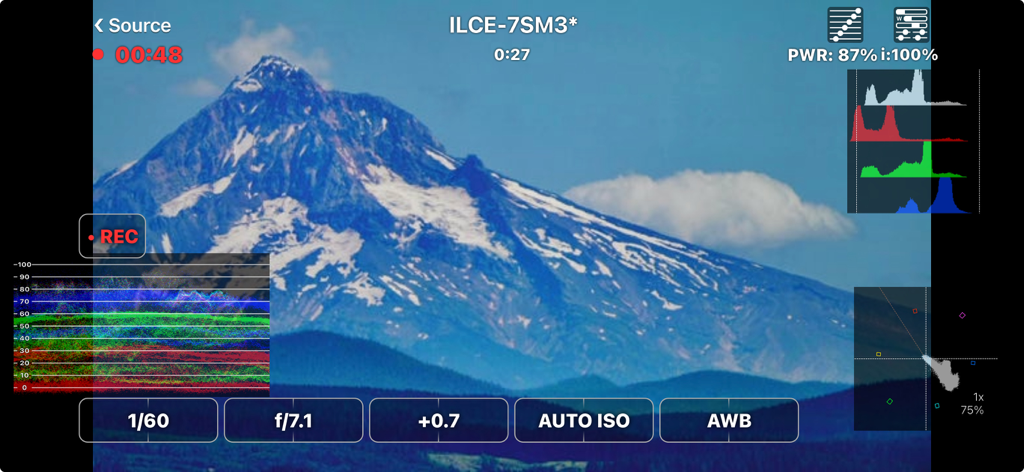
FieldMonitor - 山の風景ショットに波形ヒストグラムとカメラコントロールを表示するFieldMonitorアプリのインターフェース
山の風景ショットに波形ヒストグラムとカメラコントロールを表示するFieldMonitorアプリのインターフェース

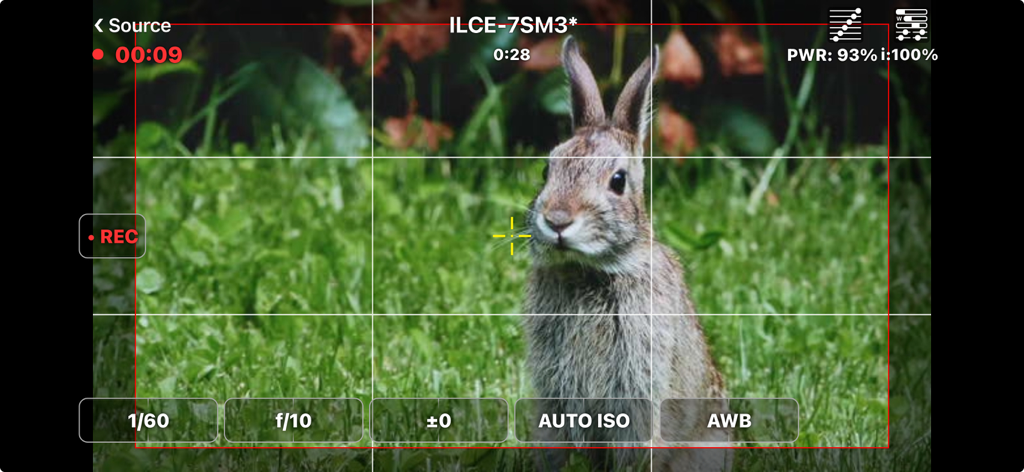
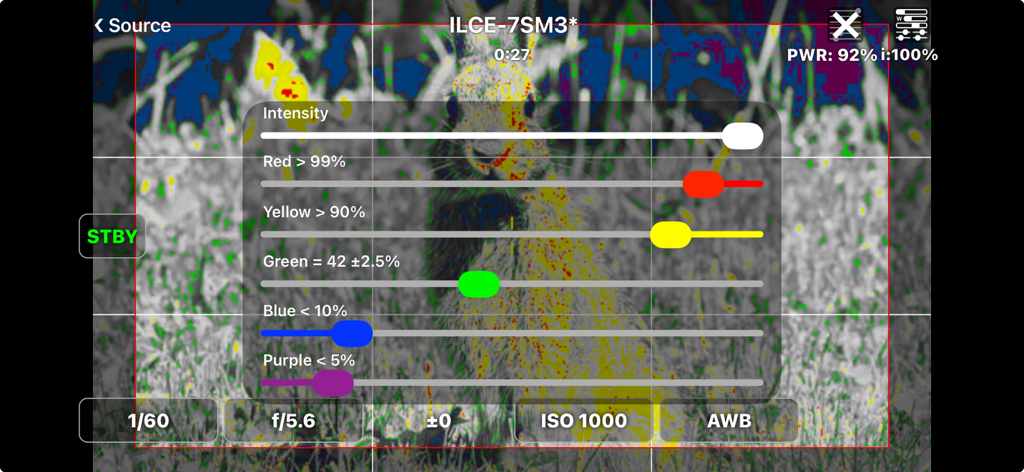
FieldMonitor - プロの撮影設定とフレーミングガイドを表示し、ウサギのライブカメラフィードを映すFieldMonitorアプリのインターフェース
プロの撮影設定とフレーミングガイドを表示し、ウサギのライブカメラフィードを映すFieldMonitorアプリのインターフェース

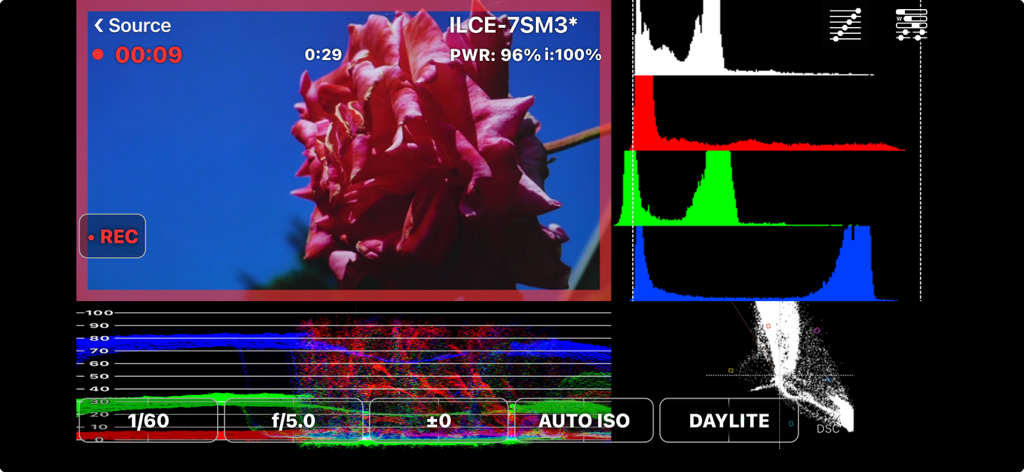
FieldMonitor - シネマトグラフィー用のヒストグラムや波形などのプロ向けビデオスコープを表示するFieldMonitorアプリ
シネマトグラフィー用のヒストグラムや波形などのプロ向けビデオスコープを表示するFieldMonitorアプリ

FieldMonitor - Sonyカメラのフィードにフォールスカラー露出設定と輝度スライダーを表示するFieldMonitorアプリのインターフェース
Sonyカメラのフィードにフォールスカラー露出設定と輝度スライダーを表示するFieldMonitorアプリのインターフェース

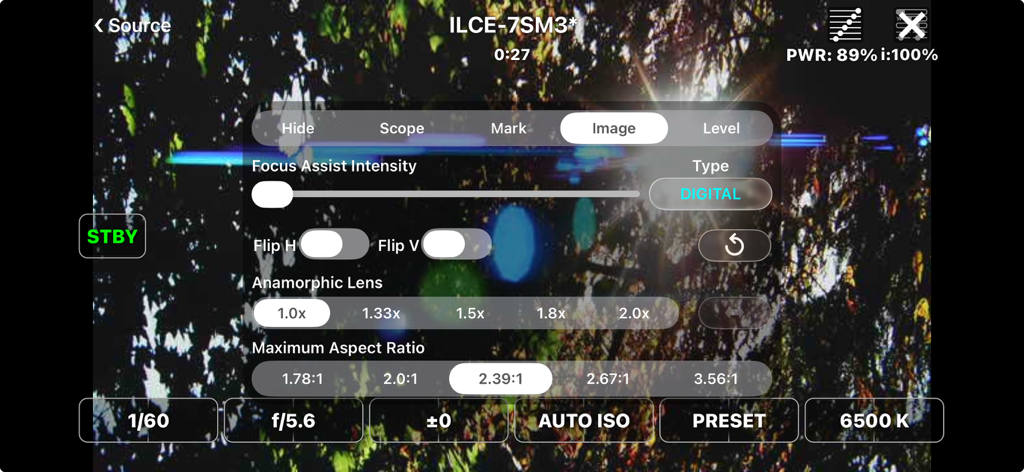
FieldMonitor - ライブビデオフィード上にプロのカメラ設定とアナモルフィックレンズのオプションを表示するFieldMonitorアプリのインターフェース
ライブビデオフィード上にプロのカメラ設定とアナモルフィックレンズのオプションを表示するFieldMonitorアプリのインターフェース

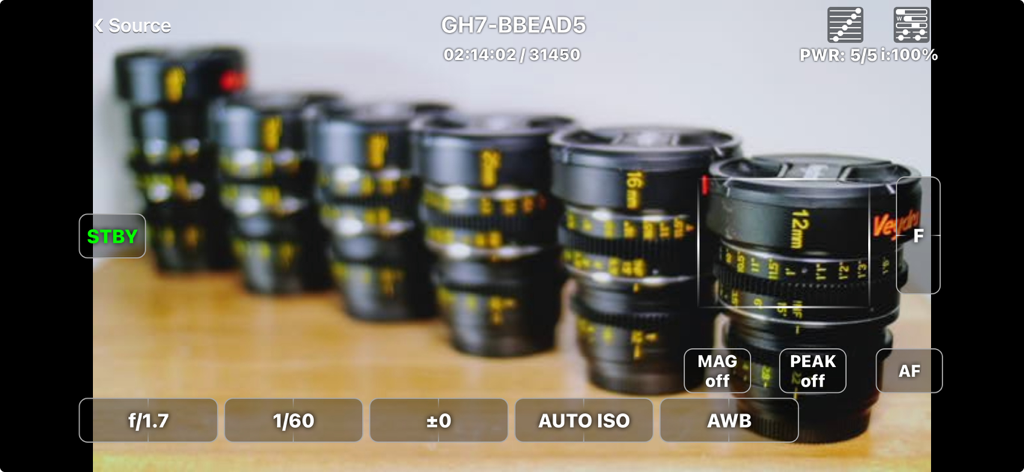
FieldMonitor - プロ仕様の露出およびフォーカスコントロールを備えたライブカメラフィードを表示するFieldMonitorアプリ
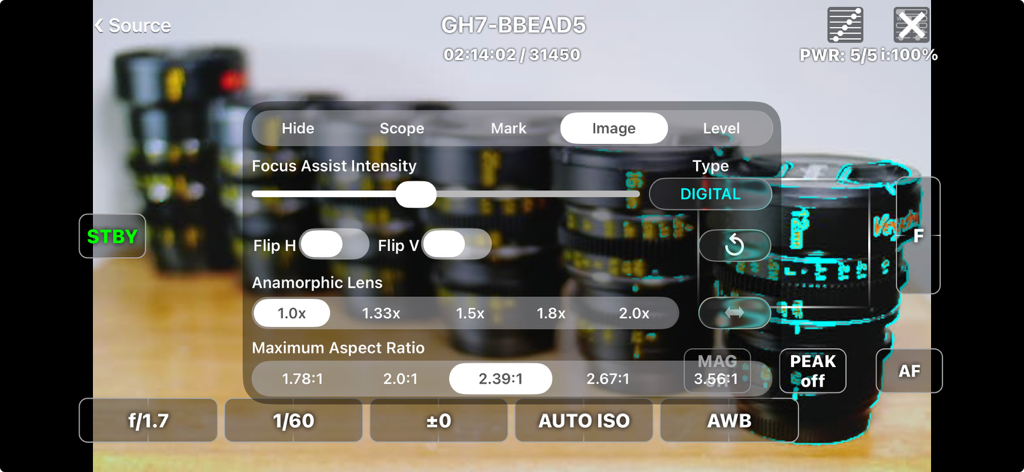
プロ仕様の露出およびフォーカスコントロールを備えたライブカメラフィードを表示するFieldMonitorアプリ

FieldMonitor - プロ仕様のビデオモニタリング用のアナモルフィックレンズとアスペクト比設定を表示するFieldMonitorアプリのインターフェース
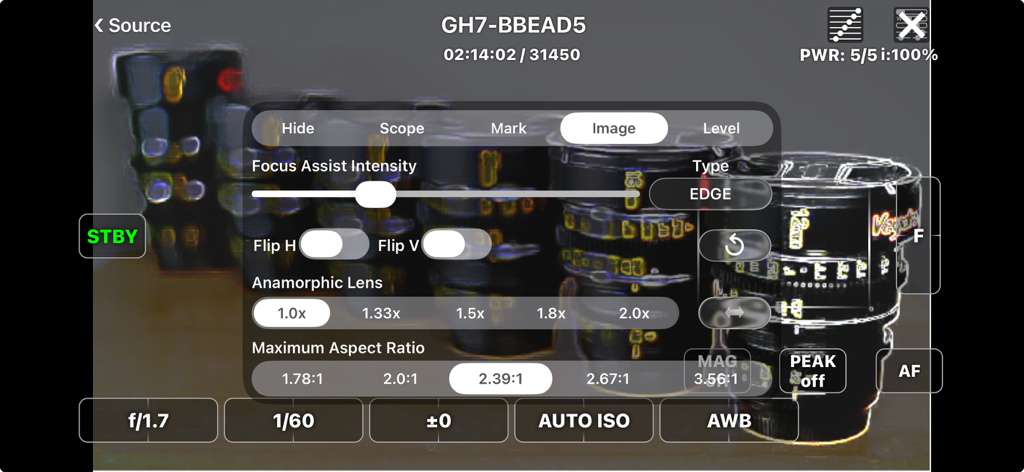
プロ仕様のビデオモニタリング用のアナモルフィックレンズとアスペクト比設定を表示するFieldMonitorアプリのインターフェース

FieldMonitor - フォーカスアシストの強度、画像の反転、アナモルフィックレンズのデスクイーズ比率などの設定を備えたFieldMonitorアプリのインターフェース
フォーカスアシストの強度、画像の反転、アナモルフィックレンズのデスクイーズ比率などの設定を備えたFieldMonitorアプリのインターフェース

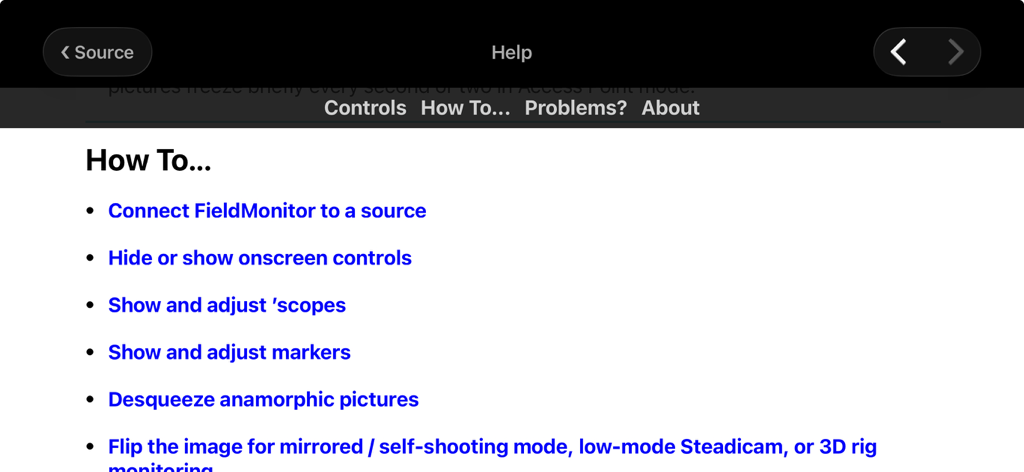
FieldMonitor - プロ仕様のカメラモニタリングに関する様々なハウツー項目を表示するFieldMonitorアプリのヘルプインターフェース

プロ仕様のカメラモニタリングに関する様々なハウツー項目を表示するFieldMonitorアプリのヘルプインターフェース

説明

FieldMonitor gives you wireless monitoring & control for Canons, Panasonics, Sonys, and Teradeks. IMPORTANT: DO NOT buy FieldMonitor without reading this ENTIRE description! Test your camera with its native Wi-Fi app to make sure your workflow and recording formats are supported BEFORE buying FieldMonitor. Make sure you have the controls you need with the native app, and that image quality and lag are acceptable. Contact me if you have any questions. • FieldMonitor has the same latency, resolution, and reliability as your camera’s native app. • If a camera control or feature does not work with the native app, it won’t work with FieldMonitor. • FieldMonitor has NO playback, review or download capability. • In areas with busy Wi-Fi networks and/or sources of radio interference, performance cannot be guaranteed, whether using FieldMonitor or your camera’s native app. WHAT IT DOES: FieldMonitor™ lets you monitor picture, exposure, and color on supported Canon™, Panasonic™, and Sony™ cameras, and Teradek™ H.264/HEVC transmitters. FieldMonitor runs on iPhone, iPad, iPod touch, and Apple Silicon (M1) Mac. Use markers to show safe areas, aspect ratios, and framing grids. Desqueeze anamorphic images, cropped to your final aspect ratio. Flip the image on either axis. Focus Assist helps you nail focus. Use a waveform monitor, vectorscope, histogram, false color, and 3D LUTs. With iPhone 5S or later, iPod touch 6G or later, iPad Air or later, iPad mini 2 or later, and iPad Pro, you can see a false-color picture with adjustable levels. With a supported camera and lens you can start/stop recording, control exposure and color settings, and zoom or focus remotely. Controls are designed for fast, realtime adjustments. See the FieldMonitor website for details. SUPPORTED SOURCES: • Canon: EOS mirrorless and DSLR cameras that support video recording in Wi-Fi remote mode when using Canon’s Camera Connect. • Panasonic: Lumix cameras that transmit a live view while recording when using Image App or Lumix Sync. GH3 and earlier cameras do NOT support video recording in Wi-Fi remote mode. • Sony: only Alpha and RX cameras that transmit a live view while recording when using Imaging Edge Mobile. A5000, A6000, A7, A7R, A99 and earlier cameras do NOT support video recording in Wi-Fi remote mode. • Teradek: H.264 and HEVC encoders only (Cube, Serv Pro), not uncompressed (Bolt). • More info on the FieldMonitor website’s support page. LIMITATIONS: • FieldMonitor does not work with cine cameras or camcorders, only “hybrid” still & video cameras (mirrorless or DSLR). • Audio is not transmitted from cameras, only Teradeks. • Camera Wi-Fi images are 512x288, 640x360, 320x180, or 1024x576 depending on the camera. Teradeks support 240p to 1080p. • “Smart Remote” Sonys do NOT allow use of Picture Profiles, S-Log, or S&Q Motion when using Wi-Fi remote control. Focus points can only be set in photo mode. • “Ctrl w/ Smartphone“ Sonys do not display focus area, battery level, and/or storage info. Focus points can’t be set in the app with most cameras other than A1, A7Siii, and FX3, in video mode only. • Fujifilm legacy support: ONLY X-T3 and X-T100 are supported. X-T3 only records 1080p / 29.97 fps; X-T100 only records 720p / 24 fps. See https://www.adamwilt.com/fieldmonitor/support.html#Fujifilm for other limitations. LEGAL: Canon, EOS, Camera Connect, Fujifilm, Panasonic, Lumix, Image App, Lumix Sync, Sony, Imaging Edge Mobile, Teradek, Cube, Clip, VidiU, Serv, & Bolt are all trademarks of their respective owners. FieldMonitor is an independently-developed app; Canon, Fujifilm, Panasonic, Sony, and Teradek are not responsible for FieldMonitor’s performance, suitability, or fitness for purpose.

Download

ダウンロード: App Store

このページはアプリまたはその開発者の公式ページではなく、情報提供および論評を目的として作成された独立した編集出版物です。明示的に別段の記載がない限り、アプリおよびその開発者は、MWM、Apple、Google Play、アプリのパブリッシャー、またはアプリの開発者と提携、承認、後援、認可、またはその他の公式的な関係はなく、このページのいかなる内容も、アプリがMWMのサービスを使用して開発されたことを意味するものではありません。すべての商標、ロゴ、スクリーンショット、その他のコンテンツはそれぞれの所有者の財産です。








