
このページはアプリまたはその開発者の公式ページではなく、情報提供および論評を目的として作成された独立した編集出版物です。明示的に別段の記載がない限り、アプリおよびその開発者は、MWM、Apple、Google Play、アプリのパブリッシャー、またはアプリの開発者と提携、承認、後援、認可、またはその他の公式的な関係はなく、このページのいかなる内容も、アプリがMWMのサービスを使用して開発されたことを意味するものではありません。すべての商標、ロゴ、スクリーンショット、その他のコンテンツはそれぞれの所有者の財産です。


FileMate
FileMateを導入するiPhoneユーザーは、自身のファイルに対する完全な支配力を獲得し、デジタル世界の混乱を秩序へと変える。
ダウンロード
1M+ユーザー評価
評価数
21.4K開発元
カテゴリ
Productivity対応言語
11最新バージョン
13.1サイズ
92.3 MBリリース日
2015年4月18日ファイル管理、プライバシー、および効率性に焦点を当てた包括的評価
FileMate アプリの機能詳細分析
高度なプライバシー機能
ユーザーは機密ファイルを完全に隠蔽し、「スーパー隠しモード」によりその機能の存在自体を秘匿できるため、究極のプライバシー保護を実現します。
包括的なファイルセキュリティ
本ツールは、アプリ内のプライベートファイルを他のアプリから隔離し、機密情報を安全に保つための追加のパスワード保護オプションを提供します。
アプリケーションアクセス保護
このアプリは、パスワード、Face ID、またはTouch IDによるアプリ全体へのアクセス保護を備え、カスタマイズ可能な認証タイムアウト設定を通じてセキュリティを強化します。
高度なファイル管理
ユーザーはファイルの作成、名前変更、コピー、移動、削除、属性表示、および多種多様なソートオプションを駆使して、効率的かつ詳細にファイルを整理できます。
統合型ファイルブラウザ
本アプリは、Office文書、PDF、多様なテキストファイル、高解像度画像、および効率的なメディアプレイヤーによるオーディオ・ビデオ再生をサポートし、幅広いファイル形式の閲覧を提供します。
高速ファイル検索
ファジー検索や複数キーワード検索機能により、ユーザーは大量のデータの中から目的のファイルを迅速かつ正確に見つけ出すことが可能です。
多様なファイルインポート機能
ユーザーは、アプリ内での直接作成、写真・ファイルアプリからのインポート、およびWiFiやFinder/iTunesを介したPC/Macからの転送など、複数の方法でファイルを本アプリに追加できます。
外部連携と共有
このツールは、他のアプリとの間でファイルをバッチインポートおよび共有する機能を提供し、柔軟なデータ連携とワークフローの円滑化を実現します。
アーカイブ管理
本アプリは、7z、rar、zip、tarといった一般的なアーカイブ形式をサポートし、パスワード保護された圧縮ファイルの展開にも対応します。
重要ファイルマーキング
ユーザーは重要なファイルをマークし、カスタムソートビューに表示させることで、頻繁にアクセスする情報や優先度の高い項目に素早く到達できます。
よくある質問
について知っておくべきこと FileMate
What is FileMate?
FileMate is a local file management tool for phones that allows users to browse, manage, and protect their files. It supports various file types and offers features like archiving, searching, and privacy protection.
What types of files can FileMate browse?
FileMate can browse Office, PDF, and various text files like txt, json, java, php, swift, xml. It also supports picture formats including long vertical and high-resolution images, and plays audio/video files.
How can I add files to FileMate?
Users can add files to FileMate by creating them within the app, importing from system Photos/Files or other apps, or sharing via WiFi between PC and iPhone. Mac users can use Finder and iTunes.
What file management operations does FileMate support?
FileMate supports creating new directories, renaming, copying, moving, deleting, viewing attributes, and setting hidden files. Users can also sort files by name, type, time, and size.
Does FileMate offer privacy protection for files?
Yes, FileMate provides privacy protection through hidden files, password lock, Face ID, and Touch ID unlock. It also includes a "Super hidden" feature to conceal related settings.
Can FileMate archive and unarchive files?
Yes, FileMate supports archiving and unarchiving files in 7z, rar, zip, and tar formats. It also allows setting passwords for archived files.
How does the hidden files feature work in FileMate?
FileMate allows users to set private files as hidden, making them not displayed by default. Hidden files can be displayed when needed, and their settings can be super hidden.
Can I password-protect FileMate?
Yes, FileMate offers a password lock to enter the app. It also supports Face ID and Touch ID unlock, with customizable authentication-free time intervals for convenience.
How much does the monthly FileMate subscription cost?
The FileMate "All Access, Removing Ad" subscription costs $0.99 per month. This service renews automatically unless turned off at least 24 hours before the current period ends.
What is the annual subscription price for FileMate?
The annual "All Access, Removing Ad" subscription for FileMate costs $9.99 per year. This subscription auto-renews unless disabled at least 24 hours prior to the current period's end.
How do I manage my FileMate subscription?
Users can manage their FileMate subscriptions and turn off auto-renewal through their iTunes Account Settings after purchase. This allows full control over subscription preferences.
What is the "Super Hidden" feature in FileMate?
The "Super hidden" feature in FileMate allows users to hide all setting items related to hidden files within the app. Users can then reveal these hidden settings using a shake gesture.
Does FileMate have a "Shake Control" feature?
Yes, FileMate includes a "Shake Control" feature. Users can shake their device to undo recent deletions or to show hidden files.
Can I customize the appearance of FileMate?
Yes, FileMate offers theme settings where users can modify the app's theme, folder appearance, menu structure, and text size. Dark Mode is also available for customization.
以下のスクリーンショットと説明は、アプリの公式ストアリスティングから直接取得されたものであり、アプリ開発者の所有物です。
アプリストア
スクリーンショット
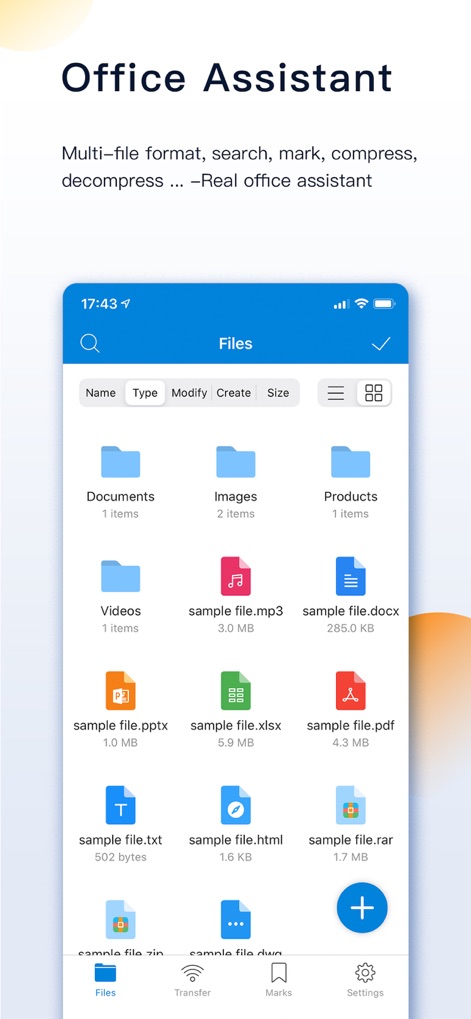
本アプリでは、複数のファイル形式を一元管理し、Office文書や圧縮ファイルを含む多様なデータを効率的に整理できるフォルダ構造で表示します。
ファイル管理
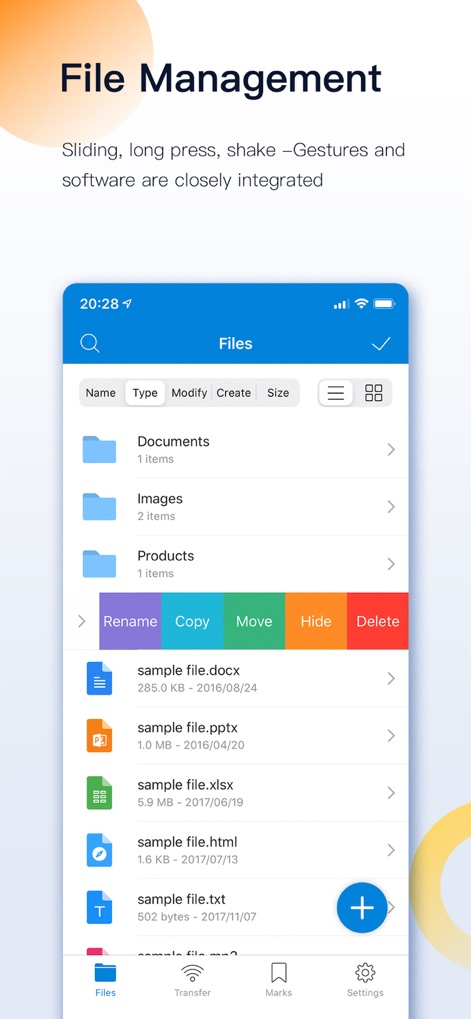
直感的なジェスチャー操作により、ファイルを選択した際に表示されるコンテキストメニューから、名前変更や移動などの管理機能を素早く実行できます。
簡単ファイル操作
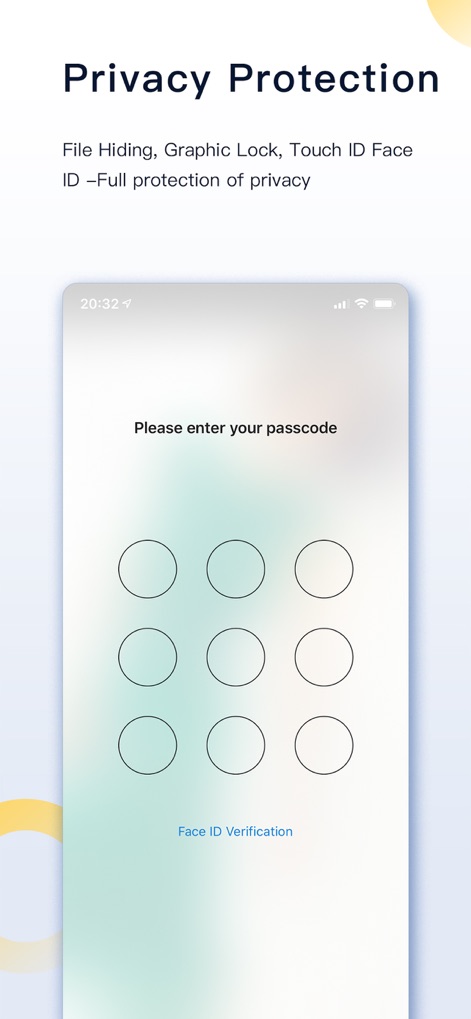
機密性の高いデータを保護するため、本アプリはFace IDと連携したパスコードロック機能を備え、厳重なアクセス制御を提供します。
強力なプライバシー
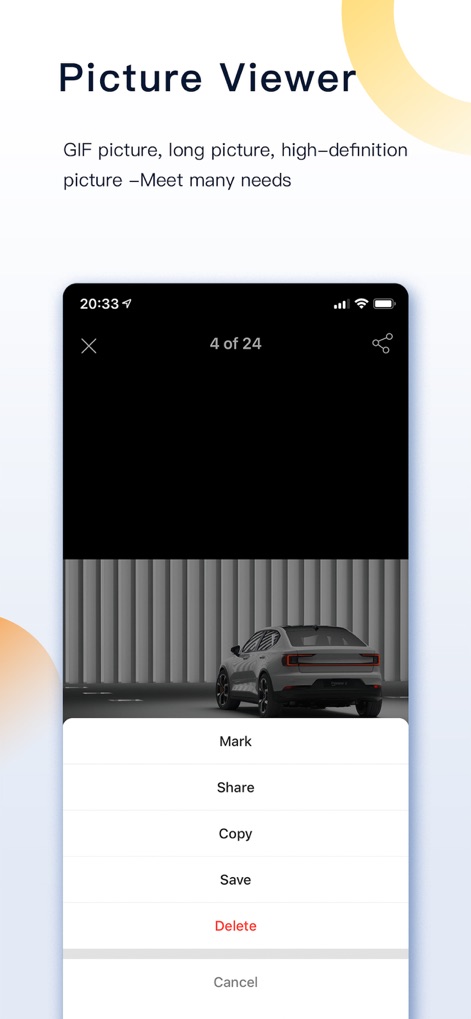
高解像度画像をスムーズに閲覧でき、画像ビューアから直接「マーク」を付けたり「共有」したりする便利なアクションメニューを利用できます。
高画質ビューア
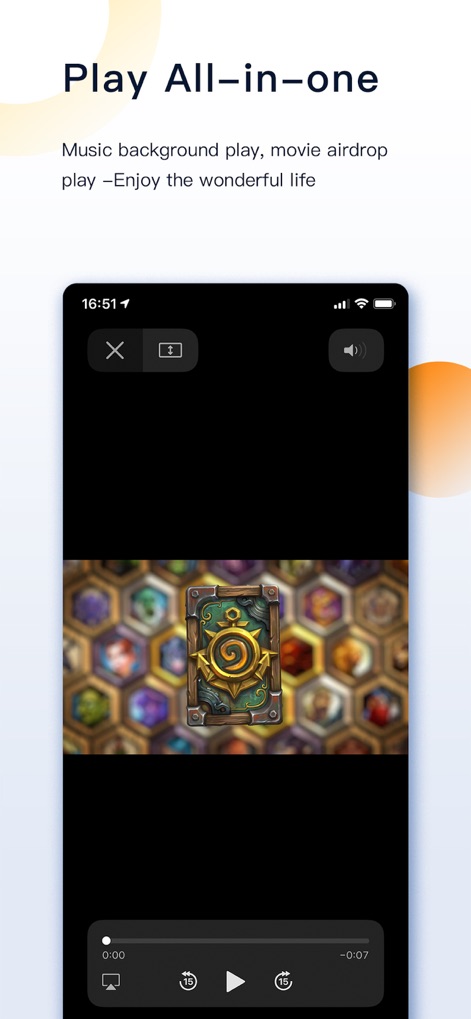
アプリ内蔵のメディアプレイヤーは、動画コンテンツのシームレスな再生を可能にし、再生コントロールや音量調整など豊富な機能を搭載しています。
多機能メディア再生
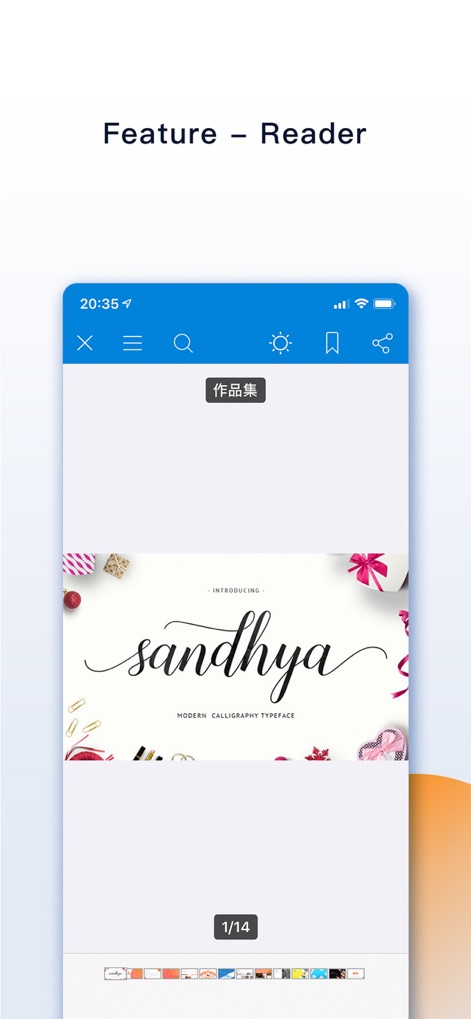
高度なドキュメントリーダーは、資料の閲覧中に重要な箇所をブックマークできるほか、検索機能で必要な情報を迅速に見つけ出すことを可能にします。
高機能リーダー
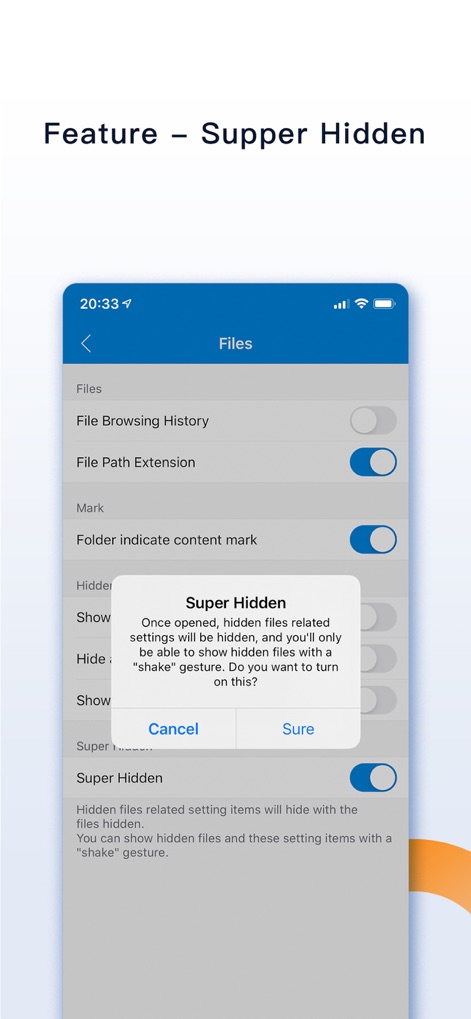
「スーパー隠しモード」を有効にすることで、隠しファイルに関連する設定項目を非表示にし、揺らすジェスチャーでその機能を呼び出すことができます。
究極の隠しモード

ユニークなシェイクコントロール機能により、誤って削除したファイルを「元に戻す」ことや、隠されたファイルを「表示」するオプションを素早く呼び出せます。
シェイク操作
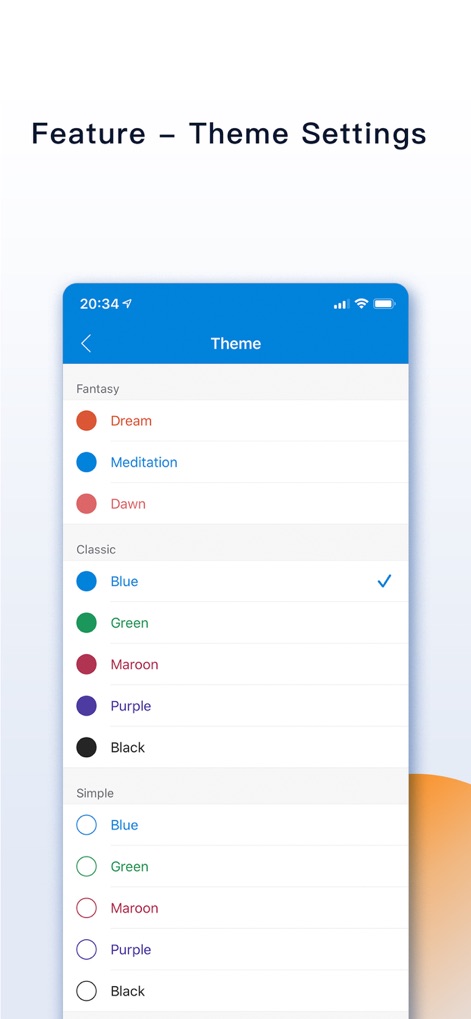
ユーザーは豊富なテーマ設定から好みのスタイルを選択でき、クラシックからファンタジーまで多様な「色の選択肢」でアプリの見た目をカスタマイズできます。
テーマ設定
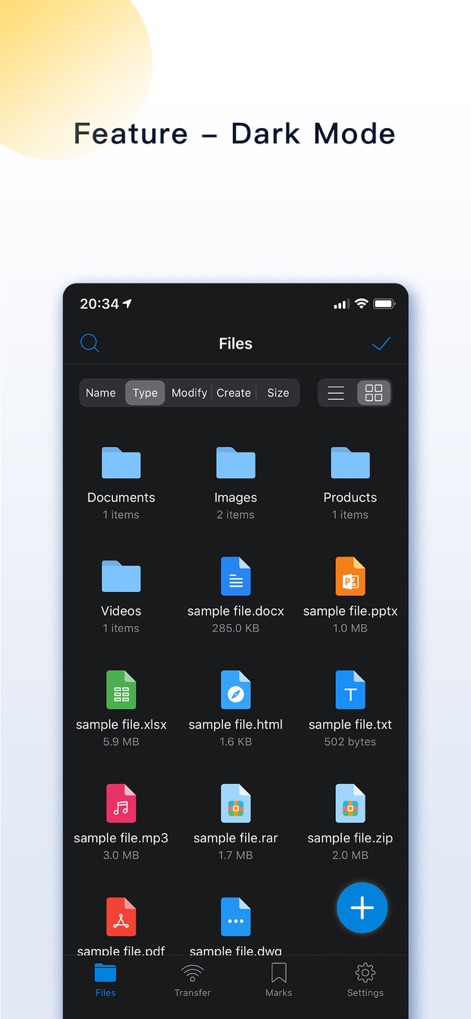
目に優しいダークモードを適用することで、暗い環境下でも快適にファイルを閲覧・管理でき、視覚的に優れたファイル一覧の表示を提供します。
ダークモード
説明
Download
類似アプリ
似た機能とユーザー体験を持つアプリ

Private Photo Vault - Pic Safe
Legendary Software Labs LLC

PBox-Private Photo Vault
宇 刘

PV - Secret Photo Album
Haibin Jiao

Safe Lock - Hidden Photo Vault
Katerina Akhlebinina

SV - Private Photo Vault PRO
Legendary Software Labs LLC

Converter: Hidden Photo Vault
Dmitry Petrov

Calculator Lock - Secure Vault
MacyMind

Secret Photo Vault: Keepsafe
KeepSafe Software, Inc

Digiposte: secure storage
la poste
このページはアプリまたはその開発者の公式ページではなく、情報提供および論評を目的として作成された独立した編集出版物です。明示的に別段の記載がない限り、アプリおよびその開発者は、MWM、Apple、Google Play、アプリのパブリッシャー、またはアプリの開発者と提携、承認、後援、認可、またはその他の公式的な関係はなく、このページのいかなる内容も、アプリがMWMのサービスを使用して開発されたことを意味するものではありません。すべての商標、ロゴ、スクリーンショット、その他のコンテンツはそれぞれの所有者の財産です。