Find Air: My Device Tracker
ダウンロード: App Store

このページはアプリまたはその開発者の公式ページではなく、情報提供および論評を目的として作成された独立した編集出版物です。明示的に別段の記載がない限り、アプリおよびその開発者は、MWM、Apple、Google Play、アプリのパブリッシャー、またはアプリの開発者と提携、承認、後援、認可、またはその他の公式的な関係はなく、このページのいかなる内容も、アプリがMWMのサービスを使用して開発されたことを意味するものではありません。すべての商標、ロゴ、スクリーンショット、その他のコンテンツはそれぞれの所有者の財産です。

ロゴ: Find Air: My Device Tracker
ダウンロード: App Store

Find Air: My Device Tracker

高価なギアを紛失するパニックに終止符を。高精度の信号レーダーを使用して、AirPods、Apple Watch、ヘッドフォンが完全に失われる前に入手してください。

主要数値

ダウンロード

2M+

ユーザー評価

3.3/5

評価数

3K+

開発元

SMART WIDGET LABS COMPANY LIMITED

カテゴリ

Utilities

対応言語

4

最新バージョン

10.15

サイズ

120.2 MB

リリース日

2019年12月27日
機能

高精度で貴重品を回収

紛失したギアのパニックに終止符を。AirFinderは、あなたの電話を強力な追跡ツールに変え、数秒でAirPods、Apple Watch、Bluetoothデバイスを見つけます。

高精度レーダー追跡

ライブ信号強度メーターをたどって、クッションの下、ジムバッグの中、または車の奥深くに隠されたデバイスを見つけます。

インスタントサウンドトリガー

見つかりませんか?紛失したヘッドフォンや時計から大きなチャイム音を鳴らし、音で正確な場所を特定します。

以下のスクリーンショットと説明は、アプリの公式ストアリスティングから直接取得されたものであり、アプリ開発者の所有物です。

アプリストア

スクリーンショット
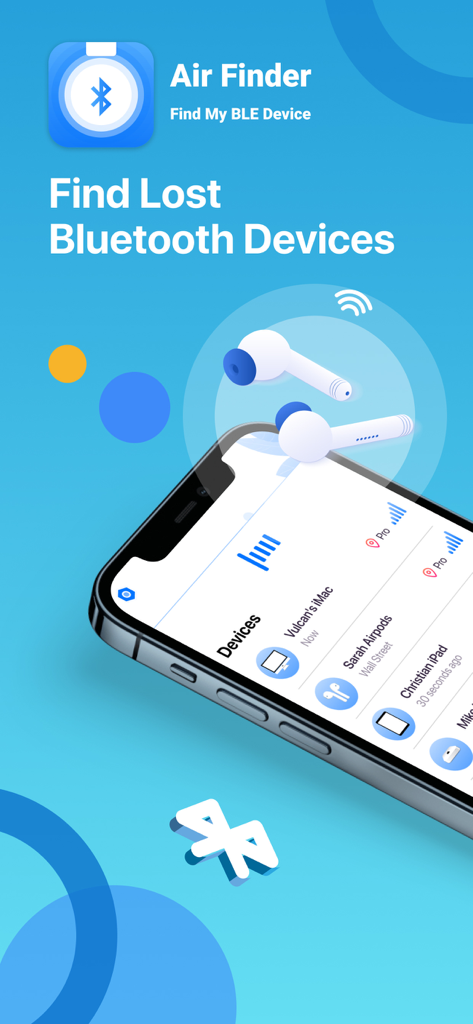
Find Air: My Device Tracker - Find Airアプリのインターフェイス。AirPodsやiMacなどの追跡対象Bluetoothデバイスのリストが表示されています。
Find Airアプリのインターフェイス。AirPodsやiMacなどの追跡対象Bluetoothデバイスのリストが表示されています。

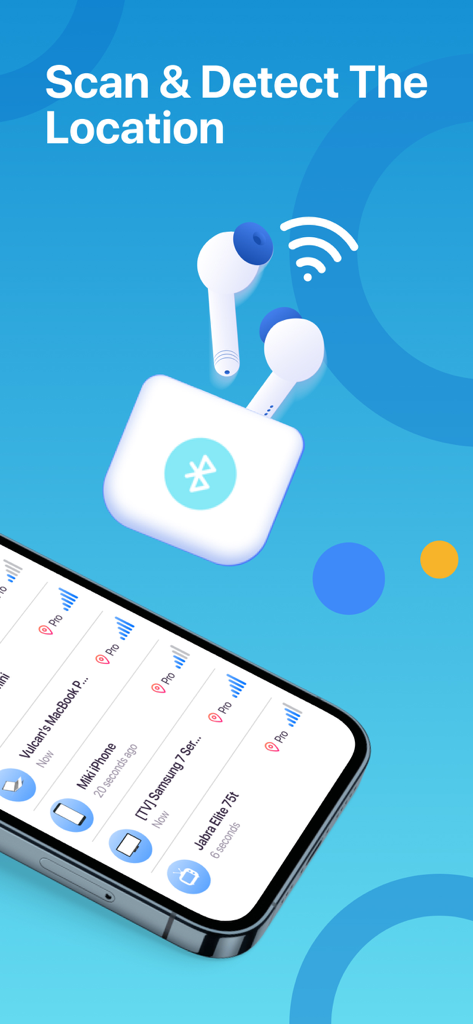
Find Air: My Device Tracker - Find Airアプリのインターフェイス。近くのBluetoothデバイスとその信号強度のリストが表示されています。
Find Airアプリのインターフェイス。近くのBluetoothデバイスとその信号強度のリストが表示されています。

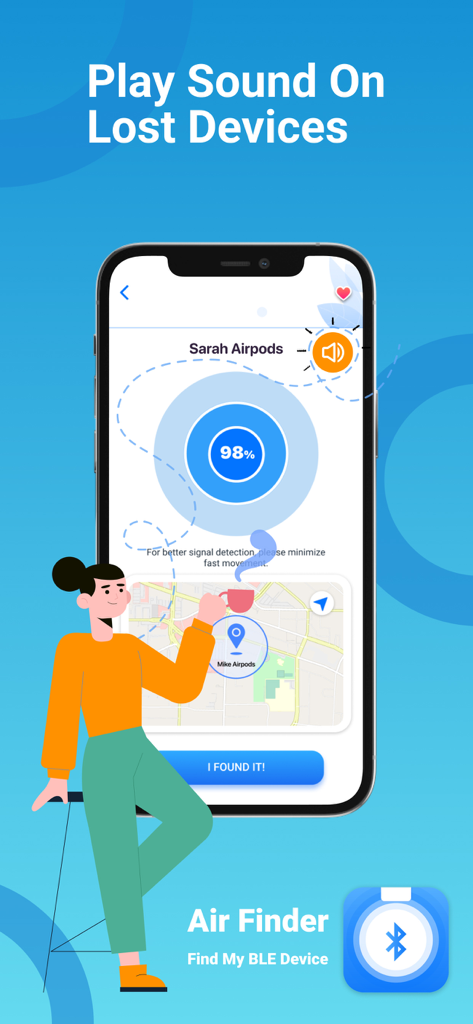
Find Air: My Device Tracker - Find Airアプリの画面。紛失したデバイスの信号レーダーとサウンド再生機能が表示されています。
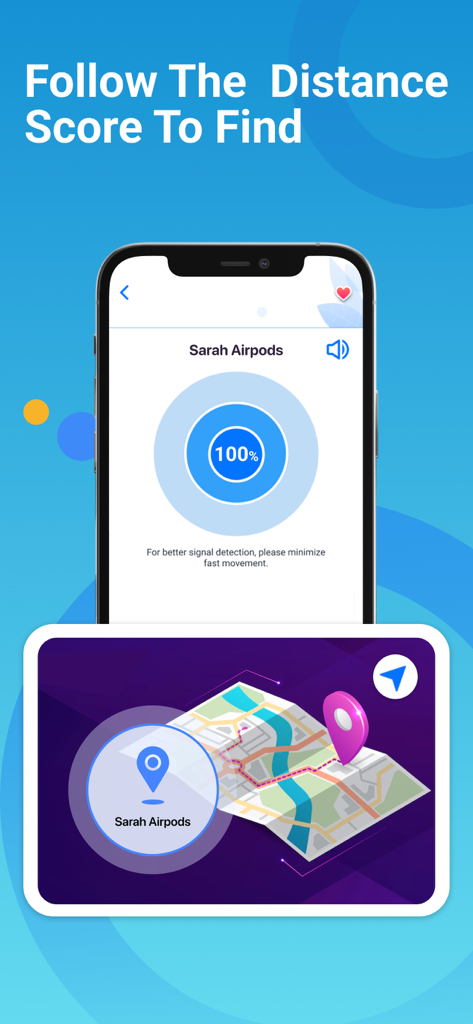
Find Airアプリの画面。紛失したデバイスの信号レーダーとサウンド再生機能が表示されています。

Find Air: My Device Tracker - Find Airアプリの画面。紛失したヘッドフォンの信号強度レーダーとマップ上の場所が表示されています。

Find Airアプリの画面。紛失したヘッドフォンの信号強度レーダーとマップ上の場所が表示されています。

説明

AirFinder helps you find your lost Bluetooth devices within seconds! Whether it’s your AirPods, Apple Watch, iPhone, Bose headphones, Beats Studio, Powerbeats Pro, or fitness tracker - AirFinder shows you exactly where to look. It works like a smart Bluetooth AirTag - scan, locate, and recover your devices in just a few steps! Stop wasting time searching or spending money on replacements. With AirFinder, you can track, locate, and secure your favorite devices anytime. How to Use AirFinder 1. Open the app and let it scan nearby Bluetooth devices. 2. Select your lost device from the list. 3. Move slowly while watching the signal strength radar. The stronger the signal, the closer you are. 4. When the signal is above 90 and distance is below 0.5m, look around carefully. Your device is nearby! Tip: Make sure your lost device is powered on and Bluetooth-enabled while searching. Example: If both AirPods are inside a closed case, Bluetooth signal might not be detectable. KEY FEATURES - Device Location Scanner: Detects and displays all nearby Bluetooth devices instantly. - Signal Strength Radar: Visual indicator to guide you step-by-step toward your lost item. - Map Tracker: View the last known address and time your device was seen. - Play Sound: Make supported devices (AirPods, Bose, Beats, etc.) emit sound for easier tracking. - Favorites List: Add frequently used devices for quick scanning next time. - Real-Time Detection: Move around and discover more devices as signals appear. COMPATIBLE DEVICES AirFinder supports all Bluetooth Low Energy (BLE) devices, including: - Apple Devices: AirPods, iPhone, iPad, Apple Watch - Bluetooth Headphones: Beats, Bose, JBL, Sony, and more - Fitness Trackers: Fitbit, Galaxy Fit, Garmin - Bluetooth Speakers and Wearables Your Privacy First We respect your privacy. AirFinder only scans for Bluetooth signals locally on your device — we never store or share personal data. Premium Access - Upgrade to AirFinder Premium for unlimited scanning, ad-free experience, and extended features such as: - Unlimited Bluetooth device searches - Map tracking & history view - Priority support Subscription Options: 1 Week: $3.99 USD; 1 Month: $9.99 USD; Lifetime: $29.99 USD Your iTunes account will be charged upon purchase confirmation. Subscriptions auto-renew unless canceled at least 24 hours before renewal. Disclaimer We are not affiliated with Apple Inc. or any mentioned companies. All trademarks (including AirPods) are property of their respective owners. AirFinder is designed to support Bluetooth-enabled devices and has been tested with a wide range of brands. • Terms of Use: https://smartwidgetlabs.com/terms-of-use/ • Privacy Policy: https://smartwidgetlabs.com/privacy-policy/ • You are welcome to contact us at support@smartwidgetlabs.com

Download

ダウンロード: App Store

このページはアプリまたはその開発者の公式ページではなく、情報提供および論評を目的として作成された独立した編集出版物です。明示的に別段の記載がない限り、アプリおよびその開発者は、MWM、Apple、Google Play、アプリのパブリッシャー、またはアプリの開発者と提携、承認、後援、認可、またはその他の公式的な関係はなく、このページのいかなる内容も、アプリがMWMのサービスを使用して開発されたことを意味するものではありません。すべての商標、ロゴ、スクリーンショット、その他のコンテンツはそれぞれの所有者の財産です。








