FireWorksBld
FireWorksBld
ダウンロード: App Store

このページはアプリまたはその開発者の公式ページではなく、情報提供および論評を目的として作成された独立した編集出版物です。明示的に別段の記載がない限り、アプリおよびその開発者は、MWM、Apple、Google Play、アプリのパブリッシャー、またはアプリの開発者と提携、承認、後援、認可、またはその他の公式的な関係はなく、このページのいかなる内容も、アプリがMWMのサービスを使用して開発されたことを意味するものではありません。すべての商標、ロゴ、スクリーンショット、その他のコンテンツはそれぞれの所有者の財産です。

ロゴ: FireWorksBld
ダウンロード: App Store

FireWorksBld

ボケた写真はもう卒業。カメラを完全にマニュアル操作して、SNSで目を引く息をのむような花火の写真やGIFを撮影、合成、共有しましょう。

主要数値

ダウンロード

700

ユーザー評価

1.0/5

評価数

0

開発元

HIROFUMI MARUO

カテゴリ

Photo & Video

対応言語

2

最新バージョン

1.4

サイズ

19.1 MB

リリース日

2016年7月16日
機能

すべての打ち上げの魔法を捉える

ボケた夜景写真で妥協するのはもうおしまい。FireWorksBldは、iPhoneから直接、見事な多層レイヤーの花火写真やアニメーションを作成するためのプロレベルのツールを提供します。

完璧な合成をマスターする

複数の打ち上げを1枚の息をのむような傑作にまとめます。写真をスタック(重ね合わせ)することで、ショー全体の輝きを1枚の最高の写真に収めることができます。

長時間連写キャプチャ

最大50秒の連続撮影タイマーを設定可能。最初の打ち上げからグランドフィナーレまで、火花や爆発の瞬間を二度と逃すことはありません。

以下のスクリーンショットと説明は、アプリの公式ストアリスティングから直接取得されたものであり、アプリ開発者の所有物です。

アプリストア

スクリーンショット
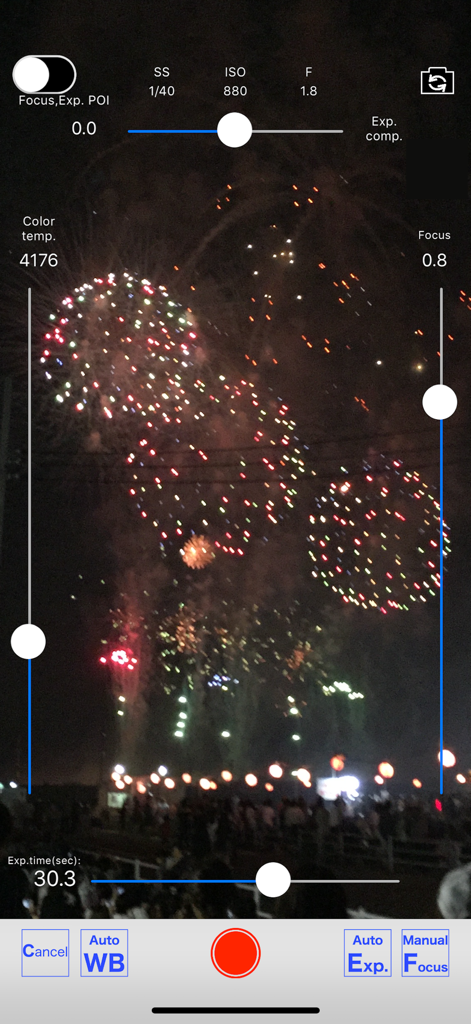
FireWorksBld - マニュアルカメラ設定と花火の表示を示すFireWorksBldアプリのインターフェース
マニュアルカメラ設定と花火の表示を示すFireWorksBldアプリのインターフェース

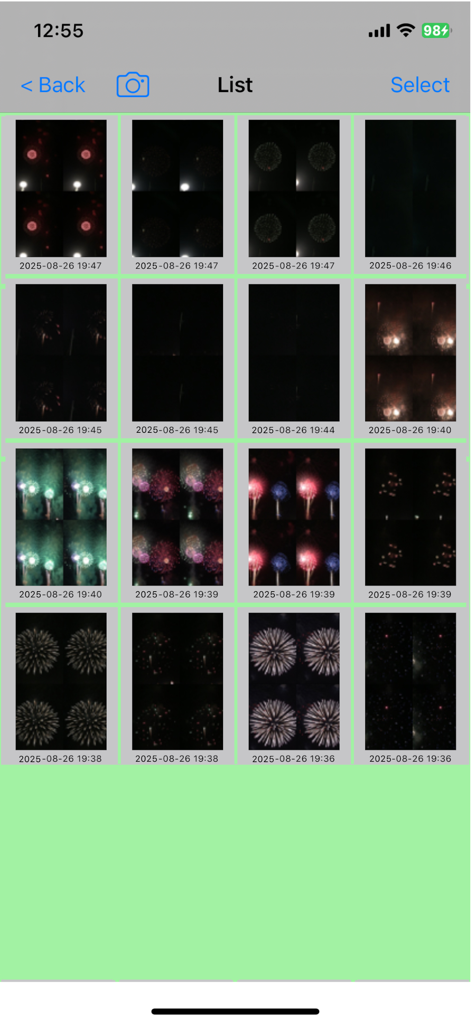
FireWorksBld - FireWorksBldアプリ内のタイムスタンプ付き花火写真のグリッドギャラリー。
FireWorksBldアプリ内のタイムスタンプ付き花火写真のグリッドギャラリー。

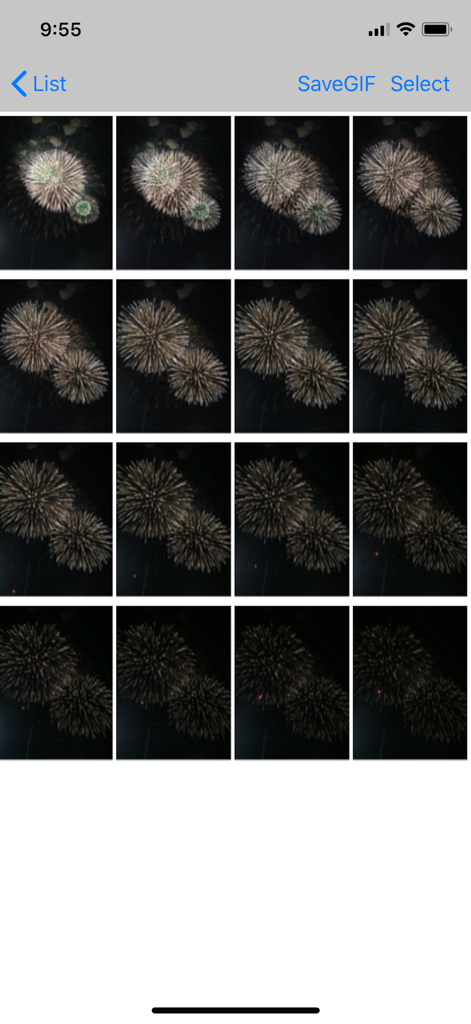
FireWorksBld - GIFや合成写真を作成するためのフレームを選択する、FireWorksBldアプリ内の連続した花火の打ち上げ写真のグリッド表示。
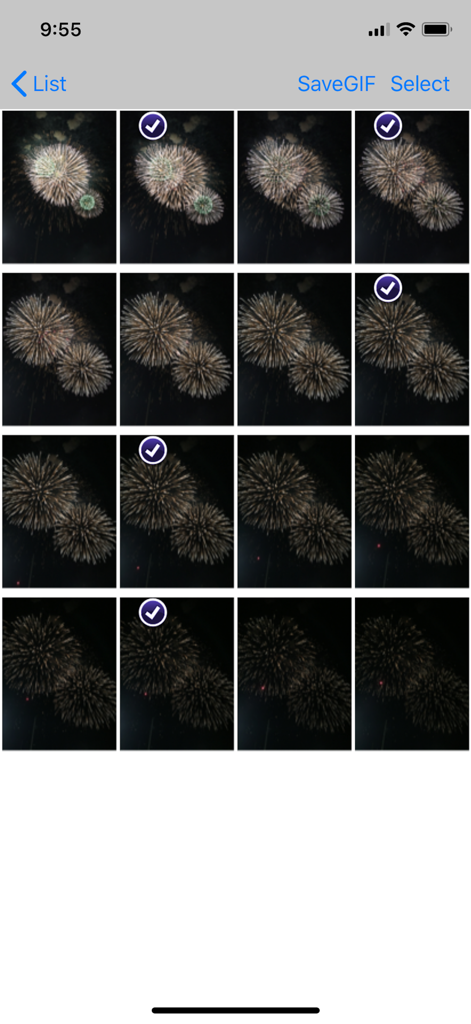
GIFや合成写真を作成するためのフレームを選択する、FireWorksBldアプリ内の連続した花火の打ち上げ写真のグリッド表示。

FireWorksBld - FireWorksBldアプリで編集用に複数のフレームが選択された花火写真のグリッドを示すインターフェース
FireWorksBldアプリで編集用に複数のフレームが選択された花火写真のグリッドを示すインターフェース

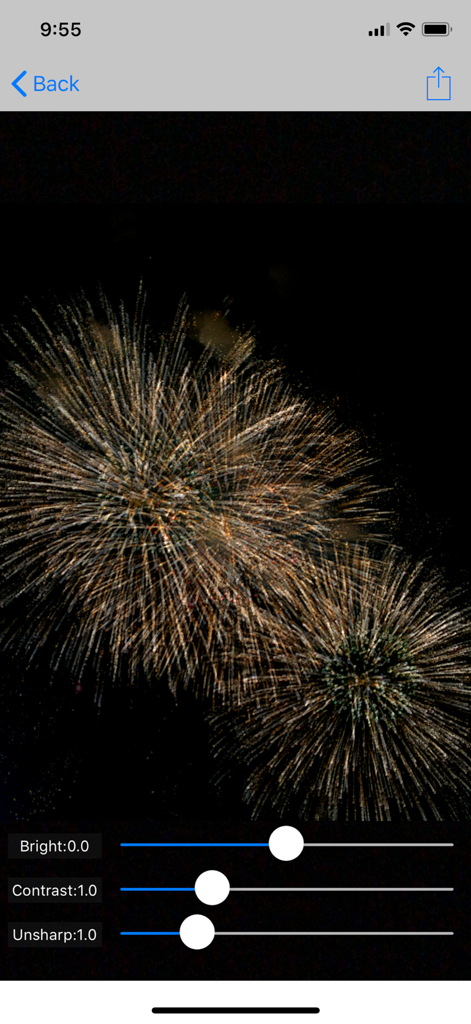
FireWorksBld - 明るさ、コントラスト、アンシャープネスのスライダーを備えた、黄金色の花火写真を表示するFireWorksBldアプリの編集画面

明るさ、コントラスト、アンシャープネスのスライダーを備えた、黄金色の花火写真を表示するFireWorksBldアプリの編集画面

説明

This application can take photos of fireworks from shooting off to the point of falling and make a splendid photo of fireworks by combining several photos afterwards. GIF animation can be created. With this, it became possible to watch the appearance of the fireworks going up and opened by animation. Shooting starts when you release the shutter. If you leave it as it is, it will end after the set number of seconds. If you press the shutter again during shooting, it will end immediately. The followings are how to use this app and the operability is easy to use. (1) Set the consecutive shots time (seconds). Set the time to take photos of fireworks with a slider. You can set it up to 50 seconds. (2) Aim a back camera in the direction of setting off fireworks. When it is far away, the zoom is available. The front camera is also selectable. (3) Tap the shutter with the timing of setting off fireworks. --> Consecutive shooting starts. (4) Choose images of fireworks to composite among the images of consecutive shots. (5) Execution of combining. (6) You can post composite photos on SNS. ・The shutter speed is 1/50 second in default setting. The consecutive shots’ speed becomes slow when you slow it than this. The consecutive shots are automatically adjusted to make about three shots in a second. ・If the preview is too dark, you can brighten it by increasing the exposure compensation or by switching to manual exposure and increasing the ISO. When a preview is too bright, reduce ISO level or make shutter speed high. ・In automatic exposure mode, the shutter speed may become slow and consecutive shots’ speed may become slow. ・In addition, this app provides manual setting of focus and manual setting of white balance. *** The promotion screenshots were taken at the real fireworks. *** This app includes the following open sources. ・GPUImage(Copyright (c) 2012, Brad Larson, Ben Cochran, Hugues Lismonde, Keitaroh Kobayashi, Alaric Cole, Matthew Clark, Jacob Gundersen, Chris Williams. All rights reserved.)

Download

ダウンロード: App Store

このページはアプリまたはその開発者の公式ページではなく、情報提供および論評を目的として作成された独立した編集出版物です。明示的に別段の記載がない限り、アプリおよびその開発者は、MWM、Apple、Google Play、アプリのパブリッシャー、またはアプリの開発者と提携、承認、後援、認可、またはその他の公式的な関係はなく、このページのいかなる内容も、アプリがMWMのサービスを使用して開発されたことを意味するものではありません。すべての商標、ロゴ、スクリーンショット、その他のコンテンツはそれぞれの所有者の財産です。








