Flashcards - Build Your Own
ダウンロード: App Store

このページはアプリまたはその開発者の公式ページではなく、情報提供および論評を目的として作成された独立した編集出版物です。明示的に別段の記載がない限り、アプリおよびその開発者は、MWM、Apple、Google Play、アプリのパブリッシャー、またはアプリの開発者と提携、承認、後援、認可、またはその他の公式的な関係はなく、このページのいかなる内容も、アプリがMWMのサービスを使用して開発されたことを意味するものではありません。すべての商標、ロゴ、スクリーンショット、その他のコンテンツはそれぞれの所有者の財産です。


ロゴ: Flashcards - Build Your Own
ダウンロード: App Store

Flashcards - Build Your Own

ノートを強力な学習デッキに変えましょう。アクティブリコール、書類スキャン、データに基づいた正答率トラッキングで盲点をなくし、最も難しいコースを制覇しましょう。

主要数値

ダウンロード

3K+

ユーザー評価

4.8/5

評価数

0

開発元

Alysha Kwok

カテゴリ

Education

対応言語

1

最新バージョン

3.6.1

サイズ

7.7 MB

リリース日

2021年5月24日
機能

データに基づいた集中で難解な科目をマスター

意欲の高い学生のための究極のアクティブリコールコンパニオン。進捗状況を追跡し、盲点をなくすパーソナライズされた学習システムを構築しましょう。

ビジュアル・アクティブリコール

内蔵の書類スキャンと写真サポートを使って、複雑な教科書の図や講義ノートを瞬時に学習カードに変えましょう—STEMや医学部の学生に最適です。

正答率ベースの分析

色分けされたインジケーターで学習状況を視覚化しましょう。正答率トラッカーを使えば、まだ習得していない特定の概念に100%のエネルギーを集中できます。

以下のスクリーンショットと説明は、アプリの公式ストアリスティングから直接取得されたものであり、アプリ開発者の所有物です。

アプリストア

スクリーンショット
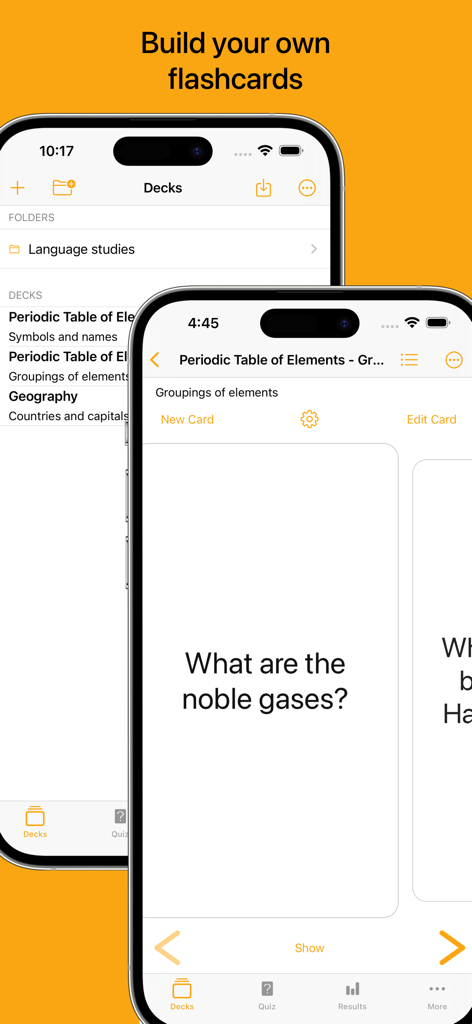
Flashcards - Build Your Own - フラッシュカードアプリのインターフェース、カスタム学習デッキ、化学フラッシュカードが表示されたiPhone画面
フラッシュカードアプリのインターフェース、カスタム学習デッキ、化学フラッシュカードが表示されたiPhone画面

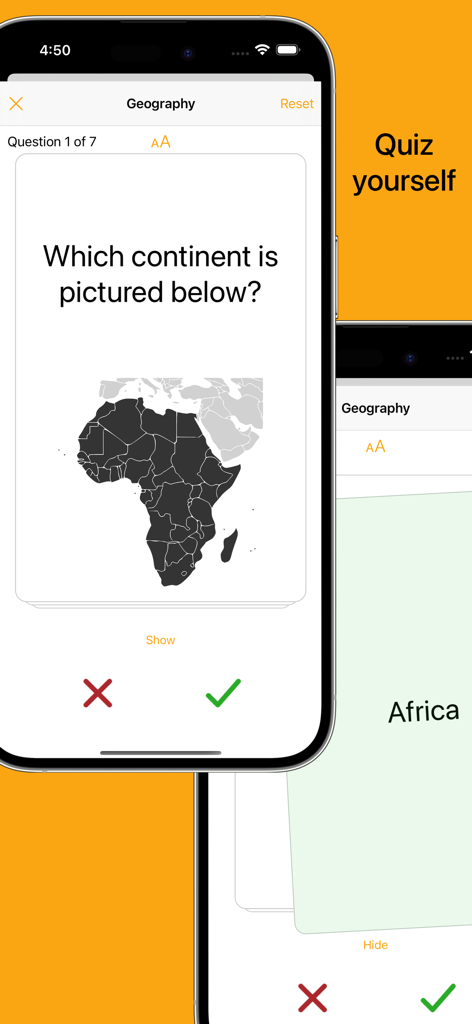
Flashcards - Build Your Own - アフリカの地図と正答率トラッキングボタンが表示された地理フラッシュカードクイズのモバイルアプリインターフェース
アフリカの地図と正答率トラッキングボタンが表示された地理フラッシュカードクイズのモバイルアプリインターフェース

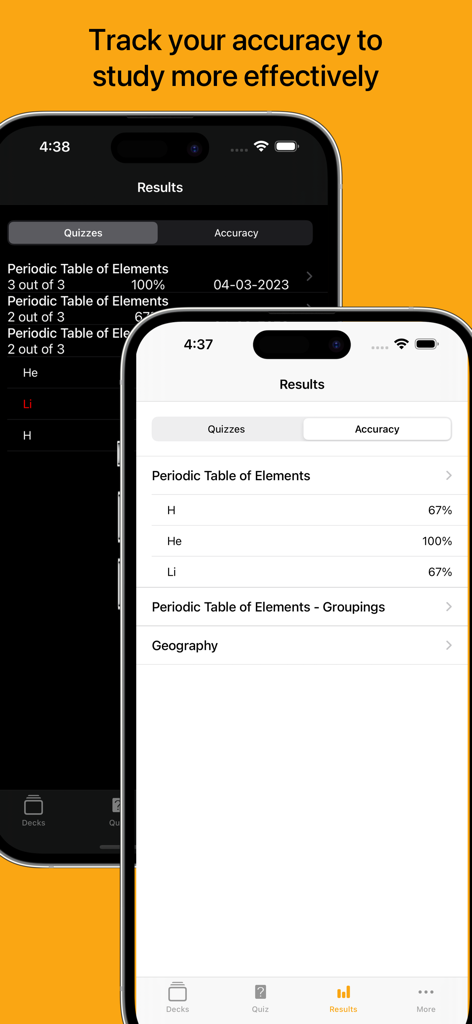
Flashcards - Build Your Own - 学習セッションのフラッシュカードクイズの結果と正答率が表示された2つのiPhone画面
学習セッションのフラッシュカードクイズの結果と正答率が表示された2つのiPhone画面

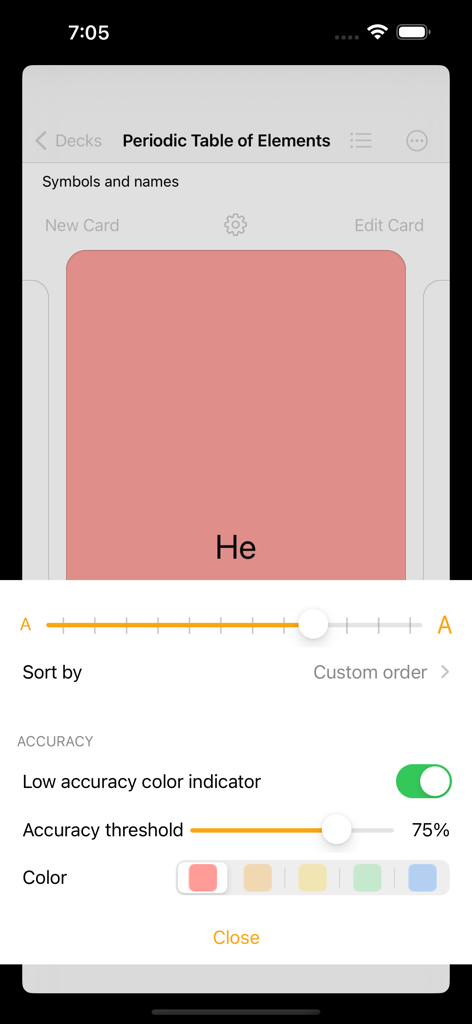
Flashcards - Build Your Own - 周期表デッキの低正答率カラーインジケーターと正答率しきい値の設定が表示されたフラッシュカードアプリのインターフェース
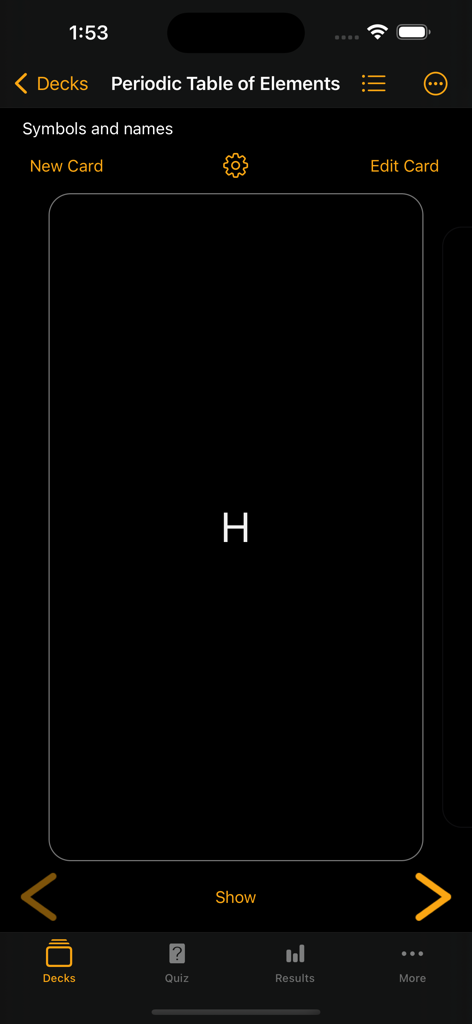
周期表デッキの低正答率カラーインジケーターと正答率しきい値の設定が表示されたフラッシュカードアプリのインターフェース

Flashcards - Build Your Own - 水素のカードが表示された周期表のフラッシュカードデッキのダークモードインターフェース
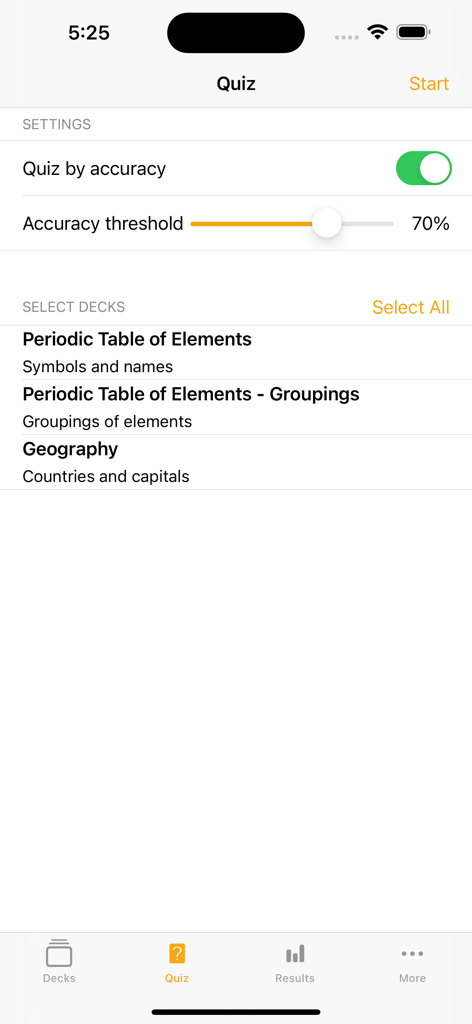
水素のカードが表示された周期表のフラッシュカードデッキのダークモードインターフェース

Flashcards - Build Your Own - 正答率しきい値とデッキ選択の設定が表示されたフラッシュカードアプリのクイズ設定画面
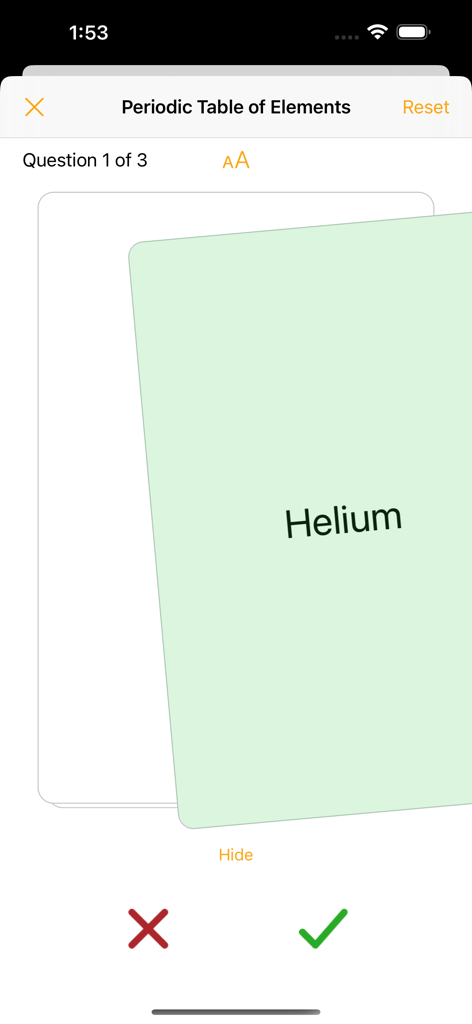
正答率しきい値とデッキ選択の設定が表示されたフラッシュカードアプリのクイズ設定画面

Flashcards - Build Your Own - 周期表デッキのヘリウムの学習カードと正誤判定ボタンが表示されたフラッシュカードアプリのクイズインターフェース
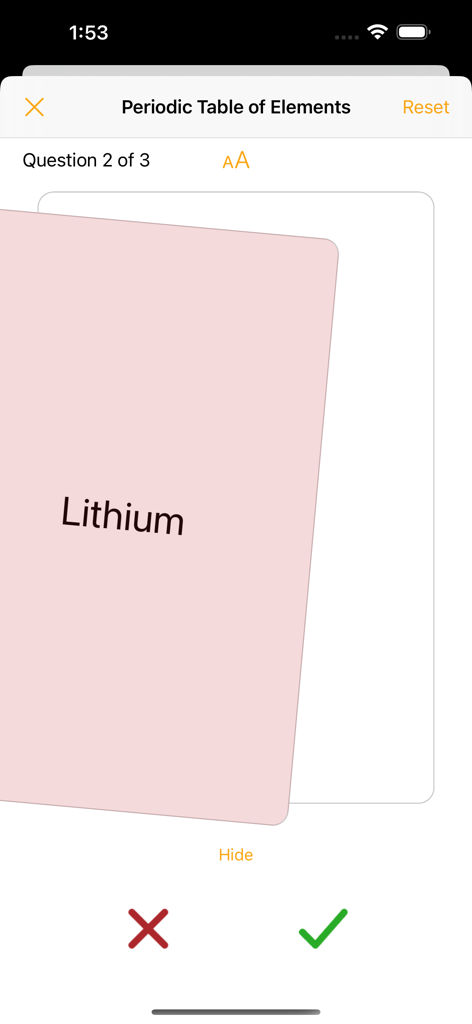
周期表デッキのヘリウムの学習カードと正誤判定ボタンが表示されたフラッシュカードアプリのクイズインターフェース

Flashcards - Build Your Own - 周期表の元素デッキのリチウムカードと正誤判定ボタンが表示されたフラッシュカードアプリのクイズ画面
周期表の元素デッキのリチウムカードと正誤判定ボタンが表示されたフラッシュカードアプリのクイズ画面

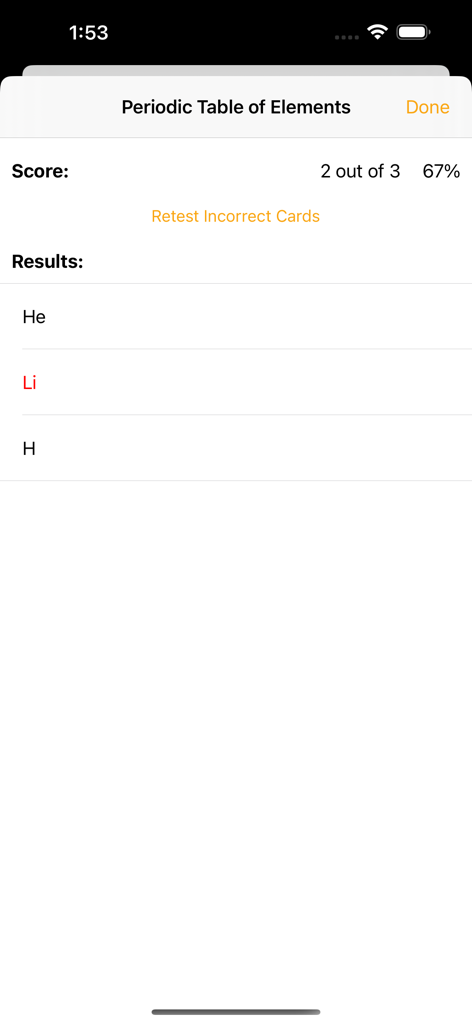
Flashcards - Build Your Own - 周期表デッキの67%のスコアと間違えたカードの再テストオプションが表示されたフラッシュカードアプリのクイズ結果画面
周期表デッキの67%のスコアと間違えたカードの再テストオプションが表示されたフラッシュカードアプリのクイズ結果画面

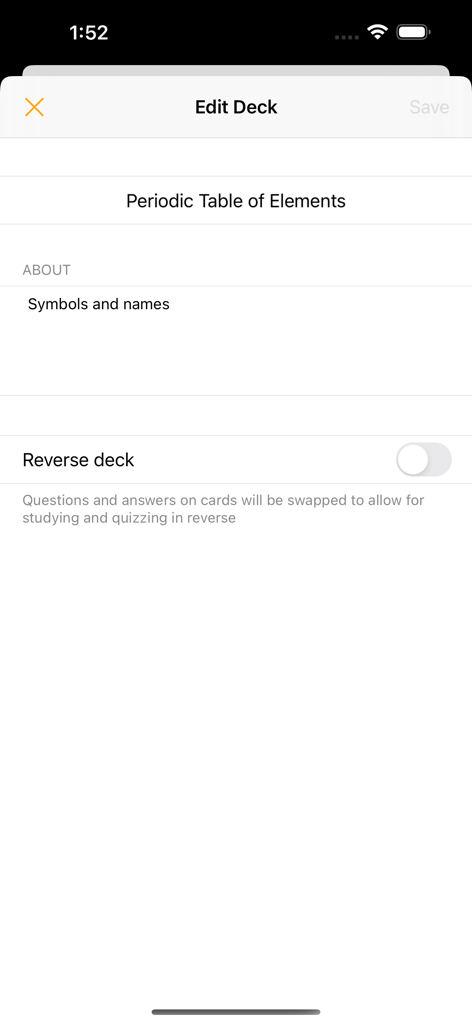
Flashcards - Build Your Own - 逆デッキトグルが表示された周期表の元素フラッシュカードデッキのデッキ編集画面

逆デッキトグルが表示された周期表の元素フラッシュカードデッキのデッキ編集画面

説明

Build your own flashcards Create your own study decks and cards. Use the cards to help you study, quiz yourself, and use the accuracy tracker to determine which areas you need to focus on. Swipe through cards Study flashcards by swiping through the deck, tapping to reveal the card’s answer. Adjust text size to make your content easy-to-read. Quiz yourself Test yourself with shuffled decks, swiping right or left to indicate if you got the answer right or wrong. At the end of the quiz, you can choose to retest yourself on the incorrect subset as many times as you’d like or until you no longer have answered any incorrectly. Track your accuracy View your quiz results and use the card accuracy calculated from the results to help identify which cards to focus on. Use the accuracy indicator to help color-code cards when studying that fall below your specified accuracy threshold. Flashcards features: - Create flashcard decks and cards - Add photos to cards (take photos, select from your photo library, scan a document) - Setting to study and quiz in reverse (flip the question and answer shown on the cards) - List view of cards to easily jump to a position in the deck - Search functionality to sift through cards - Reorder cards in a deck - Archive cards you no longer need to study or quiz yourself on - Study cards in a swipeable view, tapping to switch between showing the card’s question or answer (buttons are also available to move between cards and show or hide the answer) - Settings allow you to adjust font-size - Accuracy indicator allows you to specify a color to color-code cards that have an accuracy below your set accuracy threshold - Quiz yourself on a deck or multiple decks in an easy-to-use flashcard style - Deck(s) will be shuffled for the quiz and tapping will reveal the card’s answer - Swipe right or left to indicate if you got the answer correct or incorrect to log the result using the honour system (buttons are available to also indicate correct and incorrect answers) - Option to reset a quiz, reshuffling the cards - Once the quiz is finished, results are shown and option given to retest yourself on only the incorrectly answered cards. This retest option is available for as many rounds as long as at least one card was answered incorrectly. Retest results do not impact the card accuracy calculated from results. - View history of results from quizzes - View the card accuracy that is calculated from the quiz results - Option available to reset results (results can be reset for an individual deck or all decks) - Dark mode available for all your studying preferences Upgrade features: - Create an unlimited number of decks. Non-upgraded versions are limited to 3 created decks. There is no limit for number of received decks even if upgrade is not purchased. - Unlock the accuracy indicator feature. When on, cards are color-coded as you studied. Cards that have an accuracy below your set accuracy threshold will be shown in your selected color. - Unlock quiz by accuracy settings. Quiz yourself on a subset of cards within a deck based on your accuracy from your previous results. - Received timers are editable Subscription - syncing, importing, and sharing decks: - Decks will be automatically synced across all your devices - Create cards quickly by importing csv files - Share decks with other users - No restrictions on number of decks shared or content of decks - Receiving decks is free (received decks will be view/use only for non-upgraded users but fully editable for users that have purchased the one-time upgrade) - If timers are shared via email, message will auto-populate with link to download the app and instructions on how to open the deck --- Privacy Policy: https://alysha.dev/flashcards-privacy-policy Terms of Use: https://alysha.dev/flashcards-terms-of-use

Download

ダウンロード: App Store

このページはアプリまたはその開発者の公式ページではなく、情報提供および論評を目的として作成された独立した編集出版物です。明示的に別段の記載がない限り、アプリおよびその開発者は、MWM、Apple、Google Play、アプリのパブリッシャー、またはアプリの開発者と提携、承認、後援、認可、またはその他の公式的な関係はなく、このページのいかなる内容も、アプリがMWMのサービスを使用して開発されたことを意味するものではありません。すべての商標、ロゴ、スクリーンショット、その他のコンテンツはそれぞれの所有者の財産です。