
このページはアプリまたはその開発者の公式ページではなく、情報提供および論評を目的として作成された独立した編集出版物です。明示的に別段の記載がない限り、アプリおよびその開発者は、MWM、Apple、Google Play、アプリのパブリッシャー、またはアプリの開発者と提携、承認、後援、認可、またはその他の公式的な関係はなく、このページのいかなる内容も、アプリがMWMのサービスを使用して開発されたことを意味するものではありません。すべての商標、ロゴ、スクリーンショット、その他のコンテンツはそれぞれの所有者の財産です。


ダウンロード
250k+ユーザー評価
評価数
5.3K開発元
カテゴリ
Education対応言語
72最新バージョン
4.5.8サイズ
159.4 MBリリース日
2020年11月10日主要機能とターゲットユーザーへの影響評価
VoCat - My Own Vocabulary アプリケーション分析
多様なクイズ形式による学習
ユーザーはフラッシュカード、多肢選択、ディクテーション、ブリンカーといった様々なクイズ形式を通じて、効果的に単語を記憶し、理解度を深めることが可能です。不正解だった単語のみを再テストすることもできます。
カスタム語彙作成とインポート機能
本アプリは、単語を入力するだけでGoogle翻訳が意味、品詞、類義語を自動補完し、ユーザーは手間なく独自の語彙を作成できます。また、CSV形式での一括インポートにも対応しており、既存の学習教材を容易に活用できます。
学習計画と進捗管理
このツールは、ユーザーが日々の学習スケジュールを計画し、カレンダー上で追加した単語やクイズ履歴を確認できる機能を提供します。これにより、学習者は自身の進捗を視覚的に把握し、効果的な学習習慣を維持することができます。
試験対策済み語彙リスト
本アプリは、SAT、JLPT、HSKなどの主要な語学試験や専門分野(医学)に対応した既製の語彙リストを提供します。これにより、ユーザーは特定の試験目標に向けて効率的に学習を開始できます。
単語の音声読み上げ機能
ユーザーは、内蔵された音声合成エンジン(TTS)により、登録された単語を音楽を聴くように再生することが可能です。これにより、発音の確認やリスニング力の向上に役立ちます。
データバックアップと共有
このアプリは、ユーザーが作成した語彙データ全体をファイルとして、またはGoogleドライブへ安全にバックアップする機能を提供します。また、語彙リストをCSV形式で友人たちと共有し、共同学習を促進することも可能です。
画像連携による語彙記録
本ツールは、単語にアルバム内の写真を追加したり、カメラで直接撮影した画像を添付したりする機能を提供します。これにより、視覚的な要素を取り入れた語彙学習が可能となり、記憶の定着を助けます。
単語通知機能
ユーザーは、任意の時間に設定した単語の通知を受け取ることができ、日常的に単語に触れる機会を増やすことで、無理なく語彙力を向上させることが可能です。
よくある質問
について知っておくべきこと VoCat - My Own Vocabulary
What is VoCat - My Own Vocabulary app?
VoCat - My Own Vocabulary is an application for creating personal vocabulary lists with unlimited words, offering offline access, and various study tools like quizzes, a calendar, and word alerts.
Can I use VoCat - My Own Vocabulary without an internet connection?
Yes, VoCat - My Own Vocabulary supports offline use. Users can access their vocabulary and study without an internet connection.
How does VoCat - My Own Vocabulary help me create a vocabulary?
VoCat assists by automatically completing the meaning, part of speech, and synonyms of a word using Google Translator. It also integrates Naver Dictionary and Google Translate for easy reference.
Does VoCat - My Own Vocabulary support importing existing word lists?
Yes, VoCat - My Own Vocabulary allows users to import vocabulary lists in CSV format, enabling easy addition of words created in Excel or Google Sheets.
Can I share my vocabulary lists with others using VoCat - My Own Vocabulary?
Yes, VoCat - My Own Vocabulary allows users to share their created vocabulary as a CSV file. Users can share lists with friends for collaborative study.
What types of quizzes does VoCat - My Own Vocabulary offer?
VoCat - My Own Vocabulary provides various quiz types including Swipe Cards (FlashCard), Multiple Choice, Dictation, and Blinker. It also allows retesting of incorrect words.
Does VoCat - My Own Vocabulary offer pre-made vocabulary sets?
Yes, VoCat - My Own Vocabulary includes a bookstore with prepared vocabulary sets. These include English (SAT words), Japanese (JLPT), Chinese (HSK), and Medicine.
Can VoCat - My Own Vocabulary remind me to study words?
Yes, VoCat - My Own Vocabulary features word alerts. Users can receive notifications for words at any desired time to ensure frequent review.
Does VoCat - My Own Vocabulary support dark mode?
Yes, VoCat - My Own Vocabulary supports dark mode. This feature allows for comfortable viewing and study during nighttime.
Can I backup my data in VoCat - My Own Vocabulary?
Yes, VoCat - My Own Vocabulary provides backup options. Users can back up their entire data as a file or safely back it up to Google Drive with a single click.
What languages does VoCat - My Own Vocabulary support for learning?
VoCat - My Own Vocabulary supports an extensive list of languages for learning, including major ones like English, Japanese, Chinese, Korean, Spanish, French, and German.
How can I track my study progress in VoCat - My Own Vocabulary?
VoCat - My Own Vocabulary allows users to track study progress via a calendar. The calendar displays words added daily and quiz history, facilitating review.
Does VoCat - My Own Vocabulary offer text-to-speech for words?
Yes, VoCat - My Own Vocabulary reads words aloud using its built-in speech engine (TTS). Users can listen to words, similar to listening to music.
以下のスクリーンショットと説明は、アプリの公式ストアリスティングから直接取得されたものであり、アプリ開発者の所有物です。
アプリストア
スクリーンショット
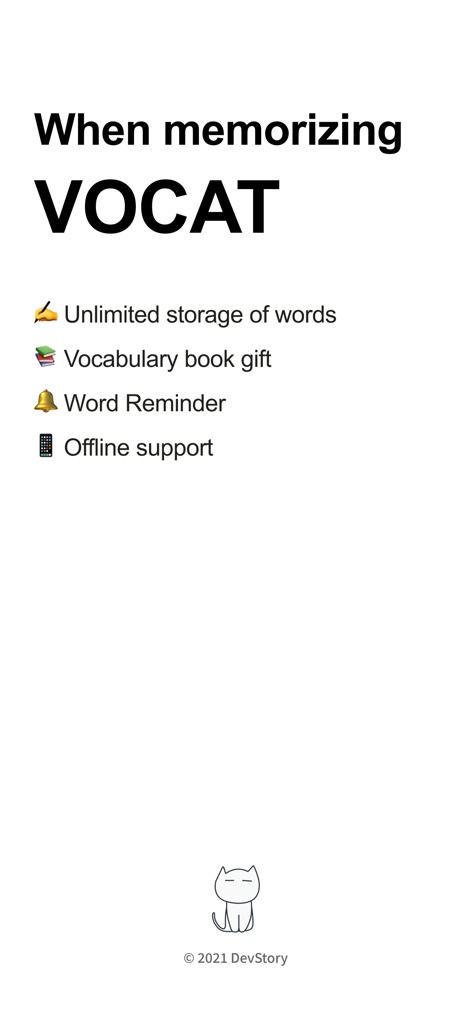
このアプリは、アイコン表示された「無制限の単語保存」と「オフラインサポート」を通じて、効率的な語彙学習を提供します。
「VoCat」の特長
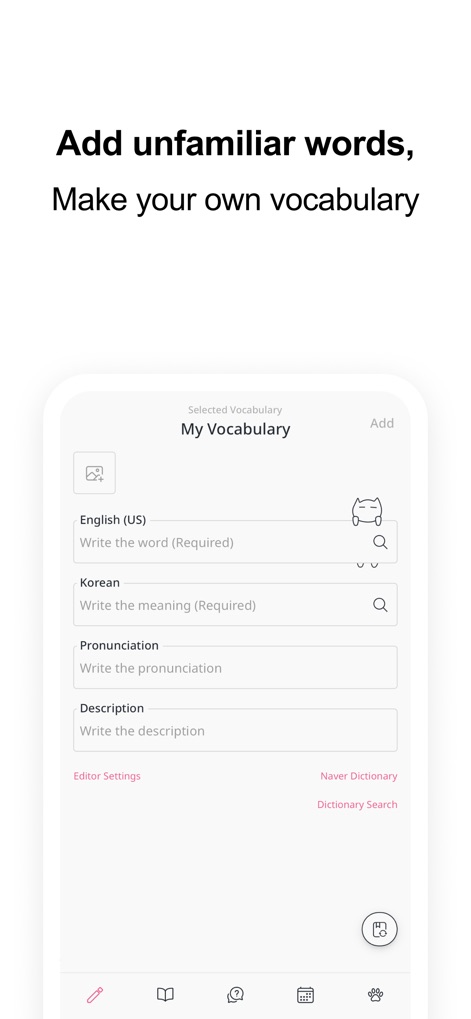
ユーザーは「単語入力フィールド」に情報を入力し、Google翻訳と連携した「自動補完機能」で効率的に単語を登録できます。
自分だけの単語帳
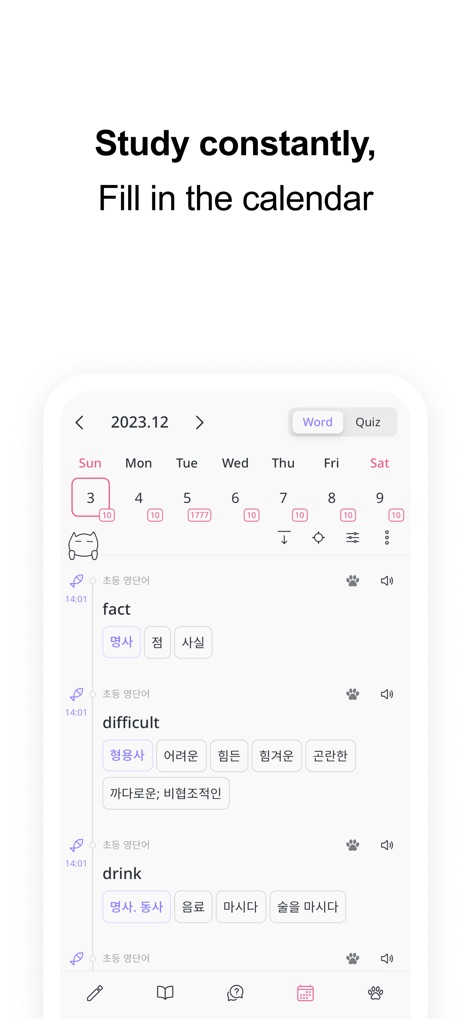
「カレンダービュー」では、日々の学習単語数が表示され、「クイズ履歴」も一目で確認できるため、学習の継続をサポートします。
学習進捗を可視化
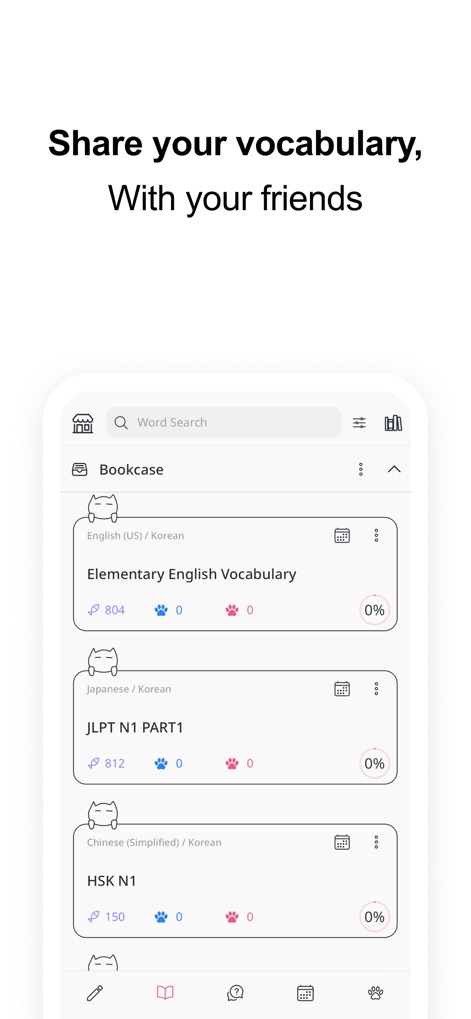
ユーザーは既存の「語彙帳リスト」から学習したい項目を選択でき、各語彙帳の「学習進捗率」もパーセンテージで表示されます。
語彙帳を共有
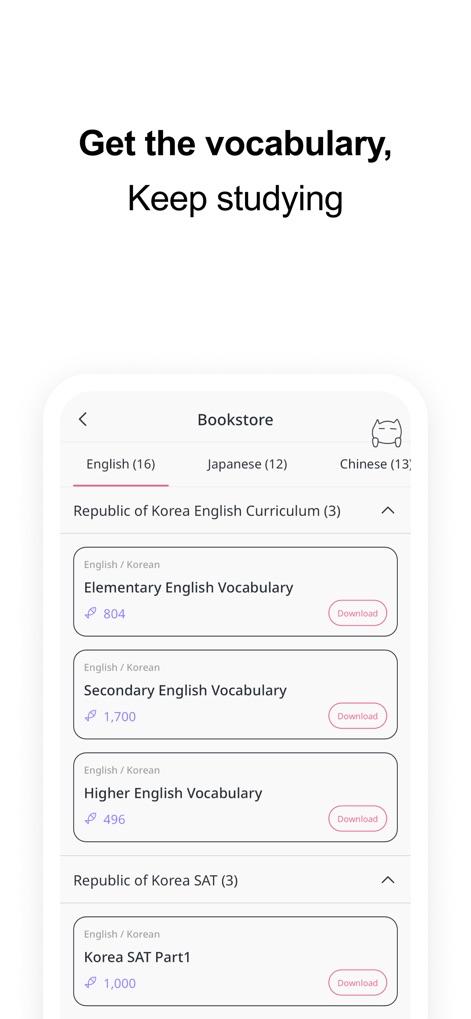
「ブックストア画面」からSATやJLPTなどの試験対策用の既成語彙帳をダウンロードでき、各パックの「単語数」も明示されています。
厳選語彙を入手
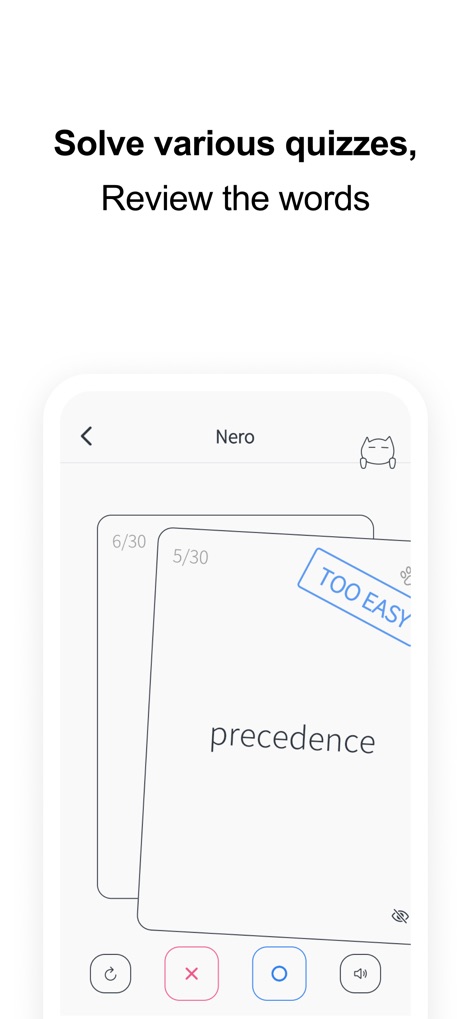
「スワイプカード」形式のクイズで単語を復習でき、「TOO EASY」などの評価ラベルをタップして学習の難易度を記録できます。
多彩な形式で学習
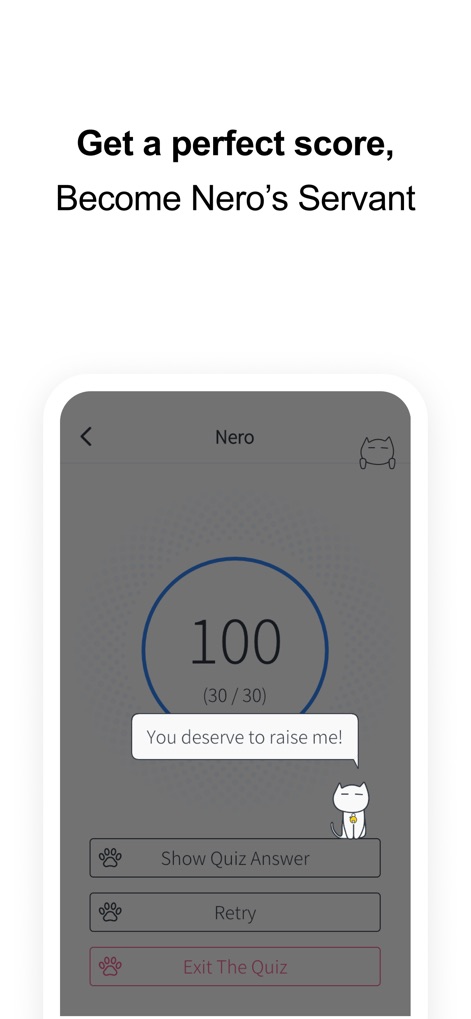
クイズの「最終スコア」が大きく表示され、「間違えた単語の再テスト」機能を利用して弱点を効率的に克服できます。
学習成果を実感
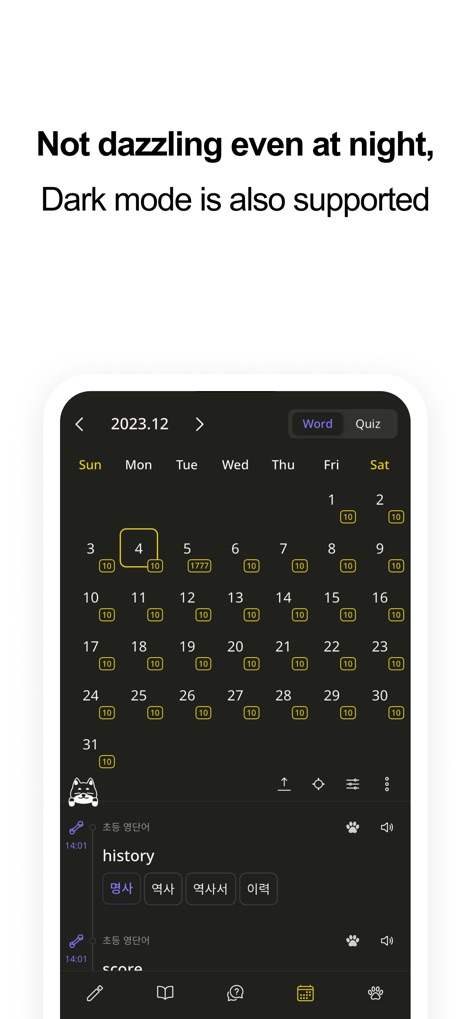
「ダークモード」が利用可能で、カレンダーに表示される「日々の学習状況」が目の負担を軽減して確認できます。
集中できるダークモード
説明
Download
類似アプリ
似た機能とユーザー体験を持つアプリ
Periodic Table Quiz
Atlas Educational Software

The Bible Memory App
Millennial Apps, LLC

Cogni: Flashcards Learning
COGNIFLY LTD

墨墨记忆卡|考研考公考证外语学习闪卡
Guangzhou Quanliang Technology Co., Ltd.
RemNote - Notes & Flashcards
RemNote, LLC

GreenNote-Flashcards for memo
利颜 王

Flashcards maker - Easy to use
Yoshinobu Ikeda
MemoWord: My FlashCards Maker
Elena Tikhonova

Flashcard Hero
Rico Gundermann
このページはアプリまたはその開発者の公式ページではなく、情報提供および論評を目的として作成された独立した編集出版物です。明示的に別段の記載がない限り、アプリおよびその開発者は、MWM、Apple、Google Play、アプリのパブリッシャー、またはアプリの開発者と提携、承認、後援、認可、またはその他の公式的な関係はなく、このページのいかなる内容も、アプリがMWMのサービスを使用して開発されたことを意味するものではありません。すべての商標、ロゴ、スクリーンショット、その他のコンテンツはそれぞれの所有者の財産です。