
このページはアプリまたはその開発者の公式ページではなく、情報提供および論評を目的として作成された独立した編集出版物です。明示的に別段の記載がない限り、アプリおよびその開発者は、MWM、Apple、Google Play、アプリのパブリッシャー、またはアプリの開発者と提携、承認、後援、認可、またはその他の公式的な関係はなく、このページのいかなる内容も、アプリがMWMのサービスを使用して開発されたことを意味するものではありません。すべての商標、ロゴ、スクリーンショット、その他のコンテンツはそれぞれの所有者の財産です。


RemNote - Notes & Flashcards
ハイステークス学習者のためのオールインワンワークスペース。ノートを簡単にフラッシュカードに変換し、PDFに注釈を付け、学習したすべてを記憶するための間隔反復機能を内蔵した第二の脳を構築します。
ダウンロード
271K+ユーザー評価
評価数
2K+開発元
カテゴリ
Education対応言語
1最新バージョン
1.22.58サイズ
193.9 MBリリース日
2023年1月22日より速く学び、永遠に記憶する
RemNoteは、構造化されたノート作成と科学的な記憶ツールを組み合わせ、複雑な科目をマスターし、デジタルな第二の脳を構築するのに役立ちます。
インスタントアクティブリコール
どんなノートも自動的にフラッシュカードに変換します。内蔵の間隔反復を使用して、追加の労力なしで情報を長期記憶に定着させます。
統合PDFリサーチ
ワークスペース内で直接ドキュメントに注釈を付けます。ハイライトや余白のメモをデジタルライブラリにリンクして、ソースを見失わないようにします。
よくある質問
について知っておくべきこと RemNote - Notes & Flashcards
RemNoteとは何ですか?
RemNoteは、ノートテイキング、知識管理、フラッシュカード、間隔反復を組み合わせたオールインワンの学習ツールです。ユーザーが効率的に学習し、整理を保ち、思考するのに役立ちます。
RemNoteにはフラッシュカードと間隔反復が含まれていますか?
はい、RemNoteにはノートから直接作成できるスマートフラッシュカードが含まれています。間隔反復を統合して、ユーザーが長期記憶を効率的に構築できるようにします。
RemNoteはオフラインで使用できますか?
はい、RemNoteはオフラインで動作します。ユーザーはインターネット接続がない場合でも、ノートやドキュメントにアクセスして変更を加えることができます。
RemNoteには無料プランがありますか?
はい、RemNoteは無制限の無料プランを提供しています。この強力な無料プランは、すべての意欲的な学習者が利用できます。
RemNoteはPDF注釈をサポートしていますか?
はい、RemNoteはPDF注釈を許可しています。ユーザーは外部ドキュメントを操作し、ハイライトを付け、余白にメモを作成し、アプリ内でセクションをリンクすることができます。
RemNoteは複数のデバイス間で同期しますか?
はい、RemNoteはすべてのデバイスで動作します。ユーザーはモバイルで中断したところをデスクトップで再開できるため、シームレスな継続性が保証されます。
他のアプリケーションからRemNoteにノートをインポートできますか?
はい、RemNoteでは、他のすべてのノートテイキングアプリからノートをインポートできます。この機能により、ユーザーは既存のデータをRemNoteに統合できます。
RemNoteはユーザーのプライバシーをどのように保護しますか?
RemNoteは、ユーザーの個人情報とプライバシーの保護に尽力しています。プライバシー慣行に関する質問や懸念がある場合は、support@remnote.comに連絡できます。
RemNoteは数式をサポートしていますか?
はい、RemNoteはLaTeX機能を通じて数式をサポートしています。ユーザーは、シンプルな注釈エディターでインライン数式を作成および編集できます。
RemNoteは思考やタスクを整理するのにどのように役立ちますか?
RemNoteは、ノート、ドキュメント、アウトライン、ToDoアイテムなどの機能を使用して、思考、計画、タスクを整理するのに役立ちます。リマインダーを提供し、1か所で計画を立てることができます。
以下のスクリーンショットと説明は、アプリの公式ストアリスティングから直接取得されたものであり、アプリ開発者の所有物です。
アプリストア
スクリーンショット
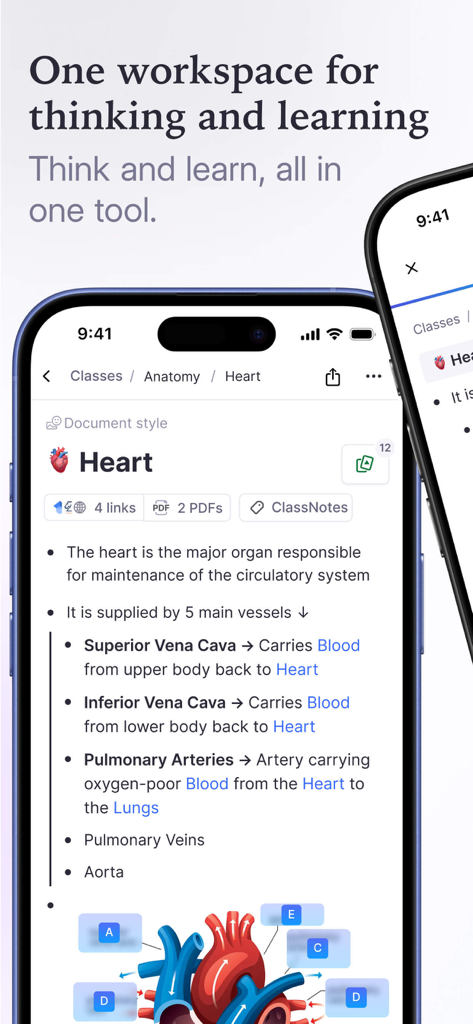
RemNoteモバイルアプリのインターフェース。心臓に関する解剖学の学習ノート、図、リンクが表示されています。
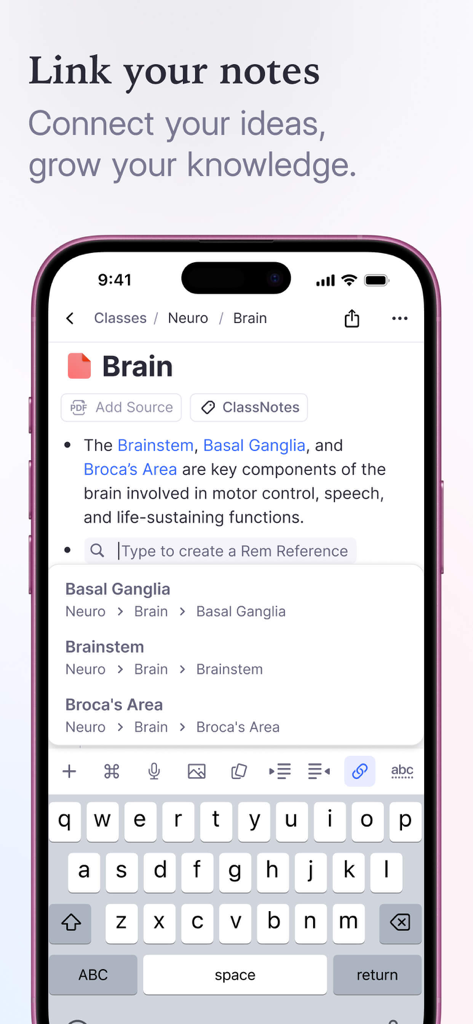
RemNoteアプリのモバイルインターフェース。ノートのリンク方法とアイデア間の参照の作成方法を示しています。
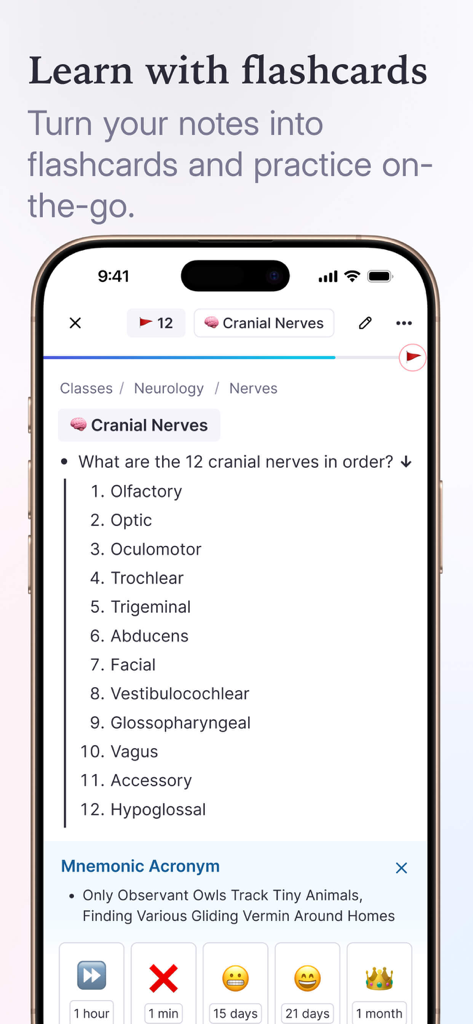
RemNoteモバイルアプリ。間隔反復ボタン付きの医学学習用フラッシュカードが表示されています。
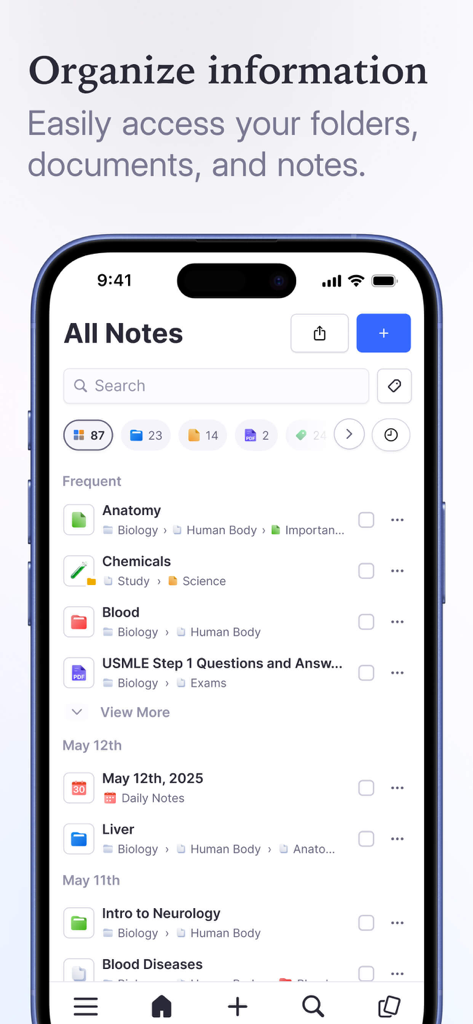
RemNoteアプリのインターフェース。スマートフォンの整理された学習ノートとフォルダが表示されています。
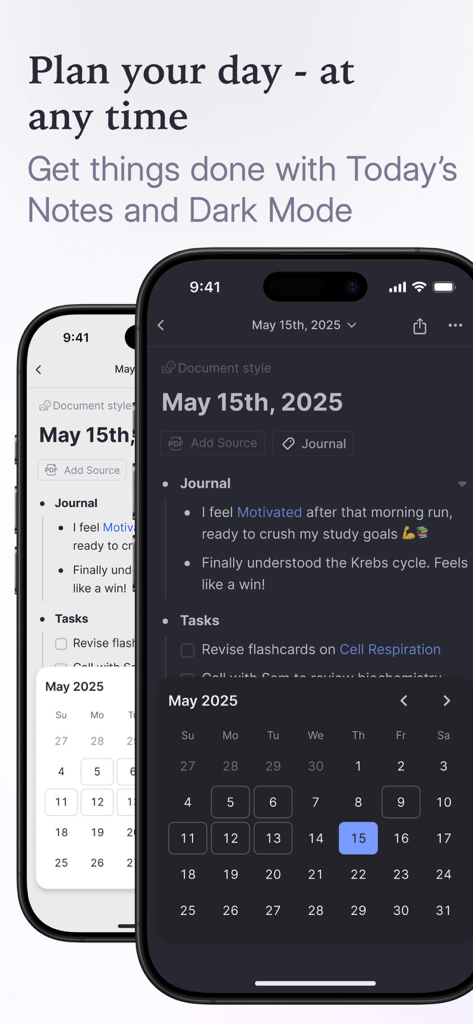
RemNoteのデイリーノートとタスクプランナーのインターフェース。ダークモードとライトモードで表示されます。
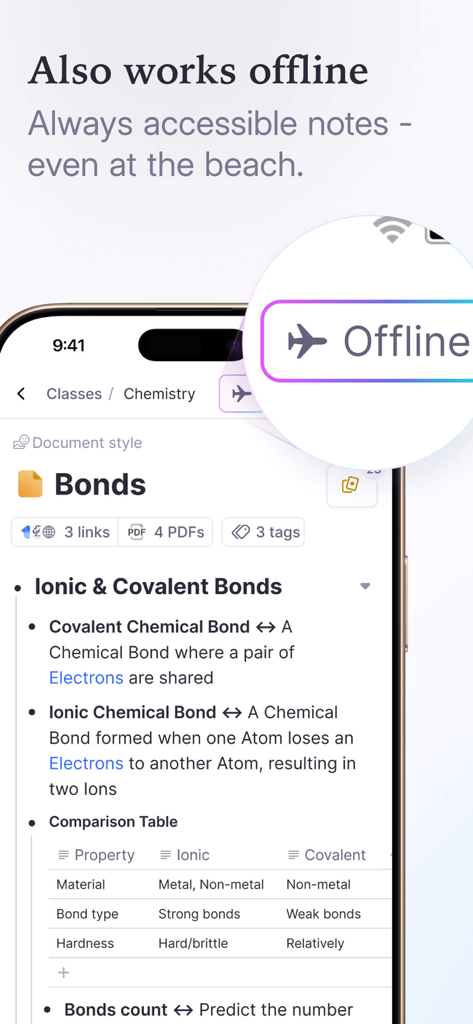
RemNoteアプリの化学ノート。スマートフォンのオフラインモードインジケーターが表示されています。
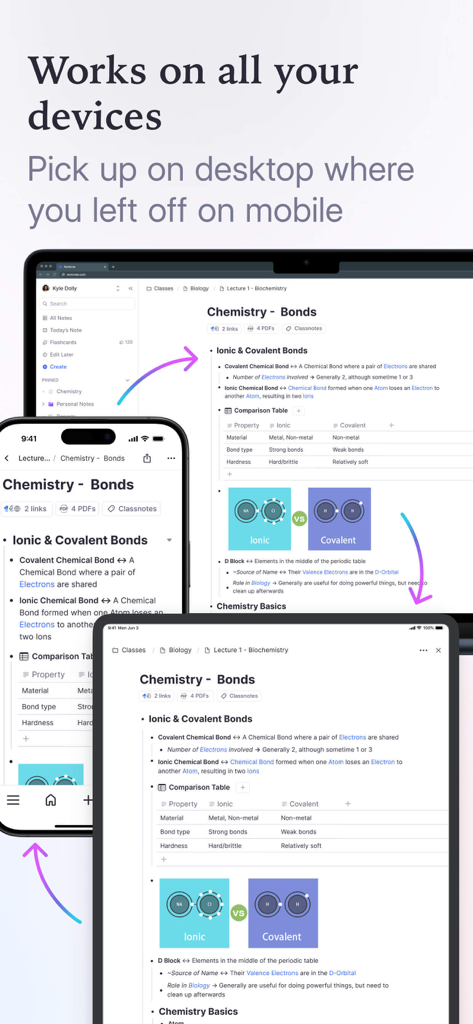
RemNoteアプリ。ラップトップ、タブレット、スマートフォン間で化学学習ノートを同期しています。
説明
Download
類似アプリ
似た機能とユーザー体験を持つアプリ

VoCat - My Own Vocabulary
DevStory Corp.
Periodic Table Quiz
Atlas Educational Software

The Bible Memory App
Millennial Apps, LLC

Cogni: Flashcards Learning
COGNIFLY LTD

墨墨记忆卡|考研考公考证外语学习闪卡
Guangzhou Quanliang Technology Co., Ltd.

GreenNote-Flashcards for memo
利颜 王

Flashcards maker - Easy to use
Yoshinobu Ikeda
MemoWord: My FlashCards Maker
Elena Tikhonova

Flashcard Hero
Rico Gundermann
このページはアプリまたはその開発者の公式ページではなく、情報提供および論評を目的として作成された独立した編集出版物です。明示的に別段の記載がない限り、アプリおよびその開発者は、MWM、Apple、Google Play、アプリのパブリッシャー、またはアプリの開発者と提携、承認、後援、認可、またはその他の公式的な関係はなく、このページのいかなる内容も、アプリがMWMのサービスを使用して開発されたことを意味するものではありません。すべての商標、ロゴ、スクリーンショット、その他のコンテンツはそれぞれの所有者の財産です。