Flipbook Maker .Analog/digital
ダウンロード: App Store

このページはアプリまたはその開発者の公式ページではなく、情報提供および論評を目的として作成された独立した編集出版物です。明示的に別段の記載がない限り、アプリおよびその開発者は、MWM、Apple、Google Play、アプリのパブリッシャー、またはアプリの開発者と提携、承認、後援、認可、またはその他の公式的な関係はなく、このページのいかなる内容も、アプリがMWMのサービスを使用して開発されたことを意味するものではありません。すべての商標、ロゴ、スクリーンショット、その他のコンテンツはそれぞれの所有者の財産です。

ロゴ: Flipbook Maker .Analog/digital
ダウンロード: App Store

Flipbook Maker .Analog/digital

スケッチや写真を数秒でユニークなデジタルアニメーションに変換します。クリエイターや夢想家がLo-Fiの落書きをバイラル対応のフリップブックに変える最も簡単な方法です。

主要数値

ダウンロード

2K+

ユーザー評価

1.7/5

評価数

0

開発元

MINERVA K.K.

カテゴリ

Photo & Video

対応言語

2

最新バージョン

1.0.4

サイズ

51.4 MB

リリース日

2023年8月30日
機能

あなたの創造性に命を吹き込もう

スケッチ、写真、落書きを共有可能なフリップブックアニメーションに変える最も簡単な方法です。複雑なソフトウェアは不要—あなたの想像力と数回のタップだけでOKです。

アナログからデジタルの魔法

紙のスケッチを滑らかなデジタルアニメーションに変えましょう。手描きのページを撮影またはスキャンして、スケッチブックと画面の間のギャップを埋めます。

完全なフレームコントロール

画像を楽に並べ替え、フリップ速度を調整しましょう。完璧なLo-Fiのリズムを見つけたり、数秒でペースの速いストップモーションの傑作を作成したりできます。

以下のスクリーンショットと説明は、アプリの公式ストアリスティングから直接取得されたものであり、アプリ開発者の所有物です。

アプリストア

スクリーンショット
Flipbook Maker .Analog/digital -

Flipbook Maker .Analog/digital -

説明

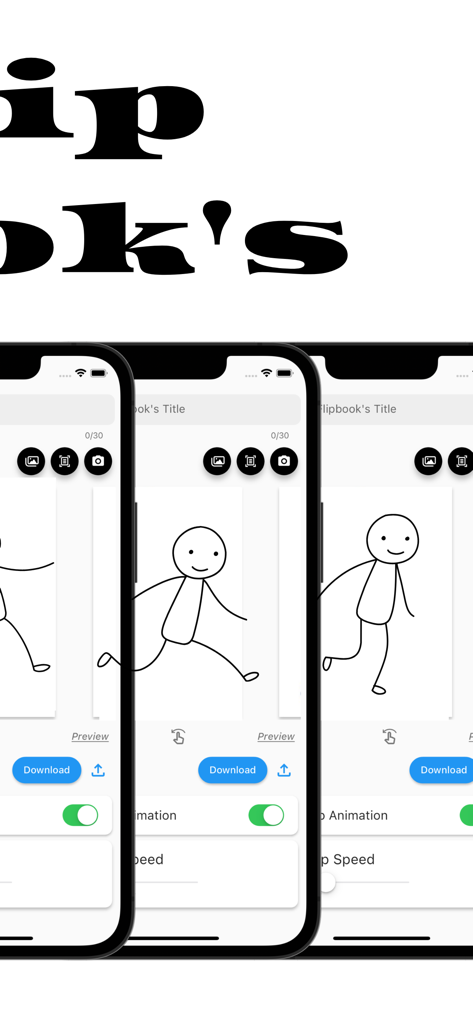
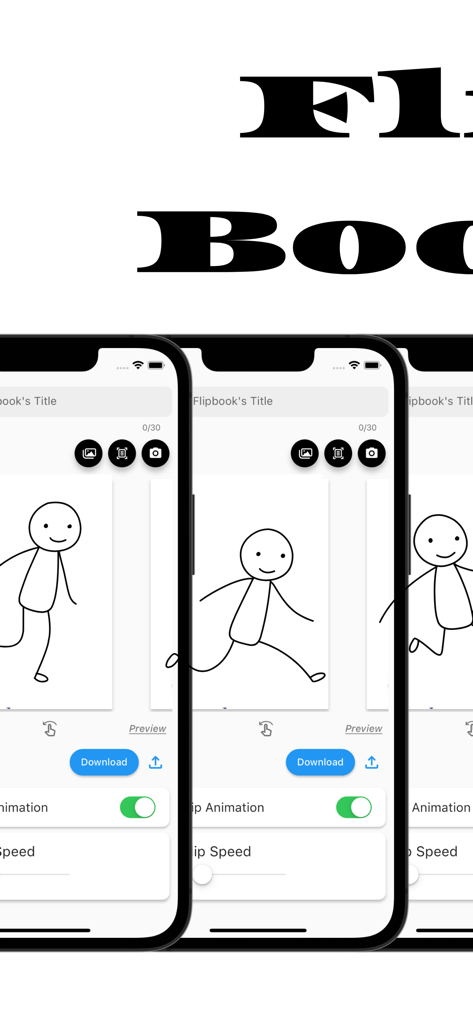
The definitive app for creating a Flipbook! With this app, anyone can easily create a Flipbook. It is also possible to scan and photograph hand-drawn Flipbooks to create Flipbook videos! You will be able to make analog -> digital. ■How to create a Flipbook 1. put images into the app Import images into the app. Take a picture with the camera directly from the app. Scan the image using the scanning function in the app. 2. rearrange the inserted images or change the flip speed 3. Press the download button What you can create with the "Flipbook Maker App" 1. handwritten flip book. You can scan analog paper and make it digital. 2. a slideshow-like movie in which images are displayed at regular intervals 3. other things that can be created with the function of showing images at regular intervals ■Functions of Flipbook Maker App 1. image import and capture Importing images into the app Capture images directly from the app with the camera Scanning using the scanning function in the app. 2. Creating a Flipbook Create a cartoon by arranging images in sequence Adjust the order and placement of images as desired Add custom flip animations 3. adjusting flip speed 3. adjust page flip speed 4. previewing and editing Preview your video 5. edit and fine-tune your video to see the final result 6. output and share your video Output high quality video Share videos on social media and messaging apps. ■Use Cases for Flipbook Maker App Of course. Below are some specific use cases for your Flipbook generation app 1. creator's creation of artwork Illustrators and artists import their own illustrations into the app and adjust the flip speed to create their own flip-book cartoons. This allows them to express their art in a dynamic format. 2. digitizing traditional art You can scan your analog illustrations or comics and import them into the app to enjoy them in digital media. This allows traditional art to be shared in a new way. 3. realization of storytelling Novelists and storytellers use the app to create stories by combining text and illustrations. Through character movement and scene transitions, the story is visually conveyed to the reader. 4. teaching and learning tools Teachers and students use apps to animate and illustrate historical events, scientific processes, and more. Incorporating visual elements helps increase comprehension. 5. entertainment and sharing Regular users will use the app to share with friends and followers as a hobby. They create parapara cartoons documenting their travels, highlights of special events, or funny episodes from their daily lives, and share the fun. 6. special gifts and presents Users can create and give personalized parapara manga as gifts for special events such as birthdays, anniversaries, weddings, etc. This can be a wonderful way to express emotions and memories. 7. slide show ・Creating Presentations : Students will utilize slideshows to make effective presentations in business and academic settings. Students will combine images and text to present information and create presentation materials. ・training and education : Trainers and educators use slideshows to illustrate topics and provide training materials. Visual elements are used to communicate concepts clearly and enhance learning. ・Event announcements and announcements : Event organizers use slideshows to provide event details, schedules, and venue information. Organize information with images and text to provide attendees with easy-to-understand directions. ■Finally This application is a creative tool that allows you to easily create a Flipbook Manga comic or slideshow. You can use your own art and photos to create engaging animated works. It also supports analog to digital conversion, allowing you to enjoy your art and ideas in a new way. It is a simple and fun application that will expand your creativity. Please give it a try!

Download

ダウンロード: App Store

このページはアプリまたはその開発者の公式ページではなく、情報提供および論評を目的として作成された独立した編集出版物です。明示的に別段の記載がない限り、アプリおよびその開発者は、MWM、Apple、Google Play、アプリのパブリッシャー、またはアプリの開発者と提携、承認、後援、認可、またはその他の公式的な関係はなく、このページのいかなる内容も、アプリがMWMのサービスを使用して開発されたことを意味するものではありません。すべての商標、ロゴ、スクリーンショット、その他のコンテンツはそれぞれの所有者の財産です。