Floating Video and YouTube
ダウンロード: App Store

このページはアプリまたはその開発者の公式ページではなく、情報提供および論評を目的として作成された独立した編集出版物です。明示的に別段の記載がない限り、アプリおよびその開発者は、MWM、Apple、Google Play、アプリのパブリッシャー、またはアプリの開発者と提携、承認、後援、認可、またはその他の公式的な関係はなく、このページのいかなる内容も、アプリがMWMのサービスを使用して開発されたことを意味するものではありません。すべての商標、ロゴ、スクリーンショット、その他のコンテンツはそれぞれの所有者の財産です。


ロゴ: Floating Video and YouTube
ダウンロード: App Store

Floating Video and YouTube

YouTubeと個人ファイル用のピクチャインピクチャマルチタスクとシームレスなバックグラウンド再生をアンロックしましょう。サブスクリプションなしで中断のないプレミアム視聴体験をお楽しみください。

主要数値

ダウンロード

25k+

ユーザー評価

4.6/5

評価数

1.2K

開発元

Muat Turun

カテゴリ

Photo & Video

対応言語

33

最新バージョン

2.0

サイズ

36.4 MB

リリース日

2024年9月30日
機能

視聴体験を向上させる

サブスクリプション料金なしで、バックグラウンド再生、広告ブロック、マルチタスクなどのプレミアム機能をお楽しみください。

真のマルチタスク

デバイスでテキストメッセージ、仕事、またはブラウジングをしながら、フローティングウィンドウで視聴したり、バックグラウンドで聞いたりできます。

中断のないストリーミング

迷惑な広告に別れを告げ、YouTubeまたは任意のWebソースからのシームレスで高解像度のビデオ再生をお楽しみください。

以下のスクリーンショットと説明は、アプリの公式ストアリスティングから直接取得されたものであり、アプリ開発者の所有物です。

アプリストア

スクリーンショット

Floating Video and YouTube - floating-video-background-playback

floating-video-background-playback

フローティングビデオアプリのインターフェイスで、バックグラウンド再生機能が表示されています

Floating Video and YouTube - floating-video-player-app

floating-video-player-app

ピクチャインピクチャモードを表示するフローティングビデオプレーヤーウィンドウを備えたiPhoneのホーム画面
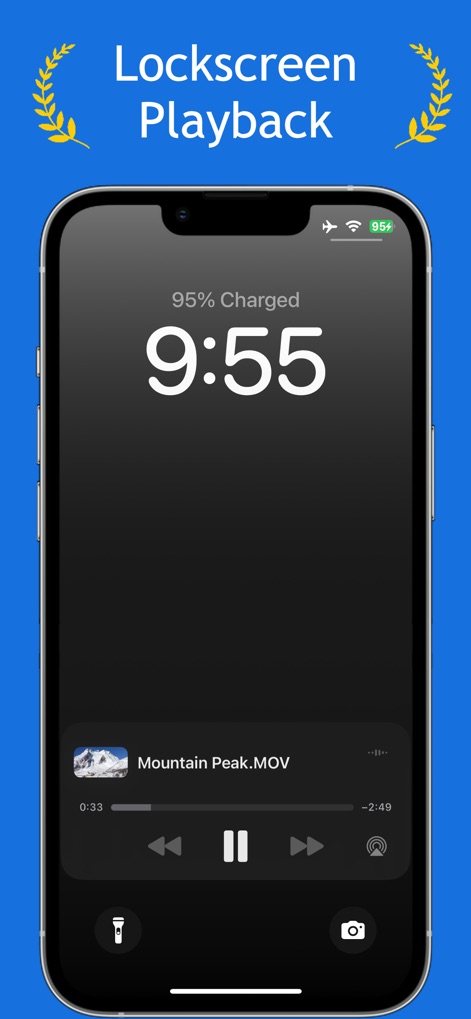
Floating Video and YouTube - floating-video-lockscreen-playback

floating-video-lockscreen-playback

iPhoneのロック画面に、Mountain Peak MOVという名前のファイルのビデオ再生ウィジェットが表示されています。
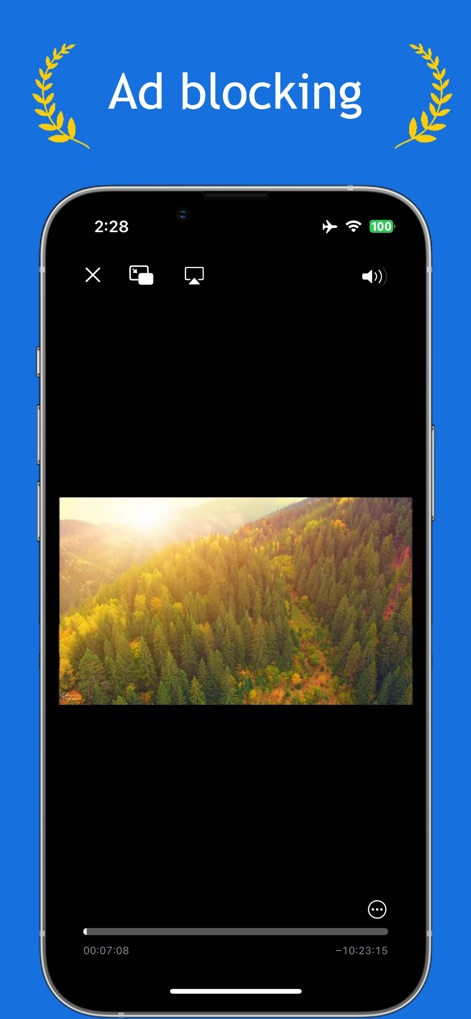
Floating Video and YouTube - floating-video-ad-blocking

floating-video-ad-blocking

フローティングビデオ&YouTubeアプリの広告ブロック機能を示すスマートフォンの画面。

説明

Enhance your video watching experience with our advanced video player that supports background playback, picture-in-picture, and ad-blocking capabilities. Designed for uninterrupted viewing, our app offers a suite of features to elevate your media consumption. Key Features: • Background Playback: Enjoy videos even when the app is running in the background. • Picture in Picture Playback: Seamlessly multitask by enabling video playback in a small, floating window on your screen. • Ad Blocking: Watch your favorite videos without interruptions from ads. • High-Definition Playback: Experience videos in stunning HD quality. • 360° Video Support: Immerse yourself in panoramic scenes with full 360-degree video playback. • Video Management: Organize your videos into groups for streamlined accessibility. • Broad File Compatibility: Supports a wider range of file types compared to other video apps. Adding Videos for Playback: 1. Tap on "Add Video". 2. Choose your source: File, Photo Library, Online URL, or YouTube URL. • File: Import videos directly from the Files app. • Photo Library: Select videos stored in your Photos app. • Online URL: Stream videos via an online URL. If the URL directs to a webpage, it will display the webpage and block any ads. • YouTube URL: Stream content directly from YouTube URLs. Video Playback Options: Upon adding a video, it will display on the main page. Tap on the video to choose your playback preference: • Normal Videos: Engage in typical playback with options like Picture in Picture for multitasking. • 360 Videos: Use your device’s motion to explore 360-degree videos, allowing for a full panoramic experience. This app is designed to offer a seamless and enhanced viewing experience, combining functionality with convenience for all video enthusiasts.

Download

ダウンロード: App Store

このページはアプリまたはその開発者の公式ページではなく、情報提供および論評を目的として作成された独立した編集出版物です。明示的に別段の記載がない限り、アプリおよびその開発者は、MWM、Apple、Google Play、アプリのパブリッシャー、またはアプリの開発者と提携、承認、後援、認可、またはその他の公式的な関係はなく、このページのいかなる内容も、アプリがMWMのサービスを使用して開発されたことを意味するものではありません。すべての商標、ロゴ、スクリーンショット、その他のコンテンツはそれぞれの所有者の財産です。








