Flying Ruler: 3D Tape Measure
ダウンロード: App Store

このページはアプリまたはその開発者の公式ページではなく、情報提供および論評を目的として作成された独立した編集出版物です。明示的に別段の記載がない限り、アプリおよびその開発者は、MWM、Apple、Google Play、アプリのパブリッシャー、またはアプリの開発者と提携、承認、後援、認可、またはその他の公式的な関係はなく、このページのいかなる内容も、アプリがMWMのサービスを使用して開発されたことを意味するものではありません。すべての商標、ロゴ、スクリーンショット、その他のコンテンツはそれぞれの所有者の財産です。

ロゴ: Flying Ruler: 3D Tape Measure
ダウンロード: App Store

Flying Ruler: 3D Tape Measure

かさばるメジャーはもう不要。スマホを空中で動かすだけで、プログレードの精度で距離と角度を測定できます。DIY愛好家、デザイナー、住宅所有者に最適です。

主要数値

ダウンロード

255K+

ユーザー評価

4.4/5

評価数

9K+

開発元

ALEXEY BRILEV

カテゴリ

Utilities

対応言語

9

最新バージョン

6.3.2

サイズ

78.1 MB

リリース日

2013年8月23日
機能

あらゆる測定を簡単マスター

かさばる金属メジャーはもう不要。iPhoneを5-in-1のプロフェッショナルツールキットに変え、スマホを空中で動かすだけで距離と角度を測定できます。

Move-to-Measureテクノロジー

物理的な制約は忘れてください。デバイスをある点から別の点へ動かすだけで、表面に触れることなく瞬時に寸法をキャプチャできます。

プログレードの精度

先進の慣性航法センサーでプロジェクトを信頼してください。家具の設置、木工、家のリフォームで最大99.7%の精度を体験してください。

以下のスクリーンショットと説明は、アプリの公式ストアリスティングから直接取得されたものであり、アプリ開発者の所有物です。

アプリストア

スクリーンショット
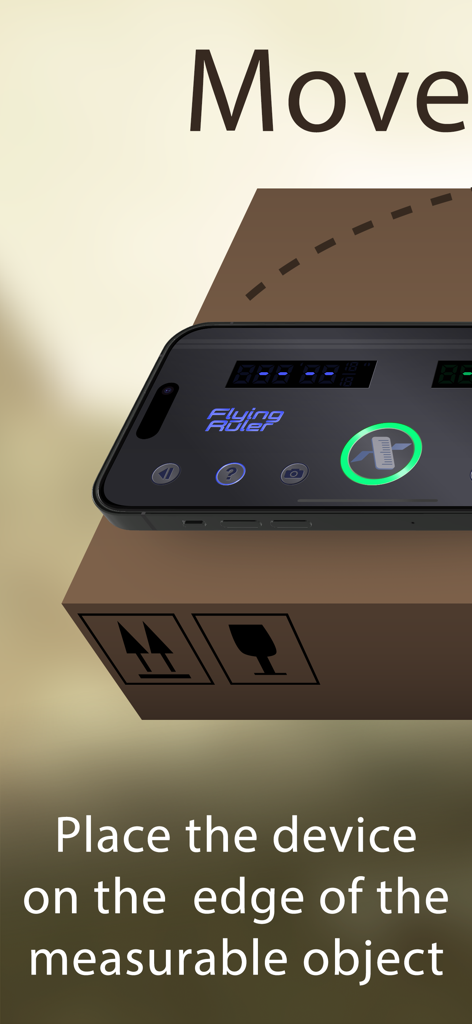
Flying Ruler: 3D Tape Measure - 箱の上に置かれたスマートフォンで、Flying Rulerアプリを使用して測定している様子
箱の上に置かれたスマートフォンで、Flying Rulerアプリを使用して測定している様子

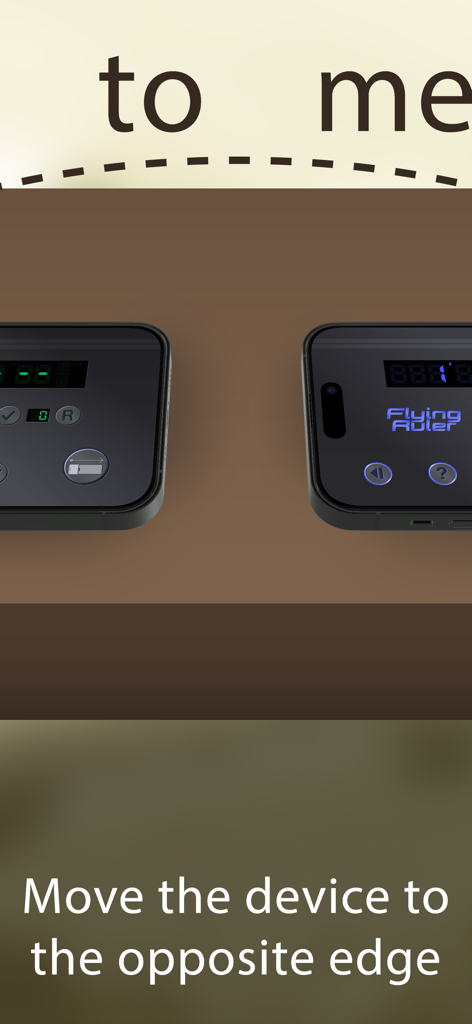
Flying Ruler: 3D Tape Measure - iPhoneを一方の端から反対側の端まで動かして距離を測定している様子

iPhoneを一方の端から反対側の端まで動かして距離を測定している様子
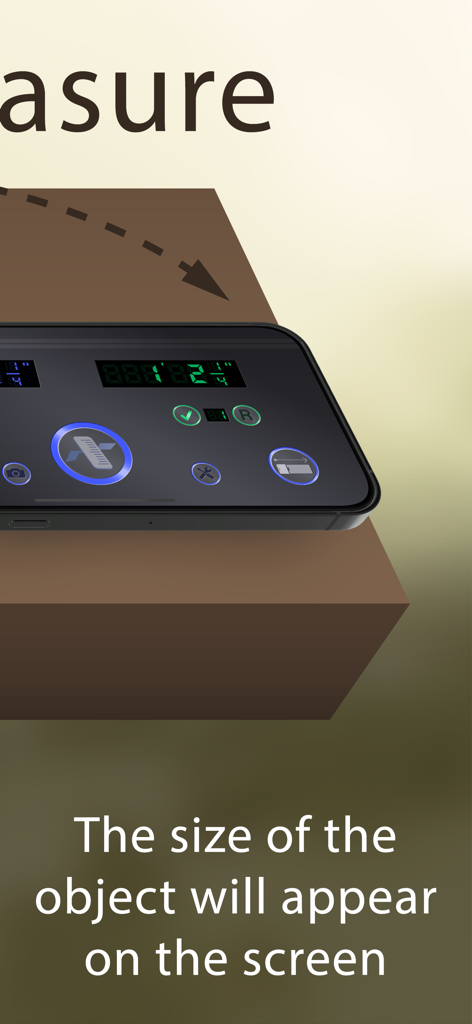
Flying Ruler: 3D Tape Measure - Flying Rulerアプリを使用して測定されたオブジェクトのサイズを表示しているスマートフォン画面
Flying Rulerアプリを使用して測定されたオブジェクトのサイズを表示しているスマートフォン画面

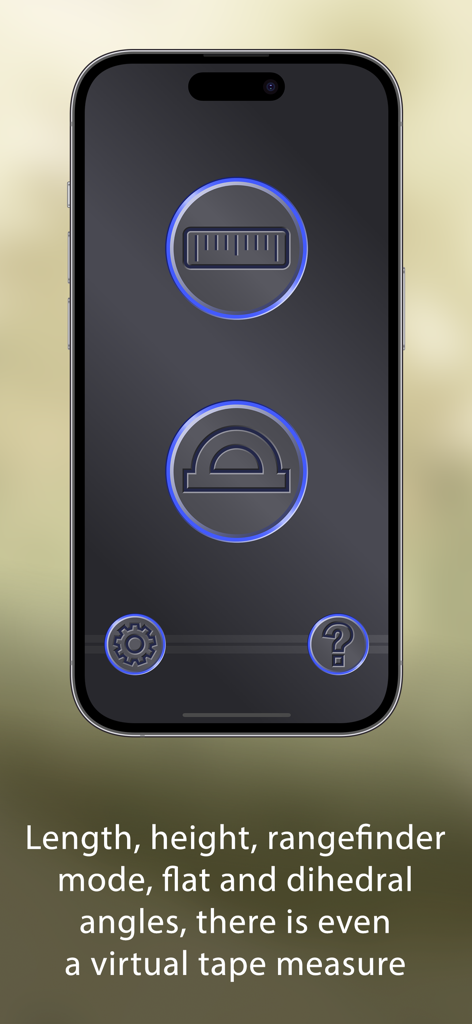
Flying Ruler: 3D Tape Measure - 測定および角度ツールアイコンを表示するFlying Rulerアプリのインターフェース
測定および角度ツールアイコンを表示するFlying Rulerアプリのインターフェース

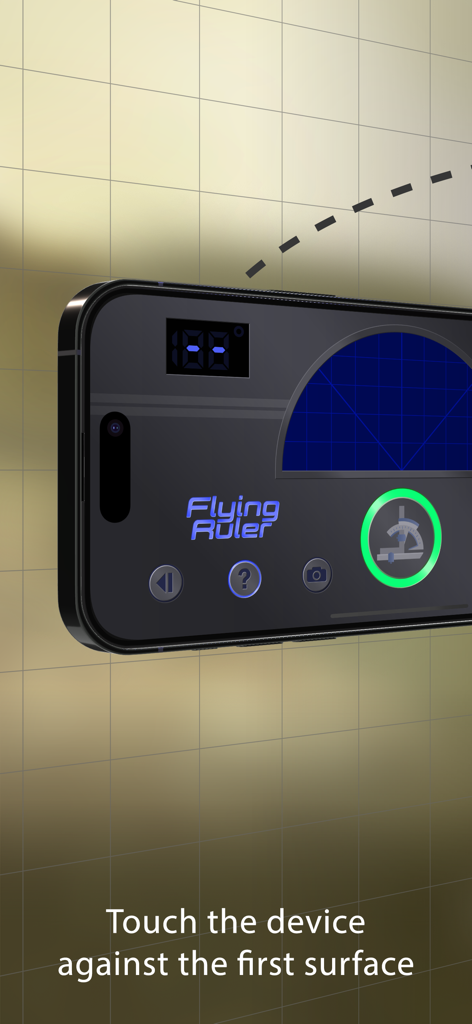
Flying Ruler: 3D Tape Measure - 最初の表面にデバイスをタッチするように指示が表示されているiPhone上のFlying Rulerアプリのインターフェース
最初の表面にデバイスをタッチするように指示が表示されているiPhone上のFlying Rulerアプリのインターフェース

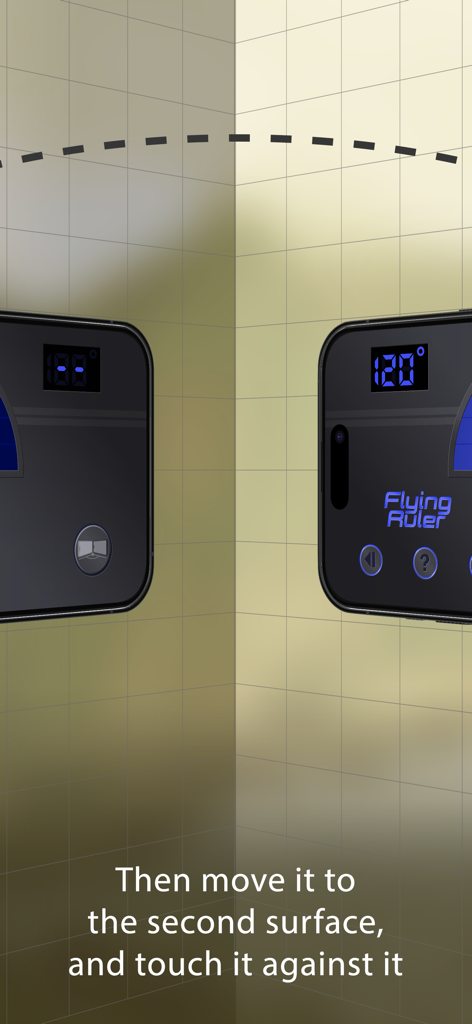
Flying Ruler: 3D Tape Measure - 2つの壁間の120度を測定する3D角度ファインダーモードのデモンストレーション
2つの壁間の120度を測定する3D角度ファインダーモードのデモンストレーション

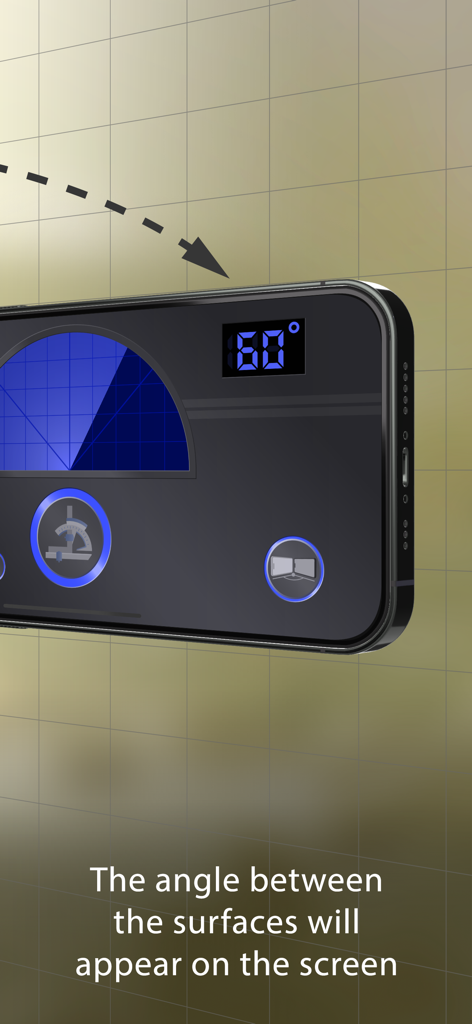
Flying Ruler: 3D Tape Measure - 2つの表面間の60度の角度を測定しているFlying Rulerアプリが表示されたiPhone画面
2つの表面間の60度の角度を測定しているFlying Rulerアプリが表示されたiPhone画面

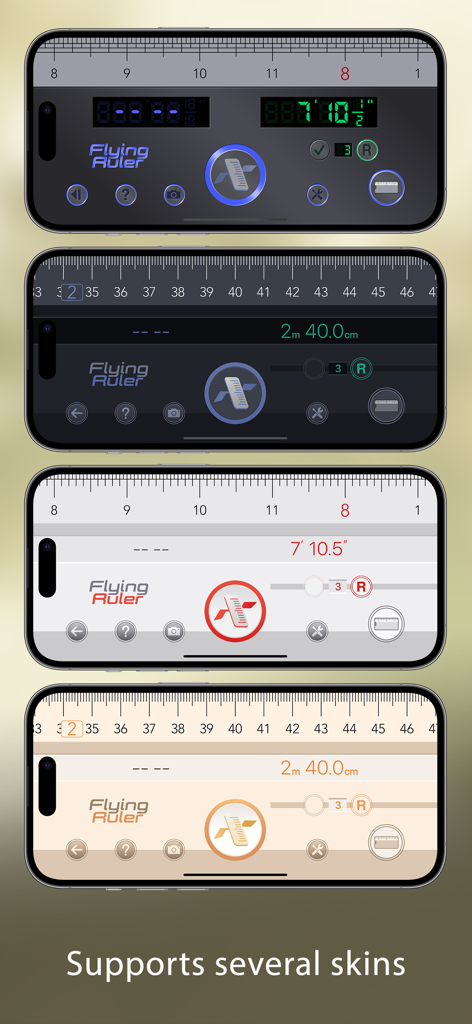
Flying Ruler: 3D Tape Measure - Flying Ruler 3Dメジャーアプリのさまざまなインターフェーススキンを表示する4台のiPhone
Flying Ruler 3Dメジャーアプリのさまざまなインターフェーススキンを表示する4台のiPhone

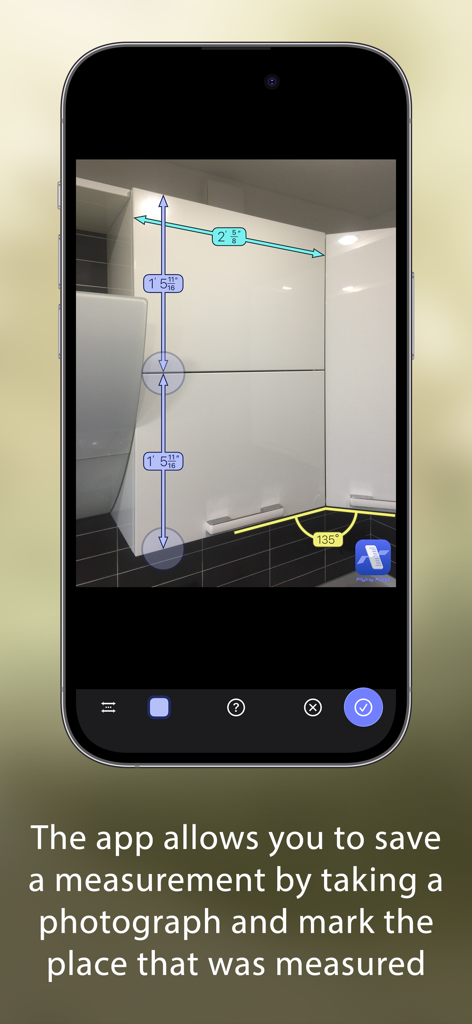
Flying Ruler: 3D Tape Measure - キッチンキャビネットの写真に長さと角度の測定値が保存されたFlying Rulerアプリが表示されたiPhone
キッチンキャビネットの写真に長さと角度の測定値が保存されたFlying Rulerアプリが表示されたiPhone

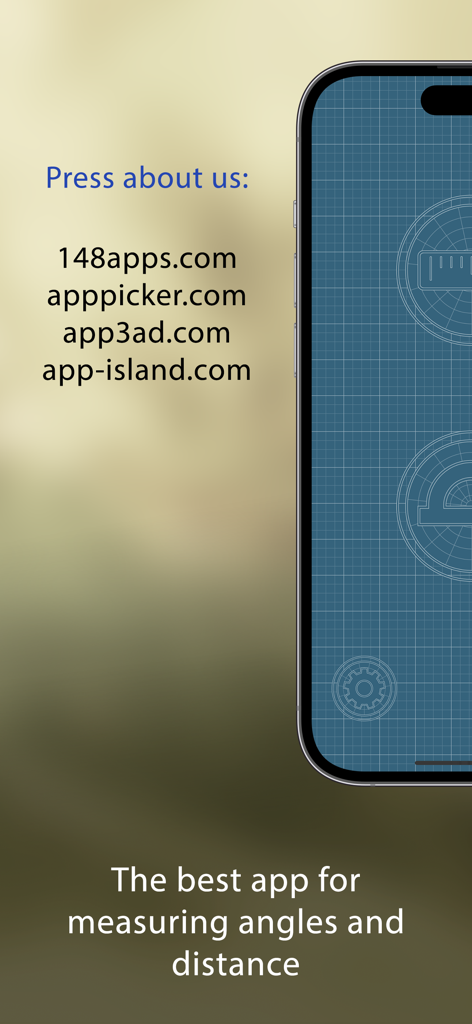
Flying Ruler: 3D Tape Measure - Flying Ruler 3Dメジャーアプリのプレスレビューとタグライン

Flying Ruler 3Dメジャーアプリのプレスレビューとタグライン

説明

The Flying Ruler app allows you to measure in the most original way: by just moving your device from one point to another. Flying Ruler is a ruler, tape measure, rangefinder, protractor and a 3D angle finder. It is five devices in one app, providing you with the quickest way to measure a distance or an angle. The secret of the program is that it is based on the principles of the inertial navigational system (INS): the position of the device is determined with the help of the accelerometer and the gyroscope. Measurements take place extremely quickly and at the same time they are quite accurate. We are constantly improving our computational algorithm for more than 11 years! To try this technology for free you can install the app "Digital Angle Finder: 3D Meter". This free app measures the angle as you move the device. AWARDS: Editor's Choice — 148Apps www.148apps.com/reviews/flying-ruler-review PRESS ABOUT US: "I was impressed with Flying Ruler’s accuracy. It works quickly and effectively", "It’s the perfect addition to anyone’s app collection" — 148apps 4.5 / 5 (MUST HAVE) "This thing is awesome" — brettterpstra.com "I literally said “wow!” when I first used this app and I think it’s a truly impressive marvel of mobile technology", "The Flying Ruler Rules" — AppPicker (Cons: there is nothing negative to say about this app) *** Measure distance with good precision, no matter the lighting or conditions *** The app has different modes so you can choose which mode is better and easier to use on each occasion. You can measure with the body of the device in one mode or with a virtual tape measure in another. You can not only measure an object but also the distance between two walls (rangefinder mode). You use the same methods to measure angles as the app allows you to measure angles both on a surface area (protractor mode) and between surfaces through space (3D angle finder mode). You can choose either inches or centimeters. The maximum distance is only limited by the value of the indicator which consists of 999 ft for the imperial system and 99 m for the metric system. When measuring, you can avoid obstacles and therefore you can measure anything. Flying Ruler is suitable for measuring not only large, but also very small distances with the accuracy of a standard ruler. The app also allows you to save a measurement by taking a photograph of the measurement and mark the place that was measured. Don’t forget to show your friends and colleagues how the app works – believe us, they will be impressed. ACCURACY OF MEASUREMENT: We took 100 consecutive measurements and got these results: On iPhone 13: • Mean squared error - 0.14% • Maximum inaccuracy - 0.4% On iPhone 7: • Mean squared error - 0.15% • Maximum inaccuracy - 0.4% On iPhone 6s: • Mean squared error - 0.28% • Maximum inaccuracy - 1.1% The accuracy of measurements depends on the device, however the error rarely exceeds 1.5%. You can always increase accuracy by making a series of measurements. If you make a series of measurements, the degree of error is usually 0.3% or less. Angles can be measured with the app to an accuracy of one degree so the app can easily take the place of a protractor or a angle finder. WEBSITE: www.flying-ruler.com

Download

ダウンロード: App Store

このページはアプリまたはその開発者の公式ページではなく、情報提供および論評を目的として作成された独立した編集出版物です。明示的に別段の記載がない限り、アプリおよびその開発者は、MWM、Apple、Google Play、アプリのパブリッシャー、またはアプリの開発者と提携、承認、後援、認可、またはその他の公式的な関係はなく、このページのいかなる内容も、アプリがMWMのサービスを使用して開発されたことを意味するものではありません。すべての商標、ロゴ、スクリーンショット、その他のコンテンツはそれぞれの所有者の財産です。








