
このページはアプリまたはその開発者の公式ページではなく、情報提供および論評を目的として作成された独立した編集出版物です。明示的に別段の記載がない限り、アプリおよびその開発者は、MWM、Apple、Google Play、アプリのパブリッシャー、またはアプリの開発者と提携、承認、後援、認可、またはその他の公式的な関係はなく、このページのいかなる内容も、アプリがMWMのサービスを使用して開発されたことを意味するものではありません。すべての商標、ロゴ、スクリーンショット、その他のコンテンツはそれぞれの所有者の財産です。


Forms for Google Docs
退屈なデータ収集から解放され、フォーム作成が瞬時に終わる。
ダウンロード
5M+ユーザー評価
評価数
118.5K開発元
カテゴリ
Productivity対応言語
31最新バージョン
2.4.1サイズ
121.5 MBリリース日
2022年5月15日モバイルとAIを活用したフォーム管理ソリューション
「Forms for Google Docs」アプリの機能分析
AIによる質問生成
本アプリは、AIとの会話を通じてフォームの質問を迅速に生成することを可能にし、フォーム作成の時間と労力を大幅に削減します。
リアルタイム応答分析
ユーザーは、自動要約、グラフ、およびさまざまなチャートタイプでリアルタイムの応答、分析、および概要を閲覧できます。これにより、データに基づいた迅速な意思決定が支援されます。
モバイル対応フォーム管理
このアプリは、iOSデバイス上でGoogleフォームの作成、編集、共有、および管理を可能にし、ユーザーは場所を選ばずにフォーム操作を行えます。
高度な回答管理と通知
本ツールは、回答の受信通知、回答数の制限、および回答期間のスケジュール設定機能を提供し、フォームの運用をより細かく制御することを可能にします。
詳細な質問とデザインカスタマイズ
ユーザーは、複数の質問タイプ、画像、動画を挿入し、フォント、色、背景などのテーマをカスタマイズできます。また、回答に基づいて質問を表示するカスタムロジックも追加可能です。
データエクスポートとGoogle Sheets連携
このアプリは、回答データをGoogle Sheetsで開いて詳細な分析や自動化を行ったり、CSVまたはExcel形式でエクスポートしたりする機能を提供します。
多様なフォーム共有オプション
ユーザーは、メール、リンク、ソーシャルメディア、およびカスタムQRコードを介してフォームを共有できます。これにより、広範囲のオーディエンスにリーチすることが可能です。
クイズ機能と自動フィードバック
本ツールは、クイズの作成、点数の割り当て、正解の設定、および自動フィードバックの提供をサポートし、教育目的や評価に役立ちます。
質問スキャンおよびインポート
ユーザーは、カメラ、画像、テキスト、クリップボードを使用して質問をスキャンしたり、既存のフォームから質問をインポートしたりすることで、フォーム作成プロセスを加速できます。
共同フォーム作成
このアプリは、フォームに共同編集者を追加することを可能にし、チームメンバーとリアルタイムで質問を構築する協業的な環境を提供します。
よくある質問
について知っておくべきこと Forms for Google Docs
What is FormsApp for Google Docs?
FormsApp allows users to create, edit, share, and manage online forms and surveys directly from their iOS, iPhone, iPod, or iPad devices. It facilitates real-time analysis of results.
Is FormsApp for Google Docs an official Google application?
No, FormsApp is a third-party application. It is not officially associated with Google. All trademarks mentioned are the property of their respective owners.
Can FormsApp create forms using AI?
Yes, FormsApp enables users to generate form questions quickly through AI conversation. Users input a research topic and content, then AI helps create the form.
Does FormsApp support real-time analysis of survey responses?
FormsApp provides real-time responses, analytics, and graphs for surveys and quizzes. Users view results in summary, questions, or individual response modes.
How can I customize forms within FormsApp?
FormsApp allows users to customize form themes by selecting fonts, colors, and backgrounds. It also provides various templates for different form types.
Can I collaborate on forms with other users in FormsApp?
Yes, FormsApp allows users to add collaborators or editors to their forms. Teams can build questions together in real-time by sharing an edit link.
Does FormsApp provide notifications for new form responses?
FormsApp notifies users via app push notifications or email whenever someone submits a new response. This feature is part of its distinctive notification settings.
Can FormsApp limit responses or set timeframes for forms?
Yes, FormsApp enables users to set a limit on the number of responses. It also allows users to specify a start and end time for form responses.
What export options are available for form responses in FormsApp?
FormsApp users can export responses in CSV or Excel file format. The app also supports opening raw data with Google Sheets for deeper analysis.
Where can I find the privacy policy for FormsApp?
FormsApp provides a Privacy Policy which details how the application handles user data. The policy is accessible via a dedicated link.
以下のスクリーンショットと説明は、アプリの公式ストアリスティングから直接取得されたものであり、アプリ開発者の所有物です。
アプリストア
スクリーンショット
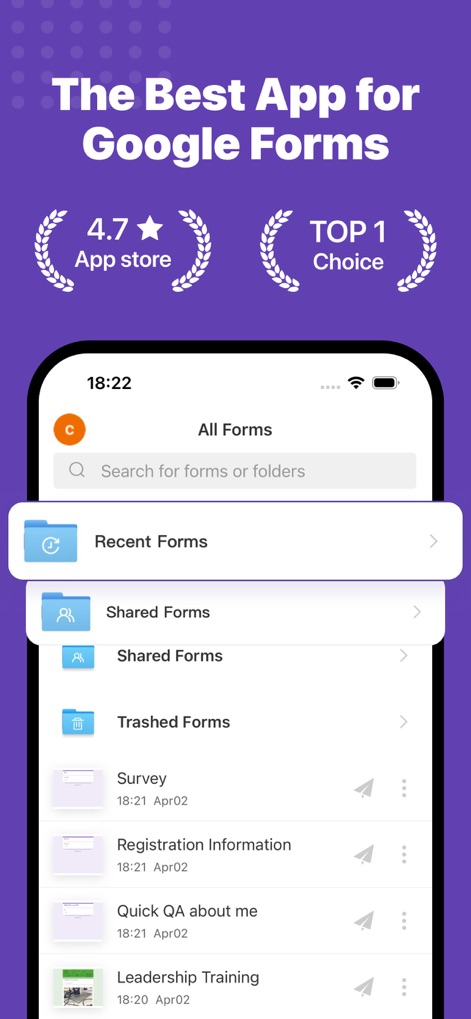
このアプリは、Googleフォーム管理におけるトップクラスの選択肢であり、App Storeでの高評価と複数のフォームタイプへの簡単なナビゲーション機能を視覚的に提示しています。
フォームを簡単管理
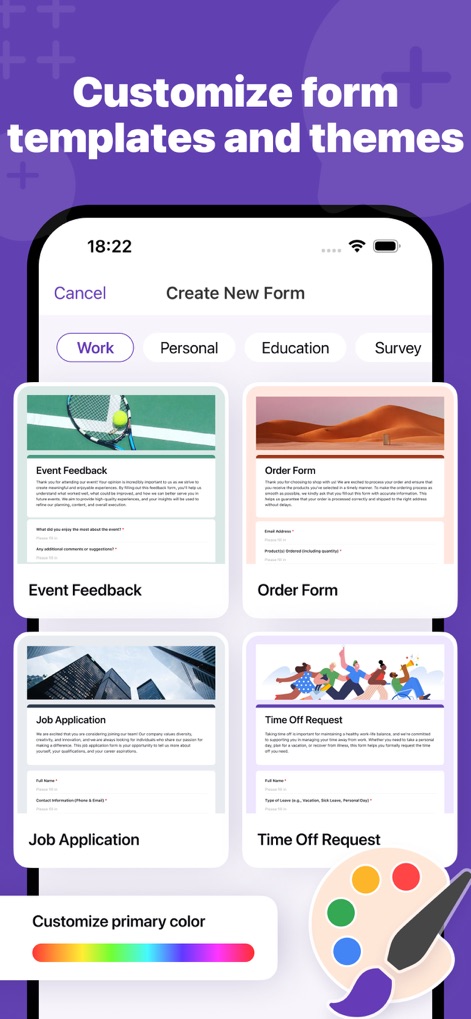
ユーザーは、多様なテンプレートから新しいフォームを迅速に作成でき、カラースライダーを通じてフォームのテーマ色を自由にカスタマイズすることが可能です。
テンプレートとテーマ
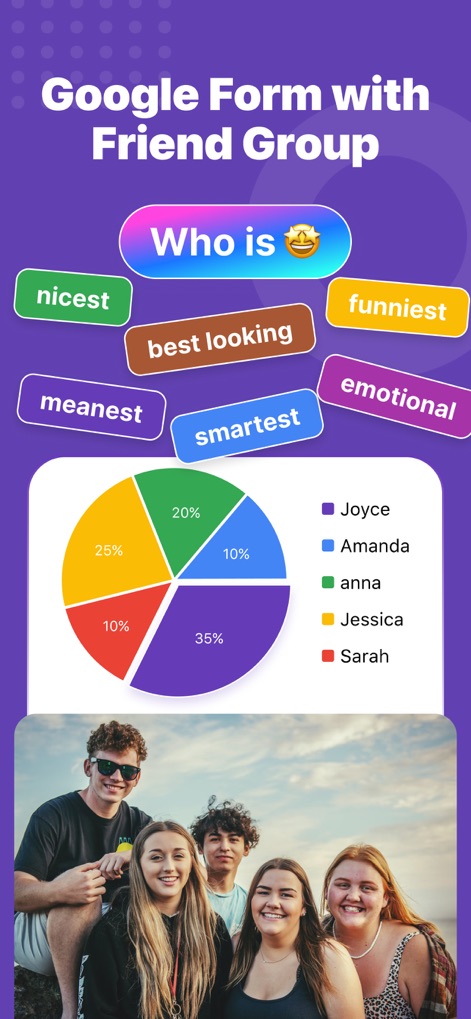
この画面では、友人グループに関するアンケート結果が魅力的なパイチャートで明確に表示され、選択肢(例:nicest, funniest)ごとの回答分布を視覚的に把握できます。
視覚的なアンケート

ユーザーはAI分析機能を通じてアプリのフィードバック調査のユーザー体験インサイトを瞬時に得ることができ、チャット形式でデータに関する具体的な質問を投げかけることが可能です。
AIによるデータ分析

このツールは、リサーチトピックとコンテンツに基づいてAIが質問を自動生成し、チェックボックスやドロップダウンといった多様な質問タイプを簡単に設定できる機能を提供します。
AIでフォーム作成

新しい回答が届くとプッシュ通知で即座にユーザーに知らされ、フォームの応答データはインタラクティブな棒グラフとドーナツグラフでリアルタイムに視覚化されます。
通知とリアルタイム分析

このアプリは、収集したフォームデータをGoogle Sheetsへ直接エクスポートする機能と、CSVやExcelなどの多様なファイル形式での出力オプションを提供します。
データのエクスポート
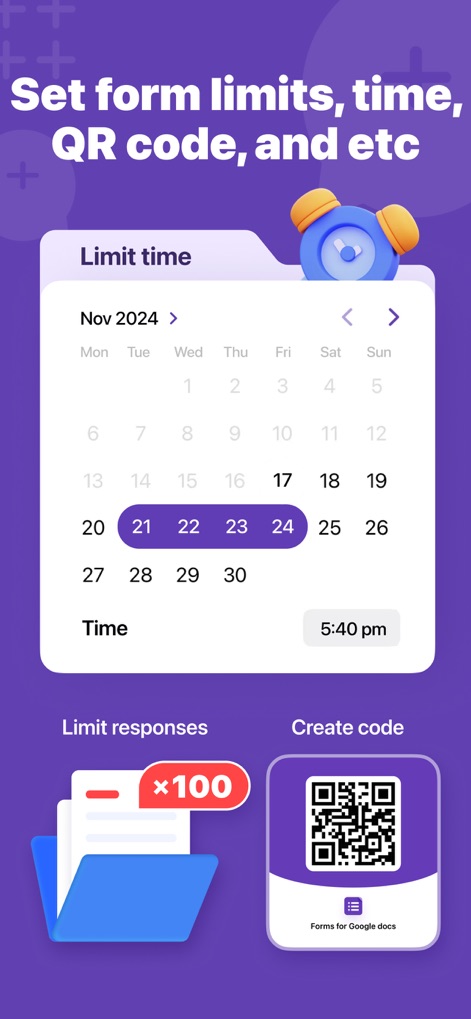
ユーザーはフォームの回答期限をカレンダーで詳細に設定でき、専用のQRコード生成機能を通じてフォームを迅速かつ簡単に共有することが可能です。
詳細な設定と共有
説明
Download
類似アプリ
似た機能とユーザー体験を持つアプリ

Form for Google Forms
Amad Marwat

Forms fоr Google Form
Sanpeliano LTD
Forms for Google Drive
BurningFlower Inc

Form For Google Forms & Docs
Seven Mile Apps LLC
Forms ®
SMM service, s.r.o.
Forms for Google Fоrms
LightApps OU

Forms for Google Forms App
AppTraining Limited

Forms for Google Drive ™
Mariia Tereshkova

Forms for Google Forms & Quiz
Niharika Jindal
このページはアプリまたはその開発者の公式ページではなく、情報提供および論評を目的として作成された独立した編集出版物です。明示的に別段の記載がない限り、アプリおよびその開発者は、MWM、Apple、Google Play、アプリのパブリッシャー、またはアプリの開発者と提携、承認、後援、認可、またはその他の公式的な関係はなく、このページのいかなる内容も、アプリがMWMのサービスを使用して開発されたことを意味するものではありません。すべての商標、ロゴ、スクリーンショット、その他のコンテンツはそれぞれの所有者の財産です。