
このページはアプリまたはその開発者の公式ページではなく、情報提供および論評を目的として作成された独立した編集出版物です。明示的に別段の記載がない限り、アプリおよびその開発者は、MWM、Apple、Google Play、アプリのパブリッシャー、またはアプリの開発者と提携、承認、後援、認可、またはその他の公式的な関係はなく、このページのいかなる内容も、アプリがMWMのサービスを使用して開発されたことを意味するものではありません。すべての商標、ロゴ、スクリーンショット、その他のコンテンツはそれぞれの所有者の財産です。


FortiToken Mobile
指紋認証でアクセスを固める。FortiToken Mobileは、企業のデジタル金庫の鍵をあなたの指先に置く。
ダウンロード
2.5M+ユーザー評価
評価数
468開発元
カテゴリ
Business対応言語
9最新バージョン
6.4.0サイズ
13.7 MBリリース日
2012年2月10日Fortinetの多要素認証ソリューションの中核をなすモバイルクライアントの包括的評価
FortiToken Mobile アプリケーション分析:主要機能とインパクト
Fortinetセキュリティエコシステムとの統合
企業が既存のFortinetセキュリティインフラ(FortiOSやFortiAuthenticator)を最大限に活用し、多要素認証を一元的に管理することを可能にします。これにより、展開と運用が簡素化されます。
生体認証(TouchID/FaceID)によるアプリセキュリティ
指紋認証や顔認証といった生体認証をアプリ自体に適用することで、ワンタイムパスワードへの不正アクセスを防止し、デバイスが第三者の手に渡った場合でもセキュリティを強化します。
強固なプライバシー保護と制御
ユーザーの同意なしに設定を変更したり、個人データ(写真、ビデオ、メールなど)にアクセスしたりしないことで、厳格なプライバシー基準を遵守し、企業ユーザーの信頼を確保します。
OATH準拠のワンタイムパスワード生成
業界標準であるOATHに準拠したワンタイムパスワード(OTP)を生成することで、様々なシステムとの互換性を確保し、企業のセキュリティポリシーに適合する信頼性の高い認証手段を提供します。
高いセキュリティと効率的な管理
強固な認証を提供しつつも、管理が容易で費用対効果が高い設計により、企業はセキュリティレベルを維持しながら運用コストを最適化できます。
QRコードによる簡単なトークンアクティベーション
QRコードをスキャンするだけでトークンを簡単にアクティブ化できるため、ユーザーの導入プロセスが簡素化され、ITサポートへの問い合わせを削減します。
イベントベースおよび時間ベースのOTP対応
イベント駆動型および時間同期型のワンタイムパスワード生成に対応しており、企業の特定のセキュリティ要件や既存の認証インフラに合わせて柔軟な認証方法を選択できます。
データベースアップグレード時のデータ破損防止
アプリケーションの内部データベースアップグレード中に電話をアクティブに保つことで、トークンデータなどの重要な情報が破損するリスクを防ぎ、アプリケーションの安定性と信頼性を維持します。
よくある質問
について知っておくべきこと FortiToken Mobile
What is FortiToken Mobile?
FortiToken Mobile is an OATH compliant One Time Password (OTP) generator for mobile devices. It functions as the client component of Fortinet's secure strong authentication solution.
Does FortiToken Mobile require a server to function?
Yes, FortiToken Mobile requires FortiOS or FortiAuthenticator to serve as the back-end validation server. This setup enables its strong authentication capabilities.
What operating systems are compatible with FortiToken Mobile?
FortiToken Mobile is compatible with iOS 12 or later. It runs on iPhone, iPad, and iPod touch devices, ensuring broad Apple device support.
Does FortiToken Mobile access my personal data or phone functions?
FortiToken Mobile does not read emails, see browser history, or record audio/video. It requires permission for notifications and specific functions like camera access for QR codes.
How do I add a new authentication token in FortiToken Mobile?
You add a new token in FortiToken Mobile by tapping the "+" button in the interface. This allows activation via QR code scanning or manual entry of details like account name and secret key.
Can FortiToken Mobile use FaceID or TouchID for security?
Yes, FortiToken Mobile uses TouchID or FaceID for enhanced application security. These biometric authentication methods protect access to the app.
以下のスクリーンショットと説明は、アプリの公式ストアリスティングから直接取得されたものであり、アプリ開発者の所有物です。
アプリストア
スクリーンショット
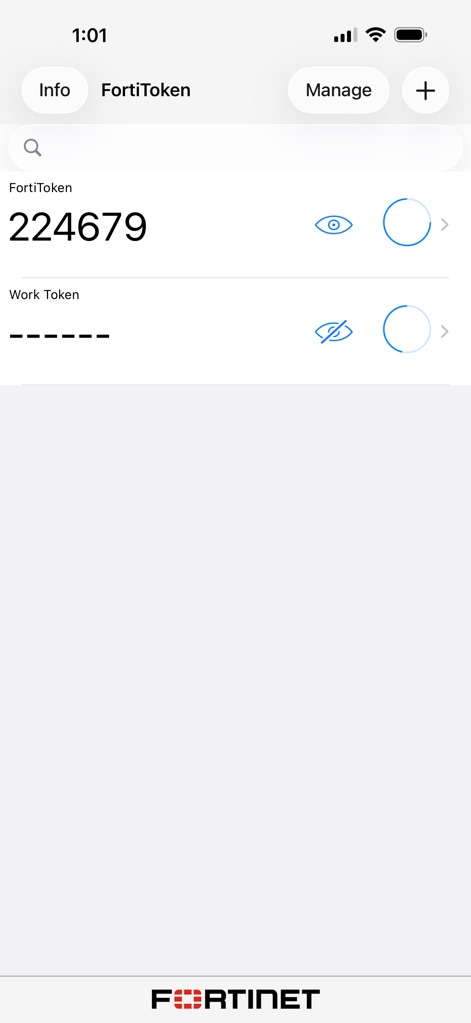
この画面では、生成されたワンタイムパスワードがクリアに表示されます。ユーザーは目のアイコンでパスワードの表示を切り替え、円形のインジケーターで有効期限を追跡できます。
ワンタイムパスワード表示
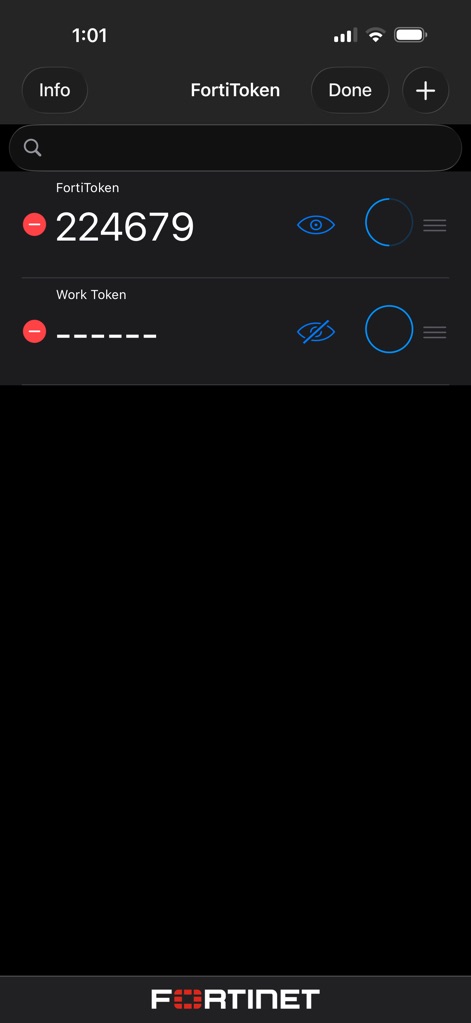
ダークモードで表示される本画面は、登録済みトークンの管理を簡素化します。ユーザーは赤いマイナスアイコンをタップしてトークンを削除したり、目のアイコンでパスワードの表示状態を調整できます。
トークン管理画面
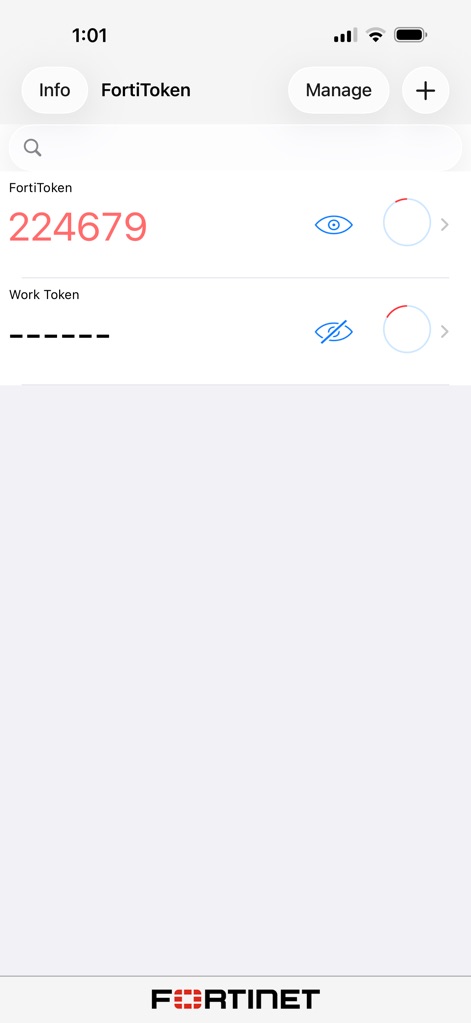
この表示は、ワンタイムパスワードの現在の状態を視覚的に示します。ユーザーは目のアイコンでいつでもパスワードを確認し、赤く強調された円形のインジケーターで有効期限の終盤を認識できます。
パスワード状態の把握
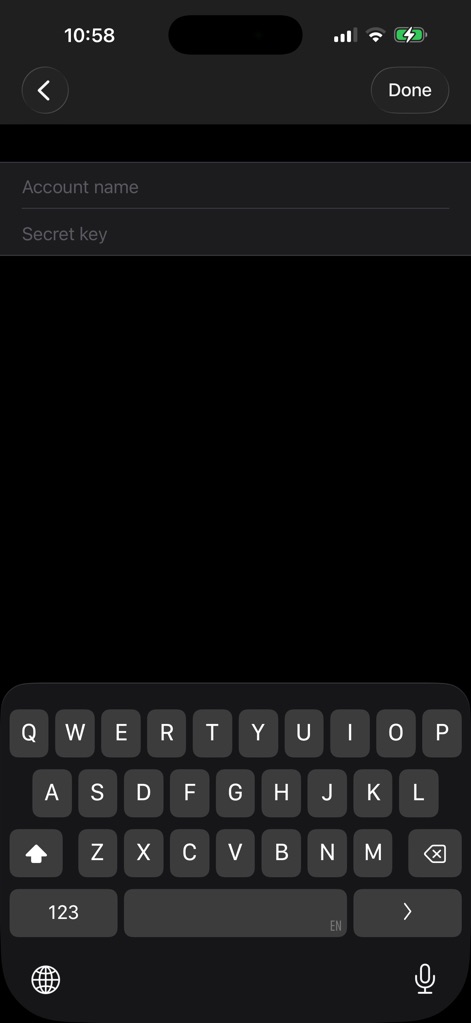
本画面では、新しい認証トークンを迅速に設定できます。ユーザーはアカウント名を入力するためのテキストフィールドと、シークレットキーを入力するための別のフィールドを使用して、必要な情報を登録します。
新規トークンの追加
説明
Download
類似アプリ
似た機能とユーザー体験を持つアプリ

WatchGuard AuthPoint
WatchGuard Technologies Inc.

Multifactor
MULTIFAKTOR, OOO

Smart Log On
Acceptto Corporation

Kavach Authentication
Tirender Wig

Aladdin 2FA
Aladdin R.D. ZAO

RSA Authenticator (SecurID)
RSA Security

Google Smart Lock
Google LLC

X5 Ключ
Closed Joint Stock Company"Trade House"Perekrestok

TrustBuilder Authenticator
In-Webo Technologies
このページはアプリまたはその開発者の公式ページではなく、情報提供および論評を目的として作成された独立した編集出版物です。明示的に別段の記載がない限り、アプリおよびその開発者は、MWM、Apple、Google Play、アプリのパブリッシャー、またはアプリの開発者と提携、承認、後援、認可、またはその他の公式的な関係はなく、このページのいかなる内容も、アプリがMWMのサービスを使用して開発されたことを意味するものではありません。すべての商標、ロゴ、スクリーンショット、その他のコンテンツはそれぞれの所有者の財産です。