
このページはアプリまたはその開発者の公式ページではなく、情報提供および論評を目的として作成された独立した編集出版物です。明示的に別段の記載がない限り、アプリおよびその開発者は、MWM、Apple、Google Play、アプリのパブリッシャー、またはアプリの開発者と提携、承認、後援、認可、またはその他の公式的な関係はなく、このページのいかなる内容も、アプリがMWMのサービスを使用して開発されたことを意味するものではありません。すべての商標、ロゴ、スクリーンショット、その他のコンテンツはそれぞれの所有者の財産です。


FUJIFILM Camera Remote
カメラの限界を解き放ち、撮影プロセスを再構築する力。このアプリが、デジタル写真のワークフローに革命をもたらす。
ダウンロード
5M+ユーザー評価
評価数
10.4K開発元
カテゴリ
Photo & Video対応言語
12最新バージョン
4.9.6サイズ
55.1 MBリリース日
2014年1月23日プロフェッショナルおよび熱心な写真愛好家向けに最適化された、カメラとスマートデバイス間のシームレスな統合を提供します。
FUJIFILM Camera Remote: 高度な連携機能分析
リモート撮影機能
ユーザーは、スマートフォンやタブレットを介してカメラを遠隔操作し、写真撮影が可能です。本機能は、自撮り、集合写真、長秒露光、または手の届きにくい場所からの撮影など、多様な撮影シナリオに対応します。Bluetooth経由でのワイヤレスシャッターリリースもサポートされています。
画像・動画のワイヤレス転送
撮影された画像や動画を、カメラからスマートフォンやタブレットへ容易に転送できます。これにより、ソーシャルメディアでの共有や、他のデバイスでの編集・バックアップが迅速に行えます。Bluetooth対応カメラでは、より手軽な転送が可能です。
日時・位置情報自動同期
スマートフォンやタブレットの日時および位置情報をカメラと自動的に同期できます。この機能により、撮影された写真に正確なメタデータが付与され、写真の管理や整理が大幅に向上します。
カメラ内コンテンツの閲覧
このアプリを通じて、カメラに保存されている画像や動画をスマートフォンやタブレットから閲覧できます。撮影結果を大画面で素早く確認し、必要なコンテンツを選択して転送するプロセスが簡素化されます。
よくある質問
について知っておくべきこと FUJIFILM Camera Remote
What is the FUJIFILM Camera Remote app?
The FUJIFILM Camera Remote app allows users to operate wireless-equipped FUJIFILM digital cameras remotely, view and transfer images/movies, and update firmware from smartphones or tablets.
Can I remotely control my FUJIFILM camera with the FUJIFILM Camera Remote app?
Yes, the FUJIFILM Camera Remote app enables shooting images by remote control, including live view shooting and Bluetooth wireless remote shutter release, for compatible cameras.
How do I transfer images from my FUJIFILM camera to my smartphone?
The FUJIFILM Camera Remote app allows transferring images and movies to a smartphone. It supports easy transfer for Bluetooth-capable cameras and automatic import when 'Auto-Transfer' is on.
Does the FUJIFILM Camera Remote app support camera firmware updates?
Yes, the FUJIFILM Camera Remote app supports firmware updates via a smartphone or tablet for cameras with Bluetooth capability, eliminating the need for an SD memory card.
What FUJIFILM cameras are compatible with the FUJIFILM Camera Remote app?
The FUJIFILM Camera Remote app supports a wide range of cameras, including models from the GFX, X-H, X-Pro, X-T, X-S, X-E, X-M, X-A, X100 series, and FinePix series.
Can the FUJIFILM Camera Remote app synchronize time and location data?
Yes, the FUJIFILM Camera Remote app synchronizes "date and time" and/or "location information" from your smartphone or tablet with cameras that offer Bluetooth capability.
What are the iOS system requirements for the FUJIFILM Camera Remote app?
The FUJIFILM Camera Remote app requires iOS 11.0 to 17.1 for iPhone, iPad, and iPod touch. iPad WiFi and iPod touch models cannot use Geotagging functionality.
Does the FUJIFILM Camera Remote app offer a live view for remote shooting?
Yes, the FUJIFILM Camera Remote app provides live view shooting, allowing users to remotely capture images while viewing a real-time feed from the camera on their device.
以下のスクリーンショットと説明は、アプリの公式ストアリスティングから直接取得されたものであり、アプリ開発者の所有物です。
アプリストア
スクリーンショット
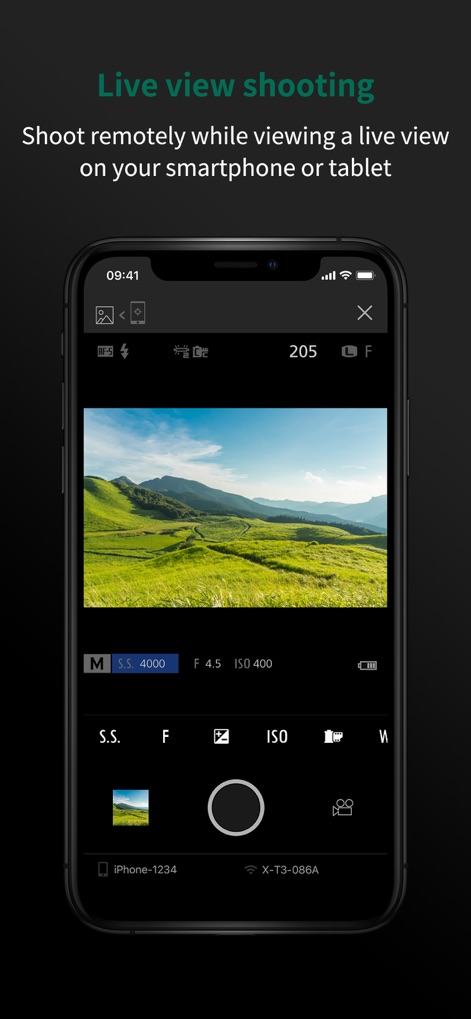
この画面では、スマートフォン上でカメラのライブビューをリアルタイムで確認し、シャッタースピードや絞りなどの露出設定を直感的に調整できます。
ライブビュー撮影

この画面は、Bluetooth®経由でのワイヤレスリモートシャッターリリースを可能にし、ユーザーは接続されたカメラとデバイスの情報を簡単に確認できます。
リモート撮影
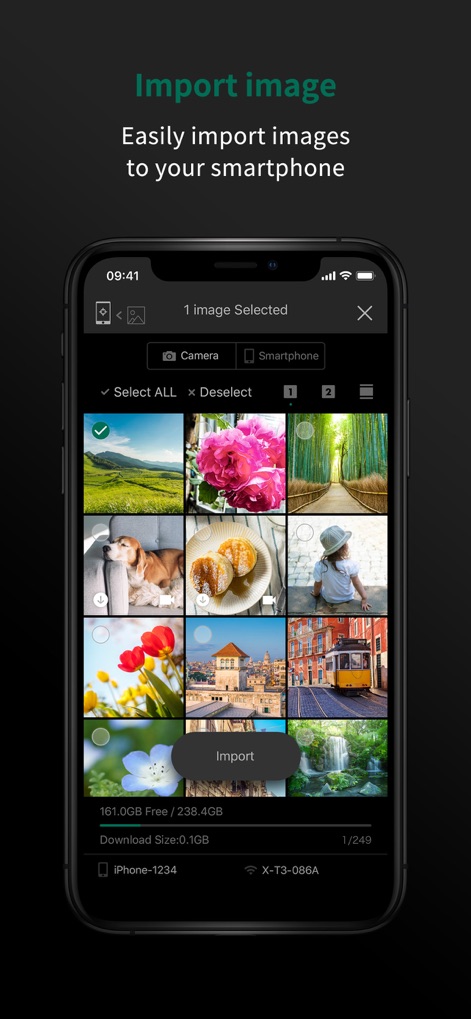
この画面では、カメラからスマートフォンへ複数の画像を簡単に選択し一括でインポートでき、ストレージの空き容量情報も確認できます。
画像をインポート
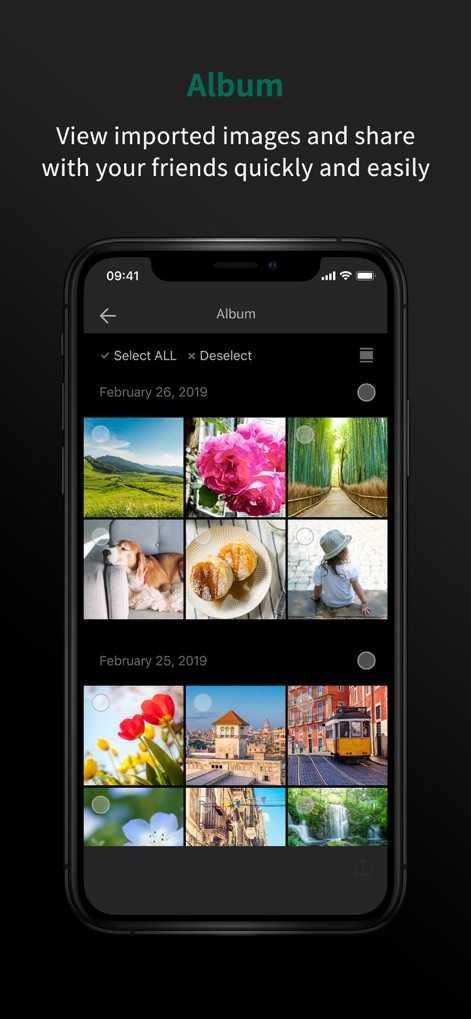
本画面では、インポートされた画像を日付ごとに整理して表示し、ユーザーは選択した画像を素早く友人やソーシャルメディアと共有できます。
アルバム管理
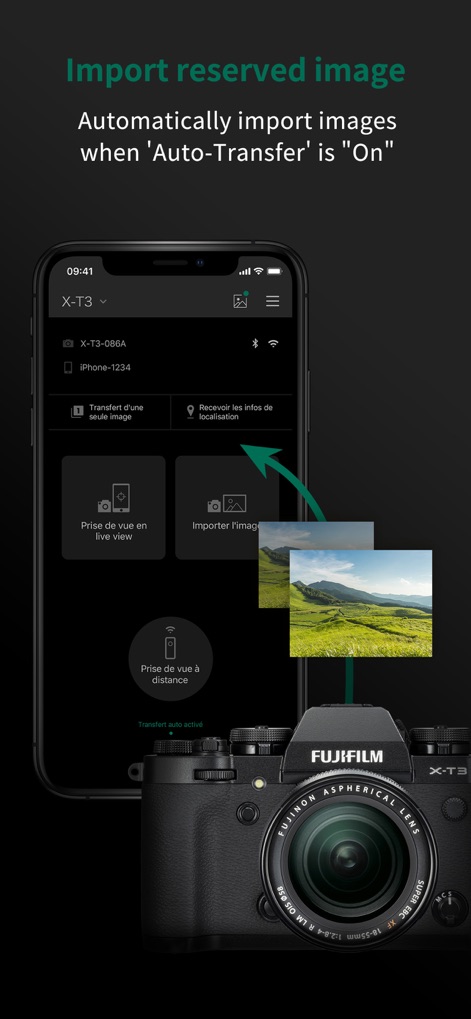
この機能は、オート転送がオンの際に撮影した画像を自動的にスマートフォンへインポートし、ユーザーはライブビュー撮影や手動インポートのオプションにも素早くアクセスできます。
自動画像転送
説明
Download
類似アプリ
似た機能とユーザー体験を持つアプリ

DJI Mimo
SZ DJI TECHNOLOGY CO., LTD

DJI Ronin
SZ DJI TECHNOLOGY CO., LTD

Roku TV Remote Control & Cast
Aleh Piashkou

Remote for Hisense TV.
Duscov Stepan

Alpha Linker - Camera Transfer
恒茂 刘

MyCentsys Pro
Centurion Systems (Pty) Ltd

Roku TV Remote Control・
Artur Belov

Luminair
Synthe FX, LLC

FUJIFILM XApp
FUJIFILM Corporation
このページはアプリまたはその開発者の公式ページではなく、情報提供および論評を目的として作成された独立した編集出版物です。明示的に別段の記載がない限り、アプリおよびその開発者は、MWM、Apple、Google Play、アプリのパブリッシャー、またはアプリの開発者と提携、承認、後援、認可、またはその他の公式的な関係はなく、このページのいかなる内容も、アプリがMWMのサービスを使用して開発されたことを意味するものではありません。すべての商標、ロゴ、スクリーンショット、その他のコンテンツはそれぞれの所有者の財産です。