
このページはアプリまたはその開発者の公式ページではなく、情報提供および論評を目的として作成された独立した編集出版物です。明示的に別段の記載がない限り、アプリおよびその開発者は、MWM、Apple、Google Play、アプリのパブリッシャー、またはアプリの開発者と提携、承認、後援、認可、またはその他の公式的な関係はなく、このページのいかなる内容も、アプリがMWMのサービスを使用して開発されたことを意味するものではありません。すべての商標、ロゴ、スクリーンショット、その他のコンテンツはそれぞれの所有者の財産です。


GA Auto Clicker
GA Auto Clickerは、退屈な反復作業から指を解放し、ゲームやタスクを乗っ取るためのデジタルドーピング剤だ。これは単なる自動化ツールではない。勝利のための裏技である。
ダウンロード
500k+ユーザー評価
評価数
136開発元
カテゴリ
Productivity対応言語
21最新バージョン
1.0.10サイズ
56.2 MBリリース日
2024年9月8日テックアナリストによる詳細評価とゲーマー向けインパクトスコア
GA Auto Clicker アプリ機能分析
自動タップ機能
このアプリは、反復的なクリック操作を自動化し、手動クリックをシミュレートすることで、ユーザーの手を解放します。ゲーム内のタスクを自動でこなし、効率的なプレイを支援します。
詳細なクリック設定
本アプリは、ユーザーがクリック速度や自動タッパーの継続時間を自由に設定できる機能を提供し、手動よりも高速な操作を実現します。
検出回避機能
このツールは、特定のアプリによる検出を避けるため、クリックのランダムな範囲設定や自動クリックの実行時間設定を可能にします。これにより、より安全な自動化が実現します。
メニューとターゲットのカスタマイズ
ユーザーは、クリックターゲットのフローティングサイズ、オートクリックの範囲、およびフローティングメニュー自体のサイズを調整できます。これにより、画面の邪魔にならず、操作性を最適化します。
CPSクリックスピード測定
本アプリは、ユーザーのクリック速度を正確に測定し、手動測定よりも精密な結果を提供します。クリックゲームのパフォーマンス向上に役立ちます。
スコア追跡機能
このツールは、プレイヤーの数やゲームのシナリオに関わらず、ゲーム内のスコアを追跡する機能を提供します。これにより、ユーザーは自身の進捗を管理できます。
よくある質問
について知っておくべきこと GA Auto Clicker
What is GA Auto Clicker?
GA Auto Clicker simulates manual clicking and performs repetitive tap operations. It allows users to set click speed and duration, serving as an auto assistant for various tasks and games.
Does GA Auto Clicker support multiple click modes?
Yes, GA Auto Clicker supports multiple click modes, including Single point mode for repeated clicks at one location and Multipoint mode for clicking multiple locations in sequence.
Can I customize the click speed in GA Auto Clicker?
Yes, GA Auto Clicker allows users to freely set the click speed and duration. This customization enables faster-than-manual clicking operations within the app.
How does GA Auto Clicker help avoid detection in games or apps?
GA Auto Clicker includes an anti-detection feature. Users can set a range for random clicks and define the automatic clicking runtime to help avoid detection by specific applications.
What UI customization options does GA Auto Clicker offer?
GA Auto Clicker offers UI customization options. Users can adjust the size of the floating click target and the floating menu to ensure it does not obstruct the phone screen.
Does GA Auto Clicker include a CPS Click Test?
Yes, GA Auto Clicker includes a CPS Click Test. This feature accurately measures the user's click rate, providing precise results for performance analysis.
How do subscriptions work for GA Auto Clicker?
GA Auto Clicker subscriptions automatically renew unless canceled at least 24 hours before the current period ends. Your account is charged the renewal fee within 24 hours before the period ends.
Can GA Auto Clicker be used for games?
Yes, GA Auto Clicker is an auto clicker app designed for games. It assists with automatic clicking, accepting tasks, and auto-following/liking while playing games, such as Cookie Clicker.
Where can I find the Privacy Policy for GA Auto Clicker?
The Privacy Policy for GA Auto Clicker is available on the following website: https://sites.google.com/view/gaautoclicker/privacy-policy.
Does GA Auto Clicker have a flashlight feature?
Yes, GA Auto Clicker includes a multi-function Flashlight. This feature offers an SOS distress signal, customizable blinking intervals, adjustable brightness, and built-in light color settings.
以下のスクリーンショットと説明は、アプリの公式ストアリスティングから直接取得されたものであり、アプリ開発者の所有物です。
アプリストア
スクリーンショット
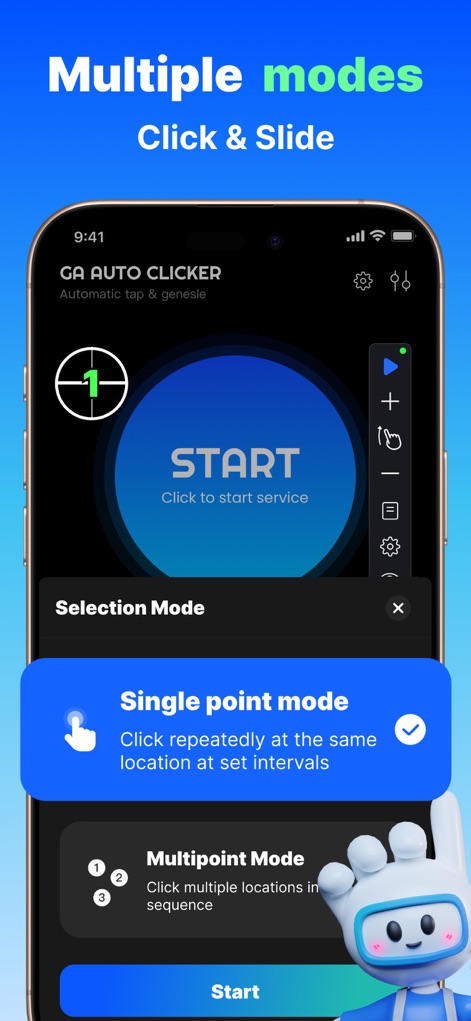
本アプリは、反復操作に最適な「シングルポイントモード」と、複雑なシーケンスに対応する「マルチポイントモード」を提供し、多様なクリックニーズに応えます。
複数モード選択
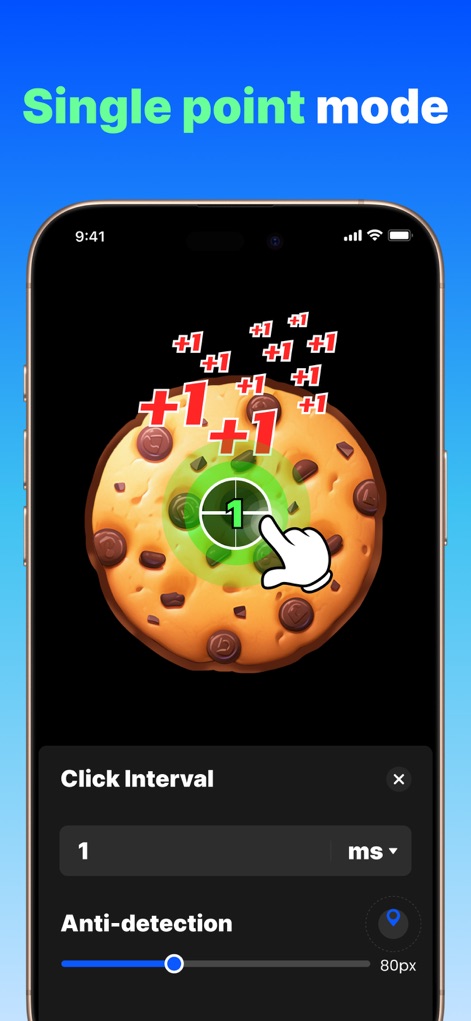
シングルポイントモードでは、ユーザーは設定した間隔で自動タップを実行でき、「クリック間隔」と「アンチ検出」設定で操作を最適化できます。
単一地点を高速タップ
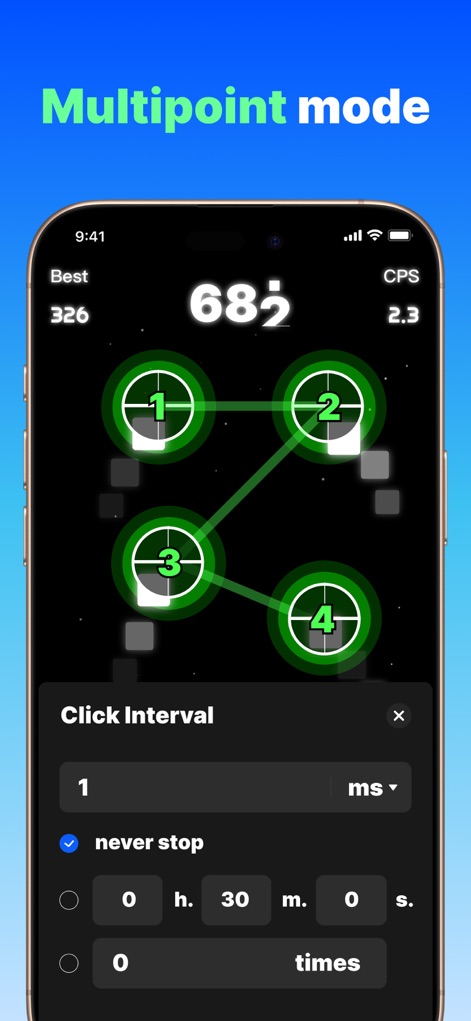
マルチポイントモードでは、複数のクリックターゲットを順番に実行でき、ユーザーは「クリック間隔」や「実行回数」を細かく設定して自動化をカスタマイズできます。
複数地点を自動操作
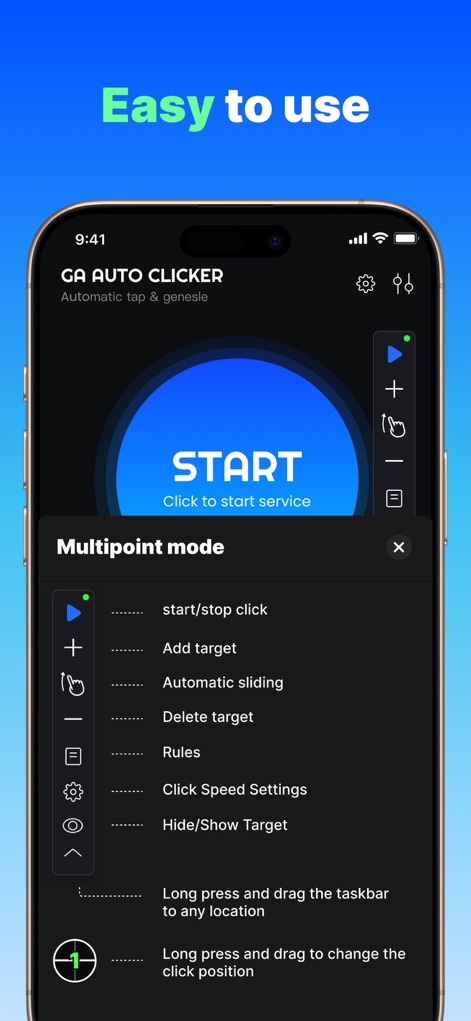
本アプリは、主要な機能を一元管理する「フローティングメニュー」と、自動クリックを簡単に開始・停止できる「スタートボタン」により、直感的な操作性を提供します。
直感的な操作性
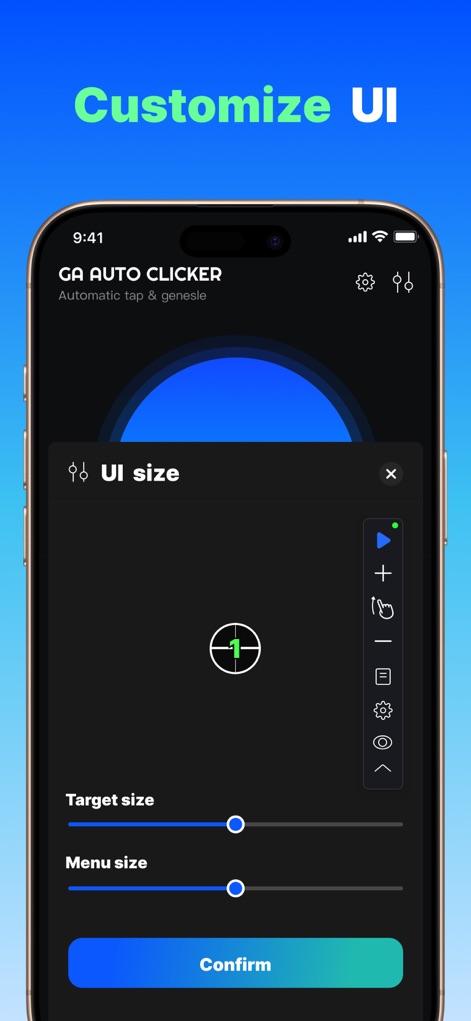
ユーザーは、自動クリックの「ターゲットサイズ」と、操作中の視認性を高める「メニューサイズ」を自由に調整し、パーソナライズされたUIを実現できます。
UIの自由な調整
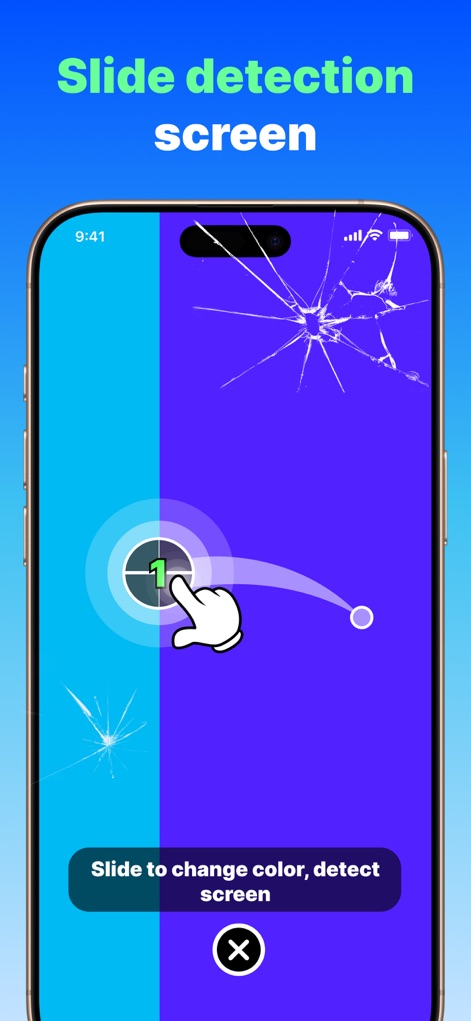
本アプリは、複雑な「スライド操作」を自動化できるだけでなく、画面の視覚的な問題も検出する「画面検出機能」を搭載しています。
スライド操作を再現
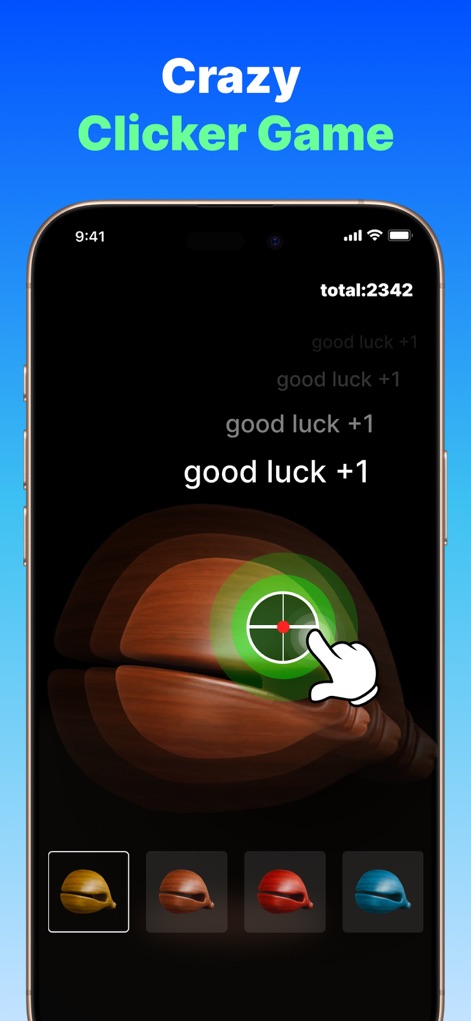
クリッカーゲームにおいて、このアプリは自動クリックで「ゲーム内での操作」を効率化し、達成した「総スコア」を明確に表示します。
ゲームを効率化
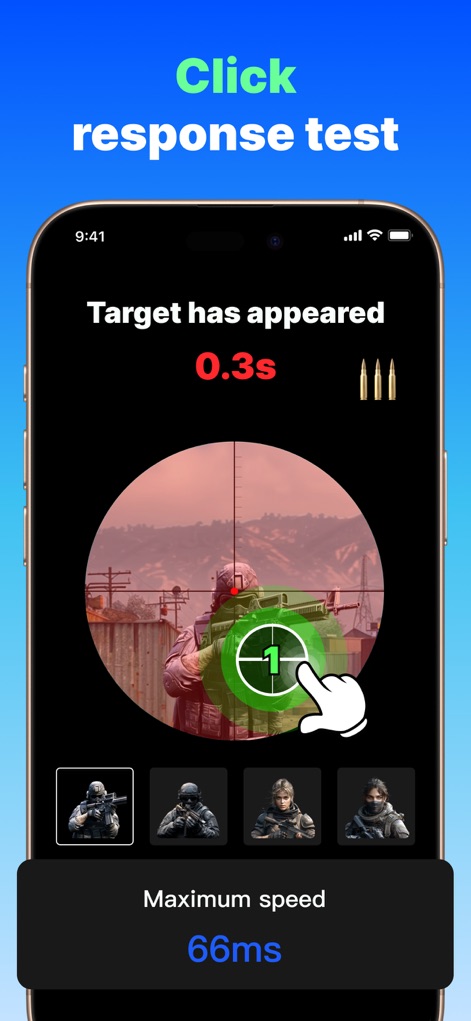
本ツールは、ユーザーの「クリック反応速度」を正確に測定する機能を提供し、達成可能な「最高速度」をミリ秒単位で表示します。
クリック速度測定
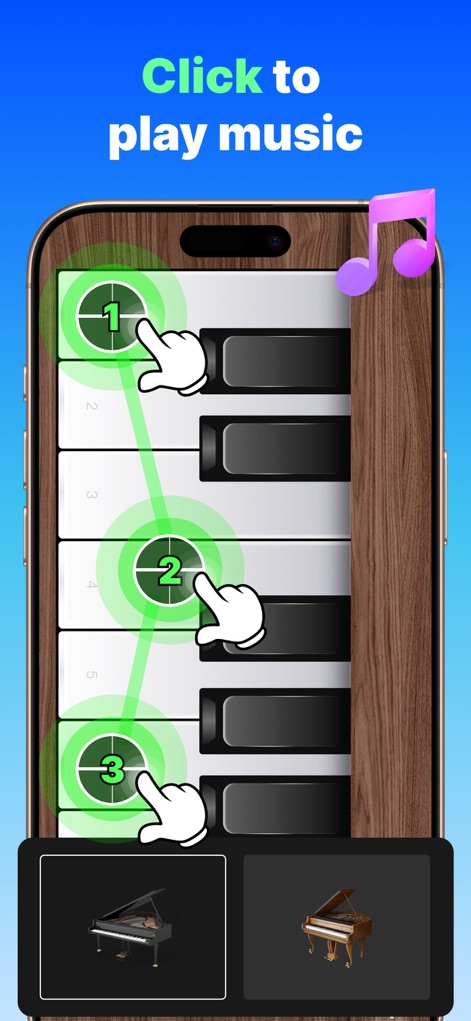
音楽アプリケーションでは、本アプリの「マルチターゲット設定」機能により、複数の鍵盤を順番に自動タップし、「音楽演奏の自動化」を実現します。
音楽も自動演奏
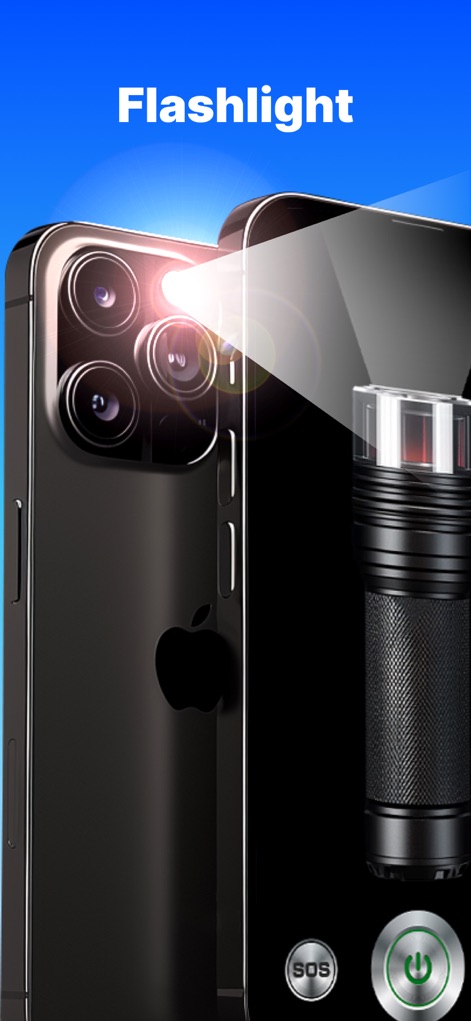
本アプリは、デバイスの「フラッシュライト機能」を搭載し、緊急時には「SOS信号」をワンタップで発信できる便利なユーティリティを提供します。
多機能フラッシュライト
説明
Download
類似アプリ
似た機能とユーザー体験を持つアプリ

自动ּ连点器 - 自动点击器
壮壮 彭

连点器-高效自动点击按键辅助工具
和圆 魏

连点器 - 自动点击持续滚动刷新&旋转指针工具
源 韦

自动点击器·连点器
磊 赵

Auto Clicker-Auto Tapper tool
佳豪 张

Auto Clicker: Click Automatic
RH LANDSCAPING LLC

连点器-自动连点神器&点赞抢购助手
倩格 刘

Auto Clicker - Tap Assistant
乐飞 张

Auto Tapper Assistant App
KUPERTINO BIL. YAZ. HALIL IBRAHIM KARAHAN SAFFET ARSLAN MUSTAFA AYTEN MUHAMMET YALCIN OZDEMIR K. S.
このページはアプリまたはその開発者の公式ページではなく、情報提供および論評を目的として作成された独立した編集出版物です。明示的に別段の記載がない限り、アプリおよびその開発者は、MWM、Apple、Google Play、アプリのパブリッシャー、またはアプリの開発者と提携、承認、後援、認可、またはその他の公式的な関係はなく、このページのいかなる内容も、アプリがMWMのサービスを使用して開発されたことを意味するものではありません。すべての商標、ロゴ、スクリーンショット、その他のコンテンツはそれぞれの所有者の財産です。