
このページはアプリまたはその開発者の公式ページではなく、情報提供および論評を目的として作成された独立した編集出版物です。明示的に別段の記載がない限り、アプリおよびその開発者は、MWM、Apple、Google Play、アプリのパブリッシャー、またはアプリの開発者と提携、承認、後援、認可、またはその他の公式的な関係はなく、このページのいかなる内容も、アプリがMWMのサービスを使用して開発されたことを意味するものではありません。すべての商標、ロゴ、スクリーンショット、その他のコンテンツはそれぞれの所有者の財産です。


Gif Maker-meme & video to gifs
退屈な静止画に息吹を吹き込み、ソーシャルフィードを支配するGIFを瞬時に作り出す力をユーザーに与える。
ダウンロード
7.5M+ユーザー評価
評価数
172.6K開発元
カテゴリ
Social Networking対応言語
33最新バージョン
3.2.2サイズ
257.2 MBリリース日
2017年11月5日デジタルネイティブ世代向けの高機能GIF作成ツールとしての評価
アプリ『Gif Maker-meme & video to gifs』の主要機能分析
多彩なソースからのGIF作成
ユーザーは、ビデオ、ライブ写真、連続撮影、通常の写真など、幅広いソースから簡単にGIFを作成できます。これにより、多様なコンテンツを動的なGIFに変換することが可能です。
GIFとビデオ形式での保存
作成したコンテンツをGIFまたはビデオファイルとして保存できるため、ユーザーは多様な用途や共有プラットフォームに合わせて柔軟に対応できます。
アニメーションテキストとステッカーの追加
ユーザーは、さまざまな静的および動的なステッカーやアニメーションテキストを追加して、GIFに個性を加え、メッセージをより魅力的に表現できます。
フィルターと背景のカスタマイズ
ユーザーは、多様な人気フィルターを適用して表現を豊かにしたり、背景色、カスタムキャンバス、透明な背景を設定して視覚的な魅力を高めたりできます。
GIFのトリミングと圧縮
ユーザーは、不要な部分をトリミングして必要なエリアを選択したり、GIFを圧縮して様々なプラットフォームでの共有を容易にしたりできます。
高度なビジュアル調整機能
明るさ、コントラスト、彩度、色温度などの専門的な画像調整オプションが提供され、ユーザーはGIFの視覚品質を細かく最適化できます。
プレイスピード調整とループ設定
ユーザーは、再生速度を調整したり、無限ループや特定の回数のループ設定を適用したりすることで、GIFの動きを精密にコントロールできます。
多様な図形とカスタムシェイプのサポート
ユーザーは、多様な既成図形やカスタムシェイプを活用して、より独創的で個性的なGIFコンテンツを制作できます。
よくある質問
について知っておくべきこと Gif Maker-meme & video to gifs
How do I create GIFs using the Gif Maker-meme & video to gifs app?
The Gif Maker app allows you to create GIFs from live photos, normal photos, continuous shots, and videos. Select your desired media type within the app to begin the GIF creation process.
Can I convert videos into GIFs with Gif Maker?
Yes, Gif Maker-meme & video to gifs supports converting videos into animated GIFs. The app includes a dedicated "Video production animation" feature and a "Video to GIF" button for this purpose.
What editing options are available in the Gif Maker app?
Gif Maker offers multiple editing modes including applying stickers, popular filters, animated text/subtitles, and professional picture adjustments. Users can also adjust playback speed, cut videos/GIFs, and customize backgrounds.
What is the cost of the GIF Maker automatic subscription service?
The GIF Maker automatic subscription service costs 12 yuan per week for the professional continuous weekly package. Payment is automatically processed through your iTunes account.
How can I cancel my GIF Maker subscription?
To unsubscribe from GIF Maker, go to "Settings" -> "iTunes Store and App Store" -> "Apple ID", select "view Apple ID", enter "account settings", click "subscription", and choose "enjoy card" to unsubscribe.
Can I share GIFs created with Gif Maker-meme & video to gifs?
Yes, the Gif Maker app allows you to easily share your created GIFs and emoticons with friends. It supports saving as GIF or video files for versatile sharing options.
Does Gif Maker support GIF compression?
Yes, Gif Maker-meme & video to gifs includes a GIF compression feature for all platforms. This helps optimize file sizes for sharing and storage efficiency.
Where can I find the Privacy Policy for Gif Maker-meme & video to gifs?
The Privacy Policy for Gif Maker is accessible via the link provided in the app's description: pages.flycricket.io/gif-maker-7/privacy.html. This document outlines data handling practices.
以下のスクリーンショットと説明は、アプリの公式ストアリスティングから直接取得されたものであり、アプリ開発者の所有物です。
アプリストア
スクリーンショット
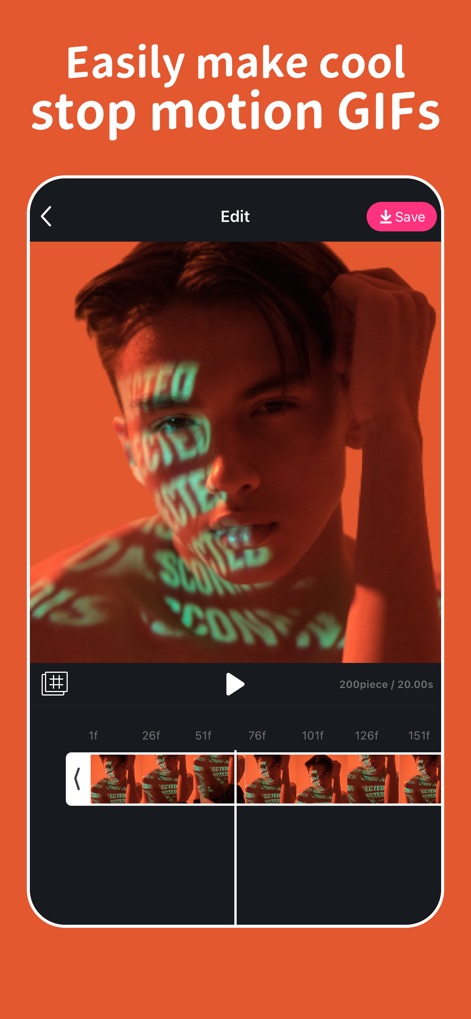
ユーザーは、詳細な「フレームごとのタイムライン」でGIFの再生を微調整し、「保存」機能で簡単に作品を書き出すことができます。
精密なGIF編集
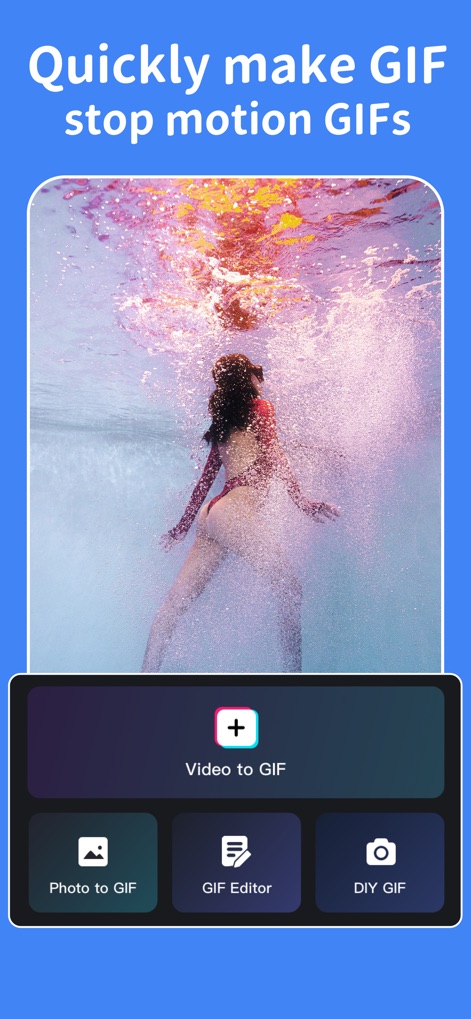
このアプリは、「動画からGIF」と「写真からGIF」への変換オプションを提供し、多様なメディアソースからのGIF作成を可能にします。
多彩な作成ソース

ユーザーは、豊富な種類の「ステッカー」ライブラリや「人気のフィルター」を適用して、GIFにユニークなスタイルと感情を加えることができます。
表現力豊かなカスタマイズ
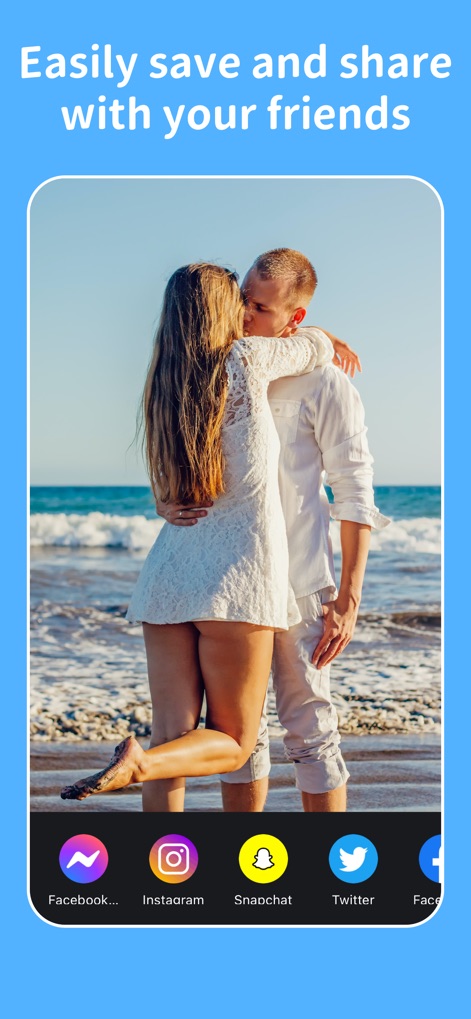
作成したGIFは、「Instagram」や「Twitter」を含む主要なSNSプラットフォームへ直接共有でき、幅広い「ソーシャルメディア連携」を通じて簡単に友人と感動を分かち合えます。
シームレスな共有
説明
Download
類似アプリ
似た機能とユーザー体験を持つアプリ

ImgPlay: GIF Maker & Meme
ImgBase, Inc.

quickLive-Video2Live Wallpaper
Changshu Chuang Shi Media Technology Co., Ltd.

Live - LivePhoto maker
Beyond Trading

Patternator Video Wallpapers
Bazaart Ltd.

GIF Maker & Editor Pro
Chengdu Siwen Culture Media Co., Ltd.

Mematic - The Meme Maker
Trilliarden Entertainment GmbH

Video to Live ◦
Anish Modan

Boomerang - Video Maker
Video Bakery Ltd.

Easy Video Speed Editor
Osawa Shunsuke
このページはアプリまたはその開発者の公式ページではなく、情報提供および論評を目的として作成された独立した編集出版物です。明示的に別段の記載がない限り、アプリおよびその開発者は、MWM、Apple、Google Play、アプリのパブリッシャー、またはアプリの開発者と提携、承認、後援、認可、またはその他の公式的な関係はなく、このページのいかなる内容も、アプリがMWMのサービスを使用して開発されたことを意味するものではありません。すべての商標、ロゴ、スクリーンショット、その他のコンテンツはそれぞれの所有者の財産です。