GPS Geotag Map Camera - Tagofy
ダウンロード: App Store

このページはアプリまたはその開発者の公式ページではなく、情報提供および論評を目的として作成された独立した編集出版物です。明示的に別段の記載がない限り、アプリおよびその開発者は、MWM、Apple、Google Play、アプリのパブリッシャー、またはアプリの開発者と提携、承認、後援、認可、またはその他の公式的な関係はなく、このページのいかなる内容も、アプリがMWMのサービスを使用して開発されたことを意味するものではありません。すべての商標、ロゴ、スクリーンショット、その他のコンテンツはそれぞれの所有者の財産です。


ロゴ: GPS Geotag Map Camera - Tagofy
ダウンロード: App Store

GPS Geotag Map Camera - Tagofy

自動GPSスタンプ、カスタムタイムスタンプ、ブランドロゴですべての詳細をキャプチャ。不動産、フィールドワーク、そしてあなたのグローバルな冒険を記録するための究極のツール。

主要数値

ダウンロード

418K+

ユーザー評価

4.7/5

評価数

5K+

開発元

Pravin Gondaliya

カテゴリ

Photo & Video

対応言語

1

最新バージョン

3.5

サイズ

190.8 MB

リリース日

2023年8月29日
機能

スマートなドキュメント作成、より豊かな思い出

高精度のGPS追跡とプロフェッショナルなブランディングを組み合わせて、仕事現場でも山の頂上でも、完全なストーリーを伝える写真を作成します。

自動高精度ジオタギング

正確な住所、座標、高度を写真に即座に埋め込み、絶対的な位置精度と説明責任を確保します。

プロフェッショナルカスタムブランディング

ビジネスロゴをアップロードし、カスタムプロジェクトノートを追加して、シンプルなキャプチャを検証済みのプロフェッショナルレポートに変えます。

FAQ

よくある質問

について知っておくべきこと GPS Geotag Map Camera - Tagofy

GPS Geotag Map Camera - Tagofyアプリとは何ですか?

GPS Geotag Map Camera - Tagofyアプリは、日付と時刻、ジオタグ、位置情報座標、天気、コンパス情報が埋め込まれた写真をキャプチャします。画像にタイムスタンプウォーターマークを追加することもできます。

GPS Geotag Map Camera - Tagofyはどのように写真に位置情報を追加しますか?

Tagofyは、アプリのインストールとカスタマイズ後にスタンプを自動的に埋め込むことで、写真にGPS位置情報を追加します。ユーザーはスタンプを選択し、その形式を調整してから、アプリ内で写真を撮影します。

GPS Geotag Map Camera - Tagofyアプリでウォーターマークをカスタマイズできますか?

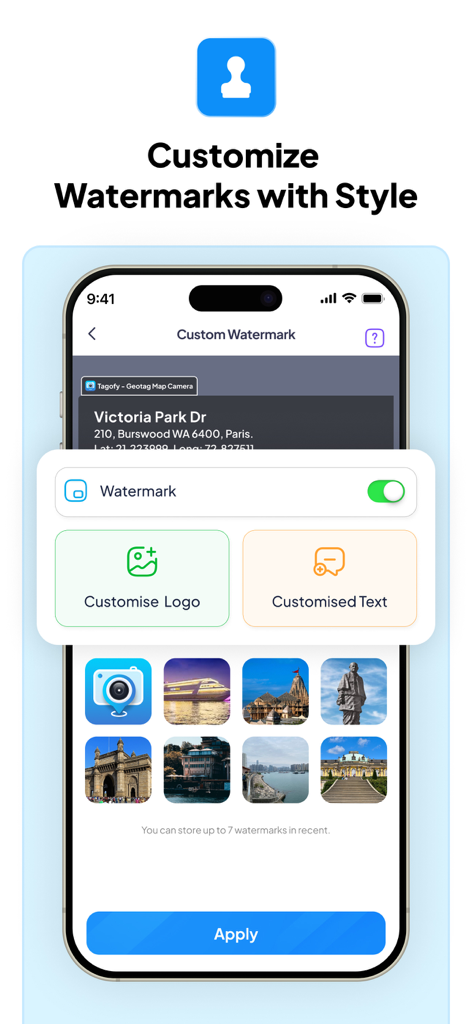
はい、GPS Geotag Map Camera - Tagofyアプリでウォーターマークをカスタマイズできます。オプションには、ウォーターマークの切り替え、ロゴのカスタマイズ、パーソナライズのためのカスタムテキストの追加が含まれます。

以下のスクリーンショットと説明は、アプリの公式ストアリスティングから直接取得されたものであり、アプリ開発者の所有物です。

アプリストア

スクリーンショット
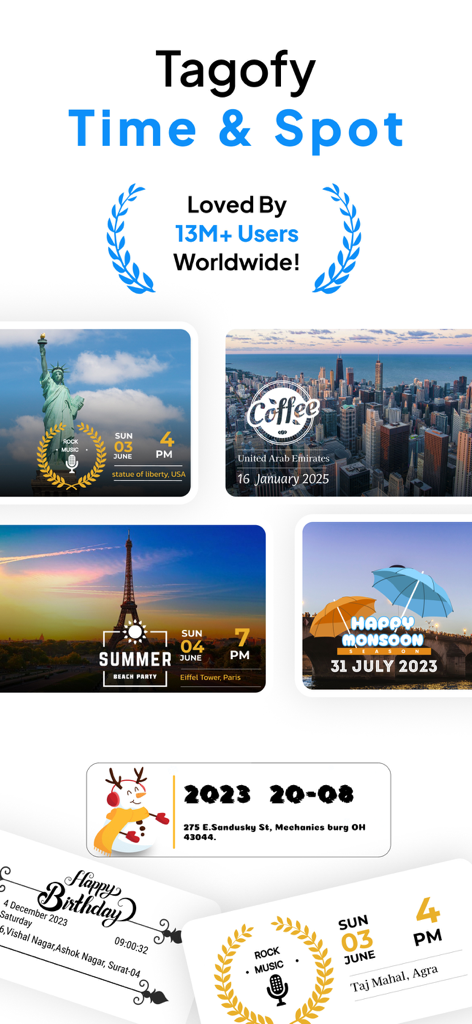
GPS Geotag Map Camera - Tagofy - Tagofy GPS Geotag Map Cameraアプリからの、位置情報と時刻スタンプ付きの旅行写真のコラージュ。
Tagofy GPS Geotag Map Cameraアプリからの、位置情報と時刻スタンプ付きの旅行写真のコラージュ。

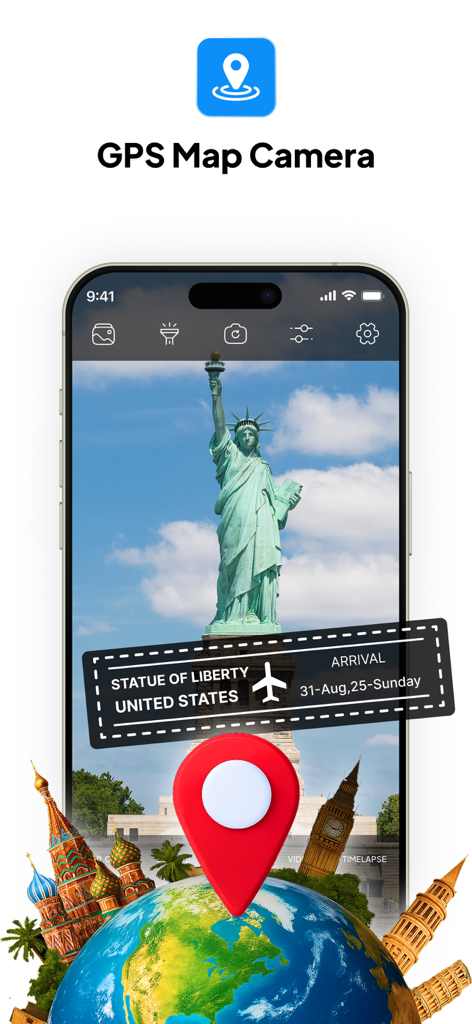
GPS Geotag Map Camera - Tagofy - GPSマップカメラアプリのインターフェース、自由の女神の写真に位置情報と日付スタンプ付き。
GPSマップカメラアプリのインターフェース、自由の女神の写真に位置情報と日付スタンプ付き。

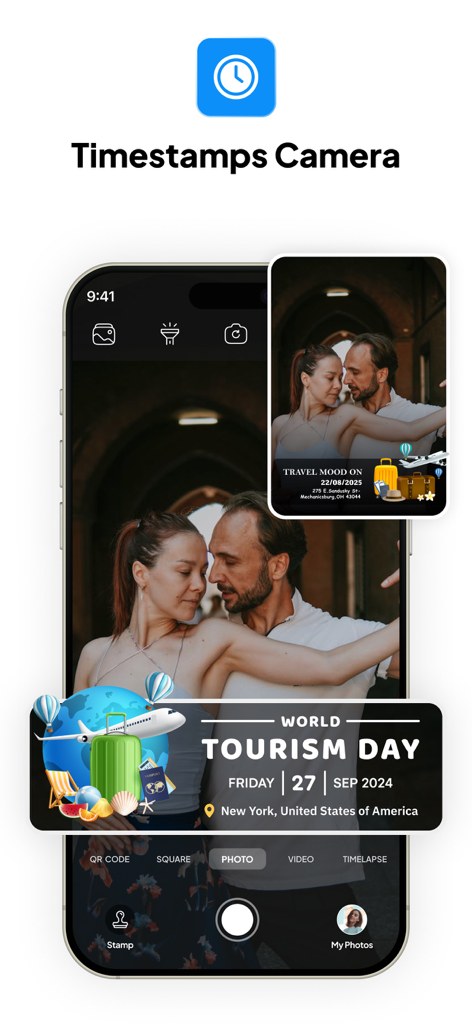
GPS Geotag Map Camera - Tagofy - ニューヨークのワールド・ツーリズム・デー(世界観光の日)のためのGPSジオタグスタンプ付き写真が表示されたTagofyアプリのインターフェース。
ニューヨークのワールド・ツーリズム・デー(世界観光の日)のためのGPSジオタグスタンプ付き写真が表示されたTagofyアプリのインターフェース。

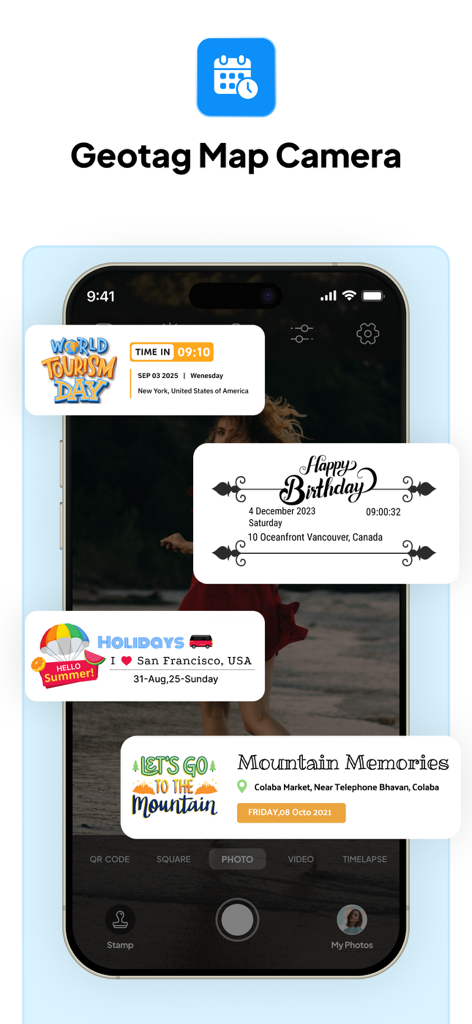
GPS Geotag Map Camera - Tagofy - GPS位置データ付きの旅行およびイベント用のカスタム写真スタンプを表示するTagofyアプリのインターフェース。
GPS位置データ付きの旅行およびイベント用のカスタム写真スタンプを表示するTagofyアプリのインターフェース。

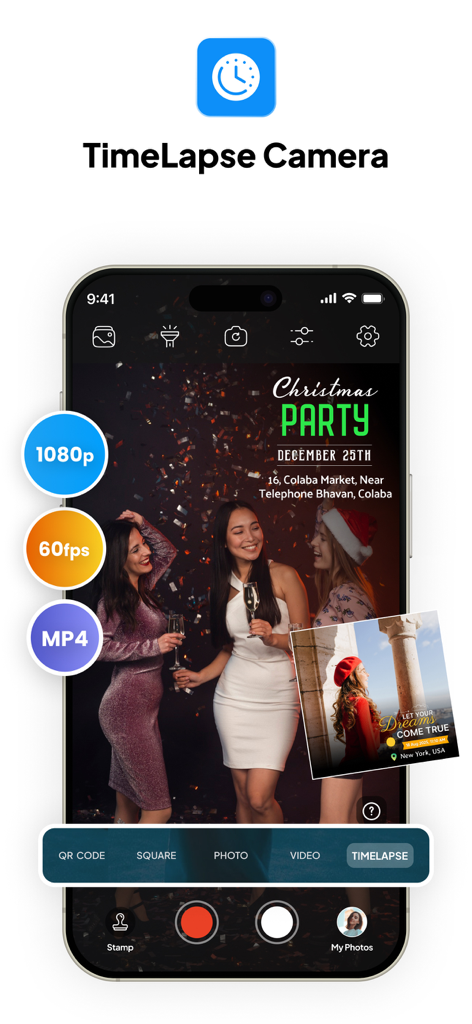
GPS Geotag Map Camera - Tagofy - 1080pおよび60fpsの設定を備えたタイムラプスカメラモードを表示するTagofyアプリのインターフェース。
1080pおよび60fpsの設定を備えたタイムラプスカメラモードを表示するTagofyアプリのインターフェース。

GPS Geotag Map Camera - Tagofy - カスタムロゴやテキストのオプションが表示されたTagofyアプリのウォーターマークカスタマイズメニューを示すスマートフォンの画面。
カスタムロゴやテキストのオプションが表示されたTagofyアプリのウォーターマークカスタマイズメニューを示すスマートフォンの画面。

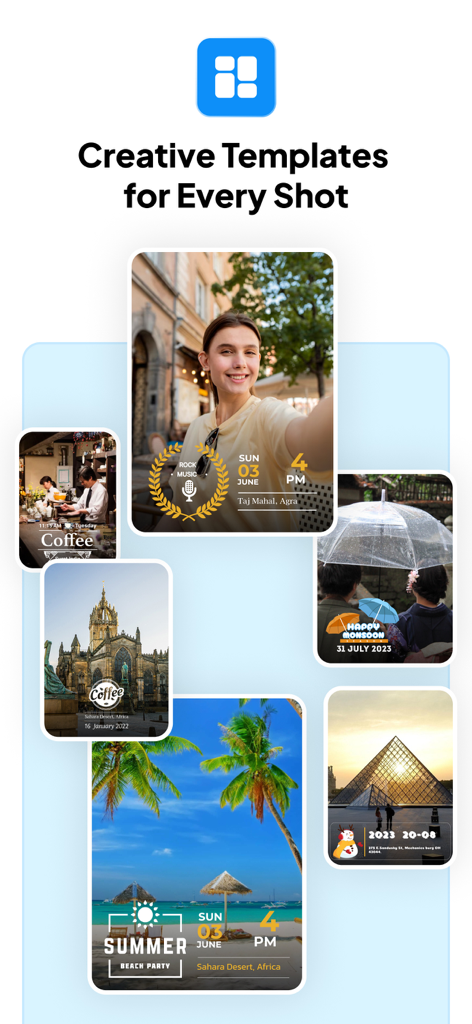
GPS Geotag Map Camera - Tagofy - GPSジオタグとタイムスタンプのクリエイティブなテンプレートの写真コレクション。
GPSジオタグとタイムスタンプのクリエイティブなテンプレートの写真コレクション。

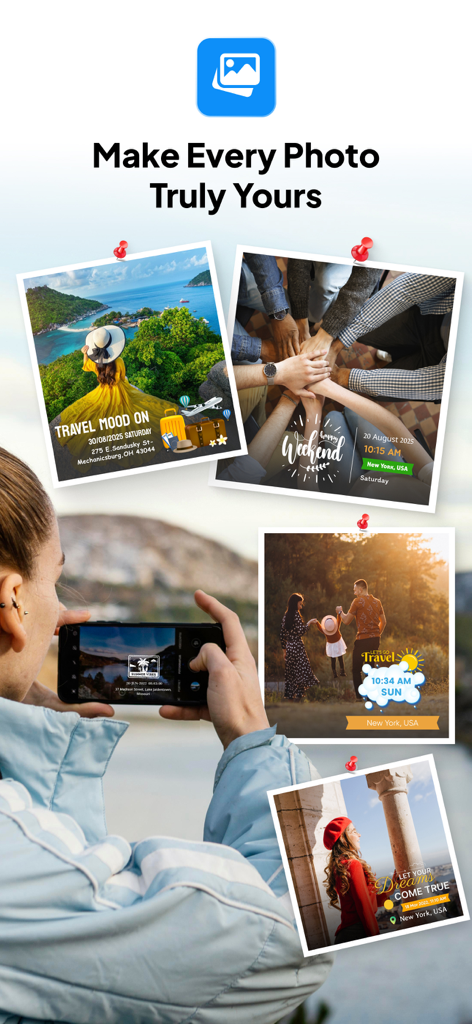
GPS Geotag Map Camera - Tagofy - TagofyアプリからのカスタマイズされたGPS位置情報と日付スタンプ付きの旅行写真のコラージュ。

TagofyアプリからのカスタマイズされたGPS位置情報と日付スタンプ付きの旅行写真のコラージュ。

説明

Capture your travel memories or visits to special places with Tagofy - Geotag Map Camera, adding date-time, Geotag, Latitude, Longitude, Altitude, Weather, Magnetic field, Timestamp, and Compass information to your camera photos. Easily add a timestamp watermark to your real-time camera photos with the Timestamp Camera app. Keep track of your live location and the current time along with your captured photos using a Tagofy - Geotag Map Camera. Share your geotagged photos with your family and friends to let them know about your amazing travel experiences. Whether it's your memorable moments or your adventures at a specific destination, use the Tagofy - Geotag Map Camera feature. Make your photos come alive with geotags by using the GPS Camera. Share the location of the streets and places featured in your photos with your loved ones, and share your best travel memories and adventures from around the world. To add GPS location to photos, follow these steps: 1. Install the Tagofy - Geotag Map Camera app from your device's App Store. 2. Open the app & click on the stamp that appears on the screen, Customize the stamp as per your choice. 3. Customize the format & arrangement to suit your needs. Adjust the settings for the GPS location stamp according to your needs. 4. Now, when you take a photo within the app, it will automatically add GPS location stamps to your photos, displaying the exact location on your photos. Some interesting features of the Tagofy - Geotag Map Camera app include: 1. Custom GPS camera with options for grid, ratio, front & selfie camera, flash, focus, mirror, timer, and capture sound support. 2. Automatic location data setting for added convenience. 3. Classic template that automatically fetches stamp details, simplifying the process of adding info to your photos. 4. Capture high-quality videos with adjustable quality and bitrate, choosing between MOV and MP4 formats. 5. Experiment with time-lapse Video recording, with video stabilisation. 6. Utilize mirror front camera, capture photos with customisable settings. 7. Access a built-in QR scanner. 8. Explore user-friendly timelapse interface, and customize the side panel with shortcut buttons (text, tags, lock screen). 9. Configure email settings for easy sharing, and explore additional functionalities in settings. In the Advance Template section of the Tagofy - Geotag Map Camera app, you can: 1. Address: Add your chosen automatic location to the photo or input it manually as needed. 2. Date & Time: Add date & timestamp in various formats as an image tag. 3. Logo: Upload your own brand logo to personalize your photos. 4. Note: Write relevant notes or descriptions for your photos. 5. Hashtags: Include hashtags related to your photos using this GPS app for better organization & discoverability. Tagofy - Geotag Map Camera app on your smartphone offers several benefits, such as: 1. Adding GPS location stamps to your photos. 2. Adding geotag stamps to your photos. 3. Adding photo location stamps. 4. Include Address, date-time & location stamps to your photos. Stay connected with loved ones as you share your adventures and geotagged photos through the Tagofy - Geotag Map Camera App. Your pics will now not only be visual delights but will also carry live location memories. Embrace the power of geotag and make your photos come alive with the Tagofy - Geotag Map Camera App. Tagofy - Geotag Map Camera isn't just a photography tool; it's a powerful companion for explorers, adventurers, and storytellers. Whether you're backpacking across the globe, capturing family gatherings, or documenting your city strolls, our app is designed to make your memories last a lifetime. Privacy Policy: https://tagofy.app/privacy_policy Terms & Service: https://tagofy.app/terms_of_use

Download

ダウンロード: App Store

このページはアプリまたはその開発者の公式ページではなく、情報提供および論評を目的として作成された独立した編集出版物です。明示的に別段の記載がない限り、アプリおよびその開発者は、MWM、Apple、Google Play、アプリのパブリッシャー、またはアプリの開発者と提携、承認、後援、認可、またはその他の公式的な関係はなく、このページのいかなる内容も、アプリがMWMのサービスを使用して開発されたことを意味するものではありません。すべての商標、ロゴ、スクリーンショット、その他のコンテンツはそれぞれの所有者の財産です。








