Guerrilla Filmmaker: Camera
ダウンロード: App Store

このページはアプリまたはその開発者の公式ページではなく、情報提供および論評を目的として作成された独立した編集出版物です。明示的に別段の記載がない限り、アプリおよびその開発者は、MWM、Apple、Google Play、アプリのパブリッシャー、またはアプリの開発者と提携、承認、後援、認可、またはその他の公式的な関係はなく、このページのいかなる内容も、アプリがMWMのサービスを使用して開発されたことを意味するものではありません。すべての商標、ロゴ、スクリーンショット、その他のコンテンツはそれぞれの所有者の財産です。


ロゴ: Guerrilla Filmmaker: Camera
ダウンロード: App Store

Guerrilla Filmmaker: Camera

自動フォーカス、最大150Mbpsのプロビットレート、カスタムアナモルフィックサポートを備えた唯一のアプリで、ハリウッドグレードのツールをiPhoneで解き放ちましょう。ソロクリエイターや映画製作者向け。

主要数値

ダウンロード

102K+

ユーザー評価

4.5/5

評価数

0

開発元

Guerrilla Apps Ltd

カテゴリ

Photo & Video

対応言語

1

最新バージョン

2.22

サイズ

17.6 MB

リリース日

2015年6月30日
機能

プロフェッショナルなシネマティックコントロール

最新のソロクリエイター向けに設計された、詳細な手動コントロールと業界をリードする自動化機能で、iPhoneを高品位なシネマカメラに変えましょう。

ユニークな自動化

クルーなしで、複雑でプログレードのカメラワークを実行するために、正確なフォーカスプルと露出シフトをプログラムします。

プロモニタリングツール

フォーカスピーキング、偽色、カスタムビットレート(最大150Mbps)で、常に完璧な技術的実行を達成します。

以下のスクリーンショットと説明は、アプリの公式ストアリスティングから直接取得されたものであり、アプリ開発者の所有物です。

アプリストア

スクリーンショット
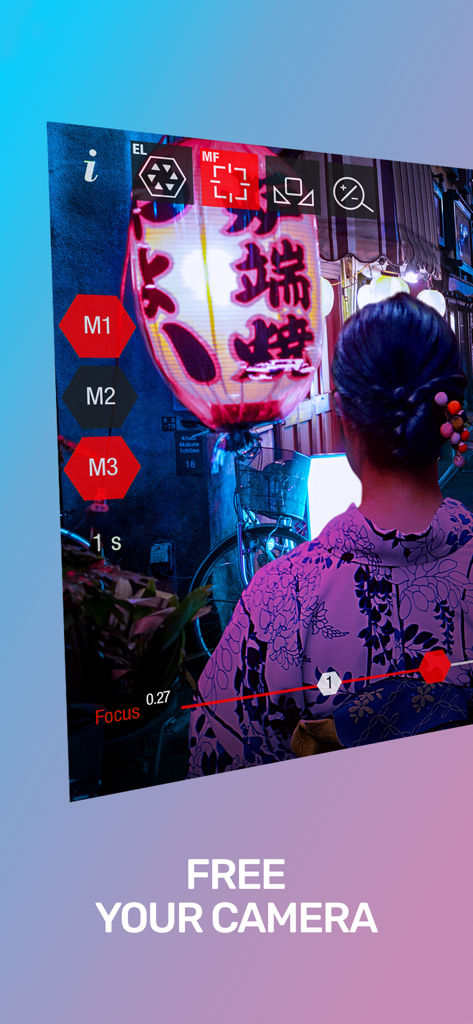
Guerrilla Filmmaker: Camera - プロカメラアプリのインターフェース。手動フォーカスと露出コントロールが表示され、シネマティックな夜景が映し出されています
プロカメラアプリのインターフェース。手動フォーカスと露出コントロールが表示され、シネマティックな夜景が映し出されています

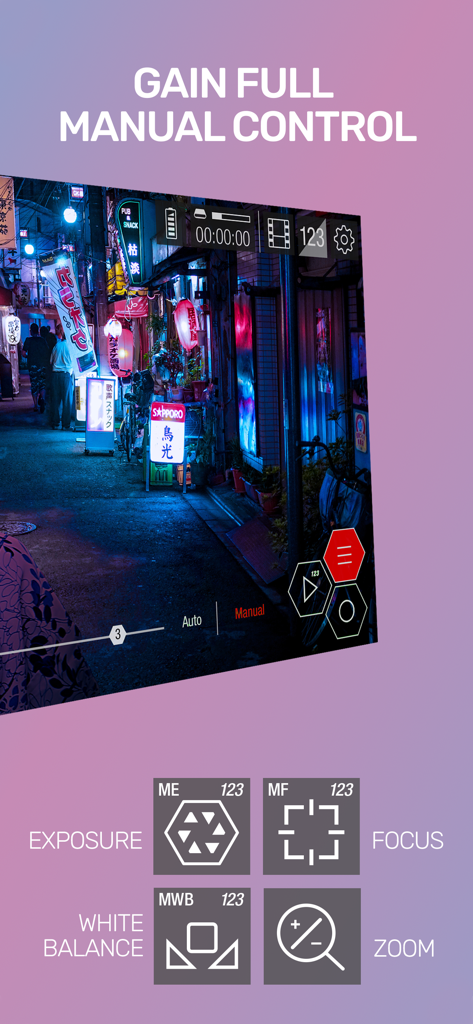
Guerrilla Filmmaker: Camera - Guerrilla Filmmakerアプリのインターフェース。露出、フォーカス、ホワイトバランス、ズームの手動カメラコントロールが表示されています
Guerrilla Filmmakerアプリのインターフェース。露出、フォーカス、ホワイトバランス、ズームの手動カメラコントロールが表示されています

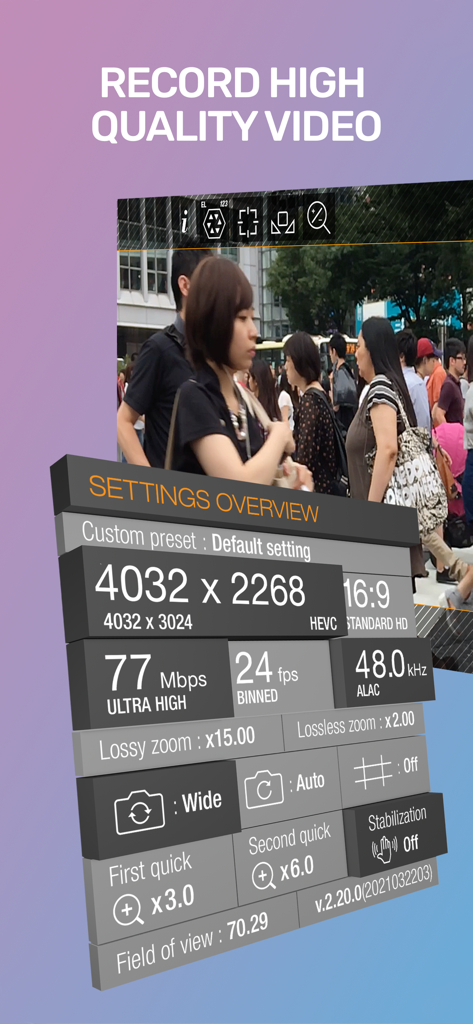
Guerrilla Filmmaker: Camera - Guerrilla Filmmakerアプリ。解像度やビットレートなどの高度なビデオ録画設定が表示されています
Guerrilla Filmmakerアプリ。解像度やビットレートなどの高度なビデオ録画設定が表示されています

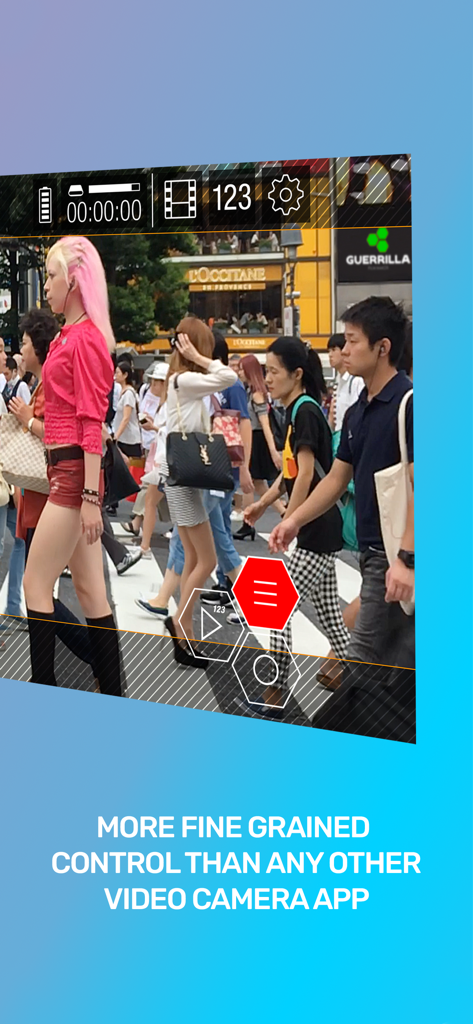
Guerrilla Filmmaker: Camera - プロフェッショナルビデオカメラのインターフェース。街のシーンで手動露出とフォーカスコントロールが表示されています
プロフェッショナルビデオカメラのインターフェース。街のシーンで手動露出とフォーカスコントロールが表示されています

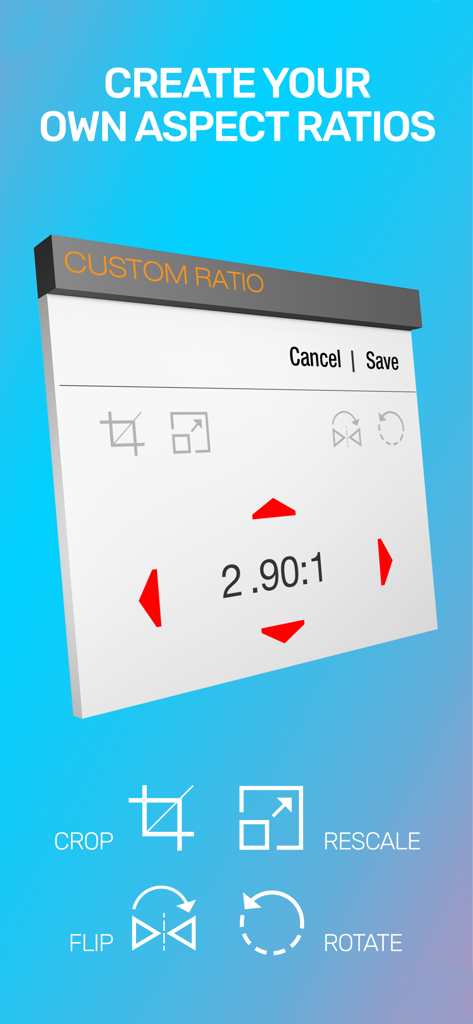
Guerrilla Filmmaker: Camera - Guerrilla Filmmakerアプリの画面。カスタムアスペクト比設定が表示され、クロップ、リサイズ、フリップ、回転ツールが含まれています
Guerrilla Filmmakerアプリの画面。カスタムアスペクト比設定が表示され、クロップ、リサイズ、フリップ、回転ツールが含まれています

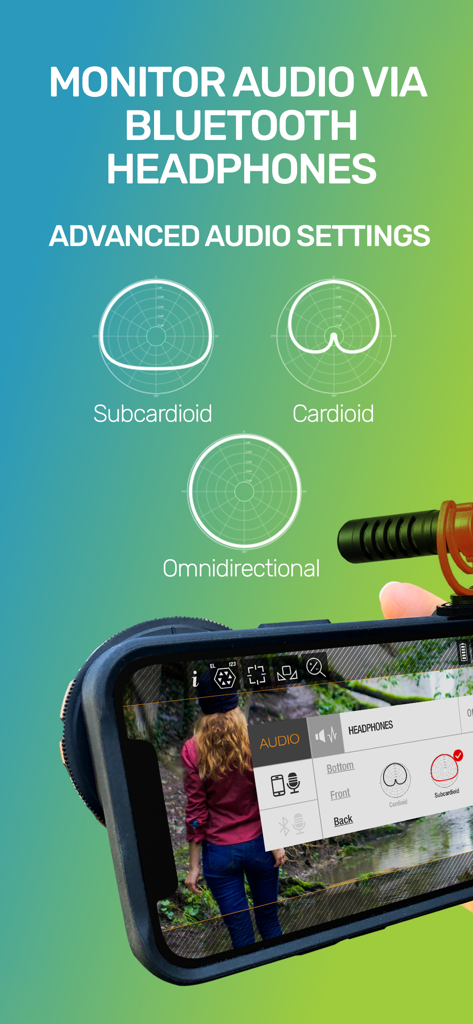
Guerrilla Filmmaker: Camera - Guerrilla Filmmakerアプリの高度なオーディオ設定。極性パターンとBluetoothモニタリングオプションが表示されています
Guerrilla Filmmakerアプリの高度なオーディオ設定。極性パターンとBluetoothモニタリングオプションが表示されています

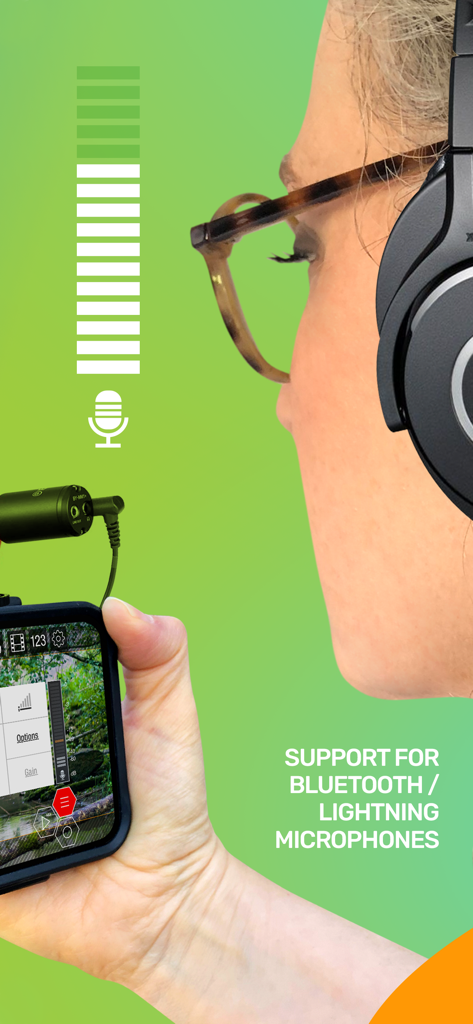
Guerrilla Filmmaker: Camera - iPhoneでGuerrilla Filmmakerアプリを使用し、外部マイクを使用している女性
iPhoneでGuerrilla Filmmakerアプリを使用し、外部マイクを使用している女性

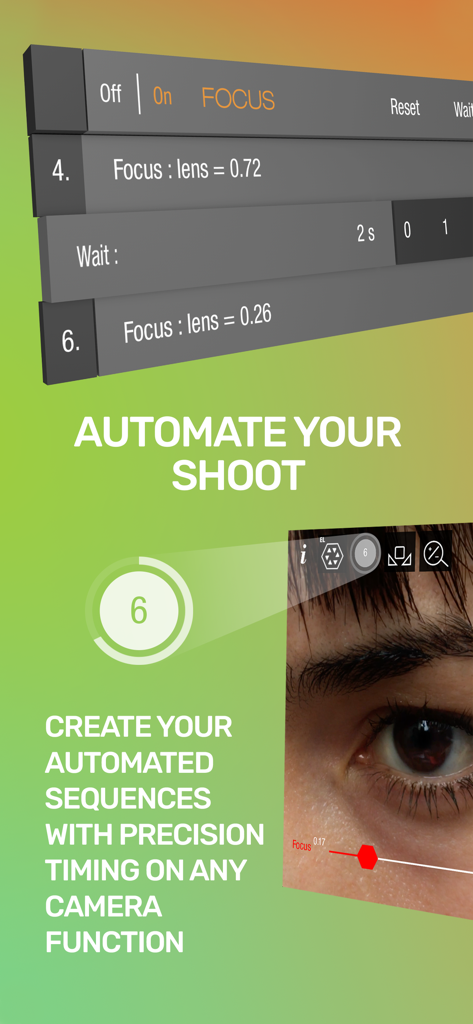
Guerrilla Filmmaker: Camera - プロのモバイル映画制作のために精密なタイミングで自動フォーカスプルシーケンスを示すインターフェース
プロのモバイル映画制作のために精密なタイミングで自動フォーカスプルシーケンスを示すインターフェース

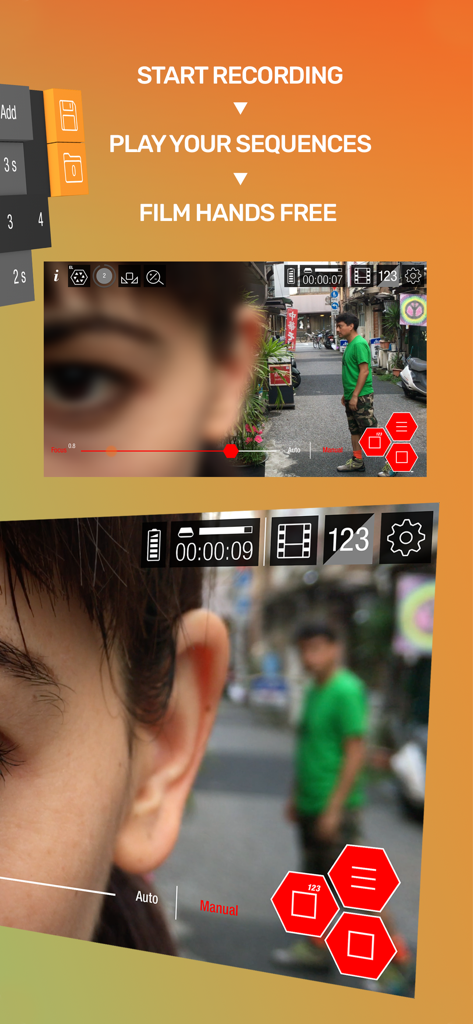
Guerrilla Filmmaker: Camera - ハンズフリーのプロモバイル映画制作のための自動カメラシーケンス

ハンズフリーのプロモバイル映画制作のための自動カメラシーケンス

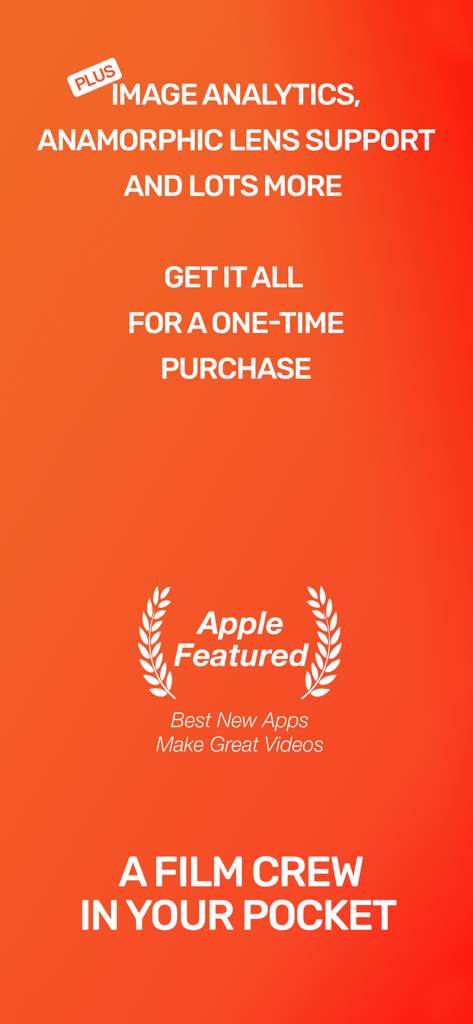
Guerrilla Filmmaker: Camera - アナモルフィックレンズサポートやApple Featured賞付きの買い切り価格などの機能を示すGuerrilla Filmmakerアプリのプロモーション画面

アナモルフィックレンズサポートやApple Featured賞付きの買い切り価格などの機能を示すGuerrilla Filmmakerアプリのプロモーション画面

説明

** Featured in App Store “Best New Apps” and “Make Great Videos” ** Guerrilla Filmmaker is the go-to video camera app used by professional and aspiring filmmakers, documentary makers, vloggers and anyone wanting to get the most out of the camera in their pocket. --- 5 STAR REVIEWS FOR GUERRILLA FILMMAKER --- "Love it, gotta have it" "The best, hands down, 4K video camera app!!!" "This app has some serious caliber... Automation is the most amazing part in this app." -- EXTENSIVE BUILT IN INSTRUCTIONAL VIDEOS -- Guerrilla Filmmaker has features that no other video recording app has. We also designed the interface for quick control using touch gestures. To help you get the most out of Guerrilla Filmmaker, every feature is demonstrated through an extensive set of in-app instructional videos. --- ONE OF A KIND AUTOMATION FEATURES --- Guerrilla Filmmaker is the only video camera app that lets you automate any camera function (focus, exposure, white balance, zoom) so that you can plan your shot, playback your automation sequence and record hands free. Take full control by setting exact focus, exposure, white balance and zoom points and dial in the timing. Set up a pull focus sequence from one subject to another. Automate changing exposure as you track from indoors to outdoors. Create any automation sequence you can imagine. --- CREATE CUSTOM ASPECT RATIOS --- Use one of the built in aspect ratios including Moondog anamorphic or create your very own. Support for image flip, rotation and anamorphic squeeze to allow building aspect ratios for any custom external lens. --- GESTURE SHORTCUTS --- • Swipe to quickly change between focus, zoom, white balance and exposure • Long press to focus or expose at image point • Long press to bring up magnified inspection window for precise focus adjustment • Double tap to lock all functions to manual mode • Double tap to reset all functions to auto mode • Double tap to quickly zoom in to a predefined magnification • Swipe to remove interface elements for a clean viewfinder • Start recording right from the iOS home screen by long pressing the Guerrilla Filmmaker icon and selecting a preset setting --- VIDEO RECORDING FEATURES --- • More fine grained settings than any other video recorder app • Manual focus, exposure, white balance and zoom • Auto mode • 4K resolution (device dependent) • All device resolutions available • Video bit rates up to 150Mbps (device dependent) • 48.0kHz or 44.1kHz audio sample rate • Custom frame rates up to 240fps (device and resolution dependent) • Choose any frame rate, not just predefined frame rates • Built in aspect ratios (HD, 4:3, CinemaScope, Moondog lens, etc) • Custom aspect ratios (build your own) • Focus peaking tool • False color tool • ProRes, HEVC and H264 video codecs • Gray card calibration • Video stabilization • Support for external microphones • Headphone monitoring • Inbuilt microphone polar pattern selection • Audio meter --- CUSTOM PRESETS --- • Save your settings as a named preset • Add the preset as a home screen shortcut • Long press the Guerrilla Filmmaker app icon and select a preset shortcut to begin recording immediately from the home screen with the desired settings --- BEAUTIFUL FILM LIBRARY --- • Share your clips via AirDrop or lightning cable connected via Finder app • Share via iOS share-capable apps such as CapCut, Facebook, WhatsApp, iMovie etc • Playback with adjustable frame rate to view in slow motion or fast speed • Meta data displayed is read from the recorded file so you can be sure that what you have is what you expected --- FEEDBACK & SUPPORT --- If you have any questions or suggestions, please let us know via in-app feedback or email us at feedback@guerrilla-apps.com Keep those feature requests coming and if you’re enjoying Guerrilla Filmmaker please consider leaving a review on the App Store.

Download

ダウンロード: App Store

このページはアプリまたはその開発者の公式ページではなく、情報提供および論評を目的として作成された独立した編集出版物です。明示的に別段の記載がない限り、アプリおよびその開発者は、MWM、Apple、Google Play、アプリのパブリッシャー、またはアプリの開発者と提携、承認、後援、認可、またはその他の公式的な関係はなく、このページのいかなる内容も、アプリがMWMのサービスを使用して開発されたことを意味するものではありません。すべての商標、ロゴ、スクリーンショット、その他のコンテンツはそれぞれの所有者の財産です。