HealthFace
HealthFace
ダウンロード: App Store

このページはアプリまたはその開発者の公式ページではなく、情報提供および論評を目的として作成された独立した編集出版物です。明示的に別段の記載がない限り、アプリおよびその開発者は、MWM、Apple、Google Play、アプリのパブリッシャー、またはアプリの開発者と提携、承認、後援、認可、またはその他の公式的な関係はなく、このページのいかなる内容も、アプリがMWMのサービスを使用して開発されたことを意味するものではありません。すべての商標、ロゴ、スクリーンショット、その他のコンテンツはそれぞれの所有者の財産です。


ロゴ: HealthFace
ダウンロード: App Store

HealthFace

Apple WatchとiPhoneを強力な健康ダッシュボードに変えましょう。80以上の指標を簡単に記録し、個人の目標を追跡。データはすべてプライベートに保たれ、タップ一つで操作可能です。

主要数値

ダウンロード

234K+

ユーザー評価

4.3/5

評価数

2K+

開発元

Crunchy Bagel Pty Ltd

カテゴリ

Health & Fitness

対応言語

24

最新バージョン

3.3.2

サイズ

41.3 MB

リリース日

2016年12月20日
機能

再定義された健康ダッシュボード

iPhoneとApple WatchでAppleヘルスケアデータを記録・可視化する最も強力な方法で、ウェルネスの旅を効率化しましょう。

電光石火のログ記録

メニューをスキップ。カフェインから血圧まで、手首やホーム画面のウィジェットから直接わずか2タップで記録できます。

プロ仕様のウォッチコンプリケーション

Apple Watchをパーソナライズされたコマンドセンターに変えましょう。82種類のデータタイプから選択し、リアルタイムで目標を追跡できます。

以下のスクリーンショットと説明は、アプリの公式ストアリスティングから直接取得されたものであり、アプリ開発者の所有物です。

アプリストア

スクリーンショット
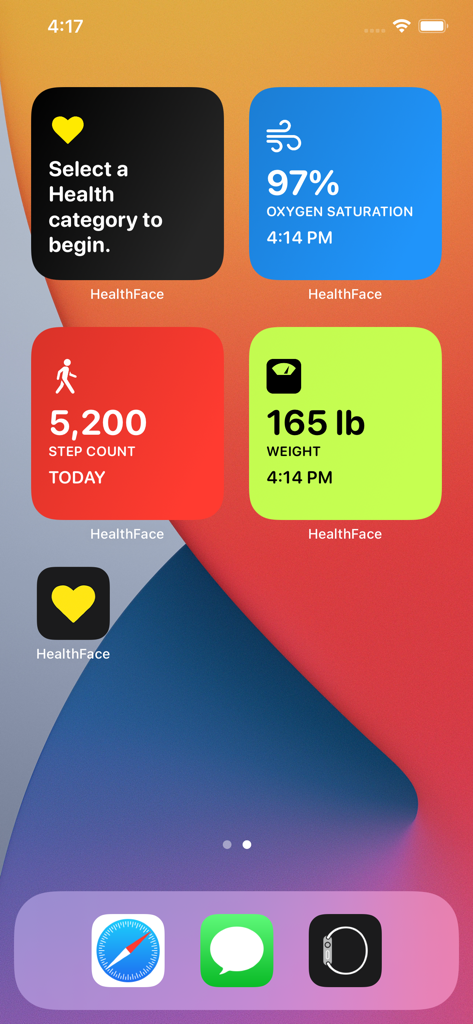
HealthFace - 歩数、体重、血中酸素飽和度の健康追跡ウィジェットが表示されたiPhoneのホーム画面
歩数、体重、血中酸素飽和度の健康追跡ウィジェットが表示されたiPhoneのホーム画面

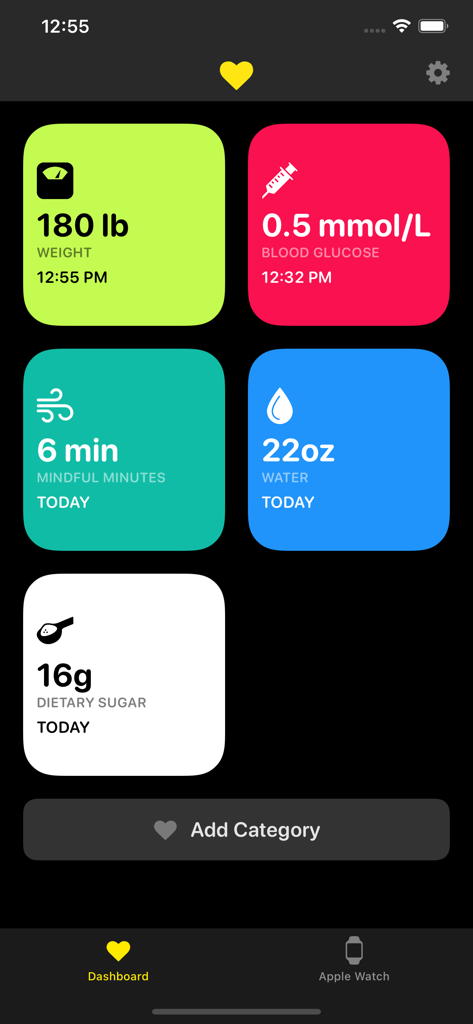
HealthFace - 体重や血糖値などの健康指標を追跡するためのカラフルなタイルが表示されたHealthFaceモバイルアプリのダッシュボード
体重や血糖値などの健康指標を追跡するためのカラフルなタイルが表示されたHealthFaceモバイルアプリのダッシュボード

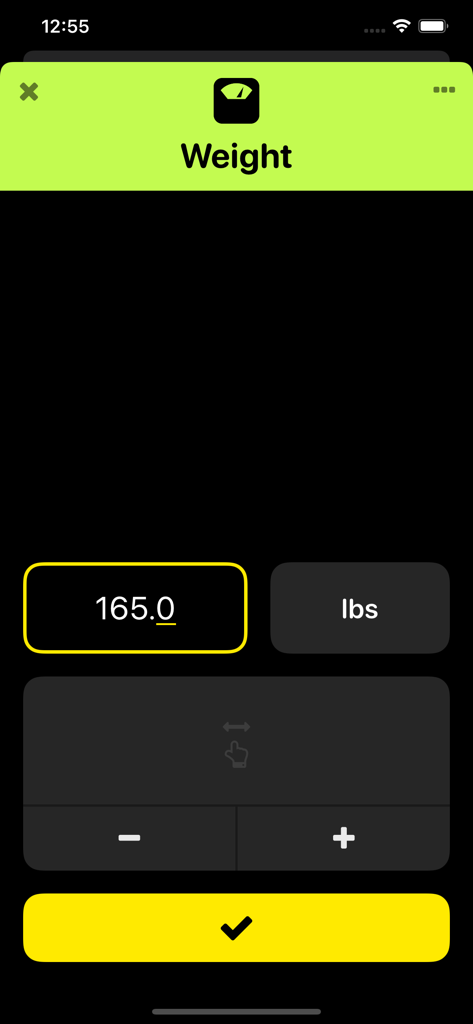
HealthFace - 数値入力フィールドと確定ボタンがある、体重を記録するためのHealthFaceアプリ画面
数値入力フィールドと確定ボタンがある、体重を記録するためのHealthFaceアプリ画面

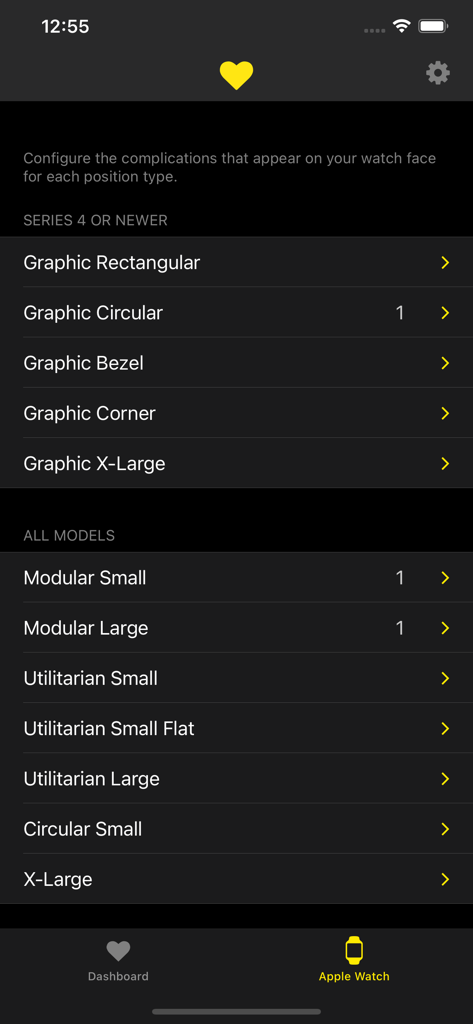
HealthFace - HealthFaceアプリ内のApple Watchコンプリケーション設定メニュー
HealthFaceアプリ内のApple Watchコンプリケーション設定メニュー

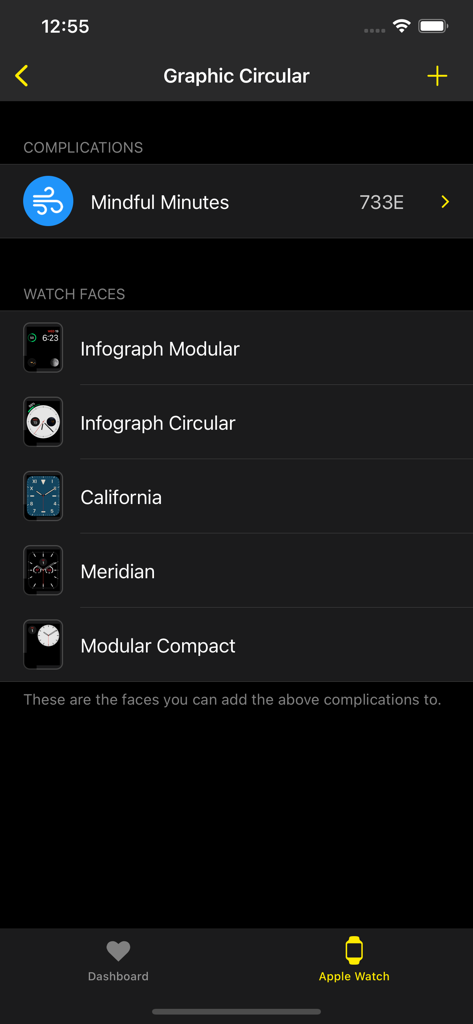
HealthFace - インフォグラフモジュラーやカリフォルニア文字盤を含む、健康コンプリケーションに対応したApple Watch文字盤のリストを表示するiPhoneアプリ画面
インフォグラフモジュラーやカリフォルニア文字盤を含む、健康コンプリケーションに対応したApple Watch文字盤のリストを表示するiPhoneアプリ画面

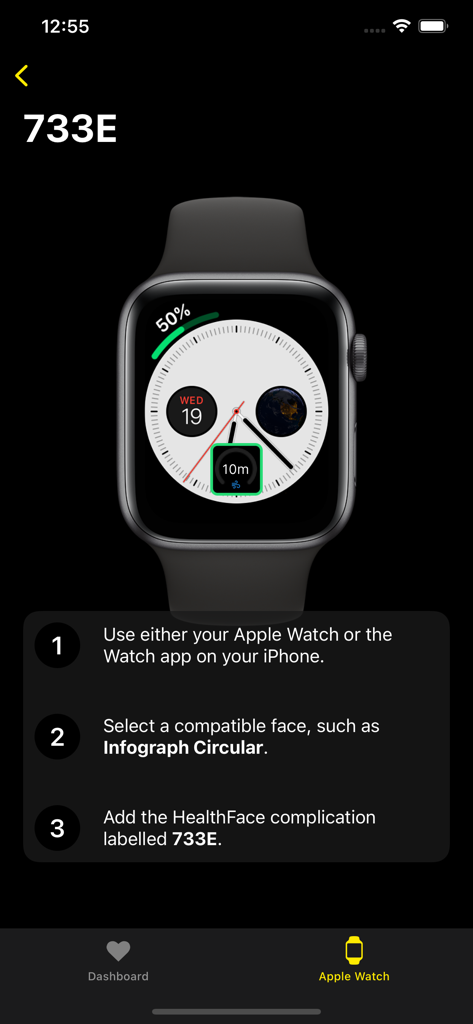
HealthFace - Apple Watchの文字盤に健康コンプリケーションを追加する方法を説明するHealthFaceアプリのチュートリアル画面
Apple Watchの文字盤に健康コンプリケーションを追加する方法を説明するHealthFaceアプリのチュートリアル画面

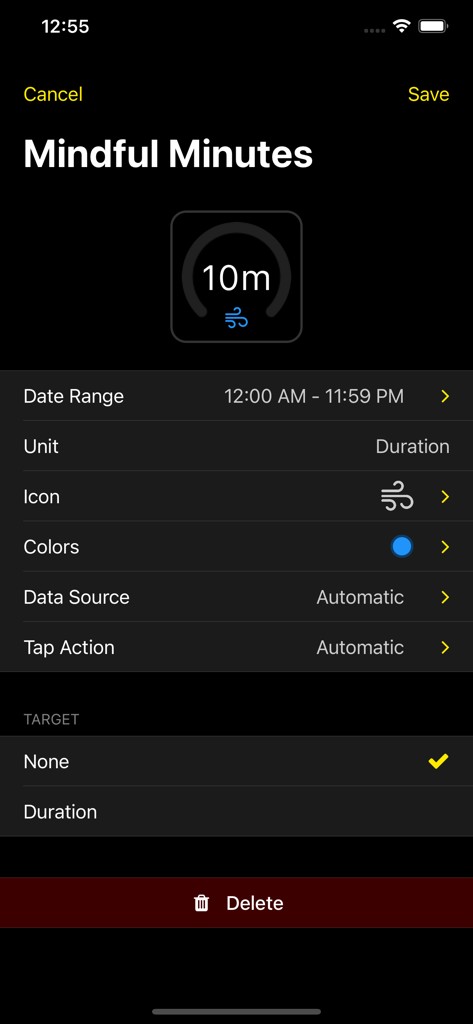
HealthFace - HealthFaceアプリ内の「マインドフル時間」Apple Watchコンプリケーションをカスタマイズするためのインターフェース

HealthFaceアプリ内の「マインドフル時間」Apple Watchコンプリケーションをカスタマイズするためのインターフェース

説明

HealthFace is the best app for recording any Health data on iPhone. And if you have an Apple Watch, the app gets even better! * Record data quickly via the iPhone app or Apple Watch app * Show your Health data in the widget * Display any Health data on the Apple Watch clock face * Customize the types of data you want to record so you can input data in only a couple of taps. * Tap on any complication to quickly record data * Supports all types of data from the Health app For example: * Quickly record your weight after standing on your scales in the morning * If you're diabetic you can quickly record your blood glucose or insulin intake * Quickly record your blood pressure * Quickly record your caffeine, water or sugar intake, or any of the other dietary categories HealthFace is the easiest way to display any data from the Health app on your Apple Watch. Data is displayed using watch face complications. * Ability to display a goal (e.g. show your progress towards 10,000 steps) * Real-time preview on your iPhone before saving to your Apple Watch * 17 different watch faces that support complications * 82 data types from the Health app * Display multiple data types (on certain watch faces) * Hundreds of high quality icons to choose from If you have any questions, suggestions or other feedback, please email support@healthface.app, or tweet us @HealthFaceApp. An Apple Watch is not required to make use of HealthFace. Note: Some complication positions requires Apple Watch Series 4. ABOUT HEALTH DATA: We take your privacy very seriously. Although HealthFace needs to access your Health data in order to function as advertised, your Health data remains on your iPhone and Apple Watch at all times and is never transmitted anywhere. All data is accessed in full accordance with the iOS app review rules set by Apple. Please read our privacy policy at https://healthface.app/privacy.html for more information on our use of data. You can contact us at support@healthfaceapp.com if you have any questions or concerns.

Download

ダウンロード: App Store

このページはアプリまたはその開発者の公式ページではなく、情報提供および論評を目的として作成された独立した編集出版物です。明示的に別段の記載がない限り、アプリおよびその開発者は、MWM、Apple、Google Play、アプリのパブリッシャー、またはアプリの開発者と提携、承認、後援、認可、またはその他の公式的な関係はなく、このページのいかなる内容も、アプリがMWMのサービスを使用して開発されたことを意味するものではありません。すべての商標、ロゴ、スクリーンショット、その他のコンテンツはそれぞれの所有者の財産です。








