HP JetAdvantage Secure Print
ダウンロード: App Store

このページはアプリまたはその開発者の公式ページではなく、情報提供および論評を目的として作成された独立した編集出版物です。明示的に別段の記載がない限り、アプリおよびその開発者は、MWM、Apple、Google Play、アプリのパブリッシャー、またはアプリの開発者と提携、承認、後援、認可、またはその他の公式的な関係はなく、このページのいかなる内容も、アプリがMWMのサービスを使用して開発されたことを意味するものではありません。すべての商標、ロゴ、スクリーンショット、その他のコンテンツはそれぞれの所有者の財産です。

ロゴ: HP JetAdvantage Secure Print
ダウンロード: App Store

HP JetAdvantage Secure Print

プリンターの前にいる時だけ印刷ジョブをリリースすることで、機密データを保護し、用紙の無駄を排除します。QRコードスキャンで安全に認証し、企業の印刷ワークフローを合理化します。

主要数値

ダウンロード

4K+

ユーザー評価

3.4/5

評価数

0

開発元

HP Inc.

カテゴリ

Productivity

対応言語

9

最新バージョン

2.13.7

サイズ

88.6 MB

リリース日

2016年12月8日
機能

現代のワークフォースのための安全でシームレスな印刷

機密データの保護とオフィスワークフローの合理化を目的に設計されたクラウドベースのソリューションで、ドキュメントセキュリティを完全にコントロールしましょう。

機密ドキュメントのリリース

「印刷しては走る」をなくしましょう。機密ドキュメントは、あなたが実際にデバイスの前に立ち、認証を行った時のみ印刷されます。

インスタントQR認証

複雑なログイン画面をスキップしましょう。モバイルデバイスで、対応するプリンターのQRコードをスキャンするだけで、セキュアなキューをリリースできます。

以下のスクリーンショットと説明は、アプリの公式ストアリスティングから直接取得されたものであり、アプリ開発者の所有物です。

アプリストア

スクリーンショット
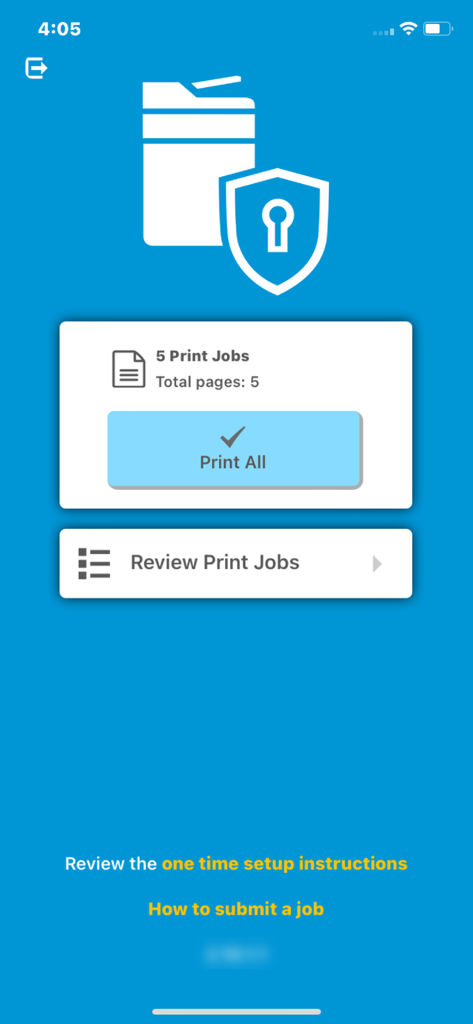
HP JetAdvantage Secure Print - 現在の印刷ジョブと一括印刷ボタンを表示するHP JetAdvantage Secure Printアプリのダッシュボード
現在の印刷ジョブと一括印刷ボタンを表示するHP JetAdvantage Secure Printアプリのダッシュボード

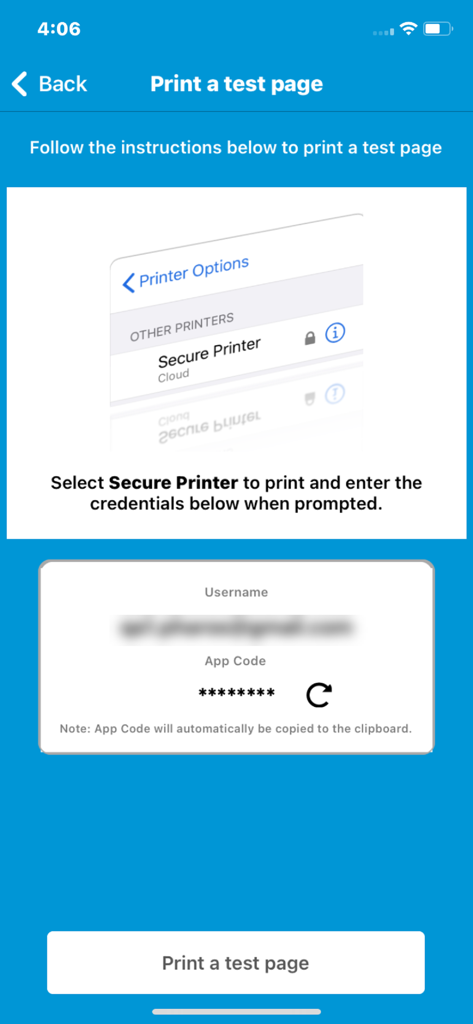
HP JetAdvantage Secure Print - テストページの印刷とセキュアな資格情報の入力を指示するHP JetAdvantage Secure Printアプリの画面
テストページの印刷とセキュアな資格情報の入力を指示するHP JetAdvantage Secure Printアプリの画面

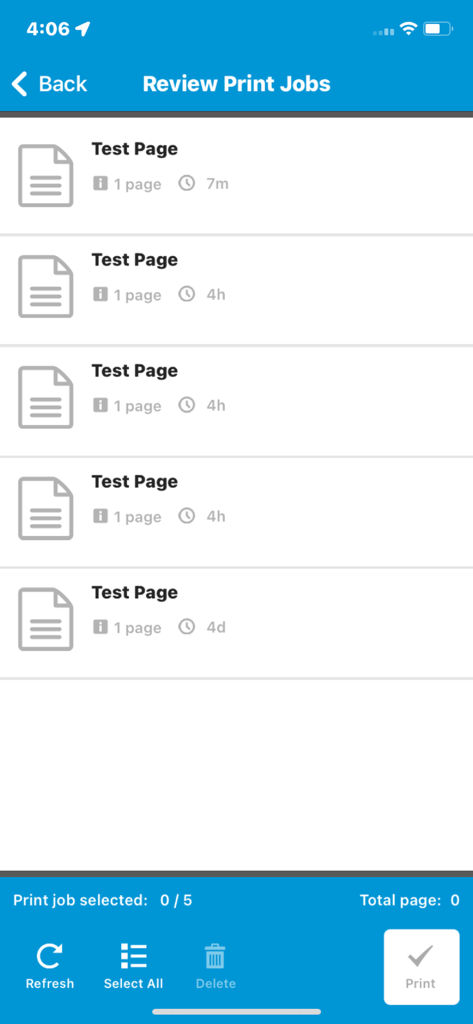
HP JetAdvantage Secure Print - 安全にリリースする準備ができた印刷キュー内のドキュメントリストを表示するモバイルインターフェース
安全にリリースする準備ができた印刷キュー内のドキュメントリストを表示するモバイルインターフェース

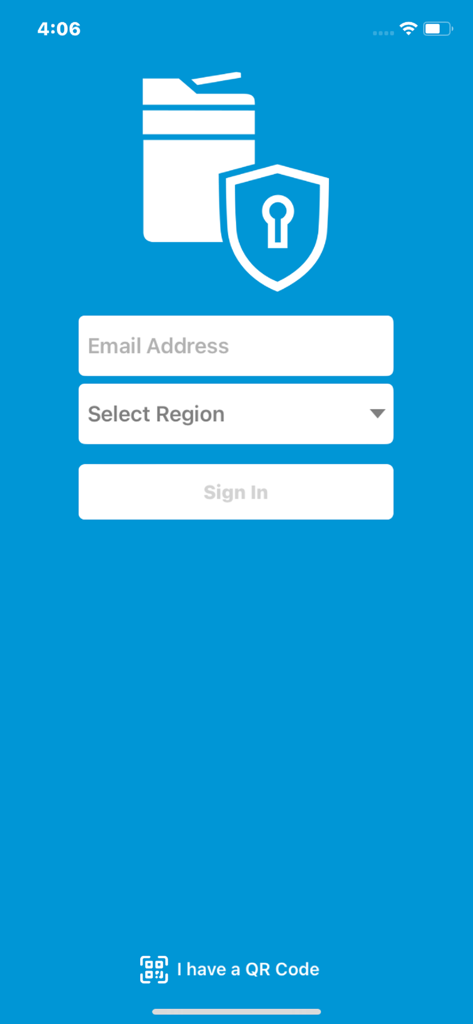
HP JetAdvantage Secure Print - メールアドレス入力と地域選択を備えたHP JetAdvantage Secure Printアプリのログイン画面

メールアドレス入力と地域選択を備えたHP JetAdvantage Secure Printアプリのログイン画面

説明

HP JetAdvantage Secure Print is a cloud-based solution that increases security and control of your print environment by releasing documents only to authorized users. Print jobs are held in a protected queue until users are authenticated. Unprinted jobs are automatically deleted based on your company’s expiration policy. The solution helps cut costs by reducing waste and increasing productivity—without the need for additional onsite servers, storage, and software. It’s easy to set up and use, and supports multivendor devices. When installed on a mobile device, this application will allow authorized business users to release print jobs from their Secure Print queue to any enabled network printer or MFP by simply scanning the QR code attached to the device. Before you can use your mobile device to release documents, you must first activate it with the Secure Print solution by following the instructions provide by your IT manager or print administrator. HP JetAdvantage Secure Print solution is available on the HP JetAdvantage On Demand web-based portal (www.hp.com/go/jetadvantageondemand). From this centralized application management console, you can access and manage industry-leading applications and assign user access. Note: This application requires an HP JetAdvantage Secure Print account. If your company uses HP JetAdvantage Secure Print, please contact your IT manager or print administrator for more information.

Download

ダウンロード: App Store

このページはアプリまたはその開発者の公式ページではなく、情報提供および論評を目的として作成された独立した編集出版物です。明示的に別段の記載がない限り、アプリおよびその開発者は、MWM、Apple、Google Play、アプリのパブリッシャー、またはアプリの開発者と提携、承認、後援、認可、またはその他の公式的な関係はなく、このページのいかなる内容も、アプリがMWMのサービスを使用して開発されたことを意味するものではありません。すべての商標、ロゴ、スクリーンショット、その他のコンテンツはそれぞれの所有者の財産です。








