
このページはアプリまたはその開発者の公式ページではなく、情報提供および論評を目的として作成された独立した編集出版物です。明示的に別段の記載がない限り、アプリおよびその開発者は、MWM、Apple、Google Play、アプリのパブリッシャー、またはアプリの開発者と提携、承認、後援、認可、またはその他の公式的な関係はなく、このページのいかなる内容も、アプリがMWMのサービスを使用して開発されたことを意味するものではありません。すべての商標、ロゴ、スクリーンショット、その他のコンテンツはそれぞれの所有者の財産です。


ダウンロード
250k+ユーザー評価
評価数
968開発元
カテゴリ
Business対応言語
35最新バージョン
1.8サイズ
21.5 MBリリース日
2025年9月9日Macユーザーのニーズに焦点を当てた主要機能と利点
HP Smart Printer App: iPrint の包括的機能分析
AI画像生成
高品質な画像を生成し、ポスターやプレゼンテーション、パーソナライズされた印刷物作成の創造性を解き放ちます。
OCRスキャナー
印刷されたテキストを編集可能なデジタルコンテンツに変換し、領収書やメモなどの物理文書をスマートなデジタルファイルに変えて効率を高めます。
ドキュメントスキャナー
PDF、Wordなど複数のファイル形式に対応し、文書の印刷、スキャン、管理を容易に行い、生産性を向上させる信頼性の高いドキュメントツールを提供します。
簡単なセットアップと接続
Macと同じWi-Fiネットワークに接続するだけでプリンターを自動検出し、複雑な設定なしに即座に印刷を開始できます。
写真印刷機能
鮮やかで高解像度の写真印刷により思い出を生き生きとさせ、プロ品質の印刷物で瞬間を保存します。
カスタムラベル作成
カスタムラベルを即座にデザインし印刷でき、整理、郵送、またはパーソナライズされたタグ作成に役立ち、あらゆるものにプロフェッショナルなタッチを加えます。
アプリ内ウェブ検索
アプリ内で直接ウェブを検索し、アプリを切り替えることなく情報を即座に印刷できるため、生産性を維持します。
AIクイズ機能
AIを活用した楽しくインタラクティブなクイズで思考を刺激し、アプリ内で学習とエンターテイメントを提供します。
よくある質問
について知っておくべきこと HP Smart Printer App : iPrint
What is the HP Smart Printer App : iPrint?
The HP Smart Printer App : iPrint transforms your Mac into a powerful printing companion. It enables printing photos, documents, and web pages, along with scanning, annotating, and utilizing AI-powered features like an image generator and quizzes.
How does the HP Smart Printer App : iPrint connect to a printer?
The HP Smart Printer App : iPrint connects easily by requiring your printer to be on the same Wi-Fi network as your Mac. The app automatically detects and configures the printer for immediate use without complex setup.
Does the HP Smart Printer App : iPrint support AirPrint?
Yes, the HP Smart Printer App : iPrint supports AirPrint. This integration ensures fast, secure, and high-quality printing directly from your Mac, streamlining your printing workflow.
Can the HP Smart Printer App : iPrint scan documents?
Yes, the HP Smart Printer App : iPrint includes document scanning capabilities. Users can print, scan, and manage various documents, supporting formats like PDF and Word, enhancing productivity.
What file types can HP Smart Printer App : iPrint process?
The HP Smart Printer App : iPrint handles various file formats, including PDF and Word, for both scanning and managing documents. This ensures compatibility for diverse work needs.
Does HP Smart Printer App : iPrint have an AI image generator?
Yes, the HP Smart Printer App : iPrint features an AI Image Generator. This tool allows users to create stunning, high-quality images from text prompts, ideal for various printables and creative projects.
Can users create custom labels with HP Smart Printer App : iPrint?
Yes, users can design and print custom labels instantly using the HP Smart Printer App : iPrint. This feature is perfect for organizing, mailing, or adding a professional touch to items.
What printer brands are compatible with HP Smart Printer App : iPrint?
The HP Smart Printer App : iPrint supports numerous printer brands, including ADENS, EPSON, Brother, Canon, HP, Samsung, Dell, and Kodak. It provides wide compatibility for users.
Does the HP Smart Printer App : iPrint feature an OCR scanner?
Yes, the HP Smart Printer App : iPrint includes an OCR Scanner. This function converts printed text from physical documents, like receipts or notes, into editable digital content, improving efficiency.
Can I perform web searches directly from HP Smart Printer App : iPrint?
Yes, you can search the web directly within the HP Smart Printer App : iPrint. This allows for instant printing of information found online without needing to switch to other applications.
Does the HP Smart Printer App : iPrint provide printable templates?
Yes, the HP Smart Printer App : iPrint offers various printable templates. These include categories such as Anniversary, Kids, Name Tags, and Butterflies, allowing users to create diverse designs.
以下のスクリーンショットと説明は、アプリの公式ストアリスティングから直接取得されたものであり、アプリ開発者の所有物です。
アプリストア
スクリーンショット
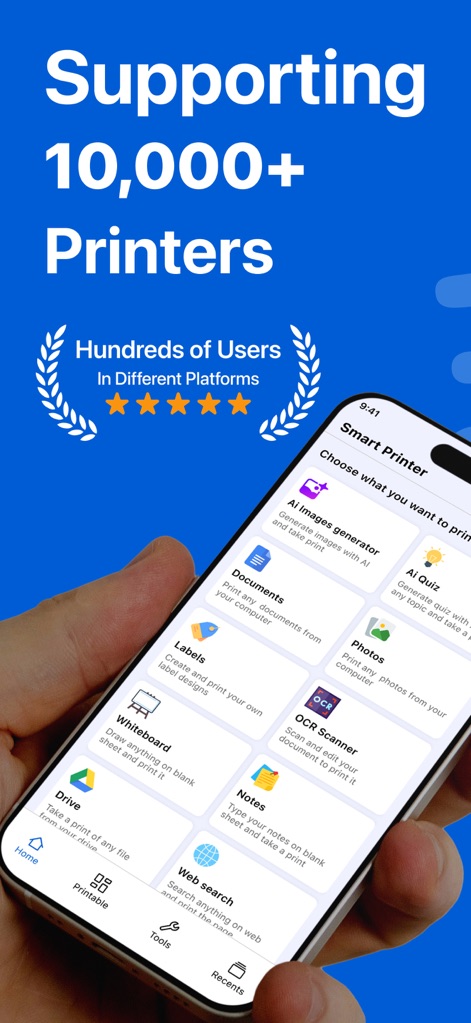
このアプリは、AI画像生成から文書管理まで、豊富な機能を一元的に提供し、ユーザーからの高い評価(5つ星評価)を獲得しています。
多機能なプリントハブ
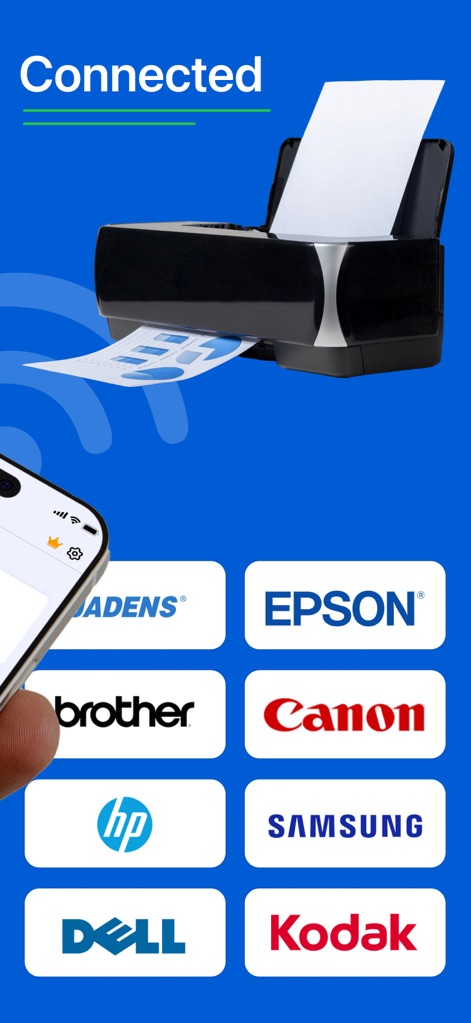
Wi-Fi経由で簡単にプリンターに接続でき、主要なブランド(Epson、Canonなど)を含む多様なプリンターモデルに対応しています。
広範なプリンター対応
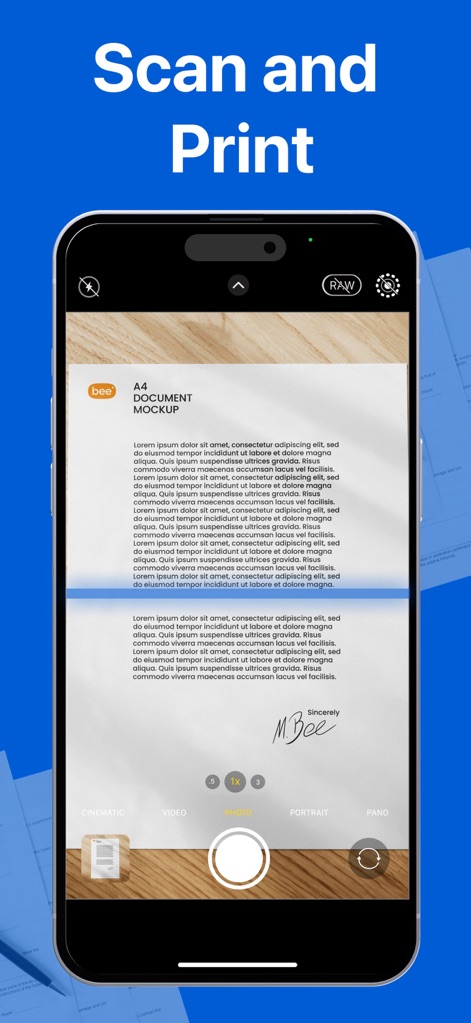
アプリ内で書類を直接スキャンする機能により、物理的な文書をデジタル化し、すぐに印刷可能な状態に変換します。
簡単スキャン&印刷
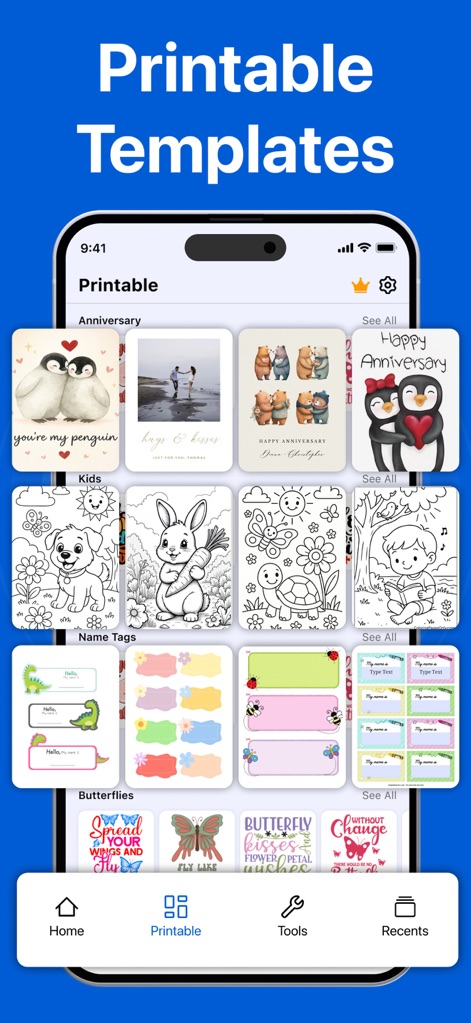
アニバーサリーカードや子供向けぬりえなど、ユーザーは多種多様な印刷可能テンプレートにアクセスし、パーソナルなコンテンツを手軽に作成できます。
豊富なテンプレート集
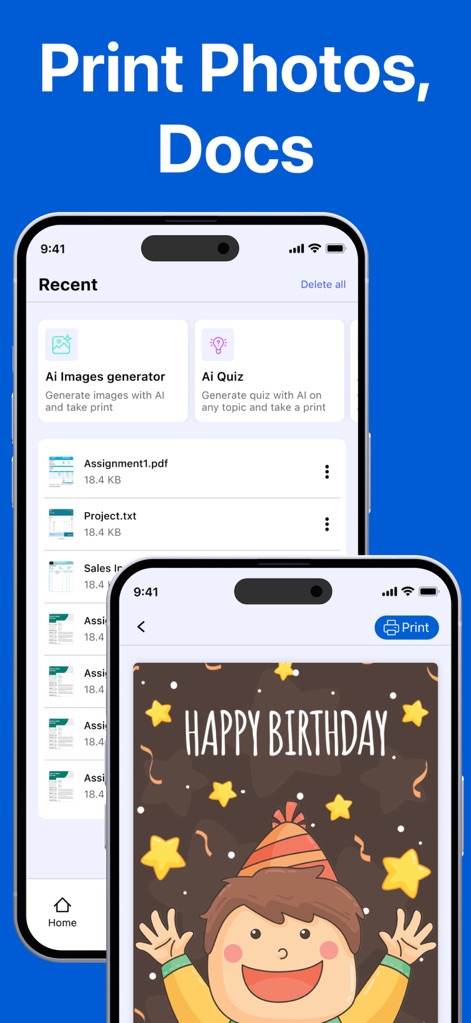
ユーザーは最近のファイル(AI生成画像やPDF)のリストを確認でき、また、バースデーカードのような画像をプレビューして簡単に印刷できます。
ドキュメントと写真印刷
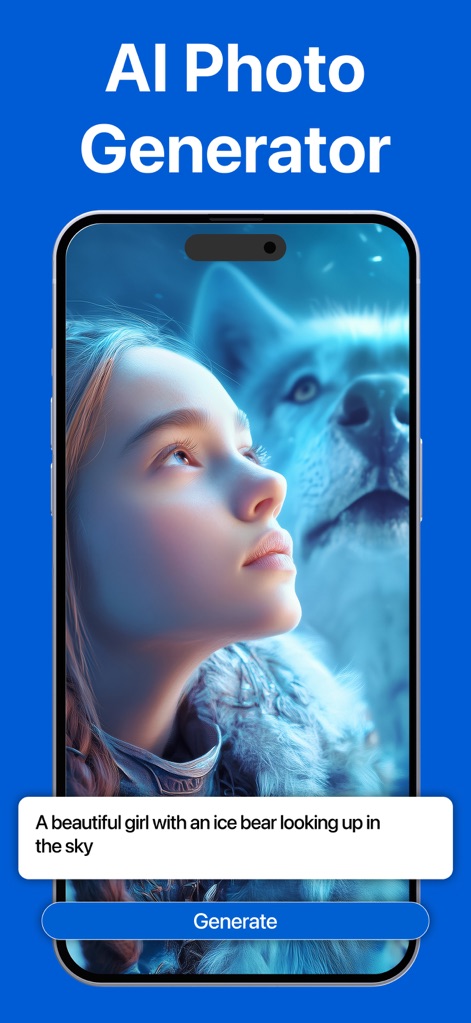
テキストプロンプトを入力するだけで、ユーザーは高品質なAIアートワークを生成し、創造的なアイデアを視覚化できます。
AI画像生成機能
説明
Download

このページはアプリまたはその開発者の公式ページではなく、情報提供および論評を目的として作成された独立した編集出版物です。明示的に別段の記載がない限り、アプリおよびその開発者は、MWM、Apple、Google Play、アプリのパブリッシャー、またはアプリの開発者と提携、承認、後援、認可、またはその他の公式的な関係はなく、このページのいかなる内容も、アプリがMWMのサービスを使用して開発されたことを意味するものではありません。すべての商標、ロゴ、スクリーンショット、その他のコンテンツはそれぞれの所有者の財産です。