Printer for phone - air

Printer for phone - air

ダウンロード: App Store
ロゴ: Printer for phone - air

電話用プリンター - air:オールインワンモバイル印刷&生産性向上スイート

9,000以上のAirPrintデバイスに即座に印刷。モバイルライフスタイル向けに設計されたプロフェッショナルOCRツールで、ドキュメントをスキャンし、写真を編集し、テキストを抽出します。

ダウンロード: App Store

開発元

Jerry Henry

カテゴリ

Utilities

ダウンロード

24K+

ユーザー評価

1.0/5

評価数

0

対応言語

1

簡単な印刷を視覚化

このインターフェースを利用する 24K+ 人のユーザー.

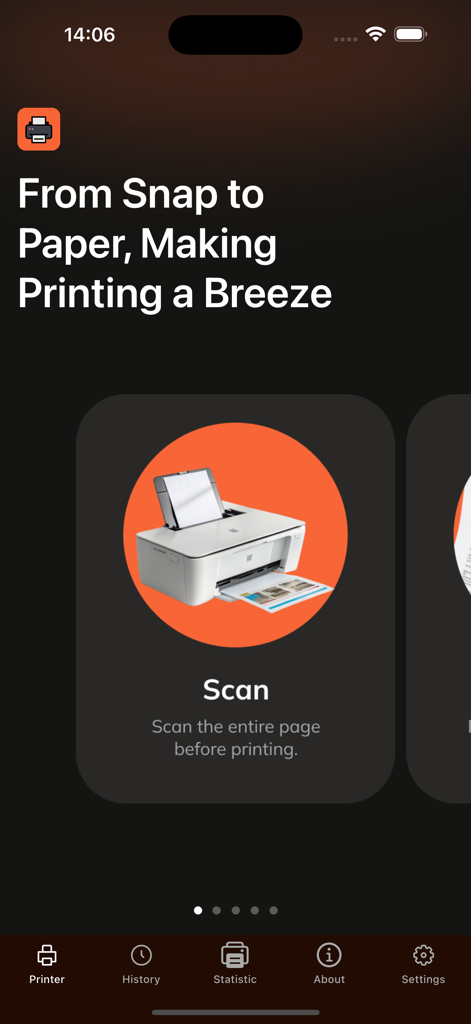
スマートフォンのアプリ画面に、ドキュメント印刷用のスキャンオプションが表示されています
スマートフォンのアプリ画面に、ドキュメント印刷用のスキャンオプションが表示されています

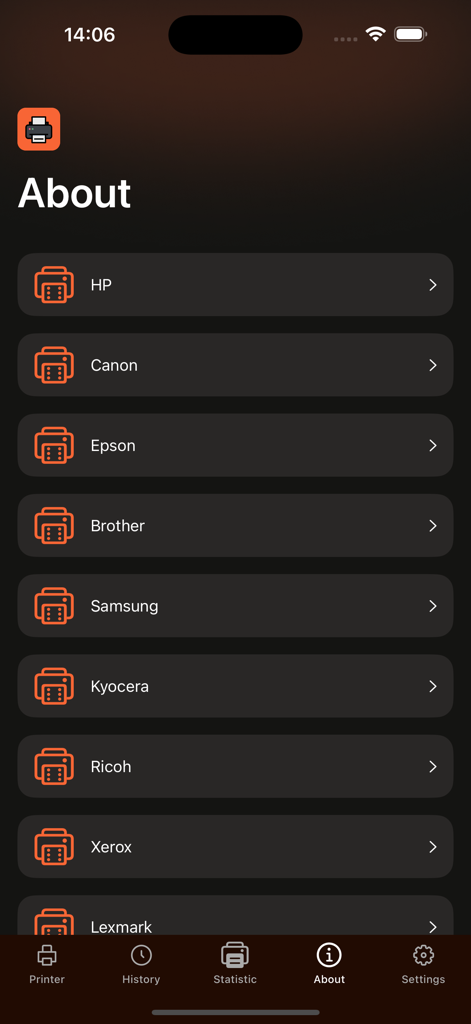
HP、Canon、Epsonなどの対応プリンターブランドのリストが表示されているモバイルアプリ画面
HP、Canon、Epsonなどの対応プリンターブランドのリストが表示されているモバイルアプリ画面

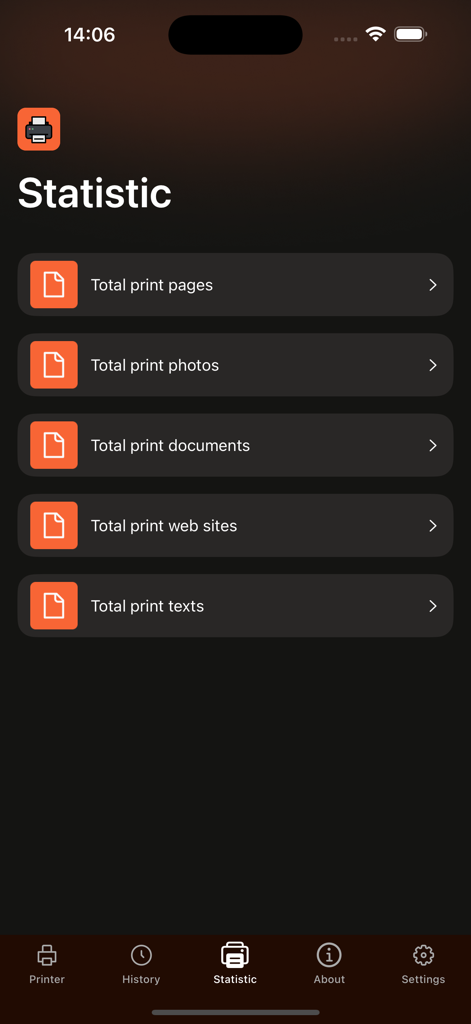
合計ページ数、写真、ドキュメント、ウェブサイトなどの印刷統計を表示するスマートフォンの画面
合計ページ数、写真、ドキュメント、ウェブサイトなどの印刷統計を表示するスマートフォンの画面

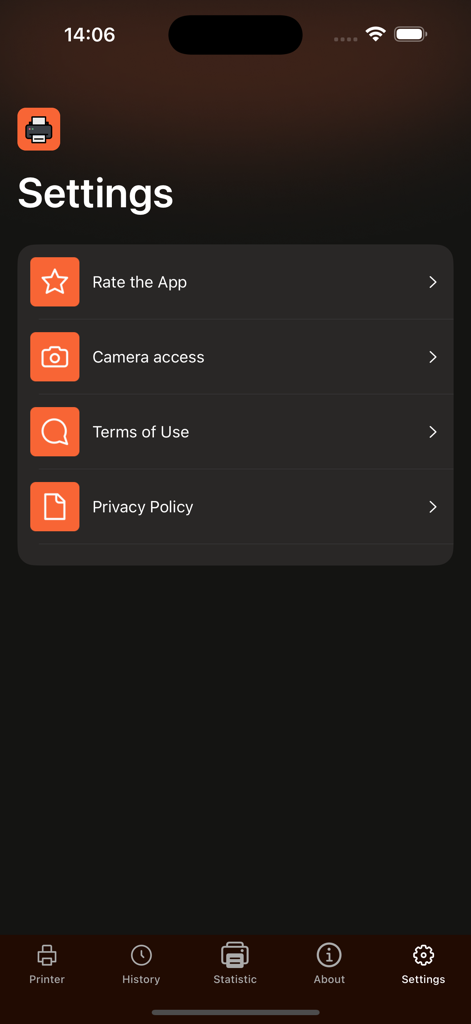
カメラへのアクセスや利用規約などのオプションが表示されている、電話用プリンターアプリの設定メニュー
カメラへのアクセスや利用規約などのオプションが表示されている、電話用プリンターアプリの設定メニュー

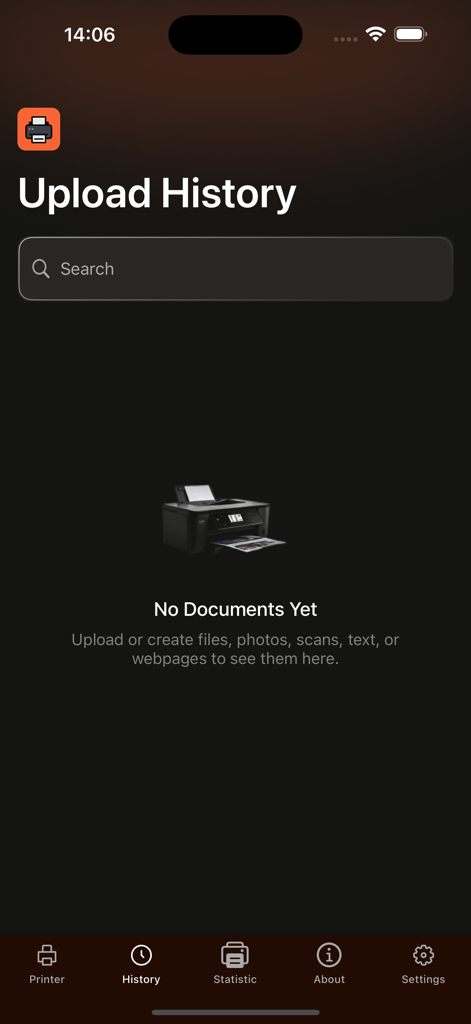
検索バーと下部ナビゲーションメニューを備えた空の状態を表示する、電話用プリンターアプリのアップロード履歴画面。

検索バーと下部ナビゲーションメニューを備えた空の状態を表示する、電話用プリンターアプリのアップロード履歴画面。

オールインワン印刷でワークフローをマスター

このアプリを際立たせるツール、 24K+ 人のユーザーが選択.

🖨️

インスタントユニバーサル印刷

9,000以上のAirPrint対応モデルにシームレスに接続します。契約書、スプレッドシート、ラベルをワンタップでワイヤレスに印刷します。

🔍

スマートスキャン&OCR技術

物理的な書類をデジタル資産に変えます。複数言語のドキュメントからテキストを抽出し、領収書をデジタル化して簡単なプロフェッショナルな追跡を可能にします。

🛠️

プロ編集&圧縮

高解像度の鮮明さを失うことなく、画像を注釈付けし、ファイル形式を変換し、大きなPDFを圧縮して、より高速な共有を実現します。

アプリについて

について知っておくべきこと Printer for phone - air.

説明

Smart Air Printer for Mac Seamless printing, smart document tools, and powerful photo management—all in one app. Smart Air Printer is the ultimate solution for professionals who need fast, reliable, and effortless printing on Mac. With support for over 9,000+ AirPrint-enabled printers, it combines advanced document handling and photo editing features to help you work with precision and ease. Key Features: AirPrint Ready – Print instantly from your Mac to any AirPrint-compatible printer. Smart Document & Photo Tools – Convert, resize, or extract text from files with ease. (Premium features) High-Quality Compression – Reduce file sizes without losing clarity. (Premium access required) Built-in Photo Editor – Annotate, draw, and enhance images with a complete editing suite. Multi-Format Converter – Convert between JPEG, PNG, GIF, and BMP. (Premium only) Advanced OCR Technology – Recognize and extract text from images in multiple languages including English, Spanish, Chinese, German, and more. (Premium only) Scanner Integration – Digitize physical documents directly from your Mac. Photo Printing – Print stunning photos from your desktop or iCloud library. Wide File Support – Print PDFs, Word documents, Excel sheets, and more. SUBSCRIPTION DETAILS To unlock premium features like advanced printer and scanner functionality, a subscription is required. Subscriptions automatically renew unless canceled at least 24 hours before the end of the current billing period. Manage your subscription preferences directly through your iTunes Account Settings. Note: Only you can manage your subscriptions. As developers, we cannot cancel or renew them on your behalf. Privacy Policy: https://docs.google.com/document/d/1FrX1NqJ6xgORSopycQZ_hFbZnYd5AyDyaNAU8pimkuw/edit?usp=sharing Terms of Use: https://docs.google.com/document/d/11B5l0GCXVMkZvR8N3-jc9MQZPBZMIdW1208_Bs0jyO8/edit?usp=sharing

最新バージョン

1.3

サイズ

10.8 MB

リリース日

2025年9月9日

究極のオールインワン印刷ソリューションを体験

30,000人以上のプロフェッショナルが簡単に印刷、スキャン、OCRを行っています。9,000以上のプリンターに即座に接続し、今日からドキュメントを管理しましょう。

ダウンロード: App Store

App information, icons, screenshots, and descriptions displayed on this page are sourced from the Apple App Store and are the property of their respective developers. Download estimates and rankings are based on MWM's proprietary models and may not reflect actual figures. This page is provided for informational and analytical purposes only.

Believe this page infringes your intellectual property? File a dispute