IC Photo Singapore
IC Photo Singapore
ダウンロード: App Store

このページはアプリまたはその開発者の公式ページではなく、情報提供および論評を目的として作成された独立した編集出版物です。明示的に別段の記載がない限り、アプリおよびその開発者は、MWM、Apple、Google Play、アプリのパブリッシャー、またはアプリの開発者と提携、承認、後援、認可、またはその他の公式的な関係はなく、このページのいかなる内容も、アプリがMWMのサービスを使用して開発されたことを意味するものではありません。すべての商標、ロゴ、スクリーンショット、その他のコンテンツはそれぞれの所有者の財産です。


ロゴ: IC Photo Singapore
ダウンロード: App Store

IC Photo Singapore

薬局の写真ブースと却下のリスクをスキップ。NRICまたはパスポート写真の正確な400x514px仕様に合わせてキャプチャ、クロップ、サイズ変更し、どこからでもシームレスにデジタル提出できます。

主要数値

ダウンロード

313K+

ユーザー評価

4.2/5

評価数

400

開発元

Tinkertanker

カテゴリ

Photo & Video

対応言語

9

最新バージョン

1.3.1

サイズ

11.3 MB

リリース日

2011年12月1日
機能

プロフェッショナルID写真、即時準拠

薬局への移動をスキップし、高額な料金を回避。シンガポールパスポート、NRIC、または就労パス申請用の完璧にフォーマットされた写真を携帯電話から直接作成できます。

精密フレーミングガイド

却下のリスクを排除。直感的なオーバーレイにより、顔と肩がICAの厳格な基準に常に完璧に配置されます。

デジタルアップロードに最適化

必要な400x514pxに自動的にリサイズ。SingpassまたはICAポータルへのシームレスなアップロードのためにカメラロールに直接保存します。

以下のスクリーンショットと説明は、アプリの公式ストアリスティングから直接取得されたものであり、アプリ開発者の所有物です。

アプリストア

スクリーンショット
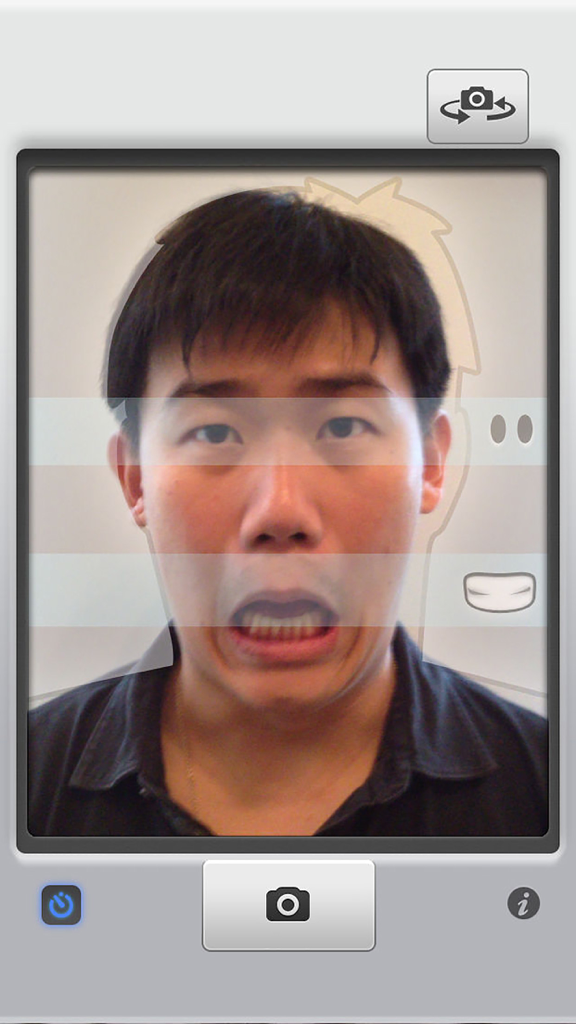
IC Photo Singapore - IC Photo Singaporeアプリインターフェースの顔アライメントガイドを使用してパスポート写真の自撮りをしている男性。
IC Photo Singaporeアプリインターフェースの顔アライメントガイドを使用してパスポート写真の自撮りをしている男性。

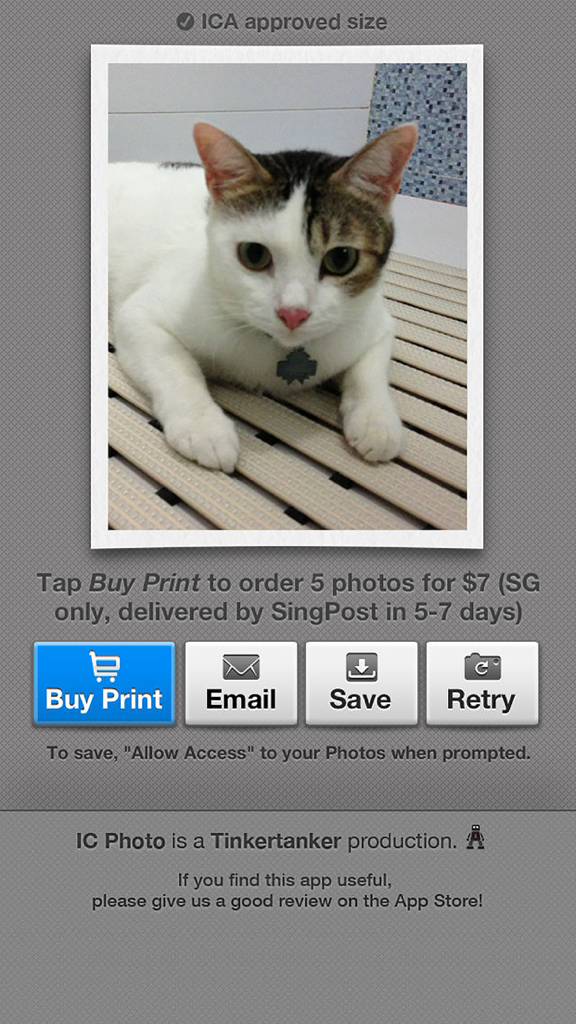
IC Photo Singapore - IC Photo Singaporeアプリのスクリーンショットで、プリント購入、メール送信、またはデジタルID写真保存ボタンが表示された写真レビュー画面。
IC Photo Singaporeアプリのスクリーンショットで、プリント購入、メール送信、またはデジタルID写真保存ボタンが表示された写真レビュー画面。

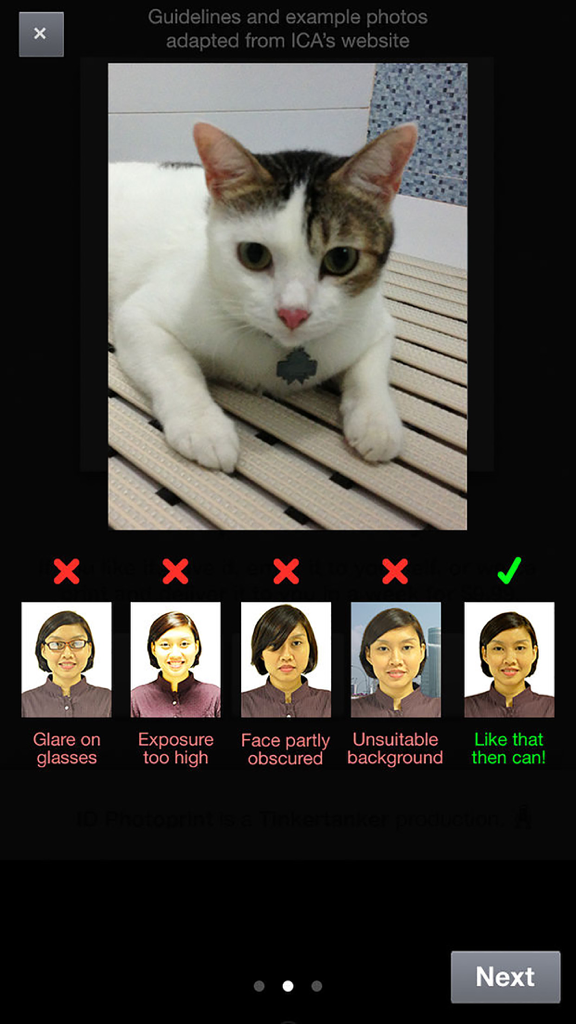
IC Photo Singapore - ICAガイドラインに基づく正しいID写真と間違ったID写真の例

ICAガイドラインに基づく正しいID写真と間違ったID写真の例

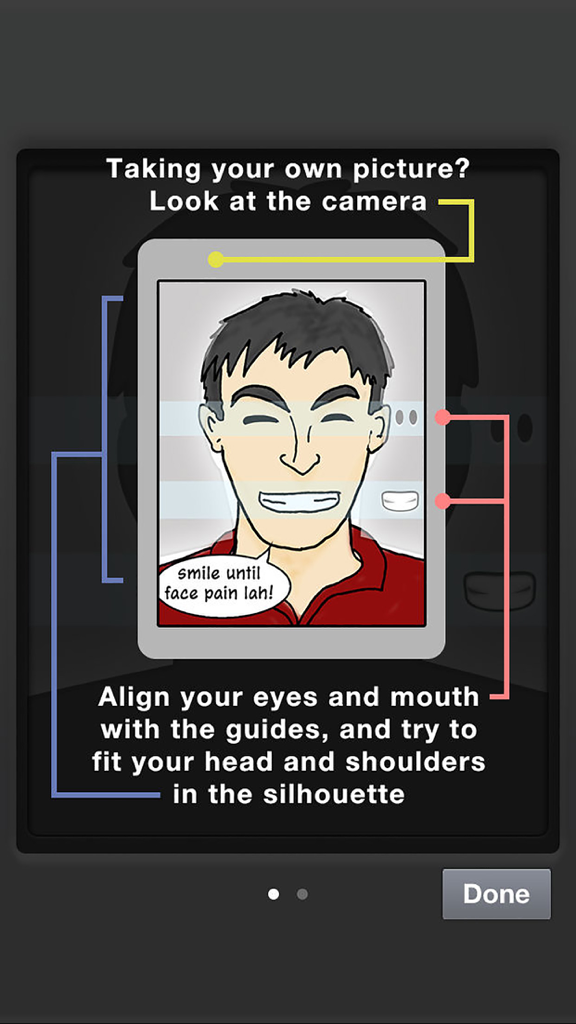
IC Photo Singapore - シンガポール準拠のID写真のために目と口をアライメントするためのガイドを示す指示画面
シンガポール準拠のID写真のために目と口をアライメントするためのガイドを示す指示画面

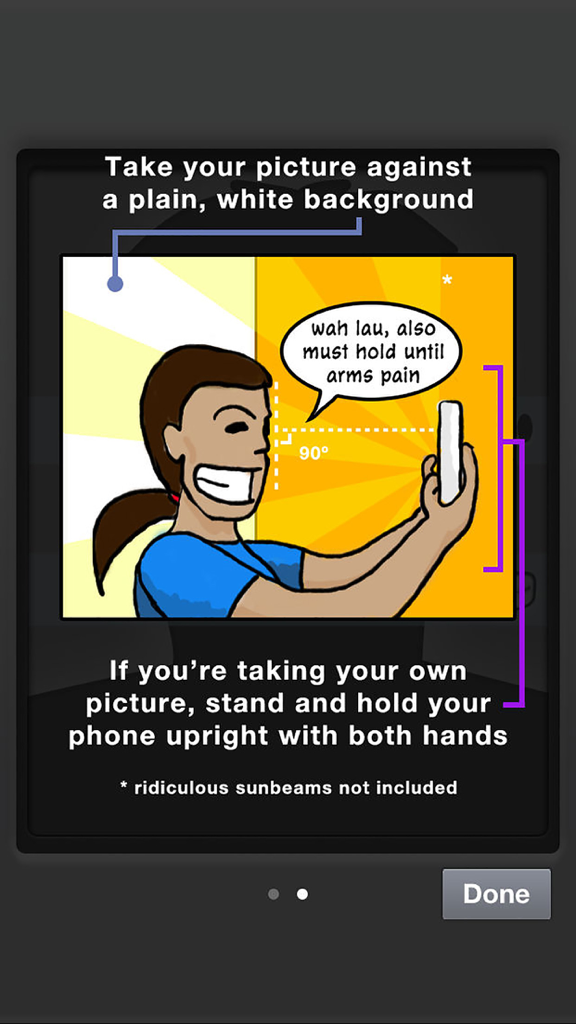
IC Photo Singapore - 白い背景に対して携帯電話を使用して準拠した身分証明写真の撮影方法の説明を示す漫画イラスト

白い背景に対して携帯電話を使用して準拠した身分証明写真の撮影方法の説明を示す漫画イラスト

説明

Need a photo to renew your Singapore NRIC or passport, or to apply for an employment pass? Don't spend $7 at a photo booth or 7 hours with your digital camera and photo editing tools — just use this app to take a perfectly cropped picture that you can submit online to ICA. If you need printed copies, you can order them from within the app! No need to leave the house — we'll send them to you in a few days. (Singapore only!) FEATURES • Works on iPad, iPhone, and iPod touch with camera • It's super easy! Just line yourself up with the guides to make sure you’re framed correctly • Take your own picture (for devices with front-facing cameras), or have someone else take it for you • A countdown timer to help you prepare for the shot. You can disable this countdown timer to take photos of fast-moving objects like children, pets, and the cost of living in Singapore. • If you send a photo of your pet to ICA, please don't say we suggested it. • Take as many pictures as you want, to get that perfect shot for your NRIC/passport • Your photo is automatically cropped and resized for ICA's specifications for NRIC/passport photos (400 x 514px) • Email it to yourself, or save it to your Camera Roll, so you can finish your online application later • Free! • OR you can ask us to print it for you. That's not free. • With the guides, you won’t get a letter from ICA that telling you to "show more shoulder" in your photo. We’re not kidding, this actually happened to one of us • Share your ID photo to Twitter or Facebook after saving or emailing it! We don't know why you'd want to do this, but you can. • Did we mention it’s free? • Why are you still reading this, we’ve run out of features PRINTED PHOTOS • Order printed IC photos, mailed to you in a few days. • Cheaper and more convenient than photo booths, because you don't even need to leave the house. Unless you stay in a photo booth, in which case, umm, sure, you win. • Perfect for attaching to job application forms, and as gifts. Really, really terrible gifts. • Pay by PayPal or credit card. If you get an error that says "Saving failed with error: data unavailable", you have to allow IC Photo access to the Camera Roll. Do this: • Go to the iPhone or iPad's Settings • Tap on Privacy, then Photos. • Look for IC Photo, and make sure the toggle is "On" • We need access to your Camera Roll to save to it. Don't worry, we don't do anything with your photos. If you have questions or suggestions, please email icphoto@tinkertanker.com. Thanks!

Download

ダウンロード: App Store

このページはアプリまたはその開発者の公式ページではなく、情報提供および論評を目的として作成された独立した編集出版物です。明示的に別段の記載がない限り、アプリおよびその開発者は、MWM、Apple、Google Play、アプリのパブリッシャー、またはアプリの開発者と提携、承認、後援、認可、またはその他の公式的な関係はなく、このページのいかなる内容も、アプリがMWMのサービスを使用して開発されたことを意味するものではありません。すべての商標、ロゴ、スクリーンショット、その他のコンテンツはそれぞれの所有者の財産です。