iCue
iCue
ダウンロード: App Store

このページはアプリまたはその開発者の公式ページではなく、情報提供および論評を目的として作成された独立した編集出版物です。明示的に別段の記載がない限り、アプリおよびその開発者は、MWM、Apple、Google Play、アプリのパブリッシャー、またはアプリの開発者と提携、承認、後援、認可、またはその他の公式的な関係はなく、このページのいかなる内容も、アプリがMWMのサービスを使用して開発されたことを意味するものではありません。すべての商標、ロゴ、スクリーンショット、その他のコンテンツはそれぞれの所有者の財産です。


ロゴ: iCue
ダウンロード: App Store

iCue

iOSデバイスでPrompter Peopleのパワーを使い、完璧なテイクを届けましょう。音声駆動スクロール、Apple Watchコントロール、ハードウェアミラーリングを備え、究極のプロフェッショナルワークフローを実現します。

主要数値

ダウンロード

105K+

ユーザー評価

3.0/5

評価数

0

開発元

Sunshine Valley Systems

カテゴリ

Photo & Video

対応言語

1

最新バージョン

7.5.11

サイズ

109.7 MB

リリース日

2011年11月21日
機能

プロダクション品質を向上させる

完璧さを求めるソロクリエイターやメディアプロフェッショナル向けに設計された、放送グレードのテレプロンプターをiPadまたはiPhoneに変換します。

完全ワイヤレスコントロール

レンズの前で、Apple Watch、Bluetoothキーボード、または音声でスクリプトをコントロールし、フローを維持しましょう。

プロフェッショナルハードウェア対応

反射リグ用の内蔵ミラーリングとスタジオセットアップ用の外部モニターサポートにより、完璧な「アイコンタクト」ルックを実現します。

以下のスクリーンショットと説明は、アプリの公式ストアリスティングから直接取得されたものであり、アプリ開発者の所有物です。

アプリストア

スクリーンショット
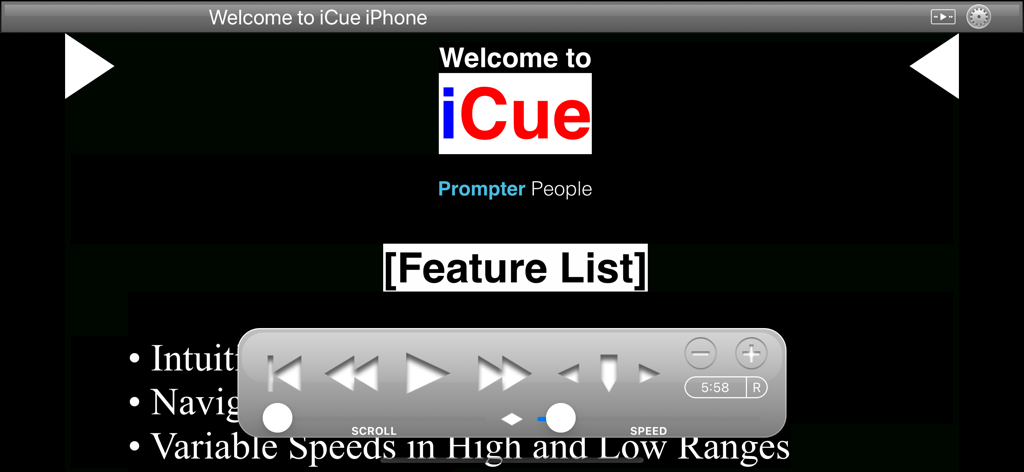
iCue - iCueテレプロンプターアプリのウェルカムスクリーン、フローティング再生コントロールパネル付き
iCueテレプロンプターアプリのウェルカムスクリーン、フローティング再生コントロールパネル付き

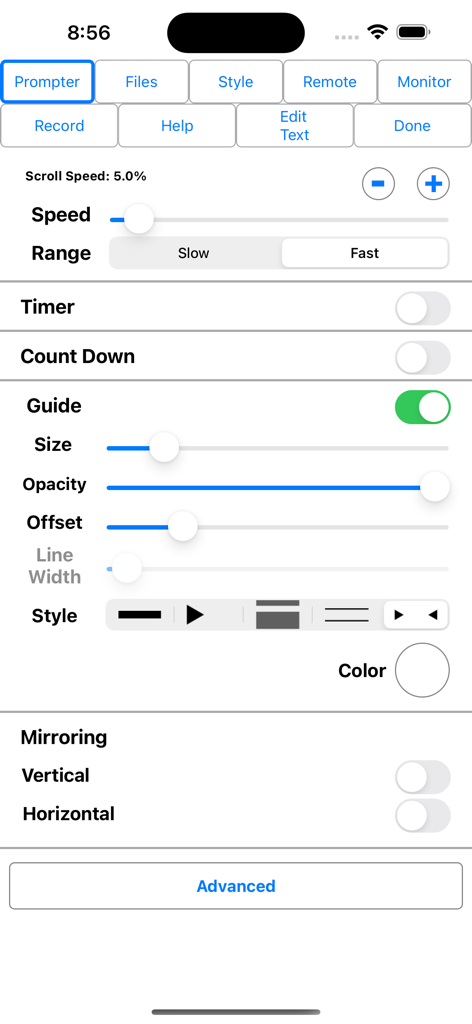
iCue - iCueテレプロンプターアプリの設定メニュー、スクロール速度コントロール、ガイドカスタマイズ、ディスプレイミラーリングオプションを表示
iCueテレプロンプターアプリの設定メニュー、スクロール速度コントロール、ガイドカスタマイズ、ディスプレイミラーリングオプションを表示

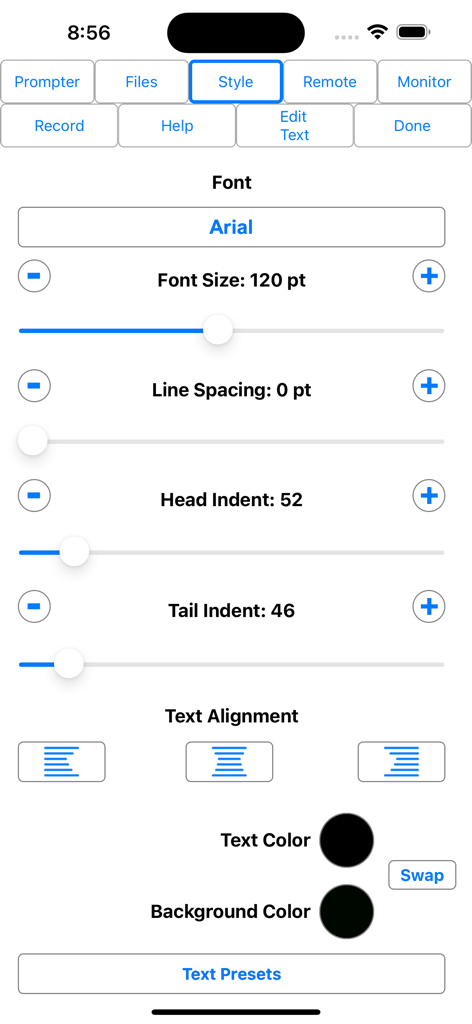
iCue - iCueテレプロンプターアプリのテキストスタイル設定メニュー、フォントサイズと色のオプション付き
iCueテレプロンプターアプリのテキストスタイル設定メニュー、フォントサイズと色のオプション付き

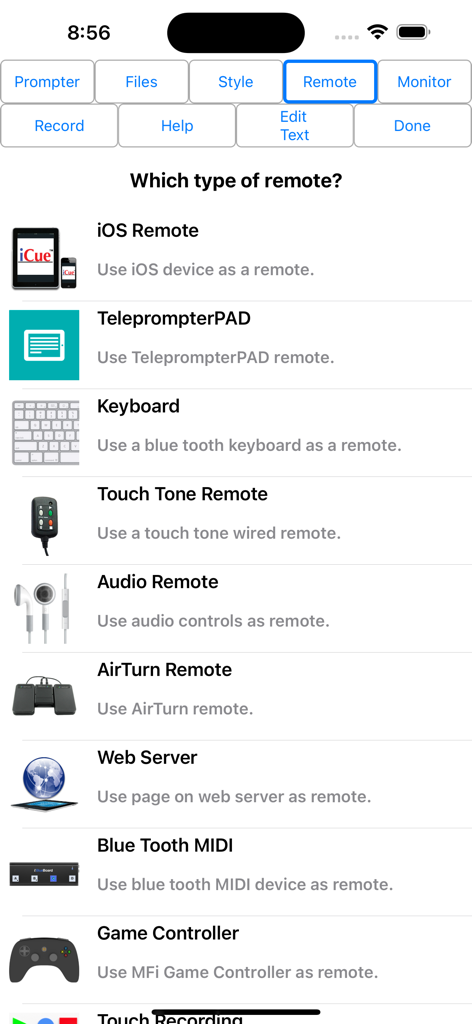
iCue - iCueテレプロンプターアプリのリモートコントロールオプションリスト、iOSリモートキーボードとゲームコントローラーを含む
iCueテレプロンプターアプリのリモートコントロールオプションリスト、iOSリモートキーボードとゲームコントローラーを含む

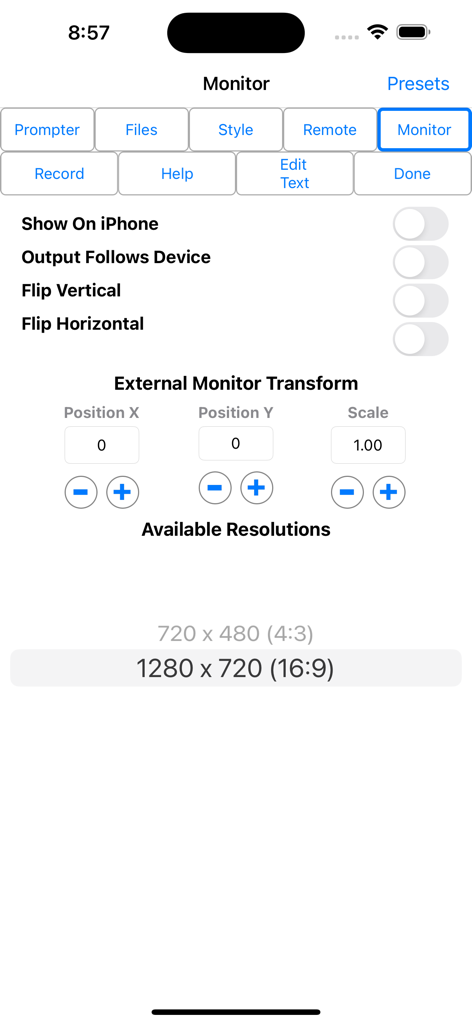
iCue - iCueテレプロンプターモニター設定画面、外部モニターのトランスフォームと解像度オプションを表示

iCueテレプロンプターモニター設定画面、外部モニターのトランスフォームと解像度オプションを表示

説明

iCue from Prompter People turns your iPad and iPhone into a full featured teleprompter. Go to www.prompterpeople.com to see a full range of teleprompter systems for your iPad. Check out iCue Remote, the free remote for iCue. Easily configure the appearance of the text content to suit your presentation requirements including... • Font • Font Size • Text Color • Background Color • Head and Tail Indent • Line Spacing • Text Style Prompter features include: • Import File Types: iCue (.iCue), Text (.txt), Rich Text (.rtf), Word (.docx) and HTML • Export File Types: iCue (.iCue), Text (.txt), Rich Text (.rtf) and HTML • Five Marker Styles: Bar, Marker, Two Line, Inverted, Two Markers • Scroll Speed: Variable with two speed ranges. • Display mirroring for using a reflective teleprompter • Countdown: Two styles • Bidirectional Timer • External Monitor Support • Built-in user manual • Customizable title bar to give access to the features that are important to your workflow. • More... • File Sharing iCue offers a variety of file sharing methods to assist in moving files between devices as well as a computer. - iTunes File Sharing: Copy files to and from iCue using iTunes. - Email Files: Email files from iCue and open files from other apps such as Mail. - iOS File Sharing: Send files directly from one iCue to another. - Web Server: Host a web page that can be used from any computer to upload and download files. - Web Server Browser: Use built-in browser to load web page from another web server to download files or the entire database from another iCue. - AirDrop: Use Apple's AirDrop to send files. - iCloud: Upload and download files from iCloud Drive. - Dropbox: Upload and download files from your Dropbox account. - Google Drive: Upload and download files from your Google Drive account. - iOS Remote Sharing: Send files and databases between host and peers. • Remote Control iCue has a variety different remote options. - iOS Remote: Use another iOS device running iCue or iCue Remote to control iCue. Synchronize multiple devices. - Blue Tooth Keyboard: Assign keys of a blue tooth keyboard to control prompter features. - Touch Tone Remote: Use touch tone signals playing into the microphone line-in to control prompter features. - Audio Remote: Use the headphone in-line remote or other audio remote to control prompter features. - AirTurn Remote: Use wireless remotes from www.airturn.com to control prompter features. - Web Server Remote: Use a web page hosted on the network to control the prompter features. - Apple Watch: Use the Apple Watch to remotely control prompter functions. - Bluetooth MIDI: Use IK Multimedia's iRig Blueboard to control prompter functions. - Game Controller: Use MFi game controllers to control prompter functions. - Touch Recording: Record and playback your interactions with the prompter. - Speech Recognition: Use your speech to control the script using key words or the text content of the script. - Key Commands: Configure key combinations to control most prompter features. Key Commands are available at all times. • Recording - Use either camera. - Movable video preview overlaying the script. - Share your video in a variety of ways. • Monitor Out Use an external monitor connected to the dock connector or AppleTV to display the prompter content. - Choose output resolution from supported resolutions. - Configure output to match device, or device to match output. - Adjust transform and mirroring for external display independently of device. - Works great with AppleTV and AirPlay. Coupled with a Prompter People iPad prompter iCue is perfect for video production, public speaking, electronic news gathering, music, school, business presentations and more!

Download

ダウンロード: App Store

このページはアプリまたはその開発者の公式ページではなく、情報提供および論評を目的として作成された独立した編集出版物です。明示的に別段の記載がない限り、アプリおよびその開発者は、MWM、Apple、Google Play、アプリのパブリッシャー、またはアプリの開発者と提携、承認、後援、認可、またはその他の公式的な関係はなく、このページのいかなる内容も、アプリがMWMのサービスを使用して開発されたことを意味するものではありません。すべての商標、ロゴ、スクリーンショット、その他のコンテンツはそれぞれの所有者の財産です。








