iMotion
iMotion
ダウンロード: App Store

このページはアプリまたはその開発者の公式ページではなく、情報提供および論評を目的として作成された独立した編集出版物です。明示的に別段の記載がない限り、アプリおよびその開発者は、MWM、Apple、Google Play、アプリのパブリッシャー、またはアプリの開発者と提携、承認、後援、認可、またはその他の公式的な関係はなく、このページのいかなる内容も、アプリがMWMのサービスを使用して開発されたことを意味するものではありません。すべての商標、ロゴ、スクリーンショット、その他のコンテンツはそれぞれの所有者の財産です。

ロゴ: iMotion
ダウンロード: App Store

iMotion

完全な手動コントロールで、驚異的な4Kアニメーションとシネマティックストーリーを作成。バイラルソーシャルコンテンツから趣味の傑作まで、あなたの想像力を数秒で形にしましょう。

主要数値

ダウンロード

1M+

ユーザー評価

4.4/5

評価数

10K+

開発元

SKETCHES SRL

カテゴリ

Photo & Video

対応言語

1

最新バージョン

6.5

サイズ

145.6 MB

リリース日

2011年5月5日
機能

モーションアートをマスターする

バイラルソーシャルコンテンツからシネマティックなブリックフィルムまで、現代のクリエイター向けに設計されたハイエンドツールで、iPhoneをプロのアニメーションスタジオに変えましょう。

ハンズフリースマートキャプチャ

マイクトリガーを使用して、デバイスに触れることなくフレームをキャプチャ。ソロクリエイターや、カメラのブレをなくしたいストップモーション愛好家に最適です。

プログレードのカメラコントロール

手動露出、フォーカス、ホワイトバランス設定でレンズを完全に制御し、驚異的な4K UHD品質で傑作をエクスポートしましょう。

以下のスクリーンショットと説明は、アプリの公式ストアリスティングから直接取得されたものであり、アプリ開発者の所有物です。

アプリストア

スクリーンショット
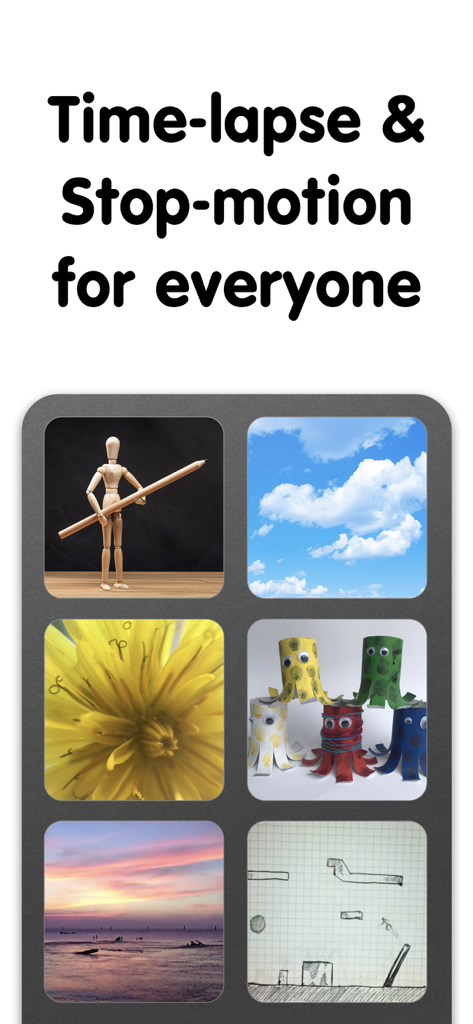
iMotion - iMotionアプリのスクリーンショット。クラウド、自然、手作り工芸品など、タイムラプスとストップモーションビデオプロジェクトの例を紹介。
iMotionアプリのスクリーンショット。クラウド、自然、手作り工芸品など、タイムラプスとストップモーションビデオプロジェクトの例を紹介。

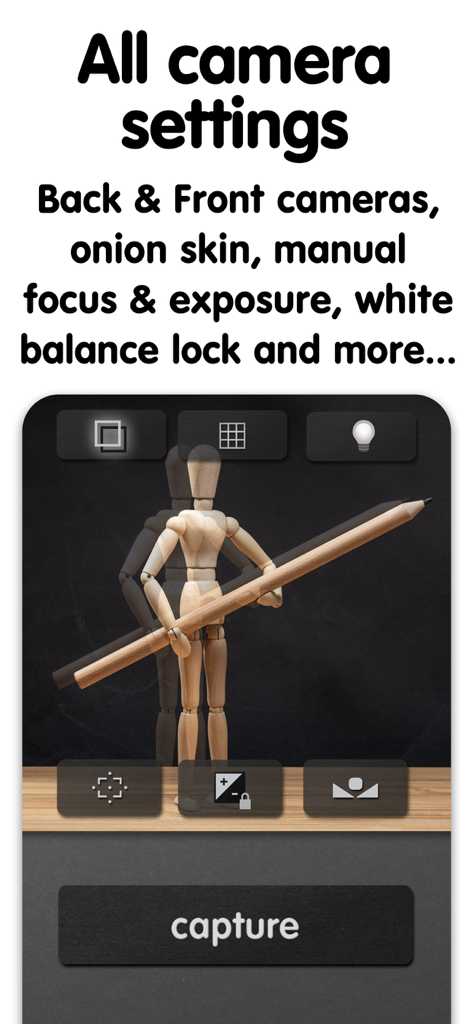
iMotion - iMotionのカメラインターフェース。ストップモーションアニメーション用のマニュアルフォーカス、露出、オニオンスキン設定を表示。
iMotionのカメラインターフェース。ストップモーションアニメーション用のマニュアルフォーカス、露出、オニオンスキン設定を表示。

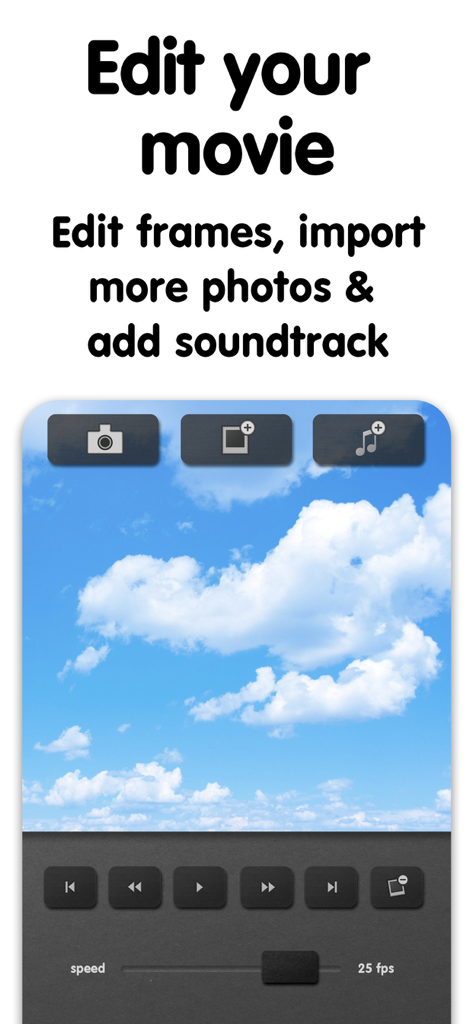
iMotion - iMotionアプリのインターフェース。フレームとサウンドトラックのビデオ編集ツールを表示。
iMotionアプリのインターフェース。フレームとサウンドトラックのビデオ編集ツールを表示。

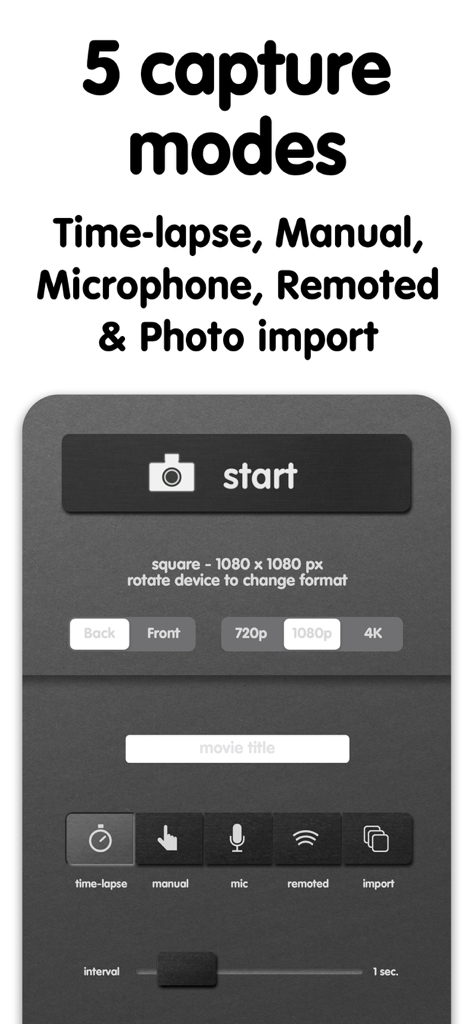
iMotion - iMotionアプリのインターフェース。ストップモーションおよびタイムラプスビデオ用の5つのキャプチャモードと解像度設定を表示。
iMotionアプリのインターフェース。ストップモーションおよびタイムラプスビデオ用の5つのキャプチャモードと解像度設定を表示。

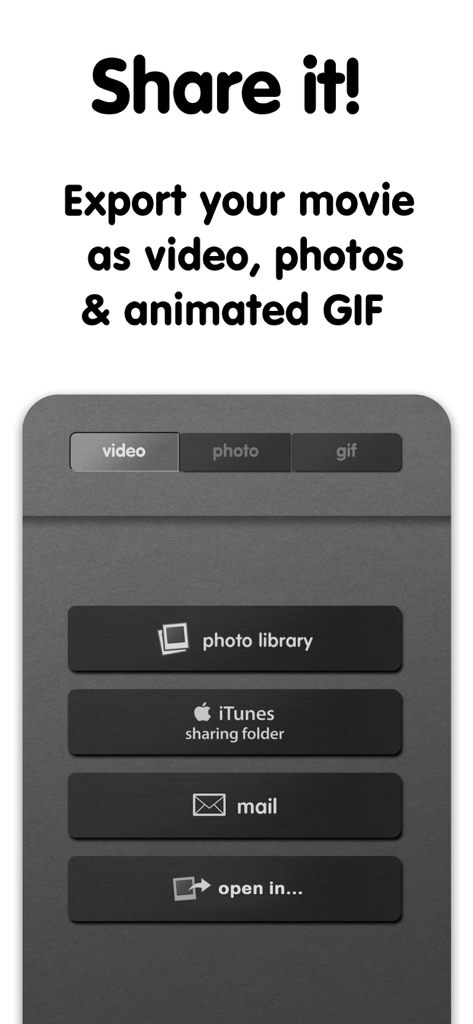
iMotion - iMotionアプリのインターフェース。ビデオ、写真、アニメーションGIFのエクスポートおよび共有オプションを表示。

iMotionアプリのインターフェース。ビデオ、写真、アニメーションGIFのエクスポートおよび共有オプションを表示。

説明

Bring Your Photos to Life with iMotion! iMotion makes it easy to create stunning time-lapse and stop-motion videos in just a few minutes. From creative storytelling to learning, memories, and social content, iMotion gives you everything you need to animate the world around you. Key features: - Time-Lapse & Stop-Motion: ****Create smooth, high-quality animations without technical complexity - Multiple Capture Modes: Choose the perfect way to create: time-lapse, manual capture, microphone trigger, library import - Professional Rendering Quality: Capture and export your creations in 4K UHD, 1080p, or 720p HD for high quality results - Full Camera Control: Adjust focus, exposure, and white balance manually to maintain full control over every frame - Easy Sharing: Export videos, photos, and animated GIFs directly to your Photo Library or share on social networks How It Works: 1. Capture photos or import frames using your preferred mode 2. Arrange and preview your animation with frame-by-frame precision 3. Customize settings and refine your result 4. Export and share your story in seconds Download iMotion and bring your time-lapse and stop-motion ideas to life. Subscribe to access to premium app features; subscription details are the following: - Length: weekly, yearly - Your payment will be charged to your iTunes Account as soon as you confirm your purchase - You can manage your subscriptions and turn off auto-renewal from your Account Settings after the purchase - Your subscription will renew automatically, unless you turn off auto-renew at least 24 hours before the end of the current period - The cost of renewal will be charged to your account in the 24 hours prior to the end of the current period - When canceling a subscription, your subscription will stay active until the end of the period. Auto-renewal will be disabled, but the current subscription will not be refunded - Any unused portion of a free trial period, if offered, will be forfeited when purchasing a subscription Terms of Use: https://www.apple.com/legal/internet-services/itunes/dev/stdeula/

Download

ダウンロード: App Store

このページはアプリまたはその開発者の公式ページではなく、情報提供および論評を目的として作成された独立した編集出版物です。明示的に別段の記載がない限り、アプリおよびその開発者は、MWM、Apple、Google Play、アプリのパブリッシャー、またはアプリの開発者と提携、承認、後援、認可、またはその他の公式的な関係はなく、このページのいかなる内容も、アプリがMWMのサービスを使用して開発されたことを意味するものではありません。すべての商標、ロゴ、スクリーンショット、その他のコンテンツはそれぞれの所有者の財産です。








