Inkpad Notepad - Notes - To do

Inkpad Notepad - Notes - To do

ダウンロード: App Store
ロゴ: Inkpad Notepad - Notes - To do

Inkpad Notepad: シンプルなメモとToDoリストが、きちんと機能します

デジタル同期のパワーを備えた、紙のメモ帳のような快適さを体験してください。信頼できる自動保存機能で、携帯電話やウェブブラウザで買い物リストや日々のタスクを簡単に管理できます。

開発元

Workpail, LLC

カテゴリ

Productivity

ダウンロード

1M+

ユーザー評価

4.6/5

評価数

8K+

対応言語

1

すべてのメモにシンプルさを

このインターフェースを利用する 1M+ 人のユーザー.

Inkpad Notepadアプリの画面。メモとフォルダーのリストが紙のような美しさで表示されている。
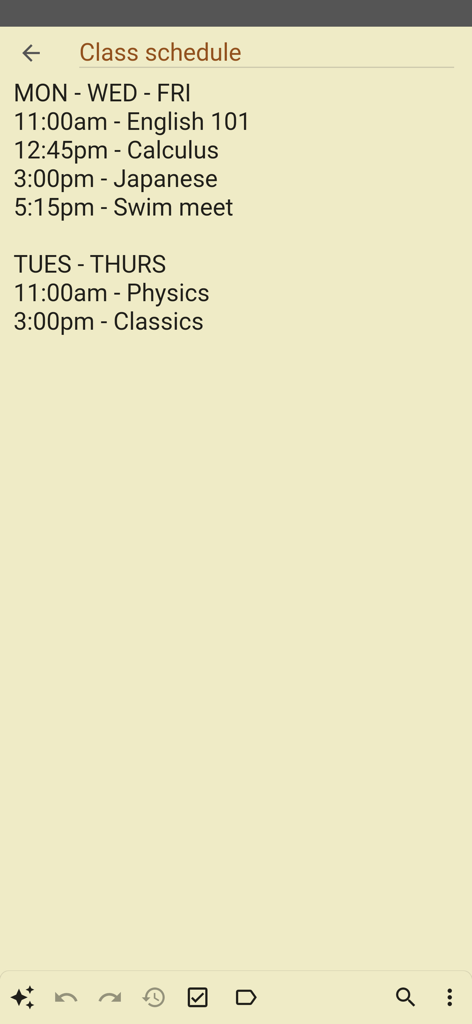
Inkpad Notepadアプリの画面。メモとフォルダーのリストが紙のような美しさで表示されている。

Inkpad Notepadのシンプルなデジタルメモ「授業スケジュール」。コースと時間のリストが紙のような背景に表示されている。
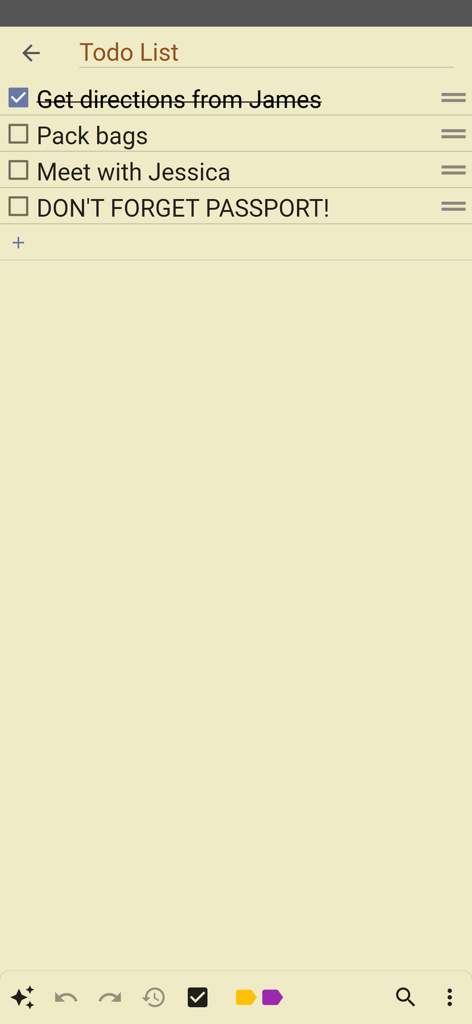
Inkpad Notepadのシンプルなデジタルメモ「授業スケジュール」。コースと時間のリストが紙のような背景に表示されている。

Inkpad Notepadアプリの黄色い紙の背景に表示されたシンプルなToDoリスト。
Inkpad Notepadアプリの黄色い紙の背景に表示されたシンプルなToDoリスト。

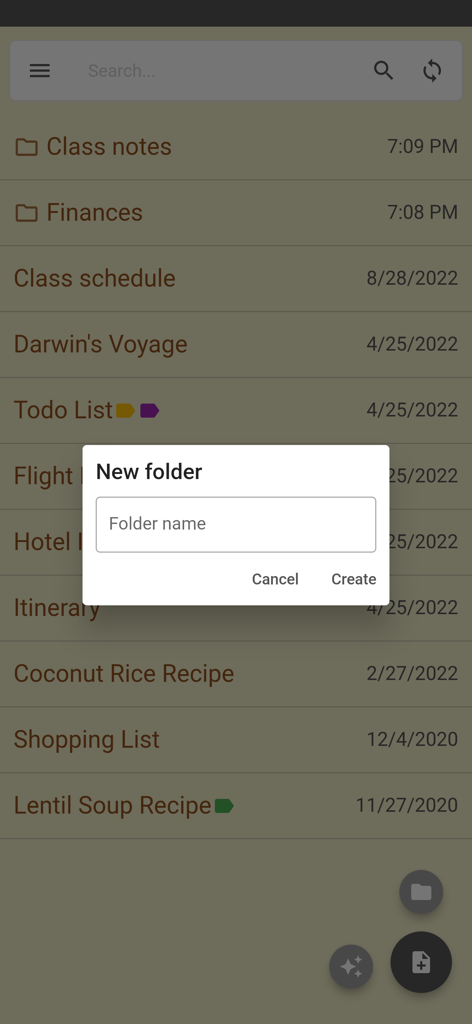
Inkpad Notepadアプリの新フォルダー作成画面。
Inkpad Notepadアプリの新フォルダー作成画面。

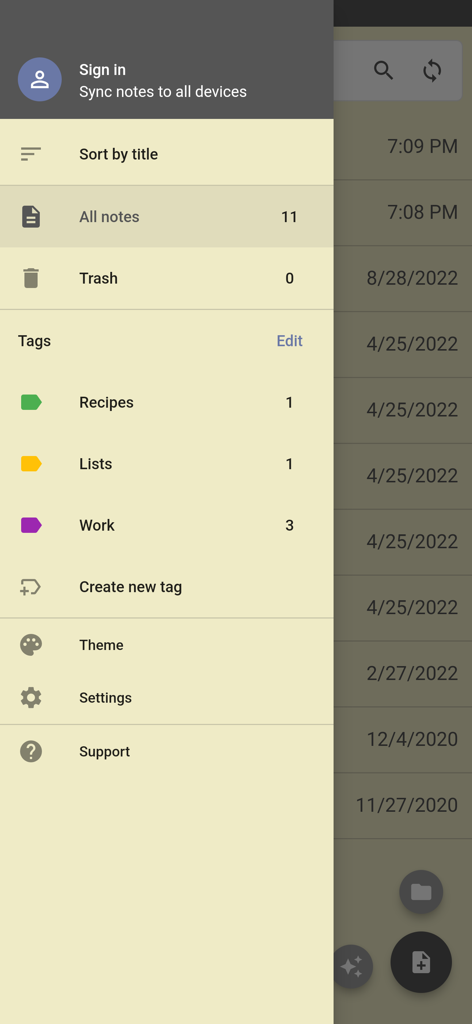
Inkpad Notepadのサイドナビゲーションメニュー。メモの並べ替えタグやアカウント設定のオプションが表示されている。
Inkpad Notepadのサイドナビゲーションメニュー。メモの並べ替えタグやアカウント設定のオプションが表示されている。

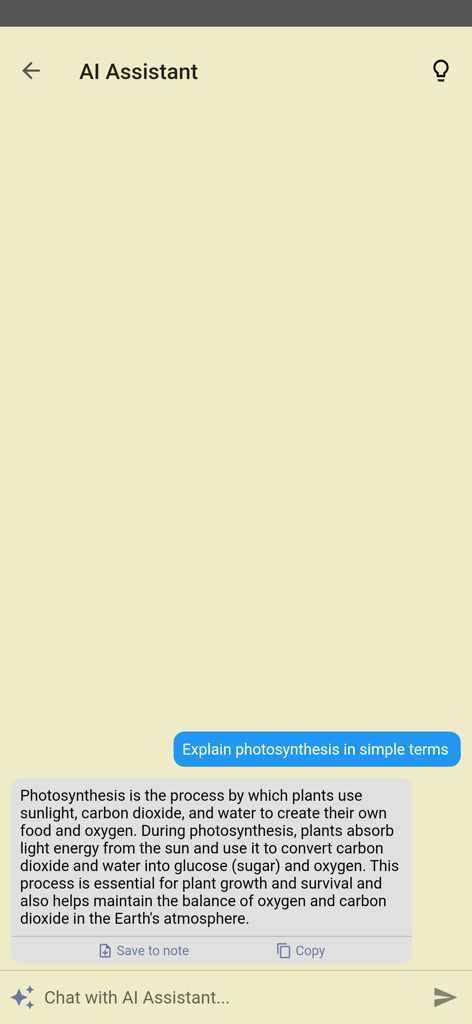
Inkpad NotepadのAIアシスタント機能。シンプルなチャットインターフェースで質問に答えている。
Inkpad NotepadのAIアシスタント機能。シンプルなチャットインターフェースで質問に答えている。

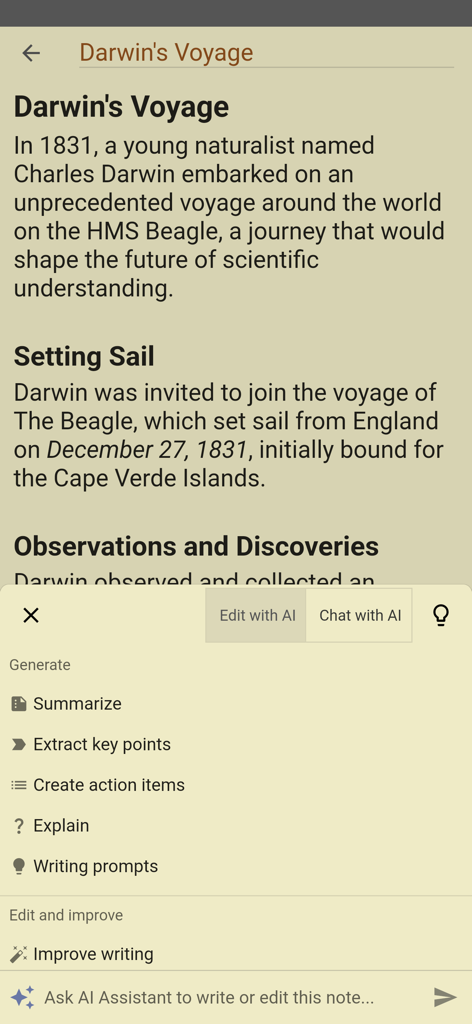
Inkpad NotepadアプリにAIアシスタントメニューが表示されており、「要約」「文章の改善」などのオプションがある。
Inkpad NotepadアプリにAIアシスタントメニューが表示されており、「要約」「文章の改善」などのオプションがある。

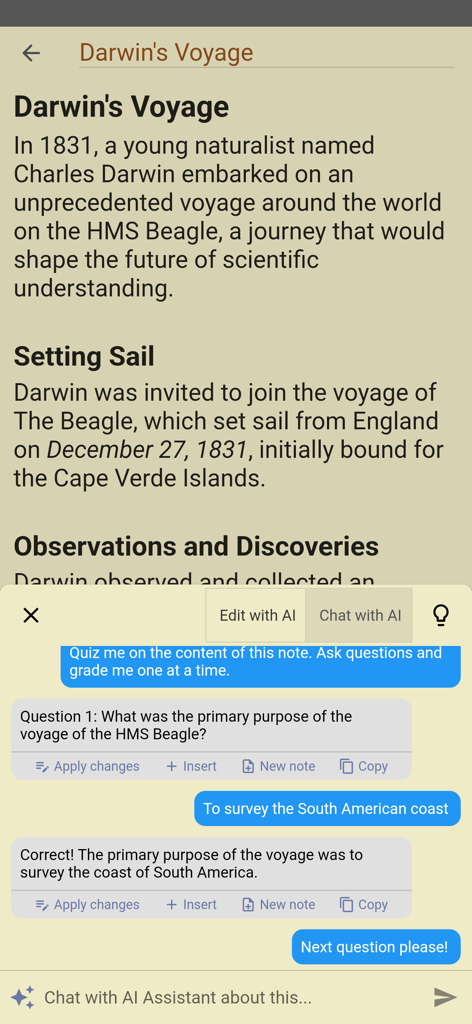
Inkpad Notepadのモバイルインターフェース。AIアシスタントがダーウィンの航海に関するユーザーのメモについてクイズを出している。

Inkpad Notepadのモバイルインターフェース。AIアシスタントがダーウィンの航海に関するユーザーのメモについてクイズを出している。

忙しいあなたのためのシンプルなメモ

このアプリを際立たせるツール、 1M+ 人のユーザーが選択.

📝

紙のメモ帳のように

複雑なメニューや書式設定はありません。タップするだけで書き込め、実際のリーガルパッドのように、書いている途中で自動的に保存されます。

💻

コンピューターからアクセス

ウェブサイト経由でコンピューターのキーボードで、より長いメモやリストを快適に入力し、外出先で携帯電話に瞬時に表示されます。

🛒

リストとタスクに最適

どんなメモでも簡単に買い物リストや毎日のToDoリストに変換できます。自宅、職場、店舗のどこにいても、整理整頓され、生産的であり続けましょう。

🛒

リストとタスクに最適

どんなメモでも簡単に買い物リストや毎日のToDoリストに変換できます。自宅、職場、店舗のどこにいても、整理整頓され、生産的であり続けましょう。

アプリについて

について知っておくべきこと Inkpad Notepad - Notes - To do.

説明

InkPad Notepad is the simple, elegant, easy way to keep notes on your phone, or on the web. Once upon a time, you had to write down notes in a paper notepad and carry it around with you. If you wrote a shopping list or to do list, you might go to the store and discover you had forgotten your notepad. But how often do you forget to bring your mobile phone with you? Introducing InkPad, the notepad you’ll only forget as often as your phone! Inkpad Notepad let's you access your notes online on our website. You can create or edit notes from the convenience of your computer's web browser, and always have access to your notes from your phone when you're offline too. CREATE NOTES InkPad is designed to look like a paper notepad, and is just as simple to use. When you open InkPad, you’ll see a list of all notes you’ve created. To add a new note, tap on the “+” button at the bottom of the screen. CREATE TO DO LIST Create a note as usual, then select the "to do list" button at the top of the note screen. CREATE SHOPPING LIST Create a note as usual, then select the "shopping list" button at the top of the note. EDIT NOTE OR TO DO LIST Now you can write your note. Just like a paper notepad, you don’t have to do anything special to save your notes, they are auto-saved for you. SAVE As mentioned above, notes are auto-saved. You don’t have to do anything special to save them. SYNC NOTES ONLINE Inkpad Notepad lets you sync/backup notes online. You can access your online notes on our website by signing in with the same account you selected in the mobile app. SEARCH YOUR NOTES OR TO DO LISTS Inkpad Notepad now gives you an option to search your notes or to do lists. From the home screen, tap on the search icon, then begin writing. As you write, the list of notes will be filtered to only display notes containing the search keyword. Press the "X" button to clear the note search, and view all notes as usual. SHARE NOTES At the bottom of each note is a “share” button. Tapping it brings up all the ways to share. Typical ways include email, SMS, etc. CHANGE NOTE’S TITLE To change a notes title, tap on the title area at the top of that note. DELETE NOTE If you don’t want a note any longer, you can delete it in several ways: 1) Open the note, tap the “delete” button at the bottom of the page. 2) From the main notes screen, swipe-left the title of a note, then tap on “delete”. BACKUP NOTES To backup a note, press the share button and email to yourself the note you want to backup. TYPICAL USES Write To do lists, shopping lists, addresses, email, SMS, Twitter updates*, write lyrics, poems, or even a novel if you feel like it! The uses are limited only by your imagination. Follow @InkpadNotes on twitter and facebook to receive updates about InkPad Note pad. *Assumes separate Twitter client is installed, Twitter cannot post note pad content longer than 140 characters. Privacy Policy: https://www.inkpadnotepad.com/privacy Terms of Use: https://www.inkpadnotepad.com/terms

最新バージョン

6.3.59

サイズ

67.3 MB

リリース日

2015年7月27日

あなたのメモは、必要な場所に正確に

インスタント同期の利便性を備えた、紙のメモ帳のようなシンプルさを体験してください。100万人以上もの人々が、生活を整理し、リストを指先で簡単に管理しています。

ダウンロード: App Store

App information, icons, screenshots, and descriptions displayed on this page are sourced from the Apple App Store and are the property of their respective developers. Download estimates and rankings are based on MWM's proprietary models and may not reflect actual figures. This page is provided for informational and analytical purposes only.

Believe this page infringes your intellectual property? File a dispute