Instant Photo Note
Instant Photo Note
ダウンロード: App Store

このページはアプリまたはその開発者の公式ページではなく、情報提供および論評を目的として作成された独立した編集出版物です。明示的に別段の記載がない限り、アプリおよびその開発者は、MWM、Apple、Google Play、アプリのパブリッシャー、またはアプリの開発者と提携、承認、後援、認可、またはその他の公式的な関係はなく、このページのいかなる内容も、アプリがMWMのサービスを使用して開発されたことを意味するものではありません。すべての商標、ロゴ、スクリーンショット、その他のコンテンツはそれぞれの所有者の財産です。


ロゴ: Instant Photo Note
ダウンロード: App Store

Instant Photo Note

散らかったカメラロールに溺れるのはやめましょう。メモを追加し、音声でストーリーを語り、外出先で共有準備のできたアルバムやムービーを作成しましょう。一度支払えば、永遠にあなたのものになり、プライバシーは100%保護されます。

主要数値

ダウンロード

400

ユーザー評価

5.0/5

評価数

0

開発元

Erik Doerr

カテゴリ

Photo & Video

対応言語

5

最新バージョン

1.7.9

サイズ

2.5 MB

リリース日

2025年3月12日
機能

画像だけでなく、ストーリーをキャプチャする

名前のない写真の海に溺れるのはやめましょう。Instant Photo Noteは、デジタルな散らかりをナレーション付きの思い出に変えます。共有、印刷、またはアーカイブの準備ができた状態で、その瞬間に。

音声入力ですぐにナレーション

数週間後に詳細を思い出そうとするのはやめましょう。ボイス・トゥ・テキスト機能を使用して、記憶が新しいうちに、写真に名前、場所、ストーリーをすぐに追記しましょう。

サブスクリプションなし、完全なプライバシー

一度支払えば、永遠にあなたのものになります。お客様のデータは収集せず、写真も追跡しないため、家族の思い出がプライベートに保たれるという安心感を得られます。

以下のスクリーンショットと説明は、アプリの公式ストアリスティングから直接取得されたものであり、アプリ開発者の所有物です。

アプリストア

スクリーンショット
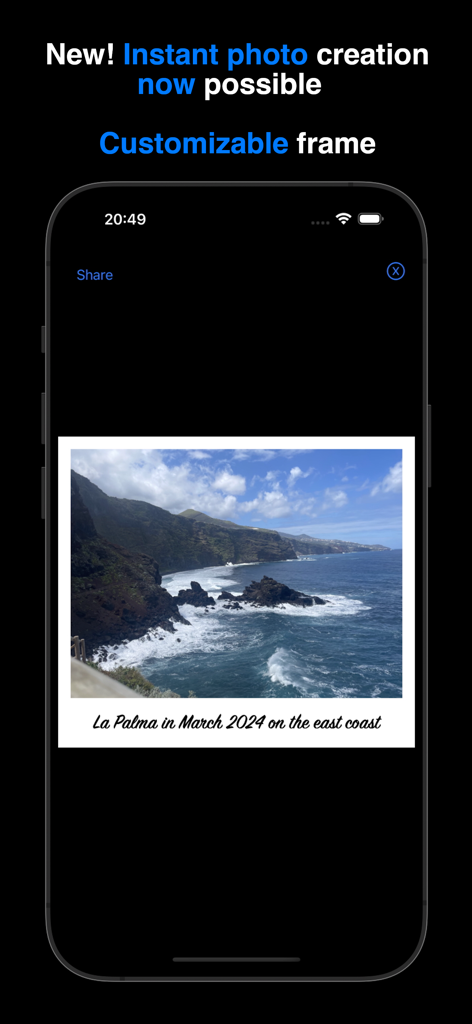
Instant Photo Note - Instant Photo Noteアプリに、白いカスタマイズ可能なフレームにテキストキャプションが付いた海岸の風景写真が表示されている様子
Instant Photo Noteアプリに、白いカスタマイズ可能なフレームにテキストキャプションが付いた海岸の風景写真が表示されている様子

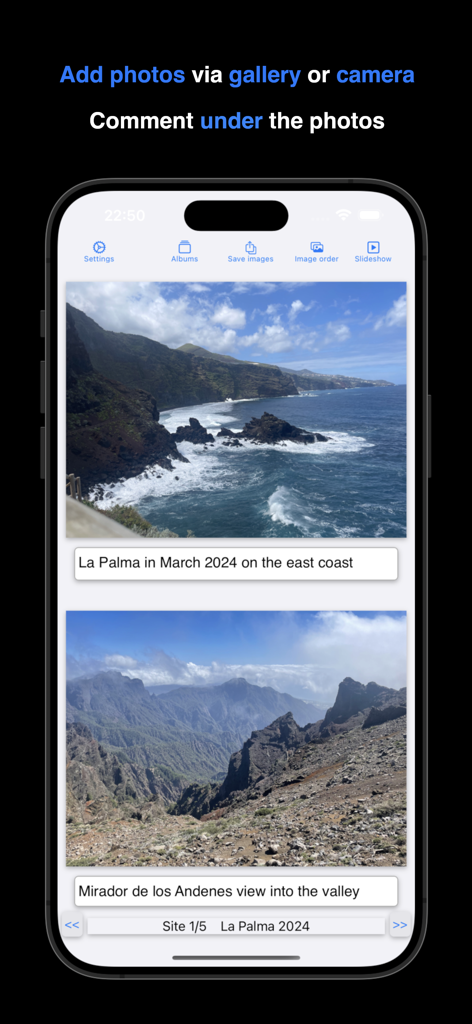
Instant Photo Note - Instant Photo Noteアプリで、テキストキャプション付きの旅行写真が表示されているiPhone画面
Instant Photo Noteアプリで、テキストキャプション付きの旅行写真が表示されているiPhone画面

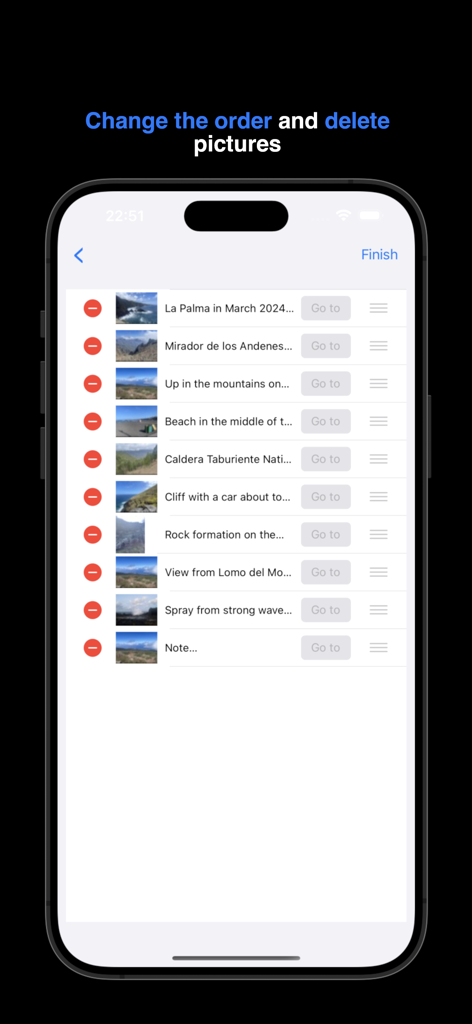
Instant Photo Note - Instant Photo Noteアプリで、アルバム内の写真の並べ替えと削除方法を示すインターフェイス
Instant Photo Noteアプリで、アルバム内の写真の並べ替えと削除方法を示すインターフェイス

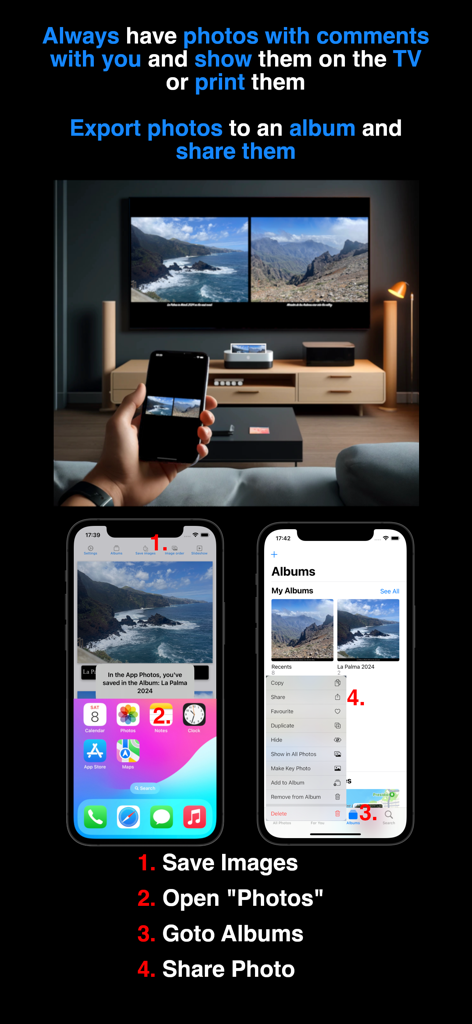
Instant Photo Note - キャプション付きの写真が表示された携帯電話を、エクスポートと共有の手順とともに大規模なテレビ画面にミラーリングしている人物
キャプション付きの写真が表示された携帯電話を、エクスポートと共有の手順とともに大規模なテレビ画面にミラーリングしている人物

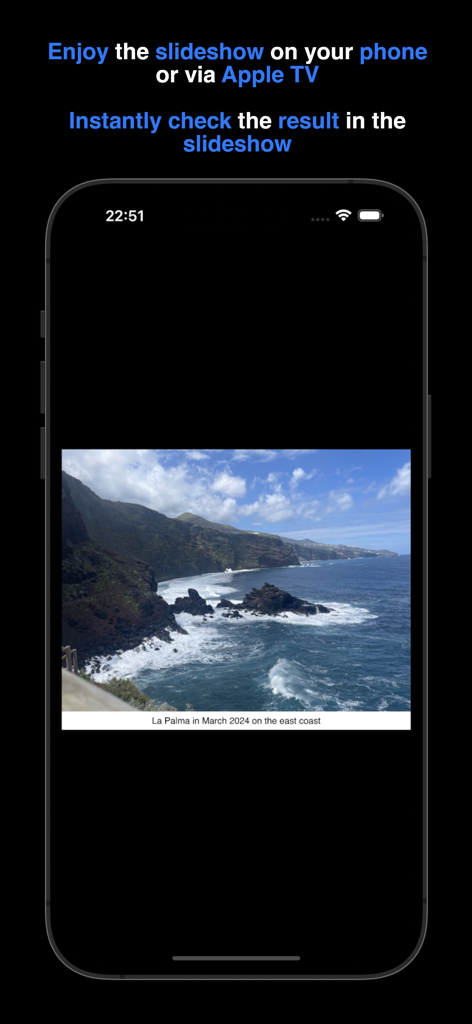
Instant Photo Note - Instant Photo Noteアプリに、説明的なテキストノートが表示された、荒れた海岸線の休暇写真がスライドショーで表示されているiPhone画面
Instant Photo Noteアプリに、説明的なテキストノートが表示された、荒れた海岸線の休暇写真がスライドショーで表示されているiPhone画面

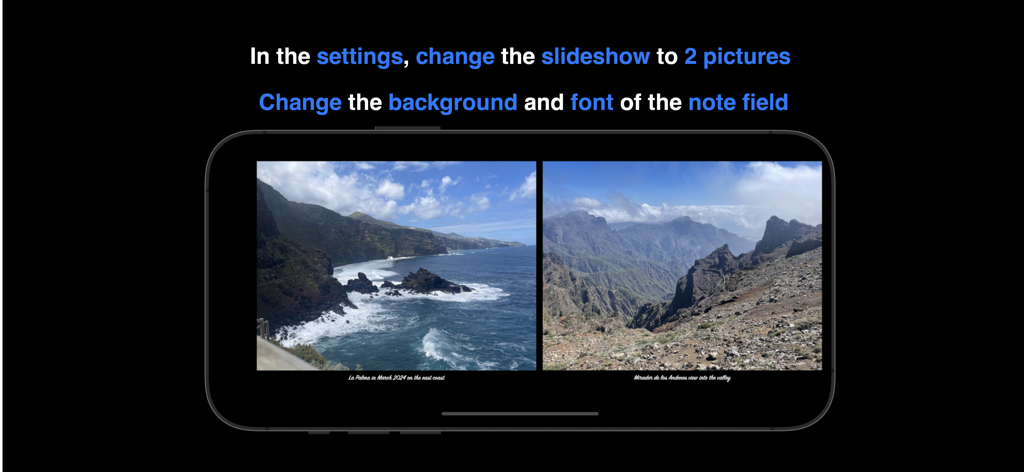
Instant Photo Note - Instant Photo Noteアプリに、カスタムノートが付いたスライドショーで、2枚の写真が並べて表示されている様子

Instant Photo Noteアプリに、カスタムノートが付いたスライドショーで、2枚の写真が並べて表示されている様子

説明

Instant Photo Note solves your "photo problem": No more sorting photos, trying to remember everything, and adding captions once you're back home. You can simply take photos during your holiday, birthday party, etc. from the app or add existing photos from the gallery. Notes such as date, location, memories... are possible. Sit back and relax at home while enjoying your commented photos – your albums are already complete. You can instantly print your commented photos, share them via social media, or enjoy them on your TV using a USB stick or Apple TV. There is a FAQ and video tutorials (e.g., printing albums, sharing on social networks, etc.) for the app at https://frede.app/ Payment • No hidden costs, no subscription, just pay once and use forever. Privacy Policy • does not collect, store, or transmit any personal data. Adding Notes to Photos • Take a photo within the app with the camera or select an existing one from the gallery. • Write a note or a memory under the photo. • You can customize the text color, font, and size, as well as the background color of the note field and and of the frame (around the photo). • Use your keyboard's dictation function to create notes easily. Digital photo albums • Each photo belongs to a digital photo album • Each album has a freely selectable title • You can scroll forwards and backwards in the album to view your photos, comment on them or add new photos. • The overview of an album shows the order of the photos, which you can change by simply moving or deleting them. • You can select a photo from the album overview and jump directly to its position in the album. • Due to storage limitations, the number of albums and photos per album is restricted. Zoom • Use pinch-to-zoom or long-press to open a new window, where you can share, save, or print a single photo directly. • Zoom into the photo to review details. Create a Movie • Save and share your photos from an album as a movie. Photos will be displayed with their notes, and you can adjust the transition time between photos. Slideshow • View your photos as a slideshow. The transition duration between photos can be adjusted, and notes are displayed alongside them. • Choose to view one photo or two photos at once. Save/export • Export selected photos with their notes while browsing. • Exported photos can be found in the Apple Photos app under the corresponding album title. • To save storage space, exported photos are compressed. Settings • The frame color and frame width around the photo can be freely chosen • Customize the background color, font, and text color of the note field. • Set the transition duration between photos before creating a movie. • For the slideshow, the duration of the photo change, the number of photos (1 or 2) and the size of the note field can be set. These settings also apply to the export. Privacy Policy: https://frede.app/en/privacy-policy-of-instantphotonote/ Terms of Use: https://frede.app/en/terms-of-use-of-instantphotonote/

Download

ダウンロード: App Store

このページはアプリまたはその開発者の公式ページではなく、情報提供および論評を目的として作成された独立した編集出版物です。明示的に別段の記載がない限り、アプリおよびその開発者は、MWM、Apple、Google Play、アプリのパブリッシャー、またはアプリの開発者と提携、承認、後援、認可、またはその他の公式的な関係はなく、このページのいかなる内容も、アプリがMWMのサービスを使用して開発されたことを意味するものではありません。すべての商標、ロゴ、スクリーンショット、その他のコンテンツはそれぞれの所有者の財産です。








