iSetting-Lock App & Hide App
ダウンロード: App Store

このページはアプリまたはその開発者の公式ページではなく、情報提供および論評を目的として作成された独立した編集出版物です。明示的に別段の記載がない限り、アプリおよびその開発者は、MWM、Apple、Google Play、アプリのパブリッシャー、またはアプリの開発者と提携、承認、後援、認可、またはその他の公式的な関係はなく、このページのいかなる内容も、アプリがMWMのサービスを使用して開発されたことを意味するものではありません。すべての商標、ロゴ、スクリーンショット、その他のコンテンツはそれぞれの所有者の財産です。


ロゴ: iSetting-Lock App & Hide App
ダウンロード: App Store

iSetting-Lock App & Hide App

スマートジオフェンシング、アプリカモフラージュ、高度な制限機能でデバイスを完全に制御しましょう。子供の学校での集中力を確保する場合でも、個人のプライバシーを保護する場合でも、iSettingは究極のセキュリティとデジタルウェルネスを提供します。

主要数値

ダウンロード

5K+

ユーザー評価

4.5/5

評価数

200

開発元

巨 林

カテゴリ

Utilities

対応言語

2

最新バージョン

1.0.0

サイズ

6.3 MB

リリース日

2024年12月16日
機能

デジタル環境を完全に制御する

iSetting は、親や専門家が、アプリの制限を自動化し、プライバシーを保護し、不正なデバイスの変更を防ぐための精密なツールを提供します。

スマートな場所と時間の自動化

高度なジオフェンシングとカスタムスケジューリングにより、学校ゾーンや就寝時間に入ると自動的に distracting なアプリを無効にします。

ステルスモードとアプリカモフラージュ

ホーム画面から機密性の高いアプリを非表示にするか、電卓スタイルのアイコンを使用して、プライベートな生活を安全かつ詮索好きな目から完全に隠します。

以下のスクリーンショットと説明は、アプリの公式ストアリスティングから直接取得されたものであり、アプリ開発者の所有物です。

アプリストア

スクリーンショット
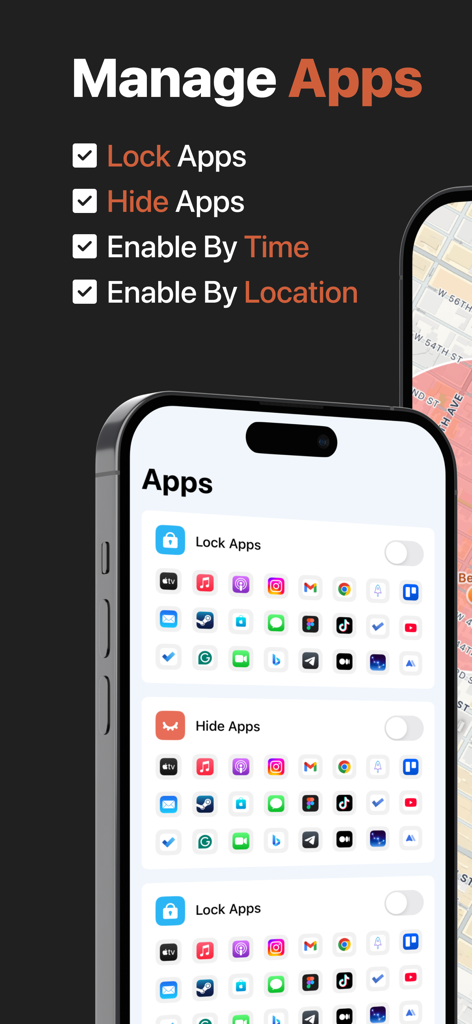
iSetting-Lock App & Hide App - モバイルアプリケーションのロックと非表示オプションが表示され、時間と場所の設定が可能なアプリインターフェース
モバイルアプリケーションのロックと非表示オプションが表示され、時間と場所の設定が可能なアプリインターフェース

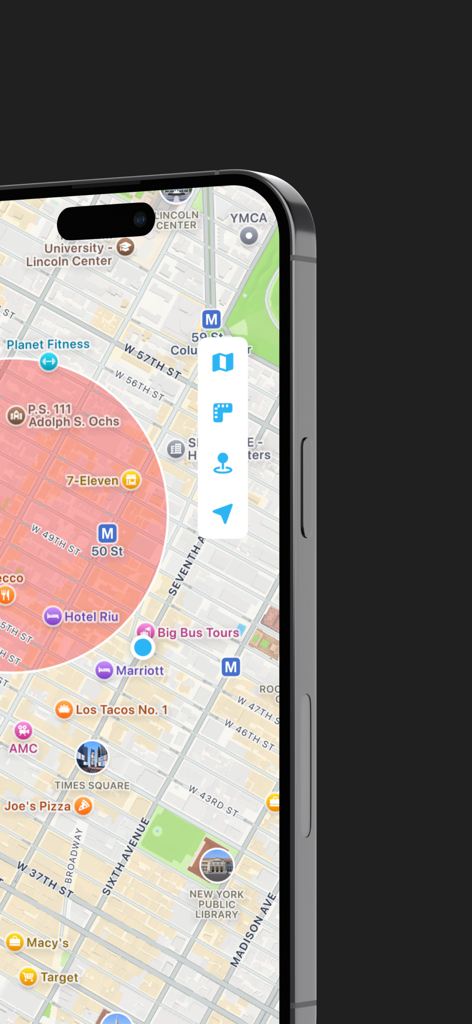
iSetting-Lock App & Hide App - 自動アプリロックとペアレンタルコントロールに使用される赤いジオフェンス円が表示されたスマートフォンのマップ表示
自動アプリロックとペアレンタルコントロールに使用される赤いジオフェンス円が表示されたスマートフォンのマップ表示

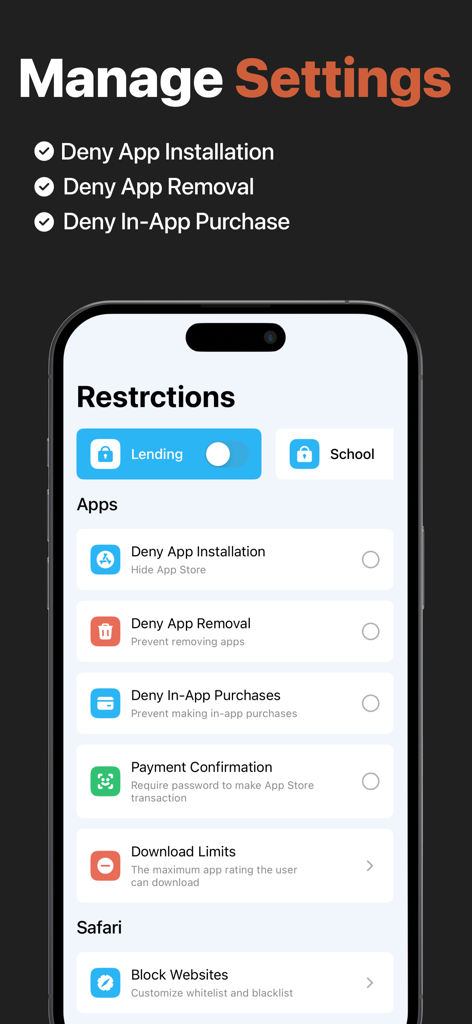
iSetting-Lock App & Hide App - アプリのインストール削除とアプリ内購入の制限が表示されたモバイルアプリインターフェース
アプリのインストール削除とアプリ内購入の制限が表示されたモバイルアプリインターフェース

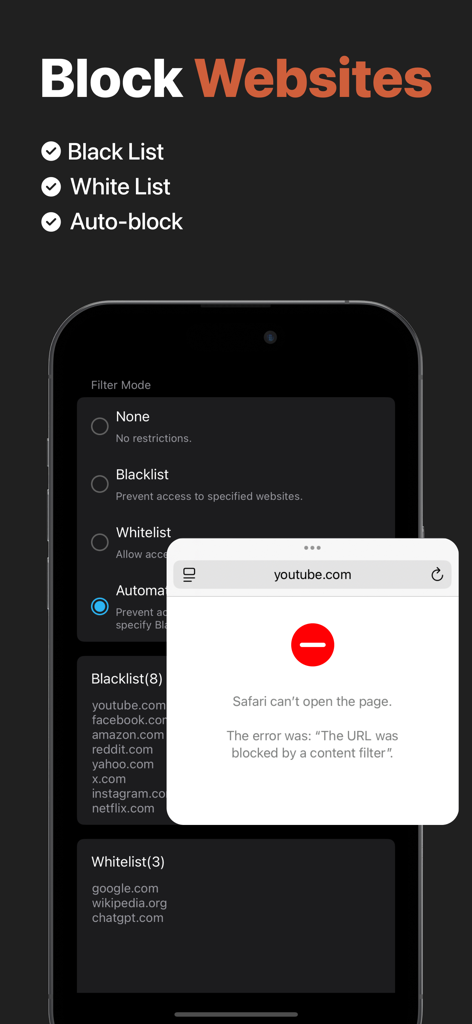
iSetting-Lock App & Hide App - ウェブサイトブロッキング設定とSafariでのブロックされたURLの通知が表示されるインターフェース
ウェブサイトブロッキング設定とSafariでのブロックされたURLの通知が表示されるインターフェース

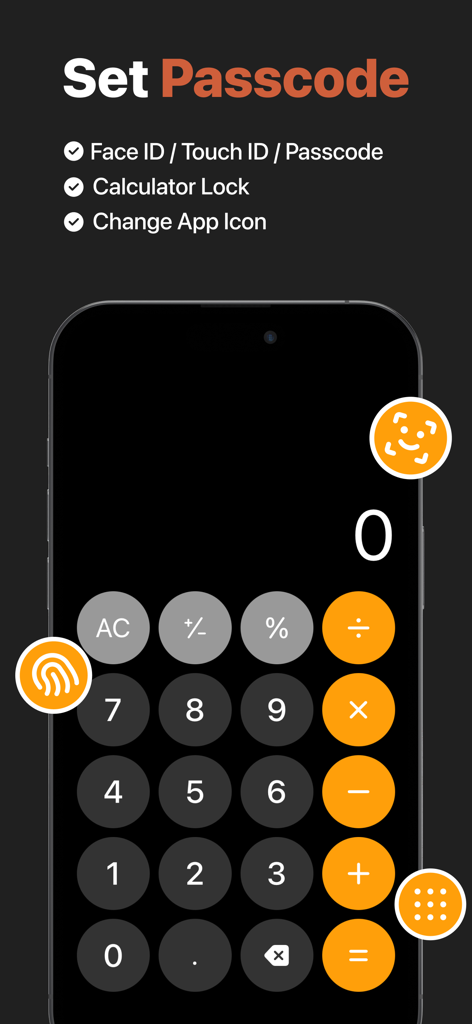
iSetting-Lock App & Hide App - アプリロックとセキュリティ設定のための電卓カモフラージュインターフェース

アプリロックとセキュリティ設定のための電卓カモフラージュインターフェース
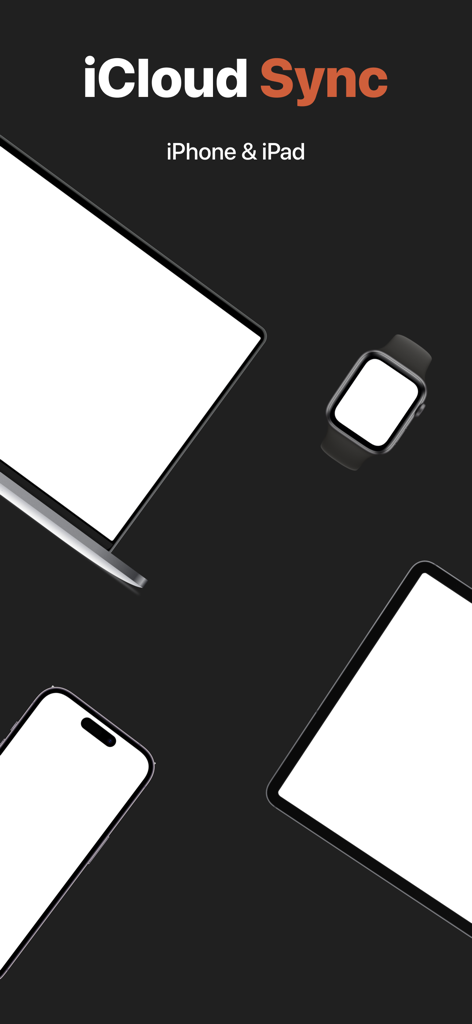
iSetting-Lock App & Hide App - iPhone、iPad、その他のAppleデバイスとの互換性を示すiCloud同期機能のイラスト

iPhone、iPad、その他のAppleデバイスとの互換性を示すiCloud同期機能のイラスト

説明

iSetting is an app management and permission setting tool, suitable for individuals and parents to manage device usage and protect personal privacy and security. 【App Management】 Supports adding multiple configurations, which can be enabled with one click when needed. Main features: - Lock Apps: Prevent the use of specific apps or all apps. - Hide Apps: Hide specific apps from the device. 【Geofencing】 Automatically locks (or hides) apps when entering or leaving a specified area. Example scenarios: - Automatically lock (or hide) gaming apps on the device when entering school. - Automatically unlock (or restore) apps when returning home. 【Time Window】 Automatically locks (or hides) apps during a specified time period. Example scenarios: - Automatically lock all apps between 10:00 PM and 06:00 AM to avoid staying up late. 【Device Management】 Manage device permissions to help users restrict device access in specific scenarios. Main features: - Deny App Installation: Hide App Store. - Deny App Removal: Prevent removing apps. - Deny In-App Purchases: Prevent making in-app purchases. - Payment Confirmation: Require password to make App Store transaction. - Download Limits: The maximum app rating the user can download. - Lock Accounts: Prevent changing iCloud account. - Lock Passcode: Prevent changing passcode. - Require Automatic Date: Prevent changing date and time. - Deny Siri: Prevent access to Siri. - Deny Auto Fill: Disable Safari’s AutoFill feature. - Block Websites: Customize whitelist and blacklist. - Lock eSIM: Prevent changing eSIM settings. - Lock Cellular Plan: Prevent changing cellular plan. - Lock App Cellular Data: Prevent changing cellular data settings. - Deny Music Service: Prevent accessing Apple Music’s streaming content. - Deny Explicit Content: Prevent accessing explicit content. - Deny Erotic Books: Prevent accessing media with an erotica tag in the Bookstore. - Deny Adding Friends: Prevent adding Game Center friends. - Deny Multiplayer Gaming: Prevent joining Game Center multiplayer games. 【Lock Protection】 The app supports lock protection to prevent unauthorized changes to your settings. - Face ID. - Touch ID. - Password. 【App Camouflage】 - Supports a calculator-style lock screen interface. - Supports changing to a calculator-style icon. 【Data Sync】 The app supports syncing configuration data and preferences across devices. Enable iCloud to automatically sync data. 【Terms of Service】 https://www.yuque.com/progress_tutorial/enrt8z/gd2dh62v9rqfetz5 【Privacy Policy】 The app does not collect or share any user information, and your privacy is protected by Apple. https://www.yuque.com/progress_tutorial/enrt8z/tx43ar5z8l1ra0vt 【Contact Us】 You can send feedback via the 「Settings - Feedback」in the app, or leave your suggestions in the App Store.

Download

ダウンロード: App Store

このページはアプリまたはその開発者の公式ページではなく、情報提供および論評を目的として作成された独立した編集出版物です。明示的に別段の記載がない限り、アプリおよびその開発者は、MWM、Apple、Google Play、アプリのパブリッシャー、またはアプリの開発者と提携、承認、後援、認可、またはその他の公式的な関係はなく、このページのいかなる内容も、アプリがMWMのサービスを使用して開発されたことを意味するものではありません。すべての商標、ロゴ、スクリーンショット、その他のコンテンツはそれぞれの所有者の財産です。








