Joplin
Joplin
ダウンロード: App Store

このページはアプリまたはその開発者の公式ページではなく、情報提供および論評を目的として作成された独立した編集出版物です。明示的に別段の記載がない限り、アプリおよびその開発者は、MWM、Apple、Google Play、アプリのパブリッシャー、またはアプリの開発者と提携、承認、後援、認可、またはその他の公式的な関係はなく、このページのいかなる内容も、アプリがMWMのサービスを使用して開発されたことを意味するものではありません。すべての商標、ロゴ、スクリーンショット、その他のコンテンツはそれぞれの所有者の財産です。


ロゴ: Joplin
ダウンロード: App Store

Joplin

エンドツーエンドで暗号化されたノート作成で、あなたのデータを取り戻しましょう。オフラインファーストの、邪魔にならない環境で、思考をキャプチャし、タスクを管理し、すべてのデバイス間で同期できます。

主要数値

ダウンロード

78K+

ユーザー評価

4.5/5

評価数

300

開発元

Laurent Cozic

カテゴリ

Productivity

対応言語

1

最新バージョン

13.5.3

サイズ

56.9 MB

リリース日

2017年11月21日
機能

あなたの知識を完全にコントロール

Joplinは、ノート、リサーチ、デジタルアイデアの完全なコントロールを要求するプロフェッショナルおよびパワーユーザーのために設計された、オープンソースでプライバシーを最優先するワークスペースです。

妥協のないプライバシー

あなたの思考はあなたのものです。軍事グレードのエンドツーエンド暗号化とオープンソースコードベースの透明性でデータを保護しましょう。

パワーユーザーのために構築

Markdownの完全サポート、LaTeX数式、コードブロック、そして詳細なリサーチのための強力なWebクリッパーで、複雑なアイデアを簡単にキャプチャしましょう。

以下のスクリーンショットと説明は、アプリの公式ストアリスティングから直接取得されたものであり、アプリ開発者の所有物です。

アプリストア

スクリーンショット
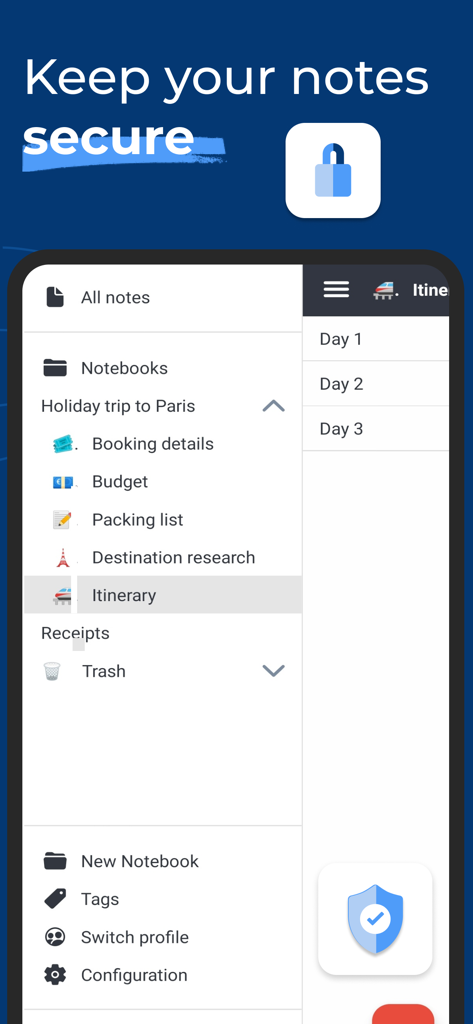
Joplin - 整理されたノートブックと安全なノートストレージを表示するJoplinモバイルアプリのインターフェース
整理されたノートブックと安全なノートストレージを表示するJoplinモバイルアプリのインターフェース

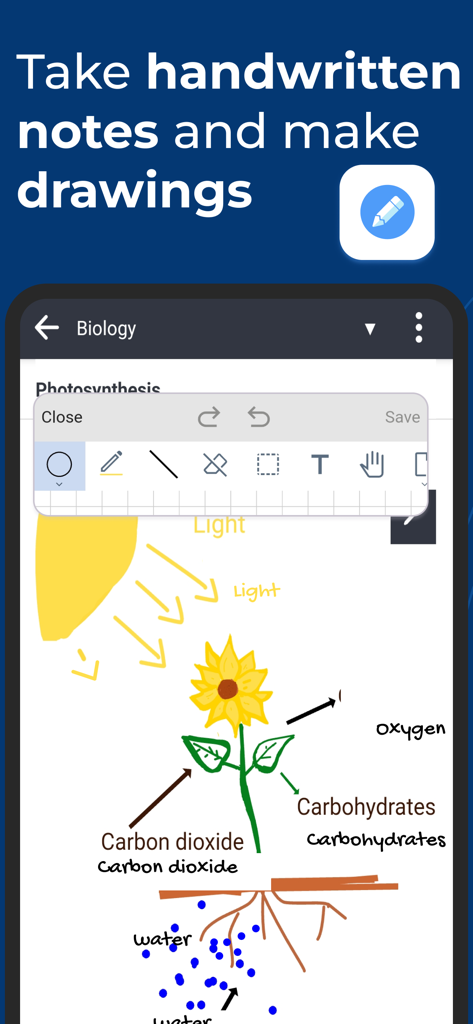
Joplin - 光合成の描画と描画ツールを示すJoplinモバイルアプリのインターフェース
光合成の描画と描画ツールを示すJoplinモバイルアプリのインターフェース

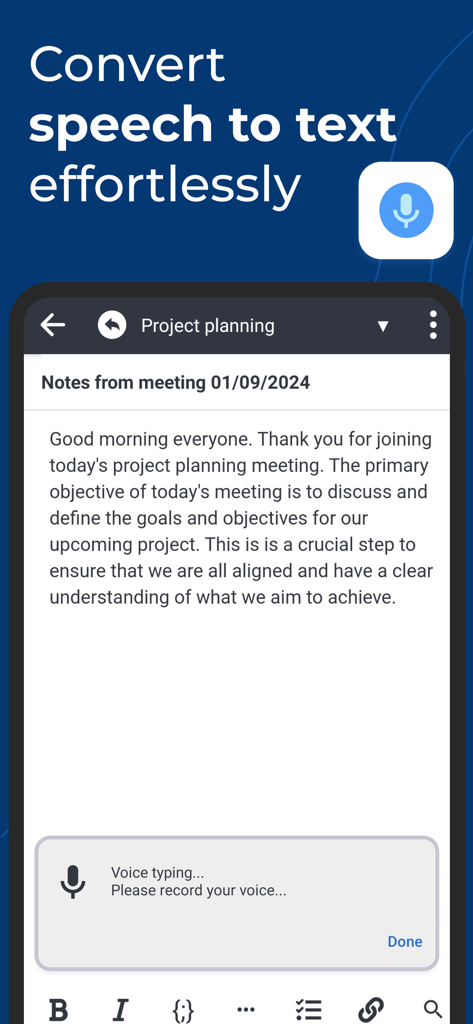
Joplin - 会議のノートの音声テキスト文字起こしデモンストレーションを行うJoplinアプリのインターフェース
会議のノートの音声テキスト文字起こしデモンストレーションを行うJoplinアプリのインターフェース

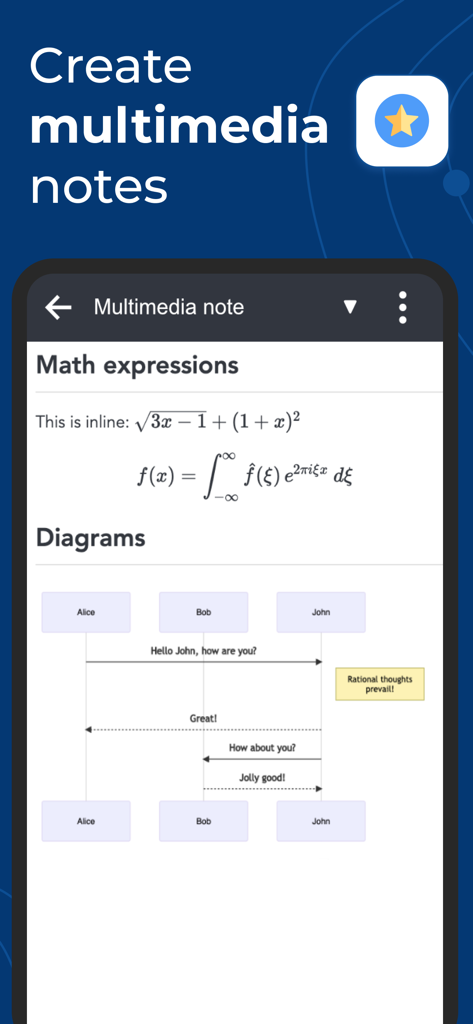
Joplin - マルチメディアノートで数式とシーケンス図を示すJoplinアプリのスクリーンショット
マルチメディアノートで数式とシーケンス図を示すJoplinアプリのスクリーンショット

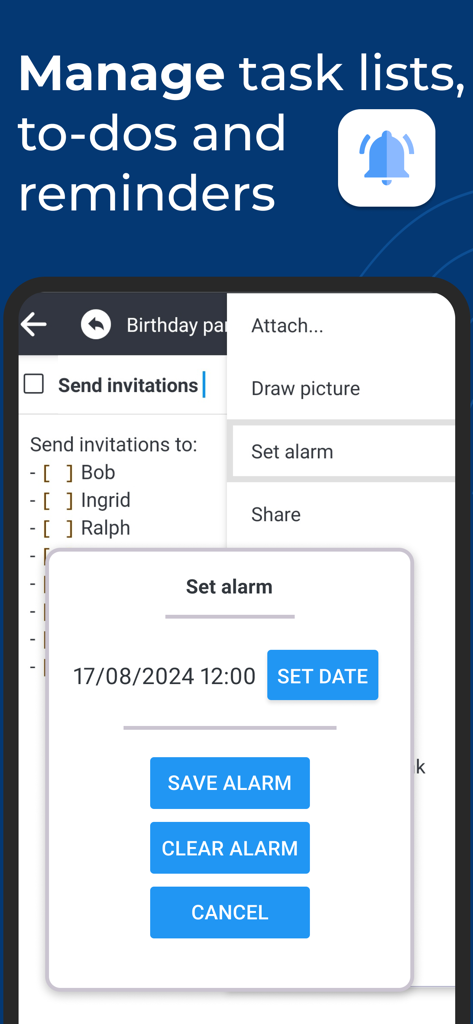
Joplin - チェックリストとタスクリマインダーのアラーム設定ダイアログを表示するJoplinモバイルアプリのインターフェース
チェックリストとタスクリマインダーのアラーム設定ダイアログを表示するJoplinモバイルアプリのインターフェース

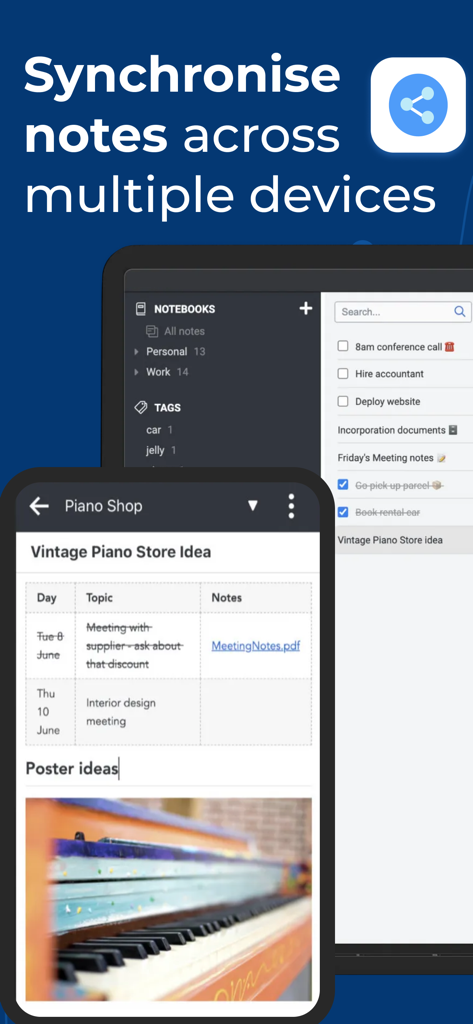
Joplin - スマートフォンとラップトップ間のノート同期を示すJoplinアプリのインターフェース

スマートフォンとラップトップ間のノート同期を示すJoplinアプリのインターフェース

説明

Privacy-first app Capture your thoughts freely and without distractions, tracking, or ads. With Joplin’s end-to-end encryption and open-source code, you can concentrate on your ideas and tasks without worrying about your privacy. Capture multimedia notes Capture multimedia notes effortlessly. In Joplin you can : • create manuscript notes, • transcribe speech to note, • add multimedia: photos, videos, PDFs, and images, • insert documents as attachments, • create math expressions, add tables, write code and insert diagrams, • create to-dos and add reminders. Organise your ideas Organise your notes into notebooks. Connect your notes with tags by subject or priority. Use colours and rich text editor to format your notes with ease. Make task lists, create to-dos and add reminders. Effortlessly find your notes, even within PDFs and images, thanks to the powerful search feature enhanced by Optical Character Recognition (OCR) technology. Use Joplin to store your bills, lecture notes, photos or receipts. Reliable synchronisation Access your notes from computer, phone or tablet by synchronising with various services including Joplin Cloud, Dropbox and OneDrive. Seamlessly move from one device to another. Offline-first You can access your notes anytime and anywhere, even without Internet. If you’re using Joplin on multiple devices, they will synchronise and update once you regained the connection. Enhance your productivity across devices Extend your note-taking experience by using Joplin on additional devices such as a desktop computer or tablet. Make the most of each device by using its specific features. On the desktop app, use a web clipper extension, wide-range of community plugins and a Markdown editor. Experience flawless handwriting and drawing on your tablet. Join active community Connect with Joplin’s vibrant community on Joplin Forum. It’s a place where users can share ideas, ask questions, exchange information and give feedback. Joplin’s dynamic community also develops powerful plugins, so you can customise your app to suit your needs.

Download

ダウンロード: App Store

このページはアプリまたはその開発者の公式ページではなく、情報提供および論評を目的として作成された独立した編集出版物です。明示的に別段の記載がない限り、アプリおよびその開発者は、MWM、Apple、Google Play、アプリのパブリッシャー、またはアプリの開発者と提携、承認、後援、認可、またはその他の公式的な関係はなく、このページのいかなる内容も、アプリがMWMのサービスを使用して開発されたことを意味するものではありません。すべての商標、ロゴ、スクリーンショット、その他のコンテンツはそれぞれの所有者の財産です。








