Kinomatic - Pro Video Camera
ダウンロード: App Store

このページはアプリまたはその開発者の公式ページではなく、情報提供および論評を目的として作成された独立した編集出版物です。明示的に別段の記載がない限り、アプリおよびその開発者は、MWM、Apple、Google Play、アプリのパブリッシャー、またはアプリの開発者と提携、承認、後援、認可、またはその他の公式的な関係はなく、このページのいかなる内容も、アプリがMWMのサービスを使用して開発されたことを意味するものではありません。すべての商標、ロゴ、スクリーンショット、その他のコンテンツはそれぞれの所有者の財産です。

ロゴ: Kinomatic - Pro Video Camera
ダウンロード: App Store

Kinomatic - Pro Video Camera

露出、フォーカス、オーディオを完全にマニュアル制御。放送品質の4K映像と、プロフェッショナルなワークフローを求める映像制作者やジャーナリストのために設計されています。

主要数値

ダウンロード

205K+

ユーザー評価

4.2/5

評価数

0

開発元

A Stellingwerff & M.L Sun

カテゴリ

Photo & Video

対応言語

1

最新バージョン

1.12.1

サイズ

17.6 MB

リリース日

2014年7月17日
機能

シネマティックマスターのためのプロレベルツール

すべてのフレームをマニュアル精度でマスターしましょう。Kinomaticは、妥協を許さない映像制作者のために特別に設計された、きめ細かなカメラコントロールと合理化されたプロフェッショナルワークフローを組み合わせたものです。

マニュアル精度コントロール

ISO、シャッタースピード、フォーカスを完全に制御。当社のインターフェイスは、プロのシネマグレードの結果を得るために、自動化を芸術的な意図に置き換えます。

高度なオーディオエンジニアリング

フロント、バック、外部マイクをライブモニタリングしながら切り替え可能。非圧縮PCMオーディオをキャプチャし、サウンドを映像と同じくらいシャープに保ちます。

以下のスクリーンショットと説明は、アプリの公式ストアリスティングから直接取得されたものであり、アプリ開発者の所有物です。

アプリストア

スクリーンショット
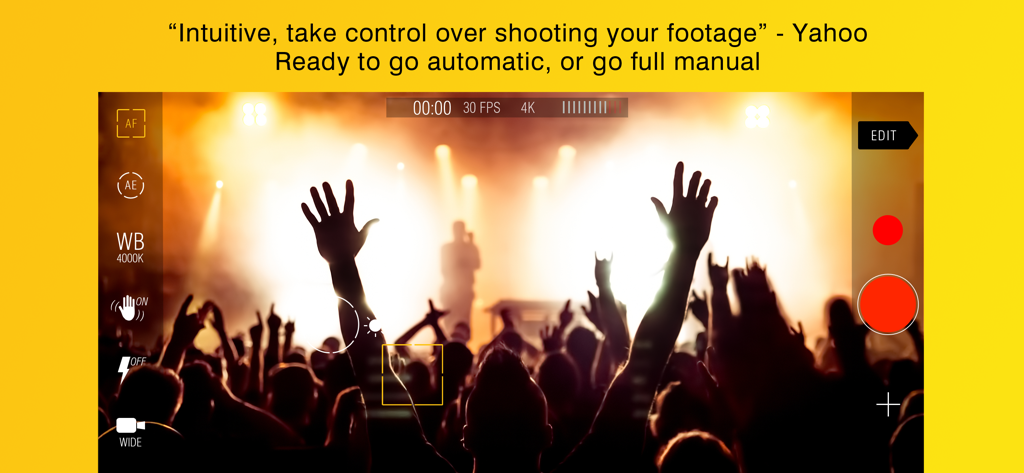
Kinomatic - Pro Video Camera - Kinomaticプロビデオカメラアプリのインターフェイス。マニュアルコントロールとライブコンサートの4K録画を表示。
Kinomaticプロビデオカメラアプリのインターフェイス。マニュアルコントロールとライブコンサートの4K録画を表示。

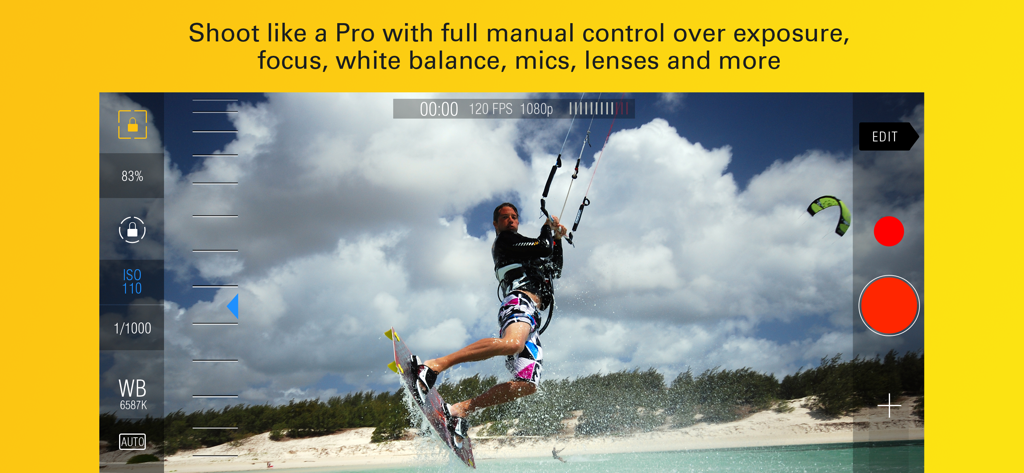
Kinomatic - Pro Video Camera - Kinomaticアプリのインターフェイス。ビーチでカイトボーダーを撮影中のマニュアルカメラコントロールを表示。
Kinomaticアプリのインターフェイス。ビーチでカイトボーダーを撮影中のマニュアルカメラコントロールを表示。

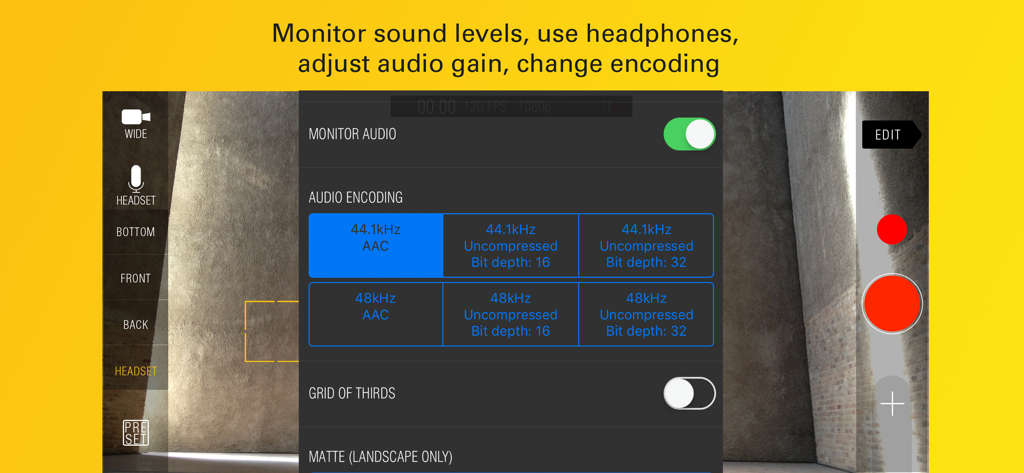
Kinomatic - Pro Video Camera - Kinomaticアプリのインターフェイス。プロのモバイル映画制作のための高度なオーディオエンコーディングとマイク選択設定を表示。
Kinomaticアプリのインターフェイス。プロのモバイル映画制作のための高度なオーディオエンコーディングとマイク選択設定を表示。

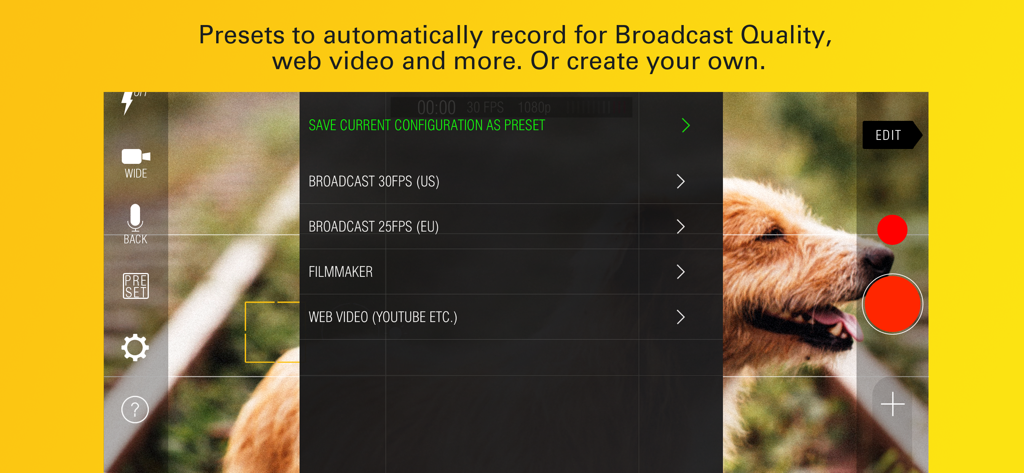
Kinomatic - Pro Video Camera - Kinomaticプロビデオカメラアプリのインターフェイス。放送およびウェブビデオ録画用のスマートプリセットを表示。
Kinomaticプロビデオカメラアプリのインターフェイス。放送およびウェブビデオ録画用のスマートプリセットを表示。

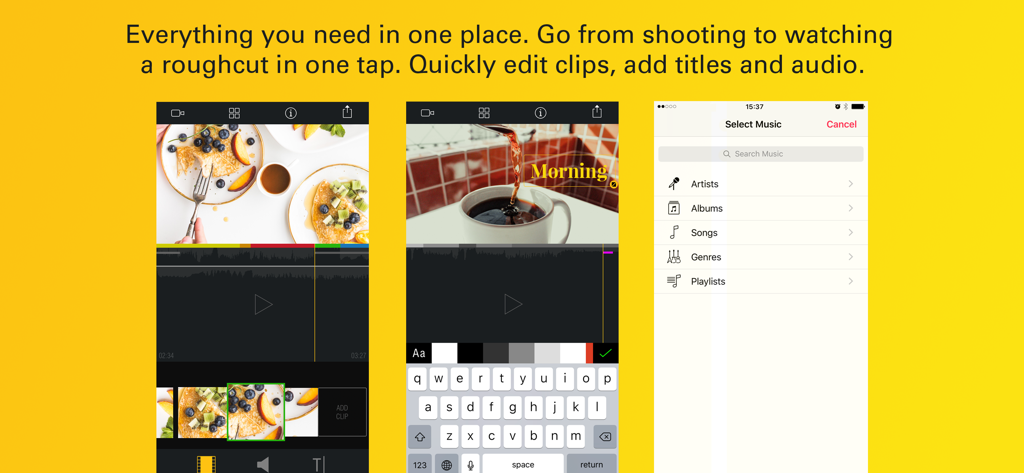
Kinomatic - Pro Video Camera - Kinomatic Pro Video Cameraのインターフェイス。イエローの背景に、ビデオタイムライン編集、タイトルオーバーレイ、音楽ライブラリ選択画面を表示。

Kinomatic Pro Video Cameraのインターフェイス。イエローの背景に、ビデオタイムライン編集、タイトルオーバーレイ、音楽ライブラリ選択画面を表示。

説明

Kinomatic is a fully featured pro-level video camera for your iPhone. The intuitive interface easily gives you full control over all aspects of your camera to capture amazing footage. With the included editor it becomes fast and simple to cut together a rough cut or make sure you have all the shots you need. *Technical Specifications fully listed below ------------------- Featured 'Best New App' worldwide. “Pro-level video features without the complexity” - The Next Web “Intuitive, lets you take control over shooting your footage” - Yahoo “Robust and reliable… With the introduction of presets and persistence between sessions this has taken steps into the world of professional used tools. It's my go-to video camera for reportage and doco, and recently shot a short film with it.” - Kinomatic User Mike R. ------------------- **HIGHLIGHTED FEATURES** CAMERA AND MICROPHONE SELECTION Choose from all available camera on the phone - e.g. ultra wide, wide, telephoto and triple lens on the iPhone Pro models. Select any of the available microphones. Want to do live voice over while recording? Select the front facing mic while you record with the back facing camera. Want to monitor audio with a headset but don’t want to use the headset’s mic? Just select the phone’s back mic instead. 4K Record and edit at 4K resolution. CAPTURE STILL IMAGE Need to capture a still while using Kinomatic? Just tap the still image button. Captures at maximum resolution when you’re not recording video and at video resolution while recording video (yes, you can capture still images while recording video!) SUPER PERSIST After hearing from filmmakers using Kinomatic in studio shoots we worked with them to create Super Persist. Set up your shot and enable Super Persist to keep your White Balance, Focus and Exposure settings uniform between sessions. Also great for consistency on multi-camera shoots. SMART PRESETS Kinomatic comes loaded with presets for filmmakers and broadcasters (For broadcast in EU 25FPS, and in US 30FPS). You can also add your own presets or customise any existing presets. Save time on set-up and consistency by using Smart Presets. INSTANT FINISHED FILM Kinomatic saves all video shot within the app straight to the camera roll so there is no need for transfers or saving out of the app. Kinomatic also generates a rough cut of all clips from a session for you to check your coverage immediately. Freely add, edit and trim clips in our non-destructive light editor. --------------------- TECHNICAL SPECIFICATIONS - Exposure: Auto exposure, manual ISO, manual shutter speed and exposure compensation - Focus: Manual focus, focus at a point, lock focus - White balance: Auto & presets - Resolution: 4K, 1080p, 720p and 480p - Frame rate: 24, 25, 30, 48, 50, 60, 120, 240 FPS - Camera selection: ultra wide angle, wide angle, telephoto, triple and dual camera modes - Microphone selection: switch between all device microphones (front, back, bottom) as well as headset and bluetooth mics. - Still image support: capture still images at any time - also while recording video. - Configure zoom speed - Audio monitoring: level indicator and live monitoring through headphones - Audio gain - Audio Encoding: 44.1 kHz, 48 kHz, compressed (AAC) or uncompressed (linear PCM). - Clips are saved straight to device Camera Roll - Camera stabilisation - Matte guides for 4:3 and 2.40:1 - Automatically generated rough cut from the clips you shot - Freely add, edit and trim clips: all cuts are non-destructive - Edit audio and add titles - Suitable for professional broadcast and filming - Suitable for use with third-party accessories - Optimised for all iPhone screen sizes Some features are only available on newer iPhone models CONNECT Twitter: @kinomaticapp #kinomatic Facebook: www.facebook.com/kinomaticapp Email: hello@kinomatic.co CAN WE HELP? Please get in touch if you have any questions or issues. Email us at hello@kinomatic.co

Download

ダウンロード: App Store

このページはアプリまたはその開発者の公式ページではなく、情報提供および論評を目的として作成された独立した編集出版物です。明示的に別段の記載がない限り、アプリおよびその開発者は、MWM、Apple、Google Play、アプリのパブリッシャー、またはアプリの開発者と提携、承認、後援、認可、またはその他の公式的な関係はなく、このページのいかなる内容も、アプリがMWMのサービスを使用して開発されたことを意味するものではありません。すべての商標、ロゴ、スクリーンショット、その他のコンテンツはそれぞれの所有者の財産です。








